Learn Coding Visually
Learn to code with interactive, live-preview playgrounds — HTML, CSS, JavaScript, React & more.
 HTML Playground42 lessons · Click-based · Live preview
 CSS PlaygroundLearn CSS with a live editor
 JavaScript Playground60 lessons · DOM · Async · Canvas
 React PlaygroundLearn React with a live code editor
 GSAP PlaygroundLearn GSAP animation interactively
 SVG Playground44 lessons · shapes · paths · animation
 SCSS Playground45 lessons · Sass modules · tokens
 Tailwind PlaygroundLearn Tailwind CSS with a live editor
 Bootstrap 5 Playground50 lessons · live preview
Reading Time Left Indicator — Free HTML CSS JS Snippet
Reading Time Left · Scroll · Plain HTML, CSS & JS · Live preview
What's included
Features
About this UI Snippet
Reading Time Left — A Live "Minutes Remaining" Pill for Articles

Static "8 min read" badges go stale the moment the reader starts scrolling. This reading-time-left indicator stays honest: a floating pill recomputes the *remaining* minutes from scroll position as you read, drains a small progress ring alongside, and swaps to a finished state when the article ends. It's the difference between a label and a companion. This snippet builds it with vanilla HTML, CSS, and JavaScript — no libraries.
Word count once, math per scroll
At load, the script counts the article's words with innerText.trim().split(/\s+/) — splitting on whitespace runs is the standard word tokenizer and costs one pass. Everything after is arithmetic: wordsLeft = total × (1 − progress) and minutes = ceil(wordsLeft / 220), using the well-established ~220 words-per-minute adult average. Math.ceil deliberately rounds up: telling a reader "1 min left" when 90 seconds remain feels like a lie; "2 min left" doesn't.
Progress is measured against the readable span
Scroll progress isn't page progress — it's −rect.top / (articleHeight − viewportHeight), the fraction of the article that has passed above the viewport, clamped to 0–1. Subtracting the viewport height matters: the article is "finished" when its *bottom* reaches the bottom of the screen, not when its top leaves — otherwise the indicator would claim minutes remaining while the reader stares at the final paragraph.
The ring drains via stroke-dashoffset
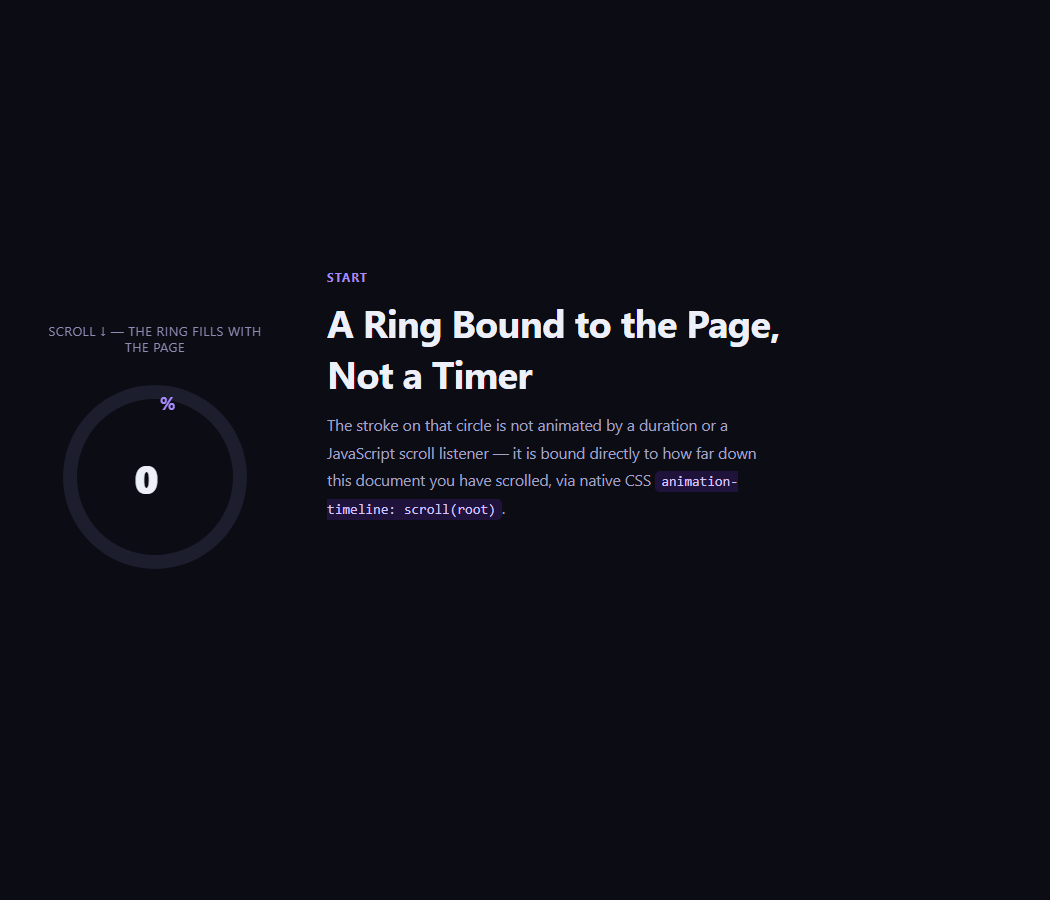
The pill's ring is an SVG circle with stroke-dasharray set to its circumference (2π × 15.5 ≈ 97.4) and its offset written per update as CIRC × (1 − progress) — the same dash mechanics as any progress ring, rotated −90° so it fills from 12 o'clock. Ring and label derive from the same progress value, so they can never disagree.
rAF-throttled, passive scrolling
The scroll handler only flips a ticking flag and queues requestAnimationFrame(update), guaranteeing at most one measurement per frame no matter how many scroll events fire, and { passive: true } tells the browser the handler never calls preventDefault, keeping scrolling unblocked. getBoundingClientRect is read once per frame — cheap at this frequency.
A finish state instead of "0 min left"
At 100% the pill fades out (is-done) and an inline "✓ Finished" note appears at the article's end. Zero-minutes states are awkward — hiding the pill and acknowledging completion inline reads as a small reward rather than a countdown hitting empty.
First paint says "min read", not "min left"
Before any scrolling, the label shows the total ("6 min read") — the familiar badge — and switches to countdown phrasing only once progress begins. One indicator serves both jobs.
The pill degrades gracefully if scroll math ever misfires
If totalWords is somehow zero (an empty article, or the DOM hasn't fully rendered before the script runs), minutes becomes 0 and the label would misleadingly read "0 min left." A defensive tweak — clamping the displayed minutes to at least 1 while progress < 1 — avoids ever showing a countdown of zero on a page the reader hasn't finished, which matters more for user trust than mathematical purity.
Customizing it
Tune WPM (180 for technical content, 260 for light prose), reposition the pill, or scope totalWords to exclude code blocks by cloning the article and stripping pre elements before counting. Related: a scroll progress bar for the classic top bar, scroll progress circle for the ring alone, reading-position table of contents, and scroll to top for the return trip.
Build with AI
Build, Understand, Optimize, and Extend It With AI
You don't have to work out the reading-progress math by hand. Paste this snippet's HTML, CSS, and JS into an AI coding assistant like Claude and ask it to explain exactly why the progress formula subtracts the viewport height from the article's height, or why Math.ceil is used for the minutes-left calculation instead of Math.round. The same assistant can help optimize it — asking whether the one-time word count via innerText.split on whitespace should exclude code blocks or images, or whether the rAF-throttled ticking flag is the right pattern versus a passive IntersectionObserver-based approach. It's also useful for extending the effect: ask it to add a per-image time bonus to the word-count estimate, show a secondary "average reading speed" toggle for technical versus casual content, or persist the last scroll position so returning readers resume their countdown. Treat the code less like a finished artifact and more like a starting point for a conversation.
Prompt to recreate it
Copy this into your AI assistant of choice to build the effect from scratch, or as a jumping-off point for your own variant:
Build a "reading time left" indicator in plain HTML, CSS, and JavaScript using only the native scroll event and the Element.getBoundingClientRect API — no library.

Requirements:
- A fixed-position pill in a corner of the viewport containing a small SVG ring (two concentric circles: a static track and a colored progress stroke using stroke-dasharray/stroke-dashoffset) plus a text label, sitting above an article of several paragraphs.
- At load, count the article's total words once by taking its rendered text content and splitting on whitespace runs (not counting HTML tags), and store an assumed reading speed constant such as 220 words per minute.
- On scroll, compute a reading progress ratio as negative the article's top position (from getBoundingClientRect) divided by (the article's total height minus the viewport height), clamped between 0 and 1 — the article should only be considered fully read when its bottom reaches the bottom of the viewport, not when its top merely scrolls out of view.
- From that ratio, compute words remaining as total words times (1 minus ratio), and minutes remaining as that word count divided by the reading speed, rounded up (not down or to nearest) so the estimate never under-promises.
- Update the SVG ring's stroke-dashoffset from the same ratio (circumference times (1 minus ratio)) and update the text label to show "N min read" before any scrolling starts and "N min left" once scrolling begins, so both the ring and label are always derived from one shared ratio value.
- Throttle the scroll handler so measurement and DOM writes happen at most once per animation frame using a boolean flag plus requestAnimationFrame, and register the scroll listener as passive.
- When the ratio reaches 100%, fade out the pill and reveal a small "finished" confirmation message instead of ever showing a countdown of zero minutes.
Want to tighten it up first? Run this prompt through the AI Prompt Studio to score it across 8 quality dimensions, catch anti-patterns, and tune the wording for Claude, ChatGPT, or Gemini before you paste it in.
Source Code
<div class="srt-pill" id="srtPill">
  <svg viewBox="0 0 36 36" class="srt-ring">
    <circle class="srt-track" cx="18" cy="18" r="15.5"/>
    <circle class="srt-prog" id="srtProg" cx="18" cy="18" r="15.5"/>
  </svg>
  <span id="srtLabel">– min left</span>
</div>
<article class="srt-article" id="srtArticle">
  <h1>The unreasonable effectiveness of boring technology</h1>
  <p>Every few years a new framework promises to change everything, and every few years the teams that ship the most are the ones that ignored it. Boring technology is not a lack of ambition — it is a budget. Each team gets a limited number of innovation tokens, and spending them on plumbing means having none left for the product itself.</p>
  <p>The database you already run beats the database you have to learn. The deployment script that has failed in every known way beats the platform that has not failed yet — because unknown failure modes are the expensive kind. Mature tools carry a decade of answered questions on Stack Overflow; the shiny one carries a Discord where the maintainer answers at midnight, sometimes.</p>
  <p>None of this argues against progress. It argues for spending novelty where it compounds. If a new tool touches your core differentiator, buy the token. If it touches logs, queues, or cron jobs, the boring choice frees an entire class of 3 a.m. pages.</p>
  <p>Choosing boring is also a hiring strategy. Every engineer you recruit already knows the boring stack; onboarding shrinks from months to days. Institutional knowledge accumulates instead of resetting at every migration, and code review becomes about the problem, not the syntax.</p>
  <p>The hardest part is emotional. Boring feels like standing still while the industry sprints past. But the industry is mostly sprinting in circles, and the teams that resisted the loop own systems that are five years old and still comprehensible — which, in software, is a superpower.</p>
  <p>So hold the line. Adopt late, adopt deliberately, and measure every new dependency against the pages it will send you at night. Boring is not the absence of taste. Boring is taste that has survived contact with production.</p>
</article>
<div class="srt-done" id="srtDone">✓ Finished — nice read.</div>*{box-sizing:border-box;margin:0;padding:0}
body{font-family:Georgia,'Times New Roman',serif;background:#0b0d14;color:#d9dce7}
.srt-pill{position:fixed;top:16px;right:16px;z-index:10;display:flex;align-items:center;gap:9px;padding:8px 14px 8px 8px;border-radius:99px;background:rgba(20,24,40,.92);border:1px solid rgba(255,255,255,.12);backdrop-filter:blur(6px);font-family:system-ui,-apple-system,sans-serif;font-size:13px;font-weight:600;color:#c9d2f8;box-shadow:0 10px 30px rgba(0,0,0,.4);transition:opacity .4s}
.srt-pill.is-done{opacity:0;pointer-events:none}
.srt-ring{width:24px;height:24px;transform:rotate(-90deg)}
.srt-track{fill:none;stroke:rgba(255,255,255,.14);stroke-width:3.5}
.srt-prog{fill:none;stroke:#818cf8;stroke-width:3.5;stroke-linecap:round;stroke-dasharray:97.4;stroke-dashoffset:97.4}
.srt-article{max-width:640px;margin:0 auto;padding:80px 24px 60px}
.srt-article h1{font-size:clamp(28px,5vw,42px);line-height:1.2;letter-spacing:-.01em;color:#fff;margin-bottom:28px}
.srt-article p{font-size:18px;line-height:1.85;margin-bottom:24px;color:#c3c8d8}
.srt-done{max-width:640px;margin:0 auto;padding:0 24px 90px;font-family:system-ui,sans-serif;font-size:14px;font-weight:600;color:#34d399;opacity:0;transition:opacity .5s}
.srt-done.is-shown{opacity:1}var WPM = 220; // average adult reading speed
var article = document.getElementById('srtArticle');
var label = document.getElementById('srtLabel');
var pill = document.getElementById('srtPill');
var doneEl = document.getElementById('srtDone');
var prog = document.getElementById('srtProg');
var CIRC = 2 * Math.PI * 15.5; // ring circumference (~97.4)
// Count words once at load.
var totalWords = article.innerText.trim().split(/\s+/).length;
var ticking = false;
function update() {
ticking = false;
var rect = article.getBoundingClientRect();
var viewH = window.innerHeight;
// Progress = how much of the article has scrolled past the bottom edge.
var total = rect.height - viewH;
var progress = total > 0 ? Math.min(Math.max(-rect.top / total, 0), 1) : 1;
var wordsLeft = Math.round(totalWords * (1 - progress));
var minutes = Math.ceil(wordsLeft / WPM);
if (progress >= 1) {
pill.classList.add('is-done');
doneEl.classList.add('is-shown');
} else {
pill.classList.remove('is-done');
doneEl.classList.remove('is-shown');
label.textContent = progress === 0
? minutes + ' min read'
: minutes + ' min left';
}
prog.style.strokeDashoffset = CIRC * (1 - progress);
}
window.addEventListener('scroll', function () {
if (!ticking) { ticking = true; requestAnimationFrame(update); }
}, { passive: true });
window.addEventListener('resize', update);
update();Step by step
How to Use
- 1Paste HTML, CSS, and JSAn article renders with the pill showing total read time.
- 2Start scrollingThe label switches to a live "N min left" countdown.
- 3Watch the ringIt drains in lockstep with your position.
- 4Reach the endThe pill fades and a finished note appears.
- 5Scroll back upThe countdown and ring restore instantly.
- 6Tune WPMSet 180 for technical prose, 260 for light reads.
Real-world uses
Common Use Cases
Got questions?
Frequently Asked Questions
Words are counted once at load by splitting innerText on whitespace runs. Per scroll frame, progress = −rect.top / (articleHeight − viewportHeight) clamped to 0–1; wordsLeft = total × (1 − progress); minutes = Math.ceil(wordsLeft / 220). Ceiling keeps the promise honest — 90 remaining seconds shows as 2 minutes, never 1.
Because reading finishes when the article's bottom reaches the bottom of the screen, not when its top scrolls away. Dividing by rect.height alone would report minutes remaining while the reader is already on the final paragraph. Using height − viewportHeight as the denominator maps 100% to exactly that final position.
No — the scroll listener only queues one requestAnimationFrame callback via a ticking flag, so however many scroll events fire, measurement happens at most once per frame. The work per frame is one getBoundingClientRect, a few multiplications, a text write, and one dashoffset write. The listener is passive, so it never blocks the scroll thread.
Yes — clone the article node, remove elements that shouldn't count (pre, figure, aside), and tokenize the clone's innerText instead. For media-heavy pages, add per-image seconds (a common editorial rule is 12s for the first image, scaling down) to the minutes as a constant added after the word math.
If totalWords ends up 0 or very low, minutes can round to 0 mid-article, which reads as a countdown hitting empty before the reader is done. A simple guard — Math.max(1, minutes) while progress is under 1 — keeps the label honest without complicating the core math, and is worth adding for any article shorter than a paragraph or two.
Attach refs to the article, label, and ring, then run the count and listeners in a mount effect — useEffect, onMounted, or ngAfterViewInit — removing both listeners in the cleanup. Write the label and dashoffset through refs, not state: updating state per scroll frame would re-render sixty times a second. The pill itself styles neatly with Tailwind's fixed, rounded-full, and backdrop-blur utilities.