Learn Coding Visually
Learn to code with interactive, live-preview playgrounds — HTML, CSS, JavaScript, React & more.
 HTML Playground42 lessons · Click-based · Live preview
 CSS PlaygroundLearn CSS with a live editor
 JavaScript Playground60 lessons · DOM · Async · Canvas
 React PlaygroundLearn React with a live code editor
 GSAP PlaygroundLearn GSAP animation interactively
 SVG Playground44 lessons · shapes · paths · animation
 SCSS Playground45 lessons · Sass modules · tokens
 Tailwind PlaygroundLearn Tailwind CSS with a live editor
 Bootstrap 5 Playground50 lessons · live preview
SweetAlert2 Multi-Step Input Flow — Free HTML CSS JS Snippet
SweetAlert2 Multi-Step Input Flow · Modals · Plain HTML, CSS & JS · Live preview
What's included
Features
About this UI Snippet
SweetAlert2 Multi-Step Input Flow — Chaining Promises Where queue() Used to Be
Older SweetAlert2 versions had a built-in Swal.queue() helper for exactly this — a linear sequence of steps with a shared progress indicator. SweetAlert2 v11 removed it, and the current documented approach is a plain chain of Swal.fire() calls, each one only firing after the previous step's promise resolves, with your own code threading the collected answers through the chain.
Swal.mixin factors out what every step shares
Swal.mixin({...}) creates a reusable dialog config — progressSteps, button colors, cancel behavior — applied automatically to every StepSwal.fire() call, instead of repeating those five settings three separate times. Each individual step's fire() call only needs to specify what's actually different about that step: its title, its input type, and its validator.
currentProgressStep drives which dot is highlighted
Setting currentProgressStep: 1 on the second step's config is what tells SweetAlert2's built-in progress-steps indicator which of the three dots to show as current — this is purely a display setting per call, independent of the actual chaining logic that moves between steps.
Chained .then() calls, not a queue array
Each step's .then() callback checks isConfirmed, saves that step's value onto a shared answers object, and returns the *next* StepSwal.fire() call — returning a Promise from inside a .then() is what chains it, ensuring step 3 never fires until step 2's promise has actually resolved. Any step's Cancel button resolves with isConfirmed: false, and every .then() checks that before proceeding — cancelling at step 2 correctly stops the flow rather than skipping ahead to step 3.
inputValidator blocks advancing on each step independently
Every step declares its own inputValidator function, returning an error string (which SweetAlert2 displays inline and refuses to advance past) when a value is missing — the project name step requires non-empty text, the template and visibility steps require an option to be picked, each validated the moment "Next" is clicked on that specific step.
allowOutsideClick: false keeps a multi-step flow from vanishing accidentally
A single confirmation dialog closing on an accidental outside click is a minor annoyance; losing the last two minutes of a multi-step form to the same accident is worse. Disabling outside-click dismissal (kept in the shared Swal.mixin) means the only ways out of the flow are the explicit Next/Cancel buttons.
Reusing it
Add a fourth step by inserting one more StepSwal.fire(...).then(...) link in the chain (bumping progressSteps and every later currentProgressStep value) — the pattern scales to any number of sequential steps.
Build with AI
Build, Understand, Optimize, and Extend It With AI
You don't have to rediscover the modern replacement for SweetAlert2's removed queue feature on your own. Paste this snippet's HTML, CSS, and JS into an AI coding assistant like Claude and ask it to explain exactly how chaining Swal.fire() calls inside nested .then() callbacks replaces the old Swal.queue() API, and how checking isConfirmed at each step correctly stops the whole chain if the user cancels partway through. The same assistant can help optimize it — ask whether the current nested .then() structure could be rewritten using async/await for better readability, especially if a fourth or fifth step were added and the nesting grew deeper. It's also useful for extending the effect: ask it to add a "Back" button that returns to the previous step with its previously entered value pre-filled, persist partially completed answers if the browser is refreshed, or submit the final collected answers to a real API endpoint with a loading state. Treat the code less like a finished artifact and more like a starting point for a conversation.
Prompt to recreate it
Copy this into your AI assistant of choice to build the effect from scratch, or as a jumping-off point for your own variant:
Build a 3-step wizard-style dialog flow for creating a new project, using the SweetAlert2 library (load SweetAlert2's all-in-one bundle from a CDN, no other library), in plain HTML, CSS, and JavaScript, without using any removed or deprecated queue-style API.

Requirements:
- Implement the three-step flow as a chain of separate dialog calls, where each step's dialog only opens after the previous step has been confirmed, and use a shared configuration object (created via the library's config-reuse mechanism) so that visual settings common to every step — such as a step-progress indicator, button colors, and cancel button behavior — don't need to be repeated in each individual step's configuration.
- Step 1 should collect a text input for a project name, with validation that blocks advancing if the field is left empty and shows an inline error message explaining why.
- Step 2 should present a dropdown of at least three template options, with validation requiring one to be selected before advancing.
- Step 3 should present a set of radio-button options for visibility (for example private, team, and public), each with a short explanatory label, with validation requiring one to be selected, and its confirm button should read differently from the earlier steps (e.g. "Create Project" instead of "Next").
- Update the step-progress indicator correctly on each step so it always reflects which of the three steps is currently active.
- If the user cancels at any step (via a cancel button, clicking outside the dialog, or pressing Escape), the entire flow must stop immediately without creating anything or advancing further, and outside clicks should not be able to silently dismiss a step's dialog.
- After all three steps are successfully completed, show a success confirmation and display the collected project name, template, and visibility choice elsewhere on the page.
Want to tighten it up first? Run this prompt through the AI Prompt Studio to score it across 8 quality dimensions, catch anti-patterns, and tune the wording for Claude, ChatGPT, or Gemini before you paste it in.
Source Code
<div class="ms-wrap">
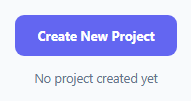
  <button class="ms-btn" id="msStart" type="button">Create New Project</button>
  <div class="ms-log" id="msLog">No project created yet</div>
</div>*{box-sizing:border-box;margin:0;padding:0}
body{font-family:system-ui,-apple-system,sans-serif;background:#f8fafc;min-height:100vh;display:flex;align-items:center;justify-content:center;padding:24px}
.ms-wrap{display:flex;flex-direction:column;align-items:center;gap:14px}
.ms-btn{padding:12px 22px;border-radius:9px;border:none;background:#6366f1;color:#fff;font:700 13px system-ui;cursor:pointer}
.ms-btn:hover{background:#5457e5}
.ms-log{font-size:12.5px;color:#64748b;text-align:center;max-width:320px}
.ms-log b{color:#0f172a}var logEl = document.getElementById('msLog');
// Swal.mixin shares this config across every step's Swal.fire call -- the
// progress steps indicator, colors, and cancel behavior stay identical and
// consistent across all three steps without repeating them three times.
var StepSwal = Swal.mixin({
progressSteps: ['1', '2', '3'],
confirmButtonText: 'Next',
confirmButtonColor: '#6366f1',
showCancelButton: true,
cancelButtonText: 'Cancel',
reverseButtons: true,
allowOutsideClick: false,
});
// SweetAlert2 v11 dropped its built-in Swal.queue() helper -- the modern
// replacement is a plain chain of Swal.fire() calls, each one only firing
// after the previous step's promise resolves, with a shared "answers"
// object threaded through the whole chain manually.
function runFlow() {
var answers = {};
StepSwal.fire({
title: 'Project name',
currentProgressStep: 0,
input: 'text',
inputPlaceholder: 'e.g. Marketing Website',
inputValidator: function (value) {
if (!value || !value.trim()) return 'A project name is required';
},
}).then(function (step1) {
if (!step1.isConfirmed) return;
answers.name = step1.value;
return StepSwal.fire({
title: 'Choose a template',
currentProgressStep: 1,
input: 'select',
inputOptions: { blank: 'Blank Project', kanban: 'Kanban Board', roadmap: 'Product Roadmap' },
inputPlaceholder: 'Select a template',
inputValidator: function (value) {
if (!value) return 'Pick a template to continue';
},
}).then(function (step2) {
if (!step2.isConfirmed) return;
answers.template = step2.value;
return StepSwal.fire({
title: 'Visibility',
currentProgressStep: 2,
input: 'radio',
inputOptions: { private: 'Private \u2014 only invited members', team: 'Team \u2014 anyone in the workspace', public: 'Public \u2014 anyone with the link' },
inputValidator: function (value) {
if (!value) return 'Choose a visibility option';
},
confirmButtonText: 'Create Project',
}).then(function (step3) {
if (!step3.isConfirmed) return;
answers.visibility = step3.value;
finish(answers);
});
});
});
}
var TEMPLATE_LABELS = { blank: 'Blank Project', kanban: 'Kanban Board', roadmap: 'Product Roadmap' };
var VISIBILITY_LABELS = { private: 'Private', team: 'Team', public: 'Public' };
function finish(answers) {
logEl.innerHTML = 'Created <b>' + answers.name + '</b> \u2014 ' +
TEMPLATE_LABELS[answers.template] + ', ' + VISIBILITY_LABELS[answers.visibility] + ' visibility.';
Swal.fire({ title: 'Project created!', icon: 'success', confirmButtonColor: '#6366f1' });
}
document.getElementById('msStart').addEventListener('click', runFlow);Step by step
How to Use
- 1Add the SweetAlert2 CDNLoad sweetalert2.all.min.js before the snippet's JS runs.
- 2Paste HTML, CSS, and JSA "Create New Project" button renders.
- 3Click the buttonStep 1 of 3 opens asking for a project name.
- 4Try clicking Next with an empty nameAn inline validation error appears, blocking advance.
- 5Complete all three stepsA success dialog confirms, and details log below.
- 6Click Cancel on any stepThe flow stops immediately with nothing created.
Real-world uses
Common Use Cases
Got questions?
Frequently Asked Questions
Swal.queue() was a built-in helper in older SweetAlert2 versions for running a linear sequence of dialogs, but it was removed in SweetAlert2 v11. The currently documented approach for multi-step flows is chaining plain Swal.fire() calls: each step's .then() callback returns the next step's Swal.fire() call, which is what makes the following .then() wait for it, with a shared object threaded manually through the chain to collect each step's answer.
Swal.mixin({...}) creates a version of Swal pre-configured with certain default options — in this case, the shared progress-steps indicator, button colors, and cancel behavior — so every call to StepSwal.fire() automatically includes those settings without repeating them. Each individual step then only needs to specify what's actually unique about it, like its title and input type.
Every step's .then() callback checks result.isConfirmed before doing anything else, and returns immediately (without calling the next step's Swal.fire()) if it's false. Since isConfirmed is false whenever the cancel button, an outside click, or Escape closes a dialog, cancelling at any step correctly halts the chain right there — the code never reaches the line that would fire the next step.
Each step's Swal.fire() call includes a currentProgressStep value (0 for the first step, 1 for the second, and so on), which SweetAlert2's built-in progress-steps display reads to determine which dot to highlight as the current step. This is a purely visual setting, separate from the actual promise-chaining logic that determines when to move to the next step.
Add a new '4' entry to the progressSteps array in Swal.mixin, then insert another StepSwal.fire({ ..., currentProgressStep: 3 }).then(function (step4) { ... }) link into the promise chain between the existing steps (or after the last one), following the same isConfirmed-check-then-save-then-return-next-step pattern the existing three steps already use.