Source Code
<div class="msi-wrap">
  <svg class="msi-stage" viewBox="0 0 100 100">
    <defs>
      <path id="msi-play"  d="M30 20 L80 50 L30 80 Z"/>
      <path id="msi-heart" d="M50 82 C20 60 12 38 26 26 C36 18 48 24 50 34 C52 24 64 18 74 26 C88 38 80 60 50 82 Z"/>
      <path id="msi-star"  d="M50 12 L60 38 L88 40 L66 58 L74 86 L50 70 L26 86 L34 58 L12 40 L40 38 Z"/>
      <path id="msi-bolt"  d="M56 10 L26 54 L46 54 L40 90 L74 42 L52 42 Z"/>
    </defs>
    <path id="msiIcon" d="M30 20 L80 50 L30 80 Z" fill="#818cf8"/>
  </svg>
  <div class="msi-bar">
    <button class="msi-btn is-active" data-shape="#msi-play" data-color="#818cf8">Play</button>
    <button class="msi-btn" data-shape="#msi-heart" data-color="#fb7185">Heart</button>
    <button class="msi-btn" data-shape="#msi-star" data-color="#fbbf24">Star</button>
    <button class="msi-btn" data-shape="#msi-bolt" data-color="#22d3ee">Bolt</button>
  </div>
  <p class="msi-hint">One path element — MorphSVG rewrites its points live.</p>
</div>*{box-sizing:border-box;margin:0;padding:0}
body{font-family:system-ui,-apple-system,sans-serif;background:#0b0d16;color:#fff;min-height:100vh;display:flex;align-items:center;justify-content:center;padding:24px}
.msi-wrap{display:flex;flex-direction:column;align-items:center;gap:20px}
.msi-stage{width:min(220px,54vw);height:auto;filter:drop-shadow(0 14px 34px rgba(129,140,248,.3))}
.msi-bar{display:flex;gap:8px;flex-wrap:wrap;justify-content:center}
.msi-btn{padding:9px 18px;border-radius:99px;border:1px solid rgba(255,255,255,.16);background:#141a2e;color:#c9d2f8;font:600 13px system-ui;cursor:pointer;transition:background .2s,border-color .2s}
.msi-btn:hover{background:#1d2440}
.msi-btn.is-active{border-color:#818cf8;background:#1d2440}
.msi-hint{color:#5f6782;font-size:12px;letter-spacing:.05em}gsap.registerPlugin(MorphSVGPlugin);
var icon = document.getElementById('msiIcon');
var buttons = document.querySelectorAll('.msi-btn');
buttons.forEach(function (btn) {
btn.addEventListener('click', function () {
buttons.forEach(function (b) { b.classList.remove('is-active'); });
btn.classList.add('is-active');
gsap.to(icon, {
duration: 0.7,
ease: 'power2.inOut',
// morphSVG points the live path at a target path (by selector);
// shapeIndex 'auto' picks the point mapping with least travel.
morphSVG: { shape: btn.getAttribute('data-shape'), shapeIndex: 'auto' },
fill: btn.getAttribute('data-color')
});
// A tiny squash sells the transformation.
gsap.fromTo(icon,
{ scale: 0.92, transformOrigin: '50% 50%' },
{ scale: 1, duration: 0.7, ease: 'elastic.out(1, 0.45)' });
});
});Learn Coding Visually
Learn to code with interactive, live-preview playgrounds — HTML, CSS, JavaScript, React & more.
 HTML Playground42 lessons · Click-based · Live preview
 CSS PlaygroundLearn CSS with a live editor
 JavaScript Playground60 lessons · DOM · Async · Canvas
 React PlaygroundLearn React with a live code editor
 GSAP PlaygroundLearn GSAP animation interactively
 SVG Playground44 lessons · shapes · paths · animation
 SCSS Playground45 lessons · Sass modules · tokens
 Tailwind PlaygroundLearn Tailwind CSS with a live editor
 Bootstrap 5 Playground50 lessons · live preview
Morph SVG Icons — Free GSAP MorphSVG Plugin Snippet
Morph SVG Icons · Animations · Plain HTML, CSS & JS · Live preview
What's included
Features
About this UI Snippet
Morph SVG Icons — Fluidly Reshape One Path Into Any Other
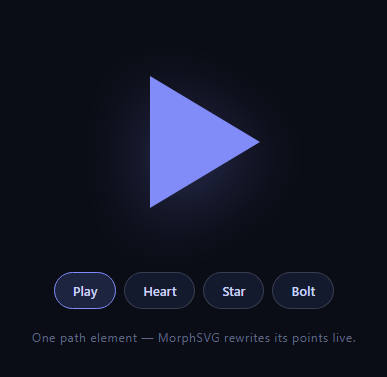
Icon morphing — a play button flowing into a heart, a star melting into a lightning bolt — is the kind of polish users notice without knowing why. CSS can't do it (paths with different point counts aren't interpolatable), but GSAP's MorphSVGPlugin (free on the CDN since 3.13) solves the hard geometry: this snippet keeps four target shapes in <defs> and morphs one visible path between them, with color and a squash-settle riding along.
Why path morphing is genuinely hard
Interpolating d attributes only works when both paths have identical command counts and types — a 3-point triangle and a 10-point star simply can't be lerped natively, which is why CSS d: path() transitions fail on real icons. MorphSVG resamples both shapes into compatible point sets behind the scenes, adding points where needed and matching segments, so *any* path can morph into *any other*. That preprocessing is the entire value of the plugin — the tween that follows is ordinary GSAP.
shapeIndex: 'auto' picks the least-weird correspondence
Even with compatible point sets, morphs can look like taffy if point #1 of the triangle maps to the wrong corner of the star — the shape turns itself inside out in transit. shapeIndex controls the rotational offset of that mapping, and 'auto' tries the candidates and picks the one with the least total point travel. When a specific morph still looks odd, setting an explicit integer (or using GSAP's findShapeIndex utility) is the tuning knob.
Targets live in defs, referenced by selector
The four icon shapes sit as <path> elements inside <defs> — parsed and addressable but never rendered. morphSVG: { shape: '#msi-heart' } accepts that selector directly, so adding a fifth icon is one path plus one button; no path strings in JavaScript. Keeping geometry in markup also means designers can re-export shapes from Figma or Illustrator without touching code.
Fill tweens in the same animation
Each button carries a data-color, and fill interpolates alongside the morph in the same tween, so shape and color arrive together. GSAP tweens SVG presentation attributes natively — no CSS transition needed, no split timing to reconcile.
The elastic squash is separate on purpose
A second fromTo scales the icon from 0.92 with elastic.out(1, 0.45) while the morph runs at power2.inOut. Layering two tweens with different eases on one element gives the transformation weight — the geometry flows while the whole glyph bounces once, and each can be retuned independently.
One caveat: morphs need paths, not primitives
MorphSVG animates <path> elements; <circle>, <rect>, and <polygon> targets must be converted first (the plugin ships MorphSVGPlugin.convertToPath() for exactly this). All shapes here are authored as paths to keep the demo dependency-free of that step.
Customizing it
Add shapes (a path in defs plus a button), auto-cycle the icons on a timer, or morph in response to app state — play/pause is the canonical pair. Related: self-drawing strokes in scroll text draw and draw svg success, blob-style morphing without SVG in scroll shape morph, and animated icon sets in animated svg icons.
Build with AI
Build, Understand, Optimize, and Extend It With AI
Rather than guessing why some morphs look twisted, paste this snippet's HTML, CSS, and JS into an AI coding assistant like Claude and ask it to explain exactly what shapeIndex: 'auto' is doing when it picks a point-mapping offset between the triangle and the star, or why the target shapes have to sit inside defs rather than just being referenced from strings in the JS. The same assistant is useful for optimizing it, for instance asking whether running the fill tween and the elastic squash as two separate GSAP calls on every click could be consolidated into one timeline for cleaner sequencing, or whether morphing very high-point-count paths would need a lower duration to stay smooth. It's also a good way to extend the effect: ask it to auto-cycle through all four shapes on a timer, add a fifth custom shape traced from an uploaded SVG, or drive the morph from real app state like a play/pause toggle. Treat the code less like a finished artifact and more like a starting point for a conversation.
Prompt to recreate it
Copy this into your AI assistant of choice to build the effect from scratch, or as a jumping-off point for your own variant:
Build a "morphing SVG icon" control in plain HTML, CSS, and JavaScript using GSAP and its MorphSVGPlugin (load both from a CDN) — no build step, no other animation library.

Requirements:
- One visible SVG path element that starts as a simple shape (e.g. a play-button triangle), plus several other target shapes (e.g. a heart, a star, a lightning bolt) authored as path elements inside an SVG defs block so they are parsed but never rendered.
- A row of buttons, one per target shape, each carrying a data attribute referencing its target path's id selector and a data attribute for a fill color to switch to.
- Clicking a button must morph the one visible path into the clicked button's target shape using GSAP's morphSVG property, referencing the target by its defs selector string (not a hardcoded path string duplicated in JS), and must use shapeIndex set to auto so the point correspondence with the least total travel is chosen automatically.
- The same click must also tween the visible path's fill color to the button's target color, synchronized in duration with the shape morph so color and geometry complete together.
- Layer a second, independent tween on the same click that briefly scales the icon down and then springs it back up with an elastic ease, so the morph reads as having physical weight, decoupled from the morph's own easing curve.
- Track and visually mark (e.g. with an active class) which shape button is currently selected, updating it on every click.
- Explain in a comment why a plain CSS d: path() transition could not achieve this morph given the differing point counts between the shapes.
Want to tighten it up first? Run this prompt through the AI Prompt Studio to score it across 8 quality dimensions, catch anti-patterns, and tune the wording for Claude, ChatGPT, or Gemini before you paste it in.
Step by step
How to Use
- 1Add the GSAP CDNsInclude gsap and MorphSVGPlugin from the CDN panel.
- 2Paste HTML, CSS, and JSA play icon renders with four shape buttons.
- 3Click HeartThe triangle flows into a heart and turns rose.
- 4Cycle the shapesStar and bolt morph with matched point mapping.
- 5Watch the settleAn elastic squash lands each transformation.
- 6Add your own shapeDrop a path in defs and a button with its selector.
Real-world uses
Common Use Cases
Got questions?
Frequently Asked Questions
CSS d: path() transitions require both paths to have identical command counts and types — a 3-point triangle can't interpolate to a 10-point star. MorphSVG resamples both shapes into compatible point sets, inserting and matching points automatically, so any path morphs into any other. That geometry preprocessing is what the plugin fundamentally adds.
It sets which point of the start shape maps to which point of the end shape — the rotational offset of the correspondence. A bad mapping makes shapes turn inside-out in transit. 'auto' tests candidate offsets and picks the one with the least total point travel; if a particular pair still looks like taffy, an explicit integer index is the manual override.
They live inside <defs>, which the browser parses (making them queryable by id) but never paints. morphSVG accepts the selector string directly — { shape: '#msi-heart' } — so geometry stays in markup where designers can replace it from Figma exports, and JavaScript holds zero path data.
Not directly — MorphSVG operates on <path> elements. The plugin includes MorphSVGPlugin.convertToPath('circle, rect, polygon') which swaps primitives for equivalent paths in place, after which they morph normally. This demo authors everything as paths up front to skip that step entirely.
They're properties of the same tween: morphSVG handles the geometry while fill interpolates alongside it, sharing the one duration and ease. The elastic squash is deliberately a second tween with its own ease — layering two differently-eased animations on one element is what gives the morph its weight without complicating either.
Register the plugin at module scope, inline the SVG in your template, and run tweens from event handlers against a ref to the live path — no effect needed for click-driven morphs, though initial state setup belongs in useEffect/onMounted/ngAfterViewInit. Keep defs ids unique per component instance (suffix with an id) so multiple copies don't cross-reference. Buttons and layout translate to Tailwind directly.