Source Code
<div class="ig-wrap">
  <h2 class="ig-heading">Gallery — drag to reorder</h2>
  <div class="ig-grid" id="igGrid"></div>
</div>
* { box-sizing: border-box; margin: 0; padding: 0; }
body { font-family: system-ui, -apple-system, sans-serif; background: #f8fafc; min-height: 100vh; padding: 24px; }
.ig-wrap { max-width: 640px; margin: 0 auto; }
.ig-heading { font-size: 16px; font-weight: 800; color: #1e293b; margin-bottom: 14px; }
.ig-grid {
display: grid; grid-template-columns: repeat(4, 1fr); gap: 10px;
}
@media (max-width: 520px) {
.ig-grid { grid-template-columns: repeat(2, 1fr); }
}
.ig-tile {
position: relative; border-radius: 12px; overflow: hidden; aspect-ratio: 3 / 2;
cursor: grab; border: 2px solid transparent; transition: border-color 0.12s, opacity 0.15s;
background: #e2e8f0;
}
.ig-tile:active { cursor: grabbing; }
.ig-tile img { width: 100%; height: 100%; object-fit: cover; display: block; pointer-events: none; }
.ig-tile.ig-dragging { opacity: 0.35; }
.ig-tile.ig-drag-over { border-color: #6366f1; }
.ig-tile-index {
position: absolute; top: 6px; left: 6px; background: rgba(15,23,42,0.65); color: #fff;
font-size: 10.5px; font-weight: 800; width: 20px; height: 20px; border-radius: 6px;
display: flex; align-items: center; justify-content: center;
}const grid = document.getElementById('igGrid');
const SEEDS = ['sunset', 'forest', 'ocean', 'city', 'mountain', 'desert', 'harbor', 'meadow'];
let images = SEEDS.map((seed, i) => ({
id: 'img-' + i,
url: 'https://picsum.photos/seed/' + seed + '/300/200',
}));
let dragId = null;
function renderGrid() {
grid.innerHTML = '';
images.forEach((img, i) => {
const tile = document.createElement('div');
tile.className = 'ig-tile';
tile.draggable = true;
tile.dataset.id = img.id;
tile.innerHTML = '<span class="ig-tile-index">' + (i + 1) + '</span><img src="' + img.url + '" alt="Gallery image ' + (i + 1) + '" />';
tile.addEventListener('dragstart', (e) => {
dragId = img.id;
e.dataTransfer.setData('text/plain', img.id);
e.dataTransfer.effectAllowed = 'move';
setTimeout(() => tile.classList.add('ig-dragging'), 0);
});
tile.addEventListener('dragend', () => {
tile.classList.remove('ig-dragging');
dragId = null;
document.querySelectorAll('.ig-tile').forEach((t) => t.classList.remove('ig-drag-over'));
});
tile.addEventListener('dragover', (e) => {
e.preventDefault();
if (img.id === dragId) return;
tile.classList.add('ig-drag-over');
});
tile.addEventListener('dragleave', () => {
tile.classList.remove('ig-drag-over');
});
tile.addEventListener('drop', (e) => {
e.preventDefault();
tile.classList.remove('ig-drag-over');
const sourceId = e.dataTransfer.getData('text/plain');
if (!sourceId || sourceId === img.id) return;
const fromIndex = images.findIndex((im) => im.id === sourceId);
const toIndex = images.findIndex((im) => im.id === img.id);
if (fromIndex === -1 || toIndex === -1) return;
const [moved] = images.splice(fromIndex, 1);
images.splice(toIndex, 0, moved);
renderGrid();
});
grid.appendChild(tile);
});
}
renderGrid();Learn Coding Visually
Learn to code with interactive, live-preview playgrounds — HTML, CSS, JavaScript, React & more.
 HTML Playground42 lessons · Click-based · Live preview
 CSS PlaygroundLearn CSS with a live editor
 JavaScript Playground60 lessons · DOM · Async · Canvas
 React PlaygroundLearn React with a live code editor
 GSAP PlaygroundLearn GSAP animation interactively
 SVG Playground44 lessons · shapes · paths · animation
 SCSS Playground45 lessons · Sass modules · tokens
 Tailwind PlaygroundLearn Tailwind CSS with a live editor
 Bootstrap 5 Playground50 lessons · live preview
Drag & Drop Image Sort Gallery — Free HTML CSS JS Snippet
Drag & Drop Image Sort Gallery · Layouts · Plain HTML, CSS & JS · Live preview
What's included
Features
About this UI Snippet
Drag & Drop Image Sort Gallery — Reorderable Grid With HTML5 Drag-and-Drop
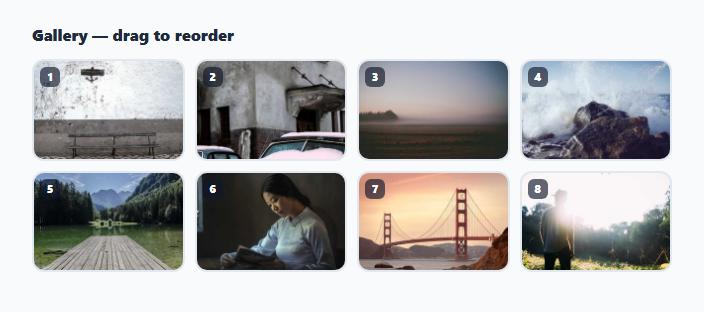
This snippet is an image gallery grid whose tiles can be reordered by dragging one onto another, implemented with the native HTML5 drag-and-drop API rather than any sorting library.
Data-driven grid
An images array (each entry an id plus a picsum.photos URL) is the single source of truth. renderGrid() clears the grid container and rebuilds every tile from that array on each render, including a numbered badge in the corner showing the tile's current position.
Drag events per tile
Every tile is draggable="true". dragstart records the dragged tile's id both in a module-level dragId variable and via dataTransfer.setData, and applies a faded .ig-dragging class. Each tile also listens for dragover (calling preventDefault() to allow dropping, and highlighting itself with .ig-drag-over unless it's the tile currently being dragged) and dragleave to remove that highlight when the cursor moves off.
Swapping positions on drop
On drop, the handler reads the source tile's id back out of dataTransfer, looks up both the source and target index in the images array, removes the source entry with splice and reinserts it at the target's index — effectively moving the dragged image to land exactly where it was dropped, shifting everything in between. renderGrid() then rebuilds the grid so the numbered badges and DOM order both reflect the new sequence.
Step by step
How to Use
- 1Load the snippetClick "Drag & Drop Image Sort Gallery" in the sidebar to load its HTML, CSS, and JS into the editor panels. The preview updates instantly.
- 2Edit the codeModify any panel — HTML, CSS, or JS. The preview refreshes as you type. Use Reset in each panel header to restore the original.
- 3Preview on devicesClick the Mobile (375px), Tablet (768px), or Desktop buttons in the preview header to check responsiveness.
- 4Export in your formatClick "HTML" to download a standalone file, "JSX" for a React component, "Tailwind" for a React + Tailwind CSS component, "Tailwind HTML" for a standalone HTML file with Tailwind CDN, "Vue" for a Vue 3 SFC with <template>/<script setup>/<style scoped>, or "Angular" for a standalone Angular .component.ts file. "Copy all" copies the full code to clipboard.
- 5Save your versionClick "Save as", type a name, and press Enter. Your snippet saves to IndexedDB and appears in the Saved tab.
Real-world uses
Common Use Cases
Got questions?
Frequently Asked Questions
The drop handler reads the dragged tile's id via dataTransfer, finds both its current index and the target tile's index in the images array, then uses Array.splice to remove it from the old position and reinsert it at the new one before re-rendering the grid.
It prevents the tile currently being dragged from highlighting itself, since dragover events can still fire on the source element as the cursor passes over it.
Yes, replace the url values in the images array (built from the SEEDS array) with any image URLs — the drag-and-drop and reordering logic works independently of where the image comes from.
The native HTML5 drag-and-drop API used here has inconsistent touch support across mobile browsers. For a touch-first version, pointer events with manual position tracking would be needed instead.