Source Code
<div class="pn-wrap">
  <h2 class="pn-heading">Sticky Notes</h2>
  <div class="pn-composer">
    <textarea id="pnInput" placeholder="Write a note..." rows="2"></textarea>
    <button id="pnAdd" class="pn-add-btn">Add note</button>
  </div>
  <div class="pn-grid" id="pnGrid"></div>
</div>
* { box-sizing: border-box; margin: 0; padding: 0; }
body { font-family: system-ui, -apple-system, sans-serif; background: #f8fafc; min-height: 100vh; padding: 24px; }
.pn-wrap { max-width: 640px; margin: 0 auto; }
.pn-heading { font-size: 18px; font-weight: 800; color: #1e293b; margin-bottom: 14px; }
.pn-composer { display: flex; gap: 10px; margin-bottom: 20px; align-items: flex-start; }
.pn-composer textarea {
flex: 1; border: 1px solid #e2e8f0; border-radius: 10px; padding: 10px 12px;
font-family: inherit; font-size: 13px; resize: vertical; min-height: 42px;
}
.pn-composer textarea:focus { outline: none; border-color: #6366f1; }
.pn-add-btn {
background: #6366f1; color: #fff; border: none; border-radius: 10px; padding: 10px 16px;
font-size: 13px; font-weight: 700; cursor: pointer; flex-shrink: 0;
}
.pn-add-btn:hover { background: #4f46e5; }
.pn-grid { display: grid; grid-template-columns: repeat(auto-fill, minmax(150px, 1fr)); gap: 12px; }
.pn-note {
border-radius: 12px; padding: 14px; min-height: 110px; position: relative;
box-shadow: 0 2px 8px rgba(15,23,42,0.08); display: flex; flex-direction: column;
}
.pn-note-text { font-size: 13px; color: #1e293b; line-height: 1.5; white-space: pre-wrap; word-break: break-word; flex: 1; }
.pn-note-remove {
position: absolute; top: 6px; right: 8px; background: none; border: none; cursor: pointer;
font-size: 15px; color: rgba(15,23,42,0.4); line-height: 1; padding: 2px 6px; border-radius: 6px;
}
.pn-note-remove:hover { background: rgba(15,23,42,0.08); color: #1e293b; }
.pn-empty { color: #94a3b8; font-size: 13px; grid-column: 1 / -1; text-align: center; padding: 24px 0; }const grid = document.getElementById('pnGrid');
const input = document.getElementById('pnInput');
const addBtn = document.getElementById('pnAdd');
const COLORS = ['#fef3c7', '#fce7f3', '#dbeafe', '#dcfce7', '#ede9fe', '#ffedd5'];
const STORAGE_KEY = 'notes';
function loadNotes() {
try {
const raw = localStorage.getItem(STORAGE_KEY);
if (!raw) return null;
const parsed = JSON.parse(raw);
return Array.isArray(parsed) ? parsed : null;
} catch (e) {
return null;
}
}
function saveNotes(notes) {
localStorage.setItem(STORAGE_KEY, JSON.stringify(notes));
}
let notes = loadNotes();
if (!notes) {
notes = [
{ id: 'n1', text: 'Welcome! Notes you add here are saved to localStorage automatically.', color: COLORS[0] },
{ id: 'n2', text: 'Try refreshing the page — your notes will still be here.', color: COLORS[2] },
{ id: 'n3', text: 'Click the x on any note to delete it.', color: COLORS[3] },
];
saveNotes(notes);
}
function randomColor() {
return COLORS[Math.floor(Math.random() * COLORS.length)];
}
function render() {
grid.innerHTML = '';
if (notes.length === 0) {
grid.innerHTML = '<div class="pn-empty">No notes yet. Add one above.</div>';
return;
}
notes.forEach((note) => {
const card = document.createElement('div');
card.className = 'pn-note';
card.style.background = note.color;
card.innerHTML = '<div class="pn-note-text"></div><button class="pn-note-remove" aria-label="Delete note">\u00D7</button>';
card.querySelector('.pn-note-text').textContent = note.text;
card.querySelector('.pn-note-remove').addEventListener('click', () => {
notes = notes.filter((n) => n.id !== note.id);
saveNotes(notes);
render();
});
grid.appendChild(card);
});
}
addBtn.addEventListener('click', () => {
const text = input.value.trim();
if (!text) return;
notes.push({ id: 'n' + Date.now(), text: text, color: randomColor() });
saveNotes(notes);
input.value = '';
render();
});
input.addEventListener('keydown', (e) => {
if (e.key === 'Enter' && (e.metaKey || e.ctrlKey)) {
addBtn.click();
}
});
render();Learn Coding Visually
Learn to code with interactive, live-preview playgrounds — HTML, CSS, JavaScript, React & more.
 HTML Playground42 lessons · Click-based · Live preview
 CSS PlaygroundLearn CSS with a live editor
 JavaScript Playground60 lessons · DOM · Async · Canvas
 React PlaygroundLearn React with a live code editor
 GSAP PlaygroundLearn GSAP animation interactively
 SVG Playground44 lessons · shapes · paths · animation
 SCSS Playground45 lessons · Sass modules · tokens
 Tailwind PlaygroundLearn Tailwind CSS with a live editor
 Bootstrap 5 Playground50 lessons · live preview
Persistent Sticky Notes App — Free HTML CSS JS Snippet
Persistent Sticky Notes App · Misc · Plain HTML, CSS & JS · Live preview
What's included
Features
About this UI Snippet
Persistent Sticky Notes App — Notes Saved to localStorage
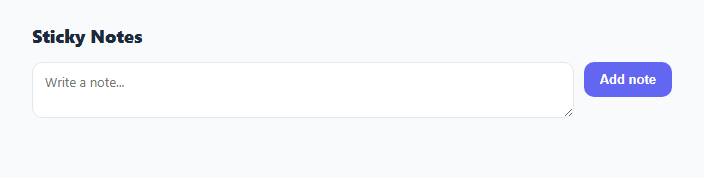
This snippet is a small sticky-notes app: a textarea and "Add note" button create colorful note cards in a grid, and every note is persisted to the browser's localStorage so they survive a page reload.
Reading and writing localStorage as JSON
The entire notes collection is stored under one key, 'notes', as a JSON string. saveNotes(notes) calls localStorage.setItem('notes', JSON.stringify(notes)) after every add or delete. On load, loadNotes() calls localStorage.getItem('notes'), wraps the JSON.parse in a try/catch, and returns null if the key is missing, the JSON is malformed, or the parsed value isn't an array — so a corrupted or absent value never crashes the app.
Pre-seeding for a real first-load experience
If loadNotes() returns null (first visit, nothing saved yet), the app seeds three example notes into the notes array and immediately calls saveNotes() so localStorage itself now holds real content, not just the in-memory array — meaning even a hard refresh right after first load shows the same seeded notes rather than an empty state.
Rendering and mutation
render() rebuilds the grid from the notes array on every change. Each note gets a randomly chosen pastel background from a small COLORS palette at creation time (stored on the note object so its color doesn't change on re-render), and a delete button that filters the note out of the array, persists the updated array, and re-renders.
Step by step
How to Use
- 1Load the snippetClick "Persistent Sticky Notes App" in the sidebar to load its HTML, CSS, and JS into the editor panels. The preview updates instantly.
- 2Edit the codeModify any panel — HTML, CSS, or JS. The preview refreshes as you type. Use Reset in each panel header to restore the original.
- 3Preview on devicesClick the Mobile (375px), Tablet (768px), or Desktop buttons in the preview header to check responsiveness.
- 4Export in your formatClick "HTML" to download a standalone file, "JSX" for a React component, "Tailwind" for a React + Tailwind CSS component, "Tailwind HTML" for a standalone HTML file with Tailwind CDN, "Vue" for a Vue 3 SFC with <template>/<script setup>/<style scoped>, or "Angular" for a standalone Angular .component.ts file. "Copy all" copies the full code to clipboard.
- 5Save your versionClick "Save as", type a name, and press Enter. Your snippet saves to IndexedDB and appears in the Saved tab.
Real-world uses
Common Use Cases
Got questions?
Frequently Asked Questions
Entirely in the browser via localStorage.setItem('notes', JSON.stringify(notes)) — there is no server or database. Notes persist across page reloads on the same browser and device but are not synced anywhere else.
loadNotes() wraps JSON.parse in a try/catch and returns null on any error, or if the parsed value is not an array. The app then falls back to seeding the default example notes instead of crashing.
So the initial experience — and any screenshot or demo — shows real content instead of an empty grid. The seeded notes are also immediately written to localStorage, not just held in memory.
Yes, the color is chosen once when a note is created and stored as a field on the note object itself, so re-rendering the grid (e.g. after a delete) does not reshuffle colors.