Learn Coding Visually
Learn to code with interactive, live-preview playgrounds — HTML, CSS, JavaScript, React & more.
 HTML Playground42 lessons · Click-based · Live preview
 CSS PlaygroundLearn CSS with a live editor
 JavaScript Playground60 lessons · DOM · Async · Canvas
 React PlaygroundLearn React with a live code editor
 GSAP PlaygroundLearn GSAP animation interactively
 SVG Playground44 lessons · shapes · paths · animation
 SCSS Playground45 lessons · Sass modules · tokens
 Tailwind PlaygroundLearn Tailwind CSS with a live editor
 Bootstrap 5 Playground50 lessons · live preview
Three.js Scroll Ocean Dive — GSAP Depth Color Grade
Three.js Scroll Ocean Dive · Scroll · Plain HTML, CSS & JS · Live preview
What's included
Features
About this UI Snippet
How to Build a Scroll-Driven Ocean Dive With Three.js and GSAP
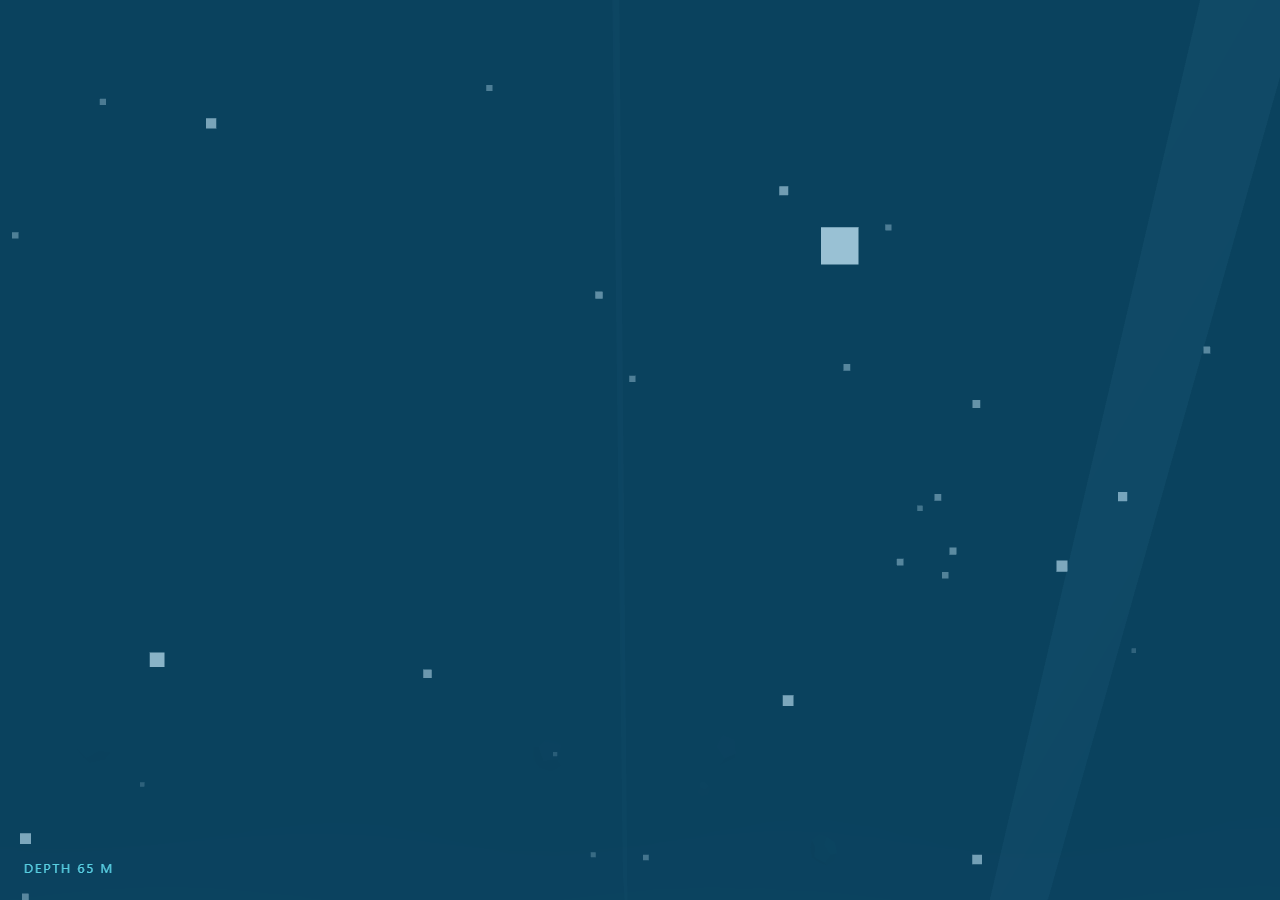
The Three.js Scroll Ocean Dive snippet sinks the camera from just above an animated water surface down to a rocky sea floor 130 meters below, using GSAP's ScrollTrigger to scrub a single camera-Y value while a per-frame depth fraction drives fog color, light intensity, bubble visibility, and volumetric god rays. Where most scroll scenes travel forward along Z like the scroll tunnel, this one is a vertical journey — and almost all of its storytelling is done with color.
A two-stage color grade instead of one lerp
Water does not darken linearly: the plunge from air to water is an abrupt hue shift, then the fade to black is long and slow. The frame loop converts camera Y into a 0–1 depth fraction and splits it at 0.25 — the first quarter lerps the background and fog from sky blue to shallow teal, the remaining three quarters lerp from teal to near-black abyss. Both scene.background and scene.fog.color are copied from the same lerped color each frame, which is the critical trick: when fog matches the background exactly, distant geometry dissolves into "water" rather than fading against a mismatched backdrop.
The surface is a displaced plane you dive through
The water surface is a 64×64-segment plane whose vertices are re-displaced every frame with two offset sine waves, exactly like the height-field technique in the wave terrain snippet but rendered with side: THREE.DoubleSide at 85% opacity. That double-sided material matters: after the camera passes through it, the user looks up at the underside of the waves — a view a single-sided plane would simply cull away.
Bubbles rise while the camera sinks
Three hundred fifty points drift upward a fixed amount per frame and wrap back to the bottom once they cross the surface, following the recycle-not-respawn pattern from the starfield warp. Because the camera moves down while the bubbles move up, the relative velocity doubles the perceived descent speed at zero extra cost. Their material opacity snaps to zero while the camera is still above the waterline so no bubbles float in the sky.
God rays from additive planes, faded by depth
Seven tall planes with AdditiveBlending, near-zero opacity, and random Y rotations stand in for volumetric light shafts. Each ray's opacity is the product of a slow sine shimmer and (1 − depth), so the shafts wave gently in the shallows and die out completely before the abyss — matching the physical fact that sunlight does not reach deep water. The directional light's intensity is scaled by the same factor, dimming the sea floor until the fog color provides most of what you see.
One scrubbed value, everything else derived
The GSAP tween scrubs only dive.y from +14 to −116 with ease: 'none'. Depth fraction, both color lerps, fog density, sun intensity, bubble opacity, ray fade, and the live DEPTH HUD all derive from that value inside requestAnimationFrame, so scrolling back up resurfaces through the same color grade in reverse, with no one-shot triggers to desynchronize. Surface waves, camera sway, and bubble wobble run on THREE.Clock time so the ocean keeps moving while the scroll is idle — the same scrubbed-primary, clock-secondary split used across this series, including the planet approach.
Build with AI
Build, Understand, Optimize, and Extend It With AI
You do not need to work out the underwater color science yourself. Paste this snippet's HTML, CSS, and JS into an AI assistant like Claude and ask it to explain the two-stage fog grade, why fog color must equal background color, or how the god rays fake volumetric light with additive planes. The same assistant can extend the dive — adding a school of fish as an instanced mesh weaving past the camera, feature-callout HTML pinned at specific depths, a pressure gauge that accelerates with depth, or caustic light patterns on the sea floor from an animated texture. It can also retheme the whole scene to a brand palette by regenerating the three grade colors. Treat the code as a starting point to question and reshape, not a finished artifact.
Prompt to recreate it
Copy this into your AI assistant of choice to build the effect from scratch, or as a jumping-off point for your own variant:
Build a "scroll-scrubbed ocean dive" in plain HTML, CSS, and JavaScript using Three.js and GSAP's ScrollTrigger plugin, all loaded from a CDN (no bundler, no build step).

Requirements:
- A pinned full-viewport section with a canvas, WebGLRenderer, and PerspectiveCamera resized (with aspect) on window resize.
- A water surface from a 64×64-segment PlaneGeometry rotated flat, displaced every frame by two offset sine waves, rendered with a DoubleSide MeshLambertMaterial at ~85% opacity so the camera can pass through and look back up at it.
- One GSAP tween (ease "none") scrubbing camera Y from ~+14 to ~−116 on a ScrollTrigger with pin: true and end around +=500%.
- Each frame derive a 0–1 depth fraction from camera Y and run a TWO-STAGE color grade: lerp sky→shallow-teal across the first quarter, teal→near-black across the rest, copying the result into BOTH scene.background and scene.fog.color, while also raising fog density and dimming a DirectionalLight by depth.
- 300+ bubble points that rise a fixed amount per frame and wrap from the surface back to the bottom by mutating one Float32Array in place; hide them (opacity 0) while the camera is above the waterline.
- 5–8 god-ray planes: tall PlaneGeometry with AdditiveBlending, depthWrite false, opacity ~0.06, random Y rotation, each fading by (1 − depth) times a slow sine shimmer.
- A sea floor at the bottom: a plane displaced into dunes with sin/cos, computeVertexNormals called once, plus ~24 randomly rotated DodecahedronGeometry rocks.
- A live "DEPTH n M" HUD derived from camera Y, an intro overlay that fades once the dive starts, and clock-driven camera sway so the scene moves while scroll is idle.
- Confirm scrolling back up resurfaces through the same color grade in reverse — every visual state must derive from the scrubbed Y and the clock, with no one-shot events.
Want to tighten it up first? Run this prompt through the AI Prompt Studio to score it across 8 quality dimensions, catch anti-patterns, and tune the wording for Claude, ChatGPT, or Gemini before you paste it in.
Source Code
<section class="dive-stage" id="diveStage">
  <div class="dive-intro"><p>Scroll ↓ to dive beneath the surface</p></div>
  <canvas id="diveCanvas"></canvas>
  <div class="dive-hud">DEPTH <span id="diveDepth">0</span> M</div>
</section>
<section class="dive-bottom"><p>You reached the sea floor.</p></section>*{box-sizing:border-box;margin:0;padding:0}
html,body{background:#04121f;color:#fff;font-family:system-ui,-apple-system,sans-serif}
.dive-bottom{min-height:70vh;display:flex;justify-content:center;align-items:center;color:#5f8aa8;font-size:15px;letter-spacing:.08em;text-transform:uppercase;background:#02070d}
.dive-stage{height:100vh;position:relative;overflow:hidden;background:#04121f}
.dive-intro{position:absolute;inset:0;display:flex;align-items:center;justify-content:center;text-align:center;padding:24px;pointer-events:none;z-index:5;color:#bfe3ff;font-size:15px;letter-spacing:.08em;text-transform:uppercase;transition:opacity .4s ease}
#diveCanvas{display:block;width:100%;height:100%}
.dive-hud{position:absolute;left:24px;bottom:24px;font-variant-numeric:tabular-nums;font-size:13px;letter-spacing:.14em;color:#67e8f9;text-transform:uppercase;opacity:.85}const canvas = document.getElementById('diveCanvas');
const depthEl = document.getElementById('diveDepth');
const introEl = document.querySelector('.dive-intro');
const renderer = new THREE.WebGLRenderer({ canvas, antialias: true });
renderer.setPixelRatio(Math.min(window.devicePixelRatio, 2));
const scene = new THREE.Scene();
// Sky, shallows, and abyss colors — fog and background lerp between them
// as the camera descends, which does most of the storytelling.
const SKY = new THREE.Color(0x8ec9e8), SHALLOW = new THREE.Color(0x0e5f86), ABYSS = new THREE.Color(0x02070d);
scene.background = SKY.clone();
scene.fog = new THREE.FogExp2(0x8ec9e8, 0.012);
const camera = new THREE.PerspectiveCamera(65, 1, 0.1, 300);
camera.position.set(0, 14, 0);
scene.add(new THREE.AmbientLight(0xffffff, 0.9));
const sunLight = new THREE.DirectionalLight(0xfff2cc, 1.1);
sunLight.position.set(20, 60, 10);
scene.add(sunLight);
// The water surface is a displaced plane, viewed from below after the dive.
const surfGeo = new THREE.PlaneGeometry(240, 240, 64, 64);
surfGeo.rotateX(-Math.PI / 2);
const surface = new THREE.Mesh(surfGeo, new THREE.MeshLambertMaterial({
color: 0x2f9ec9, transparent: true, opacity: 0.85, side: THREE.DoubleSide,
}));
scene.add(surface);
const surfBase = surfGeo.attributes.position.array.slice();
// Bubbles rise while the camera sinks — opposite motions double the
// perceived descent speed for free.
const BUBBLES = 350;
const bubbleGeo = new THREE.BufferGeometry();
const bubblePos = new Float32Array(BUBBLES * 3);
for (let i = 0; i < BUBBLES; i++) {
bubblePos[i * 3] = (Math.random() - 0.5) * 90;
bubblePos[i * 3 + 1] = -Math.random() * 120;
bubblePos[i * 3 + 2] = (Math.random() - 0.5) * 90;
}
bubbleGeo.setAttribute('position', new THREE.BufferAttribute(bubblePos, 3));
const bubbles = new THREE.Points(bubbleGeo, new THREE.PointsMaterial({
color: 0xcdefff, size: 0.55, transparent: true, opacity: 0.75, sizeAttenuation: true,
}));
scene.add(bubbles);
// God rays: tall additive-blended planes fanned around the camera, fading
// with depth since light does not reach the abyss.
const rays = [];
for (let i = 0; i < 7; i++) {
const ray = new THREE.Mesh(
new THREE.PlaneGeometry(3 + Math.random() * 4, 90),
new THREE.MeshBasicMaterial({ color: 0xbfe9ff, transparent: true, opacity: 0.06, blending: THREE.AdditiveBlending, depthWrite: false, side: THREE.DoubleSide })
);
ray.position.set((Math.random() - 0.5) * 60, -40, (Math.random() - 0.5) * 60);
ray.rotation.y = Math.random() * Math.PI;
ray.rotation.z = (Math.random() - 0.5) * 0.25;
scene.add(ray);
rays.push(ray);
}
// Sea floor with gentle displaced dunes and scattered rocks.
const floorGeo = new THREE.PlaneGeometry(240, 240, 48, 48);
floorGeo.rotateX(-Math.PI / 2);
const fpos = floorGeo.attributes.position;
for (let i = 0; i < fpos.count; i++) {
const x = fpos.getX(i), z = fpos.getZ(i);
fpos.setY(i, Math.sin(x * 0.12) * Math.cos(z * 0.09) * 2.2);
}
floorGeo.computeVertexNormals();
const floor = new THREE.Mesh(floorGeo, new THREE.MeshLambertMaterial({ color: 0x0d3450 }));
floor.position.y = -120;
scene.add(floor);
for (let i = 0; i < 24; i++) {
const rock = new THREE.Mesh(
new THREE.DodecahedronGeometry(0.8 + Math.random() * 2.4, 0),
new THREE.MeshLambertMaterial({ color: 0x14405e })
);
rock.position.set((Math.random() - 0.5) * 140, -119 + Math.random() * 1.5, (Math.random() - 0.5) * 140);
rock.rotation.set(Math.random() * 3, Math.random() * 3, Math.random() * 3);
scene.add(rock);
}
gsap.registerPlugin(ScrollTrigger);
const dive = { y: 14 };
gsap.to(dive, {
y: -116,
ease: 'none',
scrollTrigger: { trigger: '#diveStage', start: 'top top', end: '+=500%', scrub: 0.7, pin: true },
});
function resize() {
const w = canvas.clientWidth, h = canvas.clientHeight;
renderer.setSize(w, h, false);
camera.aspect = w / h;
camera.updateProjectionMatrix();
}
const clock = new THREE.Clock();
const tmpColor = new THREE.Color();
function animate() {
requestAnimationFrame(animate);
const t = clock.getElapsedTime();
camera.position.y = dive.y;
camera.position.x = Math.sin(t * 0.25) * 1.2;
camera.lookAt(0, dive.y - 8, -20);
if (introEl) introEl.style.opacity = dive.y < 12 ? '0' : '1';
// 0 above the surface → 1 at the sea floor; drives every color/fade.
const d = Math.min(1, Math.max(0, (14 - dive.y) / 130));
// Two-stage color grade: sky→shallow across the plunge, shallow→abyss below.
if (d < 0.25) tmpColor.copy(SKY).lerp(SHALLOW, d / 0.25);
else tmpColor.copy(SHALLOW).lerp(ABYSS, (d - 0.25) / 0.75);
scene.background.copy(tmpColor);
scene.fog.color.copy(tmpColor);
scene.fog.density = 0.012 + d * 0.02;
sunLight.intensity = 1.1 * (1 - d * 0.85);
const sp = surface.geometry.attributes.position;
for (let i = 0; i < sp.count; i++) {
const x = surfBase[i * 3], z = surfBase[i * 3 + 2];
sp.setY(i, Math.sin(x * 0.25 + t * 1.4) * 0.5 + Math.cos(z * 0.2 + t * 1.1) * 0.5);
}
sp.needsUpdate = true;
const bp = bubbles.geometry.attributes.position;
for (let i = 0; i < BUBBLES; i++) {
let y = bp.array[i * 3 + 1] + 0.06 + Math.sin(t + i) * 0.008;
if (y > 0) y = -120;
bp.array[i * 3 + 1] = y;
}
bp.needsUpdate = true;
bubbles.material.opacity = d > 0.02 ? 0.75 : 0;
rays.forEach((ray, i) => {
ray.material.opacity = Math.max(0, 0.09 * Math.sin(t * 0.5 + i) + 0.06) * (1 - d) * (d > 0.05 ? 1 : 0);
});
depthEl.textContent = Math.max(0, Math.round(14 - dive.y));
renderer.render(scene, camera);
}
resize();
window.addEventListener('resize', resize);
animate();Step by step
How to Use
- 1Load the three CDN scriptsAdd three.min.js, gsap.min.js, and ScrollTrigger.min.js in that order before the snippet JS.
- 2Paste HTML, CSS, and JSA pinned view hovers above animated waves under a sky-blue background, with a DEPTH 0 M HUD in the corner.
- 3Scroll to plungeThe camera passes through the double-sided surface — background and fog snap through the sky-to-teal stage of the color grade.
- 4Keep scrolling into the deepGod rays shimmer and fade, bubbles stream upward past the camera, light dims, and the teal-to-abyss lerp takes over.
- 5Reach the sea floorDisplaced dunes and scattered dodecahedron rocks emerge from the fog at around 130 m as the scrub completes.
- 6Retune the gradeChange the SKY, SHALLOW, and ABYSS colors or the 0.25 stage split to restyle the whole dive — every fade derives from those three constants.
Real-world uses
Common Use Cases
Got questions?
Frequently Asked Questions
A single lerp spends most of the scroll in muddy mid-tones and makes the water entry feel gradual, which reads as fog rather than a plunge. Splitting at depth fraction 0.25 gives an abrupt sky-to-teal shift across the surface crossing, then a long teal-to-black fade below — matching how light actually behaves in water and making the moment you submerge unmistakable.
FogExp2 blends geometry toward the fog color with distance. If that color matches the background, distant objects dissolve seamlessly into "water" and the scene reads as a continuous volume. If the two colors differ even slightly, every mesh gets a visible halo where fogged pixels meet the backdrop, instantly breaking the underwater illusion. Both are copied from the same lerped THREE.Color each frame.
Seven tall PlaneGeometry meshes with AdditiveBlending, depthWrite: false, and opacity around 0.06 are fanned at random rotations below the surface. Additive blending means overlapping rays brighten each other like real light shafts, and each ray's opacity is multiplied by (1 − depth) plus a slow sine so they shimmer in the shallows and vanish before the abyss. It is a fake, but at these opacities the eye accepts it completely.
Relative motion is what the eye measures. Bubbles rising at a fixed rate while the camera sinks doubles the perceived descent speed without shortening the scroll distance or increasing scrub speed. They wrap from surface back to −120 in place — one Float32Array updated per frame, one draw call, no allocation — the same recycling used by the starfield warp snippet.
Yes. Export via the JSX, Vue, Angular, or Tailwind buttons. Mount the scene in useEffect / onMounted / ngAfterViewInit against a canvas ref, and on teardown kill the ScrollTrigger, dispose the surface, floor, bubble, and ray geometries and materials, and call renderer.dispose(). The surface-wave base positions are captured with slice() at build time, so keep that copy inside the effect scope.