Source Code
<section class="shr-stage" id="shrStage">
  <div class="shr-intro-overlay"><p>Scroll ↓ to assemble the word</p></div>
  <canvas id="shrCanvas"></canvas>
  <div class="shr-hud"><span id="shrCount">0</span> cubes</div>
</section>
<section class="shr-bottom"><p>The letters have scattered into dust.</p></section>*{box-sizing:border-box;margin:0;padding:0}
html,body{background:#05050a;color:#fff;font-family:system-ui,-apple-system,sans-serif}
.shr-bottom{min-height:70vh;display:flex;justify-content:center;align-items:center;color:#7c83a6;font-size:15px;letter-spacing:.08em;text-transform:uppercase}
.shr-stage{height:100vh;position:relative;overflow:hidden;background:#05050a}
.shr-intro-overlay{position:absolute;inset:0;display:flex;align-items:center;justify-content:center;text-align:center;padding:24px;pointer-events:none;z-index:5;color:#7c83a6;font-size:15px;letter-spacing:.08em;text-transform:uppercase;transition:opacity .4s ease;}
#shrCanvas{display:block;width:100%;height:100%}
.shr-hud{position:absolute;left:24px;bottom:24px;font-variant-numeric:tabular-nums;font-size:13px;letter-spacing:.14em;color:#f472b6;text-transform:uppercase;opacity:.8}const canvas = document.getElementById('shrCanvas');
const countEl = document.getElementById('shrCount');
const renderer = new THREE.WebGLRenderer({ canvas, antialias: true, alpha: true });
renderer.setPixelRatio(Math.min(window.devicePixelRatio, 2));
const scene = new THREE.Scene();
scene.fog = new THREE.FogExp2(0x05050a, 0.012);
const camera = new THREE.PerspectiveCamera(55, 1, 0.1, 200);
camera.position.set(0, 0, 46);
// Sample a word onto an offscreen 2D canvas so we can turn its pixels into a
// cube grid without ever loading a three.js font JSON over the network —
// far more reliable inside a sandboxed preview than FontLoader + TextGeometry.
const WORD = 'SCROLL';
const SAMPLE_W = 220, SAMPLE_H = 60;
const sampleCanvas = document.createElement('canvas');
sampleCanvas.width = SAMPLE_W;
sampleCanvas.height = SAMPLE_H;
const sctx = sampleCanvas.getContext('2d');
sctx.fillStyle = '#000';
sctx.fillRect(0, 0, SAMPLE_W, SAMPLE_H);
sctx.fillStyle = '#fff';
sctx.font = '900 46px "Arial Black", Arial, sans-serif';
sctx.textAlign = 'center';
sctx.textBaseline = 'middle';
sctx.fillText(WORD, SAMPLE_W / 2, SAMPLE_H / 2 + 2);
const pixels = sctx.getImageData(0, 0, SAMPLE_W, SAMPLE_H).data;
// Walk the pixel grid at a stride so we land on a manageable cube count
// (a cube per pixel would be tens of thousands of instances).
const STRIDE = 3;
const targets = [];
for (let y = 0; y < SAMPLE_H; y += STRIDE) {
for (let x = 0; x < SAMPLE_W; x += STRIDE) {
const alpha = pixels[(y * SAMPLE_W + x) * 4 + 3];
if (alpha > 128) {
targets.push(new THREE.Vector3(
(x - SAMPLE_W / 2) * 0.34,
-(y - SAMPLE_H / 2) * 0.34,
0
));
}
}
}
const COUNT = targets.length;
countEl.textContent = COUNT;
// A scattered start position per cube — random points in a loose sphere
// shell around the final word, so the "explosion" reads as debris flying
// away from a central point rather than a plain fade.
const scatter = targets.map(() => {
const r = 26 + Math.random() * 40;
const theta = Math.random() * Math.PI * 2;
const phi = Math.acos(Math.random() * 2 - 1);
return new THREE.Vector3(
r * Math.sin(phi) * Math.cos(theta),
r * Math.sin(phi) * Math.sin(theta),
r * Math.cos(phi)
);
});
const spins = targets.map(() => ({
x: Math.random() * Math.PI * 4,
y: Math.random() * Math.PI * 4,
z: Math.random() * Math.PI * 4,
}));
const geo = new THREE.BoxGeometry(0.55, 0.55, 0.55);
const mat = new THREE.MeshStandardMaterial({
color: 0xf472b6,
emissive: 0xd946ef,
emissiveIntensity: 0.55,
metalness: 0.3,
roughness: 0.35,
});
const mesh = new THREE.InstancedMesh(geo, mat, COUNT);
scene.add(mesh);
scene.add(new THREE.AmbientLight(0x404060, 1.2));
const key = new THREE.PointLight(0xffffff, 1.4, 200);
key.position.set(20, 20, 40);
scene.add(key);
const rim = new THREE.PointLight(0xf472b6, 1.1, 200);
rim.position.set(-30, -10, 20);
scene.add(rim);
const introEl = document.querySelector('.shr-intro-overlay');
gsap.registerPlugin(ScrollTrigger);
// A single scrubbed progress value: 0 = fully scattered, 0.5 = word fully
// assembled and held, 1 = shattered apart again. Every cube reads this one
// number each frame, so scrolling in either direction is free.
const progress = { t: 0 };
gsap.to(progress, {
t: 1,
ease: 'none',
scrollTrigger: {
trigger: '#shrStage',
start: 'top top',
end: '+=350%',
scrub: 0.6,
pin: true,
},
});
const dummy = new THREE.Object3D();
function resize() {
const w = canvas.clientWidth, h = canvas.clientHeight;
renderer.setSize(w, h, false);
camera.aspect = w / h;
camera.updateProjectionMatrix();
}
function easeInOut(x) { return x < 0.5 ? 2 * x * x : 1 - Math.pow(-2 * x + 2, 2) / 2; }
function animate() {
requestAnimationFrame(animate);
if (introEl) introEl.style.opacity = (progress.t > 0.03) ? '0' : '1';
const t = progress.t;
// Map the 0..1 scroll range onto a scatter -> assemble -> shatter arc,
// with a short hold in the middle so the word is actually readable.
let assemble;
if (t < 0.45) assemble = easeInOut(t / 0.45);
else if (t < 0.6) assemble = 1;
else assemble = 1 - easeInOut((t - 0.6) / 0.4);
for (let i = 0; i < COUNT; i++) {
const p = scatter[i].clone().lerp(targets[i], assemble);
dummy.position.copy(p);
const s = spins[i];
dummy.rotation.set(
s.x * (1 - assemble),
s.y * (1 - assemble),
s.z * (1 - assemble)
);
const scale = 0.6 + assemble * 0.4;
dummy.scale.setScalar(scale);
dummy.updateMatrix();
mesh.setMatrixAt(i, dummy.matrix);
}
mesh.instanceMatrix.needsUpdate = true;
mesh.rotation.y = (1 - assemble) * 0.6;
camera.position.z = 46 - assemble * 6;
renderer.render(scene, camera);
}
resize();
window.addEventListener('resize', resize);
animate();Learn Coding Visually
Learn to code with interactive, live-preview playgrounds — HTML, CSS, JavaScript, React & more.
 HTML Playground42 lessons · Click-based · Live preview
 CSS PlaygroundLearn CSS with a live editor
 JavaScript Playground60 lessons · DOM · Async · Canvas
 React PlaygroundLearn React with a live code editor
 GSAP PlaygroundLearn GSAP animation interactively
 SVG Playground44 lessons · shapes · paths · animation
 SCSS Playground45 lessons · Sass modules · tokens
 Tailwind PlaygroundLearn Tailwind CSS with a live editor
 Bootstrap 5 Playground50 lessons · live preview
Three.js Scroll Typography Shatter — Cube Text Reveal
Three.js Scroll Typography Shatter · Scroll · Plain HTML, CSS & JS · Live preview
What's included
Features
About this UI Snippet
How to Build Scroll-Driven 3D Cube Typography With Three.js and GSAP
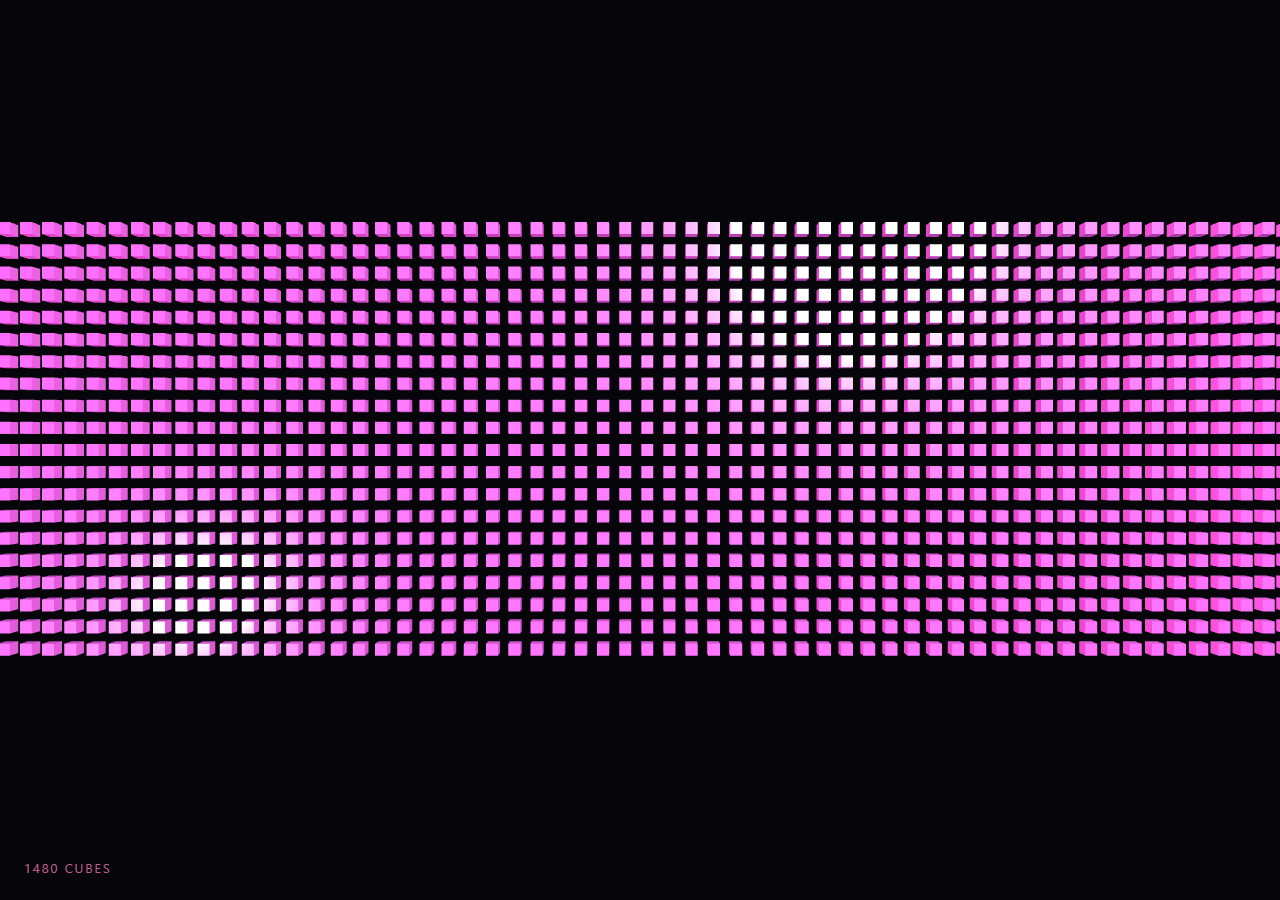
The Three.js Scroll Typography Shatter snippet spells out a word using hundreds of tiny 3D cubes that fly in from a scattered cloud, snap into readable letterforms as the visitor scrolls, and then explode back apart — all driven by one scrubbed number rather than a fixed-length animation timer.
Sampling a 2D canvas instead of loading a font JSON
The obvious way to get 3D letterforms in Three.js is FontLoader plus TextGeometry, but that requires fetching a typeface JSON file asynchronously from a CDN, which is fragile inside a sandboxed iframe preview — a slow or blocked network request leaves you with no geometry at all and nothing to fall back to. This snippet sidesteps the problem entirely: it draws the word SCROLL onto an offscreen, never-appended <canvas> with ctx.fillText() at a heavy weight, then reads the pixel buffer back with getImageData(). Any pixel whose alpha channel is above a threshold marks a spot where a cube belongs. The technique trades a real font outline for a coarse pixel raster, but it is synchronous, dependency-free, and impossible to fail at runtime — the same reason a grid-sampling approach shows up in the scroll text grid snippet.
A stride turns pixels into a manageable cube count
Sampling every single pixel of a 220×60 canvas would produce over 13,000 candidate points — far too many instances to animate smoothly. The sampling loop instead walks the canvas in steps of STRIDE = 3 pixels, which thins the point cloud down to a few hundred cubes while still preserving enough resolution that the letterforms stay legible. Raising the stride gives a chunkier, more abstract word; lowering it gives denser, sharper type at the cost of instance count.
One InstancedMesh, hundreds of matrices
Every cube shares one THREE.BoxGeometry and one THREE.MeshStandardMaterial, drawn through a single THREE.InstancedMesh. Creating a few hundred individual THREE.Mesh objects would mean a few hundred separate draw calls and a few hundred entries in the scene graph; the instanced approach collapses that into one draw call regardless of count. Each frame, a reusable THREE.Object3D dummy is positioned, rotated, and scaled per cube, then baked into that instance's slot via mesh.setMatrixAt(i, dummy.matrix), with a single mesh.instanceMatrix.needsUpdate = true flush at the end — the same pattern used to animate the grid of boxes in instanced cube wave.
Scatter, assemble, hold, shatter — mapped from one scrubbed value
Rather than chaining several GSAP tweens, the snippet scrubs a single progress.t value from 0 to 1 across the whole pinned section and remaps it inside the render loop into three phases: the first 45% eases cubes from their random scatter positions to their assigned letter-grid position, the middle 15% holds the word fully assembled and readable, and the final 40% eases the same cubes back out toward scatter using the mirrored curve. Because that remap is pure math applied to a single number every frame, scrolling back up replays the shatter in reverse automatically — there is no separate "reverse" animation to author.
Scatter positions live on a sphere, not a cube
Each cube's starting point is generated with spherical coordinates — a random radius between 26 and 40 units, a random theta and phi — rather than a random point inside a bounding box. Uniform spherical scatter reads as debris exploding outward from the word's center in every direction, which looks intentional and dramatic; random points inside a rectangular volume tend to clump visibly at the corners and look more like noise than an explosion.
Per-cube spin sells the transition
Alongside position, every cube carries a random target rotation stored once at startup. As assemble falls from 1 toward 0, each cube's rotation is driven by (1 - assemble) times its stored spin values, so cubes that are still fully assembled sit flat and axis-aligned, while fully scattered cubes tumble at odd angles. The effect is a settle-and-lock motion as letters form, and a spinning debris field as they fly apart — far more convincing than fading opacity or scaling to zero.
Emissive material against a fogged, dark scene
The material combines a bright base color with emissive and emissiveIntensity so the cubes read clearly even before full studio lighting resolves, and a matching FogExp2 keeps the far scatter distance from looking like an empty void. A key point light and a pink rim light give the cubes visible facets and depth once assembled, similar to the lighting rig used in scroll particle assembly, just swapping particles for solid instanced geometry.
Build with AI
Build, Understand, Optimize, and Extend It With AI
You do not need to reverse-engineer how pixel sampling turns into 3D cube typography on your own. Paste this snippet's HTML, CSS, and JS into an AI assistant like Claude and ask it to explain why the word is rasterized on a hidden 2D canvas instead of loaded as a Three.js font, or how the single progress value maps into four visual phases inside the render loop. The same assistant can help you extend it — ask it to swap the sphere-scatter start positions for a wall-shatter effect where cubes start behind a plane, animate the cube color across the hue wheel as they assemble, or drive multiple words in sequence tied to scroll milestones. It can also help you profile and cut the instance count for mobile without losing legibility. Treat the code as a working starting point to question and reshape, not a black box.
Prompt to recreate it
Copy this into your AI assistant of choice to build the effect from scratch, or as a jumping-off point for your own variant:
Build a "scroll-scrubbed 3D cube typography shatter" in plain HTML, CSS, and JavaScript using Three.js and GSAP with the ScrollTrigger plugin, all loaded from a CDN (no bundler, no build step, no ES imports).

Requirements:
- A pinned section containing a full-size canvas, with a WebGLRenderer and PerspectiveCamera sized to it and updated on window resize including aspect ratio.
- Render a short word onto a hidden offscreen 2D canvas using ctx.fillText() with a bold font, then read it back with getImageData() and treat any pixel with alpha above a threshold as a point where a cube belongs, walking the canvas at a fixed pixel stride to keep the cube count in the low hundreds.
- Generate a random scattered starting position for each cube using spherical coordinates (random radius, theta, phi) around the origin, plus a random target rotation per cube stored once at startup.
- Render all cubes through a single THREE.InstancedMesh sharing one BoxGeometry and one emissive MeshStandardMaterial, updating every instance's transform each frame via a reusable Object3D dummy, setMatrixAt(), and a single instanceMatrix.needsUpdate = true flush.
- Register a GSAP tween on a ScrollTrigger targeting the pinned section, with pin: true, start at top top, a numeric scrub, and a multi-hundred-percent end, animating a single plain progress value from 0 to 1.
- Inside a requestAnimationFrame loop (independent of the scroll callback), remap that progress value into an assemble amount using an eased curve: interpolate each cube from its scatter position to its target letter position for roughly the first half of the range, hold at fully assembled briefly, then ease back out to scattered for the remainder, driving both position (lerp) and rotation (scaled by 1 - assemble) from that one amount.
- Add FogExp2 matching the background color and at least two point lights so the cubes read with visible shading and depth.
- Confirm scrolling back up reverses the whole assemble/shatter sequence, since it is derived purely from the scrubbed progress value.
Want to tighten it up first? Run this prompt through the AI Prompt Studio to score it across 8 quality dimensions, catch anti-patterns, and tune the wording for Claude, ChatGPT, or Gemini before you paste it in.
Step by step
How to Use
- 1Load all three CDN scriptsAdd three.min.js, gsap.min.js, and ScrollTrigger.min.js from the CDN panel, in that order.
- 2Paste HTML, CSS, and JSA pinned 3D stage appears with a scattered cube cloud and a live cube-count read-out.
- 3Scroll downCubes fly inward and lock into the word "SCROLL", hold briefly, then explode back apart.
- 4Scroll back upThe whole sequence reverses exactly, since assembly is derived from one scrubbed 0–1 value.
- 5Change the wordEdit the WORD constant and retune SAMPLE_W/SAMPLE_H or the font size so longer words still fit the canvas.
- 6Tune density and pacingLower STRIDE for a sharper word with more cubes, or adjust the ScrollTrigger end value to lengthen the ride.
Real-world uses
Common Use Cases
Got questions?
Frequently Asked Questions
FontLoader fetches a typeface JSON asynchronously from a CDN, and in a sandboxed iframe preview that request can be slow, blocked, or fail outright, leaving no geometry to show. Drawing the word with ctx.fillText() on an offscreen canvas and reading it back with getImageData() is entirely synchronous and has no network dependency, so it always produces a usable point cloud the moment the script runs.
A few hundred separate meshes means a few hundred separate draw calls and scene-graph entries, which gets expensive fast. THREE.InstancedMesh shares one geometry and material across every cube and issues a single draw call, with per-cube transforms written into instance matrices via setMatrixAt(). It is the standard technique whenever you need many copies of the same simple shape, as also shown in the instanced cube wave snippet.
The entire animation is a function of one scrubbed value, progress.t, tied to ScrollTrigger with scrub enabled instead of a one-shot timeline. The render loop remaps that value into scatter/assemble/hold/shatter phases every frame using plain easing math, so scrolling in either direction simply re-evaluates the same function at a different t — there is no separate reverse animation to author or desync.
Cube count scales roughly with (word width / STRIDE), so a longer word or a smaller stride increases instance count and per-frame matrix updates. InstancedMesh keeps the draw-call count fixed at one regardless, so the practical limit is the CPU cost of updating matrices in JavaScript each frame — a few hundred to roughly a thousand instances stays smooth on typical hardware; beyond that, raise STRIDE or shorten the word.
Yes. Click JSX, Vue, Angular, or Tailwind to get a framework-ready version. Build the sampling canvas, InstancedMesh, and GSAP ScrollTrigger inside a mount effect against a canvas ref, and on unmount kill the ScrollTrigger instance (or revert a gsap.context), dispose the BoxGeometry and material, and call renderer.dispose() so the WebGL context and scroll pin are cleanly released.