Learn Coding Visually
Learn to code with interactive, live-preview playgrounds — HTML, CSS, JavaScript, React & more.
 HTML Playground42 lessons · Click-based · Live preview
 CSS PlaygroundLearn CSS with a live editor
 JavaScript Playground60 lessons · DOM · Async · Canvas
 React PlaygroundLearn React with a live code editor
 GSAP PlaygroundLearn GSAP animation interactively
 SVG Playground44 lessons · shapes · paths · animation
 SCSS Playground45 lessons · Sass modules · tokens
 Tailwind PlaygroundLearn Tailwind CSS with a live editor
 Bootstrap 5 Playground50 lessons · live preview
Three.js Scroll Portal Gate Sequence — GSAP Ring Flythrough
Three.js Scroll Portal Gate Sequence · Scroll · Plain HTML, CSS & JS · Live preview
What's included
Features
About this UI Snippet
How to Build a Scroll-Driven Portal Gate Sequence With Three.js and GSAP
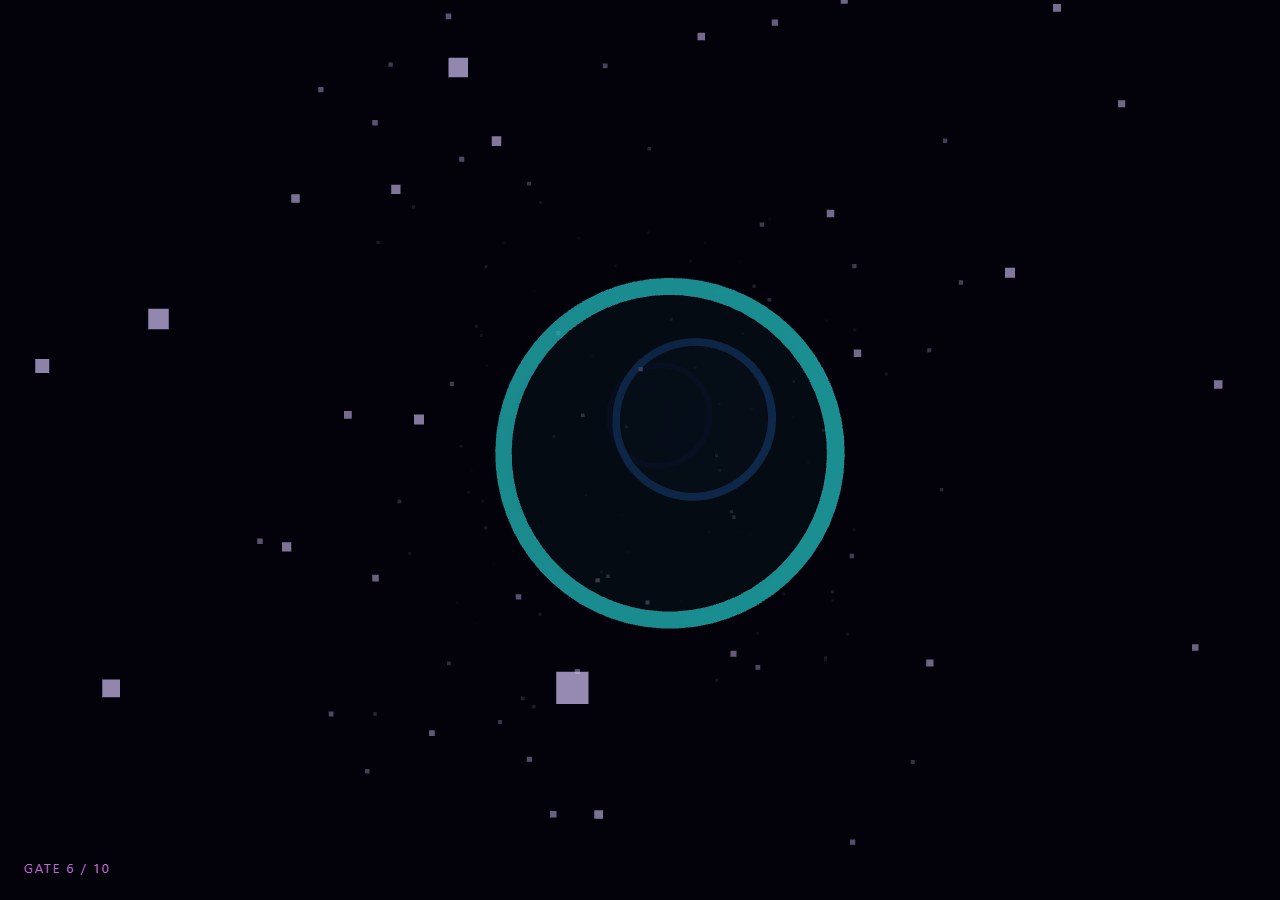
The Three.js Scroll Portal Gate Sequence snippet flies the camera through ten discrete glowing rings spaced along the Z axis, each one pulsing brighter right as the camera crosses its plane, using GSAP's ScrollTrigger to scrub a single camera-position value and a per-frame distance check to drive each ring's reaction. Where the scroll tunnel snippet builds one continuous TubeGeometry corridor, this snippet is built from ten independent TorusGeometry gates the camera threads one at a time, which changes both the geometry approach and how the "reactive" moment is detected.
Discrete gates instead of a continuous tube
Each gate is its own THREE.Mesh combining a glowing TorusGeometry ring with a faint inner CircleGeometry "membrane" disc, positioned at a fixed Z offset with a small random-looking tilt and rotation so the sequence reads as hand-placed rather than mechanically repeated. Because gates are discrete objects rather than samples along a shared curve, each one can be independently colored, scaled, and reacted to — a flexibility a single extruded tube does not offer, at the cost of needing per-gate state tracked in a plain array instead of one shared geometry.
Comparing camera Z to ring Z, not ScrollTrigger callbacks per ring
A naive implementation might register ten separate ScrollTrigger instances, one per gate, each firing an enter/leave callback. This snippet instead keeps a single ScrollTrigger that scrubs one travel.z value for the whole flight, and every animation frame computes Math.abs(camera.position.z - gate.z) for all ten gates to derive a 0–1 proximity value per ring. This is simpler to reason about, avoids ten separate trigger/scrub configurations drifting out of sync with each other, and means adding an eleventh gate requires no new ScrollTrigger wiring at all — just another entry in the gates array.
Two-part glow: proximity plus a sine pulse
Each gate's brightness boost multiplies two signals: proximity, which ramps up as the camera nears the ring's plane and back down after it passes, and a continuous per-gate sine pulse offset by its index so the ten rings do not all throb in unison. The proximity term gives the "the camera is passing through me right now" reaction the spec calls for, while the sine term keeps distant gates visually alive rather than static, so the corridor never looks like a row of inert shapes waiting to be triggered.
Color and scale react without a shader
Rather than writing a custom fragment shader for the glow, the ring's MeshBasicMaterial.color is nudged toward white with Color.offsetHSL, its opacity is raised, and the mesh itself is scaled up slightly — three cheap, GPU-shader-free properties that combine into a convincing pulse-and-brighten effect. This mirrors the philosophy in synthwave terrain and the scroll tunnel: favor material and transform tweaks over custom GLSL wherever the visual target allows it, since it keeps the snippet copy-pasteable with zero shader compilation risk.
A recycled particle field for depth cueing
Five hundred points drift toward the camera and wrap around using modular Z arithmetic once they pass it, exactly like the corridor-filling technique used in the starfield warp snippet, so the space between gates never reads as empty black void. Combined with FogExp2 matched to the background color, distant gates fade in gradually rather than popping into existence, which hides the fixed GATE_COUNT boundary at the far end of the sequence.
One scrubbed Z value, independent micro-drift
The camera's Z position is fully driven by the GSAP scrub, but X and Y get a small independent sine/cosine drift based on elapsed clock time rather than scroll, so the flight never feels perfectly rigid even though forward progress is 100% scroll-controlled. Because only Z is tied to scroll, scrolling back up reverses gate order and undoes every ring's "passed" flag exactly, with the drift simply continuing to animate in the background as a live-clock-driven flourish, similar in spirit to the scroll camera path snippet's handling of secondary motion.
Build with AI
Build, Understand, Optimize, and Extend It With AI
You do not need to work out from scratch how ten independent rings can each react to a single scrubbed camera position. Paste this snippet's HTML, CSS, and JS into an AI assistant like Claude and ask it to explain why proximity is computed per-gate every frame instead of registering a ScrollTrigger callback per ring, or why the glow combines a proximity ramp with an offset sine pulse. The same assistant can help you extend the effect, for instance making each gate's color shift as the camera passes through it (not just brighten), adding a screen-space flash on the exact frame a gate is crossed, or generating gate colors from a brand palette instead of an HSL hue sweep. It can also help with performance, such as converting the ring and disc meshes into two InstancedMesh calls if you scale the gate count up significantly. Treat the code as a starting point to question and reshape, not a finished, untouchable artifact.
Prompt to recreate it
Copy this into your AI assistant of choice to build the effect from scratch, or as a jumping-off point for your own variant:
Build a "scroll-scrubbed portal gate sequence" in plain HTML, CSS, and JavaScript using Three.js and GSAP's ScrollTrigger plugin, all loaded from a CDN (no bundler, no build step).

Requirements:
- A pinned section containing a full-size canvas, with a WebGLRenderer and PerspectiveCamera sized to it and updated on window resize including aspect ratio.
- Create 8-12 THREE.TorusGeometry "gates" positioned at even intervals along the negative Z axis, each with a distinct HSL hue, a slight per-gate rotation/tilt offset, and a faint inner CircleGeometry "membrane" disc behind each ring using a transparent MeshBasicMaterial.
- Add a drifting particle field (THREE.Points, several hundred points) scattered through the corridor depth that wraps its Z position using modular arithmetic once particles pass the camera, instead of being respawned as new objects.
- Add THREE.FogExp2 whose color matches the page/scene background so distant gates and particles fade out rather than popping in or hitting a visible edge.
- Register a single GSAP tween on a ScrollTrigger targeting the pinned section, with pin: true, start at top top, a numeric scrub around 0.6, and an end sized to the total corridor depth, animating one plain camera-position-driving value (e.g. travel.z) from just outside the first gate to just past the last gate.
- Every animation frame (requestAnimationFrame, independent of the scroll callback): set camera.position.z from the scrubbed value, add a small independent sine/cosine drift on X and Y driven by elapsed clock time (not scroll), and call camera.lookAt a point ahead of the camera.
- Each frame, for every gate compute the absolute distance between camera Z and that gate's Z, derive a 0-1 proximity value from it, combine it with a per-gate sine pulse (offset by index) into a single boost value, and use that boost to brighten the ring's color (via HSL lightness offset), raise its opacity, and scale the mesh up slightly — with no custom shader.
- Track a "passed" boolean per gate based on whether the camera has crossed its Z plane, and display a live "gate n of total" counter derived from counting passed gates.
- Confirm scrolling back up reverses the entire sequence, unpassing gates and pulling the camera backward through each gate exactly, since the position is fully scrubbed rather than a one-way timer.
Want to tighten it up first? Run this prompt through the AI Prompt Studio to score it across 8 quality dimensions, catch anti-patterns, and tune the wording for Claude, ChatGPT, or Gemini before you paste it in.
Source Code
<section class="prt-stage" id="prtStage">
  <div class="prt-intro-overlay"><p>Scroll ↓ to thread the portal gates</p></div>
  <canvas id="prtCanvas"></canvas>
  <div class="prt-hud">GATE <span id="prtGate">1</span> / <span id="prtGateTotal">10</span></div>
</section>
<section class="prt-bottom"><p>You passed through the final gate.</p></section>*{box-sizing:border-box;margin:0;padding:0}
html,body{background:#03020a;color:#fff;font-family:system-ui,-apple-system,sans-serif}
.prt-bottom{min-height:70vh;display:flex;justify-content:center;align-items:center;color:#8a7cb4;font-size:15px;letter-spacing:.08em;text-transform:uppercase}
.prt-stage{height:100vh;position:relative;overflow:hidden;background:#03020a}
.prt-intro-overlay{position:absolute;inset:0;display:flex;align-items:center;justify-content:center;text-align:center;padding:24px;pointer-events:none;z-index:5;color:#8a7cb4;font-size:15px;letter-spacing:.08em;text-transform:uppercase;transition:opacity .4s ease;}
#prtCanvas{display:block;width:100%;height:100%}
.prt-hud{position:absolute;left:24px;bottom:24px;font-variant-numeric:tabular-nums;font-size:13px;letter-spacing:.14em;color:#e879f9;text-transform:uppercase;opacity:.85}const canvas = document.getElementById('prtCanvas');
const gateEl = document.getElementById('prtGate');
const gateTotalEl = document.getElementById('prtGateTotal');
const renderer = new THREE.WebGLRenderer({ canvas, antialias: true, alpha: true });
renderer.setPixelRatio(Math.min(window.devicePixelRatio, 2));
const BG = 0x03020a;
const scene = new THREE.Scene();
scene.background = new THREE.Color(BG);
scene.fog = new THREE.FogExp2(BG, 0.018);
const camera = new THREE.PerspectiveCamera(68, 1, 0.1, 400);
camera.position.set(0, 0, 4);
// Gates are discrete rings spaced along Z, unlike the continuous tube in
// the scroll-tunnel snippet — the camera threads each one in turn and each
// ring reacts individually as the camera crosses its plane.
const GATE_COUNT = 10;
const GATE_SPACING = 32;
const gates = [];
for (let i = 0; i < GATE_COUNT; i++) {
const z = -i * GATE_SPACING - 20;
const hue = i / GATE_COUNT;
const color = new THREE.Color().setHSL(hue, 0.85, 0.55);
const mat = new THREE.MeshBasicMaterial({ color, transparent: true, opacity: 0.9 });
const ring = new THREE.Mesh(new THREE.TorusGeometry(7, 0.35, 16, 64), mat);
ring.position.set(Math.sin(i * 1.3) * 4, Math.cos(i * 0.9) * 2, z);
ring.rotation.z = i * 0.35;
// Slight per-gate tilt so the sequence doesn't feel perfectly mechanical.
ring.rotation.x = Math.sin(i * 0.7) * 0.15;
ring.rotation.y = Math.cos(i * 0.5) * 0.15;
scene.add(ring);
// A faint inner disc catches the glow and gives the gate a "membrane"
// to visually pop through, not just a bare ring outline.
const disc = new THREE.Mesh(
new THREE.CircleGeometry(6.6, 48),
new THREE.MeshBasicMaterial({ color, transparent: true, opacity: 0.05, side: THREE.DoubleSide })
);
disc.position.copy(ring.position);
disc.rotation.copy(ring.rotation);
scene.add(disc);
gates.push({ ring, disc, mat, discMat: disc.material, baseColor: color, z: ring.position.z, passed: false });
}
const totalDepth = GATE_COUNT * GATE_SPACING;
gateTotalEl.textContent = GATE_COUNT;
// A drifting particle field gives the corridor between gates a sense of
// depth and space rather than being empty black void.
const particleCount = 500;
const particleGeo = new THREE.BufferGeometry();
const particlePos = new Float32Array(particleCount * 3);
for (let i = 0; i < particleCount; i++) {
particlePos[i * 3] = (Math.random() - 0.5) * 60;
particlePos[i * 3 + 1] = (Math.random() - 0.5) * 60;
particlePos[i * 3 + 2] = -Math.random() * totalDepth - 10;
}
particleGeo.setAttribute('position', new THREE.BufferAttribute(particlePos, 3));
const particles = new THREE.Points(particleGeo, new THREE.PointsMaterial({
color: 0xd9c8ff, size: 0.5, transparent: true, opacity: 0.7, sizeAttenuation: true,
}));
scene.add(particles);
const introEl = document.querySelector('.prt-intro-overlay');
gsap.registerPlugin(ScrollTrigger);
// One scrubbed value walks the camera from just outside gate 1 to just
// past the final gate. Everything else is derived from camera.position.z
// each frame, so no per-gate ScrollTrigger callbacks are needed.
const travel = { z: 4 };
gsap.to(travel, {
z: -totalDepth + 12,
ease: 'none',
scrollTrigger: {
trigger: '#prtStage',
start: 'top top',
end: '+=' + (GATE_COUNT * 90) + '%',
scrub: 0.6,
pin: true,
},
});
function resize() {
const w = canvas.clientWidth, h = canvas.clientHeight;
renderer.setSize(w, h, false);
camera.aspect = w / h;
camera.updateProjectionMatrix();
}
const clock = new THREE.Clock();
let currentGate = 1;
function animate() {
requestAnimationFrame(animate);
if (introEl) introEl.style.opacity = (Math.abs(travel.z) > 1.5) ? '0' : '1';
const elapsed = clock.getElapsedTime();
camera.position.z = travel.z;
// A gentle independent drift keeps the flight from feeling perfectly
// rigid even though Z is fully scrubbed by scroll.
camera.position.x = Math.sin(elapsed * 0.15) * 1.2;
camera.position.y = Math.cos(elapsed * 0.12) * 0.8;
camera.lookAt(0, 0, camera.position.z - 20);
let nearestUnpassed = GATE_COUNT;
gates.forEach((g, i) => {
// Distance from the camera to this gate's plane, used both to detect
// pass-through and to drive a proximity glow independent of it.
const dist = Math.abs(camera.position.z - g.z);
const proximity = Math.max(0, 1 - dist / 14);
const pulse = 0.5 + 0.5 * Math.sin(elapsed * 3 + i);
const boost = proximity * (0.6 + 0.4 * pulse);
g.mat.color.copy(g.baseColor).offsetHSL(0, 0, boost * 0.35);
g.mat.opacity = 0.75 + boost * 0.25;
const scale = 1 + boost * 0.18;
g.ring.scale.set(scale, scale, 1);
g.discMat.opacity = 0.05 + boost * 0.22;
if (!g.passed && camera.position.z < g.z) {
g.passed = true;
}
if (!g.passed && i < nearestUnpassed) nearestUnpassed = i;
});
currentGate = Math.min(GATE_COUNT, gates.filter(g => g.passed).length + 1);
gateEl.textContent = currentGate;
const posAttr = particles.geometry.attributes.position;
for (let i = 0; i < particleCount; i++) {
let z = posAttr.array[i * 3 + 2] + 0.15;
if (z > camera.position.z + 10) z -= totalDepth;
posAttr.array[i * 3 + 2] = z;
}
posAttr.needsUpdate = true;
renderer.render(scene, camera);
}
resize();
window.addEventListener('resize', resize);
animate();Step by step
How to Use
- 1Load all three CDN scriptsAdd three.min.js, gsap.min.js, and ScrollTrigger.min.js from the CDN panel, in that order, before the snippet JS.
- 2Paste HTML, CSS, and JSA pinned corridor of ten hued portal gates appears with a live "GATE n / 10" HUD counter.
- 3Scroll downThe camera flies forward through each ring in sequence; every gate brightens, scales up, and glows as the camera crosses its plane.
- 4Scroll back upThe flight reverses exactly and each gate's passed state resets, since travel.z is fully scrubbed rather than one-shot.
- 5Add or remove gatesChange GATE_COUNT and GATE_SPACING; the ScrollTrigger end and particle wrap distance both derive from totalDepth automatically.
- 6Retune the pulse and pass-through reactionAdjust the proximity falloff distance (the /14 divisor) or the sine pulse speed and per-ring color boost to change how dramatic each gate reacts.
Real-world uses
Common Use Cases
Got questions?
Frequently Asked Questions
Ten separate ScrollTrigger instances would mean ten independent scrub configurations that could drift out of sync, and would need re-registering whenever gate count or spacing changes. A single ScrollTrigger scrubs one travel.z value for the whole flight, and a cheap per-frame Math.abs(camera.position.z - gate.z) check across a plain array gives every gate its own reaction with no extra scroll wiring, so adding an eleventh gate is just one more array entry.
Proximity alone would make distant gates completely static, which reads as inert rather than alive. Multiplying it by a continuous per-gate sine pulse, offset by index so gates do not throb in unison, keeps the whole corridor visually active while still giving a clear, distinct brightening spike exactly as the camera crosses each ring's plane.
MeshBasicMaterial.color.offsetHSL, opacity, and mesh scale are three GPU-cheap, shader-free properties that together produce a convincing pulse-and-brighten effect without writing or compiling GLSL. This keeps the snippet fully copy-pasteable with no shader compilation risk across browsers, the same philosophy used for the ring rendering in the scroll tunnel snippet.
The particle field is a single THREE.Points draw call with one Float32Array updated in place each frame rather than five hundred individual objects, and the ten gates are twenty total meshes (ring plus disc), so draw calls stay low. FogExp2 additionally lets distant gates and particles fade out visually without needing to cull them from the scene graph.
Yes. Click JSX for a React component, Vue for a Vue 3 SFC, Angular for a standalone component, or Tailwind for a React + Tailwind version. Build the gates array, particle field, and GSAP timeline inside a mount effect against a canvas ref, and on cleanup kill the ScrollTrigger instance (or revert a gsap.context), dispose of each ring and disc geometry/material, and call renderer.dispose() so WebGL resources and the scroll pin are released on unmount.