Source Code
<section class="fld-top"><p>Scroll ↓ to deal the cards</p></section>
<section class="fld-stage" id="fldStage">
  <canvas id="fldCanvas"></canvas>
</section>
<section class="fld-bottom"><p>All cards face up.</p></section>*{box-sizing:border-box;margin:0;padding:0}
html,body{background:#0a0812;color:#fff;font-family:system-ui,-apple-system,sans-serif}
.fld-top,.fld-bottom{min-height:70vh;display:flex;justify-content:center;align-items:center;color:#7c749c;font-size:15px;letter-spacing:.08em;text-transform:uppercase}
.fld-stage{height:100vh;position:relative;overflow:hidden;background:radial-gradient(70% 65% at 50% 42%,#171130,#0a0812)}
#fldCanvas{display:block;width:100%;height:100%}const canvas = document.getElementById('fldCanvas');
const renderer = new THREE.WebGLRenderer({ canvas, antialias: true, alpha: true });
renderer.setPixelRatio(Math.min(window.devicePixelRatio, 2));
const scene = new THREE.Scene();
const camera = new THREE.PerspectiveCamera(50, 1, 0.1, 100);
camera.position.set(0, 0, 12);
camera.lookAt(0, 0, 0);
scene.add(new THREE.AmbientLight(0xffffff, 0.75));
const key = new THREE.DirectionalLight(0xffffff, 1.0); key.position.set(2, 5, 8); scene.add(key);
// A fan of cards that starts collapsed in a single stacked pile at screen left
// (rotated edge-on, invisible) and, as the visitor scrolls, each card flips
// face-up and slides to its place in an even row — a "dealing" reveal.
const CARDS = 7;
const colors = [0x60a5fa, 0xf472b6, 0xfbbf24, 0x34d399, 0xa78bfa, 0xf87171, 0x22d3ee];
const cards = [];
for (let i = 0; i < CARDS; i++) {
// Rounded-ish card via a thin box; front face colored, back face dark.
const card = new THREE.Mesh(
new THREE.BoxGeometry(2, 3, 0.08),
[
new THREE.MeshStandardMaterial({ color: 0x1e1b33, roughness: 0.7 }),
new THREE.MeshStandardMaterial({ color: 0x1e1b33, roughness: 0.7 }),
new THREE.MeshStandardMaterial({ color: 0x1e1b33, roughness: 0.7 }),
new THREE.MeshStandardMaterial({ color: 0x1e1b33, roughness: 0.7 }),
new THREE.MeshStandardMaterial({ color: colors[i], roughness: 0.4, metalness: 0.2, emissive: colors[i], emissiveIntensity: 0.15 }),
new THREE.MeshStandardMaterial({ color: 0x141024, roughness: 0.8 }),
]
);
const targetX = (i - (CARDS - 1) / 2) * 2.35; // final position in the row
card.userData = { targetX, delay: i / CARDS }; // staggered deal order
scene.add(card);
cards.push(card);
}
gsap.registerPlugin(ScrollTrigger);
const state = { p: 0 };
gsap.to(state, {
p: 1, ease: 'none',
scrollTrigger: {
trigger: '#fldStage', start: 'top top', end: '+=450%', scrub: 0.6, pin: true,
},
});
function smooth(t) { t = Math.max(0, Math.min(1, t)); return t * t * (3 - 2 * t); }
function resize() {
const w = canvas.clientWidth, h = canvas.clientHeight;
renderer.setSize(w, h, false);
camera.aspect = w / h;
camera.updateProjectionMatrix();
}
function animate() {
requestAnimationFrame(animate);
cards.forEach((card) => {
const u = card.userData;
// Each card gets its own slice of the scroll: it deals over the window
// [delay, delay + span]. Earlier cards finish before later ones start.
const span = 0.55;
const local = smooth((state.p - u.delay * (1 - span)) / span);
// Rotate from edge-on (PI/2, hidden) to face-up (0), slide from the pile
// at left to the target X, and rise from below into place.
card.rotation.y = (1 - local) * (Math.PI / 2);
card.position.x = (1 - local) * -7 + local * u.targetX;
card.position.y = (1 - local) * -3;
card.position.z = (1 - local) * -2;
card.material.forEach(m => { m.opacity = local; m.transparent = local < 1; });
});
renderer.render(scene, camera);
}
resize();
window.addEventListener('resize', resize);
animate();Learn Coding Visually
Learn to code with interactive, live-preview playgrounds — HTML, CSS, JavaScript, React & more.
 HTML Playground42 lessons · Click-based · Live preview
 CSS PlaygroundLearn CSS with a live editor
 JavaScript Playground60 lessons · DOM · Async · Canvas
 React PlaygroundLearn React with a live code editor
 GSAP PlaygroundLearn GSAP animation interactively
 SVG Playground44 lessons · shapes · paths · animation
 SCSS Playground45 lessons · Sass modules · tokens
 Tailwind PlaygroundLearn Tailwind CSS with a live editor
 Bootstrap 5 Playground50 lessons · live preview
Three.js Scroll Fold Cards — GSAP Staggered 3D Card Deal
Three.js Scroll Fold Cards · Scroll · Plain HTML, CSS & JS · Live preview
What's included
Features
About this UI Snippet
How to Build a Staggered 3D Card Deal on Scroll With Three.js and GSAP
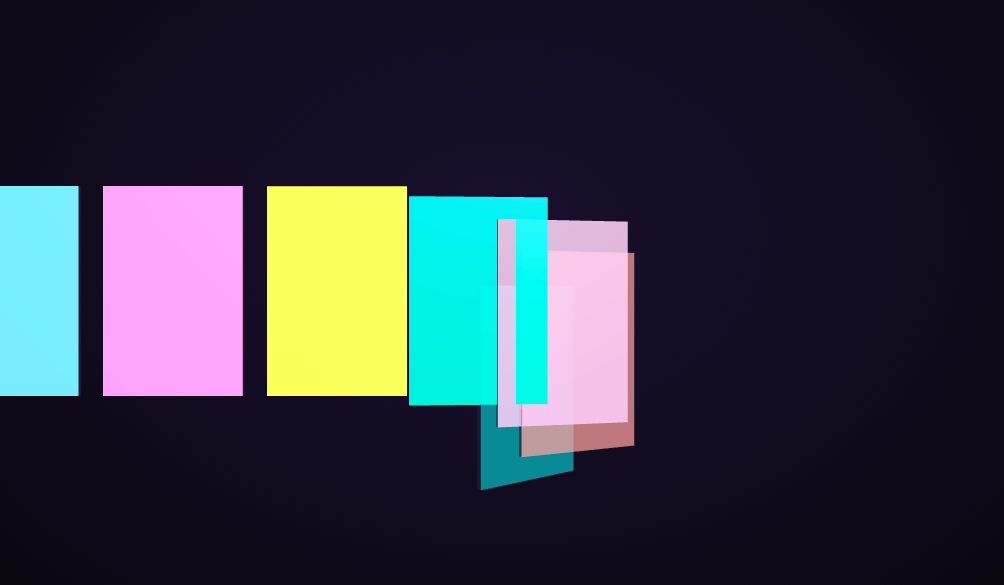
The Three.js Scroll Fold Cards snippet starts with a hidden stack of cards and deals them out one after another as the visitor scrolls — each card flips from edge-on to face-up and slides into its place in an even row — using core Three.js and GSAP's ScrollTrigger plugin, both loaded from a CDN. It's a scroll-driven take on the "cards dealing into place" reveal used across product and pricing pages.
Per-card scroll windows create the stagger
The signature of this effect is that the cards don't all move together — they deal in sequence. Rather than seven separate tweens, the snippet gives each card a delay based on its index and computes a *local* progress: as the global scroll value p advances, each card only animates during its own slice of the scroll, [delay, delay + span]. Earlier cards finish dealing before later ones begin, producing a clean cascade from a single scrubbed value with no timeline orchestration.
Overlapping windows, not gaps
The window span is deliberately larger than the spacing between delays, so the cards' animation windows overlap. This is what makes the deal feel fluid rather than robotic — a card is already sliding in while the previous one is still settling, exactly like a real dealer's rhythm. Widening the span makes the cascade smoother and more simultaneous; narrowing it makes each card snap in more distinctly one at a time.
Three properties animate together per card
Within its window, each card does three things at once, all driven by its smooth-stepped local progress: it rotates from a hidden edge-on π/2 to face-up 0, slides from the collapsed pile at screen-left to its target X in the row, and rises from below into place. Because all three interpolate from the same local value, the flip, the slide, and the rise resolve together into a single coherent motion instead of three disconnected moves.
Materials and face colors sell the flip
Each card is a thin box with a six-material array, so only the front face carries the bright color and a slight emissive glow while the back and edges stay dark. As the card rotates from edge-on to face-up, its colored front swings into view — a genuine 3D flip, not a fake scale trick. The per-material opacity is tied to local progress so cards fade in cleanly as they begin their deal rather than popping from nothing.
Smooth-step easing per card
Each card's local progress runs through the t*t*(3-2t) smooth-step, so it eases into and out of its deal rather than moving linearly. Combined with the overlapping windows, this gives the whole cascade a soft, professional rhythm where cards accelerate off the pile and decelerate into their slot.
scrub: 0.6, pinned, fully reversible
A numeric scrub smooths the deal against noisy input, and because every card's motion derives from the one scrubbed value, scrolling back up gathers all the cards back into the hidden pile in reverse order. This staggered-window technique also appears in the stagger grid ripple snippet; here it choreographs 3D cards. Pair it with a product stages tour or a horizontal gallery.
Build with AI
Build, Understand, Optimize, and Extend It With AI
You do not need to write a separate tween for every card to make them deal in sequence. Paste this snippet's HTML, CSS, and JS into an AI assistant like Claude and ask it to explain how per-card scroll windows turn one scrubbed value into a staggered cascade, and why the windows overlap. The same assistant can help you extend it — ask it to draw real content (image or text) onto each card's front face via a canvas texture, add a slight arc so cards curve into place instead of sliding straight, or make the deal reverse into a shuffle animation. It can also make the layout responsive so the row wraps to a grid on narrow screens. Treat the code as a starting point for a conversation, not a finished artifact.
Prompt to recreate it
Copy this into your AI assistant of choice to build the effect from scratch, or as a jumping-off point for your own variant:
Build a "scroll-driven staggered 3D card deal" in plain HTML, CSS, and JavaScript using Three.js, GSAP, and GSAP's ScrollTrigger plugin, all loaded from a CDN (no bundler, no build step).

Requirements:
- A pinned section containing a full-size canvas with a WebGLRenderer, PerspectiveCamera, and ambient + directional lighting, sized and updated on window resize including aspect ratio.
- Create about seven card meshes (thin boxes) each with a six-material array so only the front face carries a bright color and slight emissive glow; the back and edges are dark. Store on each card a target X in an even row and a delay based on its index.
- Register a GSAP tween on a ScrollTrigger targeting the pinned section, with pin: true, start at top top, a numeric scrub (~0.6), and an end several hundred percent tall, animating one plain value p from 0 to 1.
- Every animation frame (requestAnimationFrame), give each card a LOCAL progress computed from p and its delay over a window whose span is larger than the delay spacing (so windows overlap), passed through a smooth-step. Use that local progress to rotate the card from edge-on (PI/2, hidden) to face-up (0), slide it from a collapsed pile at screen-left to its target X, rise it from below, and fade its materials in.
- Confirm scrolling back up re-stacks the cards into the hidden pile in reverse, since every card derives from the one scrubbed value rather than a timer.
Want to tighten it up first? Run this prompt through the AI Prompt Studio to score it across 8 quality dimensions, catch anti-patterns, and tune the wording for Claude, ChatGPT, or Gemini before you paste it in.
Step by step
How to Use
- 1Load all three CDN scriptsAdd three.min.js, gsap.min.js, and ScrollTrigger.min.js from the CDN panel, in that order.
- 2Paste HTML, CSS, and JSA hidden stack of cards sits in a pinned 3D stage, ready to deal.
- 3Scroll downCards flip face-up and slide into an even row one after another in a staggered cascade.
- 4Scroll back upThe cards gather back into the hidden pile in reverse, since every card derives from one scrubbed value.
- 5Tune the staggerAdjust the span to make the deal more overlapping and fluid or more distinctly one-at-a-time.
- 6Restyle the cardsChange the CARDS count, the front-face colors array, and the row spacing to fit your content.
Real-world uses
Common Use Cases
Got questions?
Frequently Asked Questions
Each card has a delay based on its index and computes a local progress from the global scroll value p: it only animates during its own window [delay, delay + span]. As p advances, earlier cards finish before later ones start, so a clean cascade emerges from a single scrubbed value with no per-card timeline to orchestrate.
The span is larger than the spacing between delays, so a card starts dealing while the previous one is still settling. This overlap gives the deal a fluid, dealer-like rhythm. Widening the span makes the cascade smoother and more simultaneous; narrowing it makes each card snap in more distinctly one at a time.
Each card is a thin box with a six-material array, so only the front face carries the bright color and emissive glow while the back and edges are dark. As the card rotates from edge-on (π/2) to face-up (0), the colored front genuinely swings into view — a real rotation, not a scale or opacity fake.
Yes. Adjust the CARDS count, the front-face colors array, and the row spacing. Because each card derives its delay from its index and its target X from its position, the stagger timing and layout recompute automatically — no changes to the animation loop are needed.
Yes. Click JSX for a React component, Vue for a Vue 3 SFC, Angular for a standalone component, or Tailwind for a React + Tailwind version. Build the cards and GSAP timeline inside a mount effect against a canvas ref, drive card data from props, and on cleanup kill the ScrollTrigger and call renderer.dispose() so the pin and WebGL context are released on unmount.