Source Code
<section class="cmb-top"><p>Scroll ↓ to morph the shape</p></section>
<section class="cmb-stage" id="cmbStage">
  <canvas id="cmbCanvas"></canvas>
</section>
<section class="cmb-bottom"><p>Form and colour, settled.</p></section>*{box-sizing:border-box;margin:0;padding:0}
html,body{background:#06060c;color:#fff;font-family:system-ui,-apple-system,sans-serif}
.cmb-top,.cmb-bottom{min-height:70vh;display:flex;justify-content:center;align-items:center;color:#7a7594;font-size:15px;letter-spacing:.08em;text-transform:uppercase}
.cmb-stage{height:100vh;position:relative;overflow:hidden;background:#06060c;transition:background .2s linear}
#cmbCanvas{display:block;width:100%;height:100%}const stage = document.getElementById('cmbStage');
const canvas = document.getElementById('cmbCanvas');
const renderer = new THREE.WebGLRenderer({ canvas, antialias: true, alpha: true });
renderer.setPixelRatio(Math.min(window.devicePixelRatio, 2));
const scene = new THREE.Scene();
const camera = new THREE.PerspectiveCamera(50, 1, 0.1, 100);
camera.position.set(0, 0, 5);
scene.add(new THREE.AmbientLight(0x404060, 0.8));
const key = new THREE.PointLight(0xffffff, 1.6, 40); key.position.set(4, 5, 6); scene.add(key);
// A high-detail icosahedron whose vertices are pushed along their normals by
// layered 3D noise. Scroll controls how strong and how spiky that distortion
// is, and shifts the colour through a hue sweep — a "morphing blob".
const geo = new THREE.IcosahedronGeometry(1.4, 48);
const base = geo.attributes.position.array.slice();
const normals = geo.attributes.normal.array.slice();
const mat = new THREE.MeshStandardMaterial({ color: 0x60a5fa, metalness: 0.35, roughness: 0.25, flatShading: false });
const blob = new THREE.Mesh(geo, mat);
scene.add(blob);
// Cheap pseudo-3D noise from summed sines — no noise library needed.
function noise(x, y, z, t) {
return (
Math.sin(x * 1.5 + t) * 0.5 +
Math.sin(y * 2.1 + t * 1.3) * 0.35 +
Math.sin(z * 1.8 + x * 0.6 + t * 0.7) * 0.4
);
}
gsap.registerPlugin(ScrollTrigger);
// 'm' is the morph amount driven by scroll: 0 = smooth sphere, 1 = spiky,
// churning blob. Hue and background also track 'm'.
const state = { m: 0 };
gsap.to(state, {
m: 1, ease: 'none',
scrollTrigger: {
trigger: '#cmbStage', start: 'top top', end: '+=420%', scrub: 0.6, pin: true,
},
});
const pos = geo.attributes.position;
function resize() {
const w = canvas.clientWidth, h = canvas.clientHeight;
renderer.setSize(w, h, false);
camera.aspect = w / h;
camera.updateProjectionMatrix();
}
function animate() {
requestAnimationFrame(animate);
const t = performance.now() * 0.0006;
const m = state.m;
const arr = pos.array;
for (let i = 0; i < arr.length; i += 3) {
const bx = base[i], by = base[i + 1], bz = base[i + 2];
const nx = normals[i], ny = normals[i + 1], nz = normals[i + 2];
// Displace each vertex along its own normal; amount scales with morph 'm'.
const d = noise(bx, by, bz, t) * m * 0.55;
arr[i] = bx + nx * d;
arr[i + 1] = by + ny * d;
arr[i + 2] = bz + nz * d;
}
pos.needsUpdate = true;
geo.computeVertexNormals(); // relight the churning surface each frame
// Colour and background track the same morph value.
const hue = (0.58 + m * 0.42) % 1;
mat.color.setHSL(hue, 0.7, 0.6);
mat.emissive.setHSL(hue, 0.7, 0.15 + m * 0.1);
const bg = new THREE.Color().setHSL(hue, 0.5, 0.05 + m * 0.04);
stage.style.background = '#' + bg.getHexString();
blob.rotation.y += 0.003;
blob.rotation.x += 0.001;
renderer.render(scene, camera);
}
resize();
window.addEventListener('resize', resize);
animate();Learn Coding Visually
Learn to code with interactive, live-preview playgrounds — HTML, CSS, JavaScript, React & more.
 HTML Playground42 lessons · Click-based · Live preview
 CSS PlaygroundLearn CSS with a live editor
 JavaScript Playground60 lessons · DOM · Async · Canvas
 React PlaygroundLearn React with a live code editor
 GSAP PlaygroundLearn GSAP animation interactively
 SVG Playground44 lessons · shapes · paths · animation
 SCSS Playground45 lessons · Sass modules · tokens
 Tailwind PlaygroundLearn Tailwind CSS with a live editor
 Bootstrap 5 Playground50 lessons · live preview
Three.js Scroll Color Morph — GSAP Distortion Blob on Scroll
Three.js Scroll Color Morph · Scroll · Plain HTML, CSS & JS · Live preview
What's included
Features
About this UI Snippet
How to Build a Scroll-Driven Morphing Color Blob With Three.js and GSAP
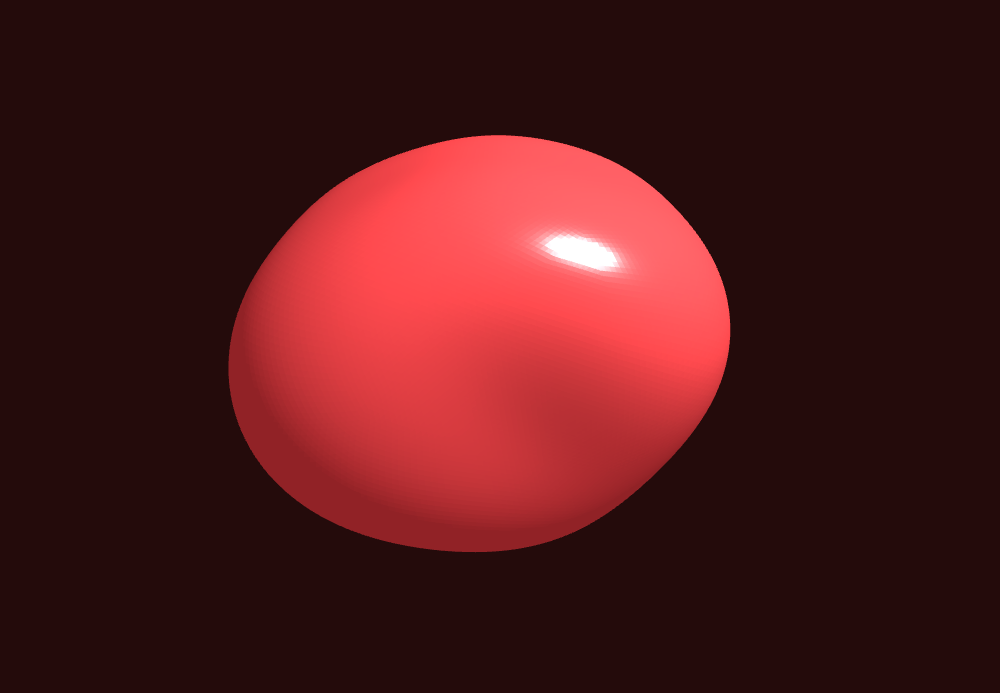
The Three.js Scroll Color Morph snippet takes a smooth sphere and, as the visitor scrolls, churns it into a spiky organic blob while sweeping its colour and the page background through a hue range — the scrollbar controls both the distortion strength and the colour directly, not a timer — using Three.js normal displacement and GSAP's ScrollTrigger plugin, both loaded from a CDN.
Displacement along vertex normals
The morph is pure geometry: a high-detail IcosahedronGeometry (subdivided 48 times for a dense, smooth sphere) has every vertex pushed outward or inward along its own surface normal. Displacing along the normal — rather than in a fixed direction — is what keeps the shape looking like a coherent inflating/deflating surface instead of a smeared mess. The push distance comes from a noise function evaluated at each vertex's original position, so neighboring vertices move by similar amounts and the surface stays continuous.
Scroll controls amplitude, time controls churn
Two inputs drive the look, cleanly separated. The scroll-scrubbed value m (0 to 1) scales how far every vertex is displaced — at 0 the sphere is perfectly smooth, at 1 it's a dramatic spiky blob. Independently, a real-time clock feeds the noise so the surface keeps churning and boiling even when scroll is paused. Scrolling sets *how extreme* the blob is; time keeps it *alive*.
Original positions and normals stored once
Copies of the pristine vertex positions and normals are taken at startup, and every frame the displacement is computed from those originals — never from the previous frame's displaced state. This prevents error accumulation that would otherwise inflate the blob into garbage over time, and it means at m = 0 the geometry is always exactly the original clean sphere, making the morph perfectly reversible.
Normals recomputed each frame for correct lighting
After displacing the vertices, computeVertexNormals() is called so the churning surface is lit correctly frame to frame — spikes catch highlights and valleys fall into shadow, which is what gives the blob its liquid, three-dimensional read. Skipping this step would leave the lighting flat and the morph would look like a texture rather than real geometry.
Colour and background sweep with the morph
The same m value drives an HSL hue sweep applied to the material colour, its emissive tint, and even the CSS background of the stage — so as the blob spikes up it also shifts hue and the whole scene's mood changes together. Tying colour to the identical scrubbed value that drives the geometry keeps form and colour in perfect lockstep and gives the scroll a strong sense of transformation.
scrub: 0.6, pinned, fully reversible
A numeric scrub smooths both the distortion and the colour against noisy input, and because everything derives from the one scrubbed m, scrolling back up returns the blob to a calm smooth sphere in its original colour. This shares its displacement engine with the morphing blob and liquid metal sphere snippets; here scroll is the control. Pair it as a centerpiece with a depth parallax field around it.
Build with AI
Build, Understand, Optimize, and Extend It With AI
You do not need to know shader math to make a shape churn and change colour on scroll. Paste this snippet's HTML, CSS, and JS into an AI assistant like Claude and ask it to explain why vertices are displaced along their normals and why the code stores the original positions and normals separately. The same assistant can help you extend it — ask it to swap the summed-sine noise for real simplex noise, add a second frequency layer for finer surface detail, or make the blob react to audio amplitude in addition to scroll. It can also move the whole displacement into a vertex shader so the CPU stops rewriting the buffer and recomputing normals each frame, which matters at high subdivision. Treat the code as a starting point for a conversation, not a finished artifact.
Prompt to recreate it
Copy this into your AI assistant of choice to build the effect from scratch, or as a jumping-off point for your own variant:
Build a "scroll-driven morphing color blob" in plain HTML, CSS, and JavaScript using Three.js, GSAP, and GSAP's ScrollTrigger plugin, all loaded from a CDN (no bundler, no build step).

Requirements:
- A pinned section containing a full-size canvas with a WebGLRenderer, PerspectiveCamera, and ambient + point lighting, sized and updated on window resize including aspect ratio.
- Create a high-detail IcosahedronGeometry (subdivided ~48 times) with a MeshStandardMaterial. Store copies of its original position and normal arrays once.
- Write a cheap pseudo-3D noise function from summed sines (no external library).
- Register a GSAP tween on a ScrollTrigger targeting the pinned section, with pin: true, start at top top, a numeric scrub (~0.6), and an end several hundred percent tall, animating one plain value m from 0 to 1.
- Every animation frame (requestAnimationFrame), for each vertex compute a displacement = noise(original position, real-time clock) * m, and set the vertex to its ORIGINAL position plus its ORIGINAL normal times that displacement; set needsUpdate and call computeVertexNormals so lighting stays correct. Also sweep the material color, emissive tint, and the CSS stage background through an HSL hue range driven by the same m.
- Confirm that at m = 0 the geometry is exactly the original smooth sphere and scrolling back up calms the blob and resets the colour, since everything derives from the one scrubbed value; and that the surface keeps churning when scrolling is paused because time feeds the noise independently.
Want to tighten it up first? Run this prompt through the AI Prompt Studio to score it across 8 quality dimensions, catch anti-patterns, and tune the wording for Claude, ChatGPT, or Gemini before you paste it in.
Step by step
How to Use
- 1Load all three CDN scriptsAdd three.min.js, gsap.min.js, and ScrollTrigger.min.js from the CDN panel, in that order.
- 2Paste HTML, CSS, and JSA smooth glowing sphere appears in a pinned 3D stage.
- 3Scroll downThe sphere churns into a spiky blob while its colour and the background sweep through a hue range.
- 4Scroll back upThe blob calms back to a smooth sphere in its original colour, since everything derives from one scrubbed value.
- 5Tune the distortionChange the noise strength multiplier for a subtler ripple or a wilder, spikier morph.
- 6Shift the paletteEdit the hue base and range to sweep between any two colours as the shape morphs.
Real-world uses
Common Use Cases
Got questions?
Frequently Asked Questions
Pushing each vertex along its own surface normal keeps the shape reading as one coherent inflating and deflating surface. Displacing in a fixed direction instead would shear the geometry into a smeared mess. Because the push distance comes from noise sampled at each vertex's original position, neighbors move by similar amounts and the surface stays smooth and continuous.
The scroll-scrubbed value m scales how far the vertices are displaced — 0 is a smooth sphere, 1 is a spiky blob. A separate real-time clock feeds the noise so the surface keeps churning even when scrolling is paused. Scroll sets how extreme the blob is; time keeps it alive between scroll movements.
Copies of the pristine vertex positions and normals are taken at startup, and each frame the displacement is computed from those originals, never the previous displaced state. This prevents error from accumulating (which would inflate the blob into garbage) and guarantees that at m = 0 the geometry is exactly the original clean sphere, making the morph perfectly reversible.
After the vertices move, the surface normals are stale, so the lighting would be wrong. Recomputing them each frame makes spikes catch highlights and valleys fall into shadow, giving the blob its liquid, three-dimensional look. Without it the morph would look flat, like a texture rather than real deforming geometry.
Yes. Click JSX for a React component, Vue for a Vue 3 SFC, Angular for a standalone component, or Tailwind for a React + Tailwind version. Build the geometry, store the base arrays, and set up the GSAP timeline inside a mount effect against a canvas ref, and on cleanup kill the ScrollTrigger and call geometry.dispose() and renderer.dispose() so buffers and the WebGL context are freed on unmount.