Source Code
<div class="wnc-page"><button type="button" class="wnc-open" id="wncOpen">Open app <span class="wnc-dot" id="wncDot"></span></button></div>

<div class="wnc-backdrop" id="wncBackdrop"></div>
<div class="wnc-modal" id="wncModal" role="dialog" aria-modal="true" aria-labelledby="wncTitle">
  <button type="button" class="wnc-close" id="wncClose" aria-label="Close">✕</button>

  <div class="wnc-head">
    <span class="wnc-eyebrow">Version 4.2</span>
    <h3 id="wncTitle">What's new</h3>
  </div>

  <ul class="wnc-list">
    <li class="wnc-entry">
      <span class="wnc-icon wnc-icon-new">NEW</span>
      <div>
        <h4>Real-time collaboration</h4>
        <p>See teammates' cursors and edits appear live, no more refresh-to-sync.</p>
      </div>
    </li>
    <li class="wnc-entry">
      <span class="wnc-icon wnc-icon-improved">IMPROVED</span>
      <div>
        <h4>40% faster page loads</h4>
        <p>We rebuilt the data layer — dashboards with large datasets now load almost instantly.</p>
      </div>
    </li>
    <li class="wnc-entry">
      <span class="wnc-icon wnc-icon-fixed">FIXED</span>
      <div>
        <h4>Export bug on Safari</h4>
        <p>CSV exports containing emoji no longer produce corrupted files on Safari.</p>
      </div>
    </li>
    <li class="wnc-entry">
      <span class="wnc-icon wnc-icon-new">NEW</span>
      <div>
        <h4>Keyboard shortcuts panel</h4>
        <p>Press <kbd>?</kbd> anywhere in the app to see every available shortcut.</p>
      </div>
    </li>
  </ul>

  <div class="wnc-footer">
    <label class="wnc-dont-show">
      <input type="checkbox" id="wncDontShow">
      <span>Don't show this again</span>
    </label>
    <button type="button" class="wnc-got-it" id="wncGotIt">Got it</button>
  </div>
</div>*{box-sizing:border-box;margin:0;padding:0}
body{font-family:system-ui,-apple-system,sans-serif;background:#f1f5f9;min-height:100vh}
.wnc-page{min-height:100vh;display:flex;align-items:center;justify-content:center}
.wnc-open{position:relative;display:flex;align-items:center;gap:8px;background:#fff;border:1.5px solid #e2e8f0;color:#0f172a;border-radius:11px;padding:11px 20px;font-size:14.5px;font-weight:700;cursor:pointer;font-family:inherit}
.wnc-dot{width:8px;height:8px;border-radius:50%;background:#ef4444;display:none}
.wnc-dot.wnc-dot-show{display:block}
.wnc-backdrop{position:fixed;inset:0;background:rgba(15,23,42,.5);opacity:0;pointer-events:none;transition:opacity .2s;z-index:90}
.wnc-backdrop.show{opacity:1;pointer-events:all}
.wnc-modal{position:fixed;left:50%;top:50%;transform:translate(-50%,-46%) scale(.97);opacity:0;pointer-events:none;
width:min(440px,92vw);max-height:84vh;overflow-y:auto;background:#fff;border-radius:18px;padding:28px 26px 22px;z-index:91;
transition:opacity .22s,transform .22s;box-shadow:0 30px 70px rgba(0,0,0,.3)}
.wnc-modal.show{opacity:1;transform:translate(-50%,-50%) scale(1);pointer-events:all}
.wnc-close{position:absolute;top:14px;right:14px;width:28px;height:28px;border-radius:50%;border:none;background:#f1f5f9;color:#64748b;cursor:pointer;font-size:13px}
.wnc-eyebrow{font-size:11px;font-weight:800;letter-spacing:.05em;text-transform:uppercase;color:#6366f1}
.wnc-head h3{font-size:19px;font-weight:800;color:#0f172a;margin:4px 0 20px}
.wnc-list{list-style:none;display:flex;flex-direction:column;gap:18px;margin-bottom:22px}
.wnc-entry{display:flex;gap:12px}
.wnc-icon{flex-shrink:0;font-size:9.5px;font-weight:800;letter-spacing:.03em;padding:4px 8px;border-radius:6px;height:fit-content;margin-top:1px}
.wnc-icon-new{background:#eef2ff;color:#6366f1}
.wnc-icon-improved{background:#ecfdf5;color:#10b981}
.wnc-icon-fixed{background:#fff7ed;color:#f97316}
.wnc-entry h4{font-size:14px;font-weight:700;color:#1e293b;margin-bottom:4px}
.wnc-entry p{font-size:12.5px;color:#64748b;line-height:1.55}
.wnc-entry kbd{background:#f1f5f9;border:1px solid #e2e8f0;border-radius:5px;padding:1px 6px;font-family:ui-monospace,monospace;font-size:11px}
.wnc-footer{display:flex;align-items:center;justify-content:space-between;gap:12px;padding-top:16px;border-top:1px solid #f1f5f9}
.wnc-dont-show{display:flex;align-items:center;gap:8px;font-size:12.5px;color:#64748b;cursor:pointer;user-select:none}
.wnc-dont-show input{accent-color:#6366f1;width:15px;height:15px}
.wnc-got-it{background:#6366f1;color:#fff;border:none;border-radius:9px;padding:10px 22px;font-size:13.5px;font-weight:700;cursor:pointer;font-family:inherit;transition:background .15s}
.wnc-got-it:hover{background:#4f46e5}// The modal auto-opens once per new version (tracked via localStorage), and a
// "don't show again" checkbox lets a visitor permanently silence it — both flags
// are checked independently, matching how real "what's new" prompts behave.
var CURRENT_VERSION = '4.2';
var LAST_SEEN_KEY = 'wnc_last_seen_version';
var MUTED_KEY = 'wnc_muted';
var openBtn = document.getElementById('wncOpen');
var dot = document.getElementById('wncDot');
var backdrop = document.getElementById('wncBackdrop');
var modal = document.getElementById('wncModal');
var closeBtn = document.getElementById('wncClose');
var gotItBtn = document.getElementById('wncGotIt');
var dontShowCheckbox = document.getElementById('wncDontShow');
function readStorage(key) {
try { return localStorage.getItem(key); } catch (e) { return null; }
}
function writeStorage(key, value) {
try { localStorage.setItem(key, value); } catch (e) { /* storage unavailable, fail silently */ }
}
function openModal() {
backdrop.classList.add('show');
modal.classList.add('show');
dot.classList.remove('wnc-dot-show');
}
function closeModal() {
backdrop.classList.remove('show');
modal.classList.remove('show');
}
openBtn.addEventListener('click', openModal);
closeBtn.addEventListener('click', closeModal);
backdrop.addEventListener('click', closeModal);
document.addEventListener('keydown', function (e) {
if (e.key === 'Escape' && modal.classList.contains('show')) closeModal();
});
gotItBtn.addEventListener('click', function () {
writeStorage(LAST_SEEN_KEY, CURRENT_VERSION);
if (dontShowCheckbox.checked) {
writeStorage(MUTED_KEY, 'true');
}
closeModal();
});
// On load: decide whether to auto-open the modal or just show a quiet notification
// dot, based on whether this version has been seen AND whether it's been muted.
function initVisibility() {
var muted = readStorage(MUTED_KEY) === 'true';
var lastSeen = readStorage(LAST_SEEN_KEY);
var isNewVersion = lastSeen !== CURRENT_VERSION;
if (isNewVersion && !muted) {
dot.classList.add('wnc-dot-show');
setTimeout(openModal, 500); // small delay so it doesn't feel like a jarring instant popup
}
}
initVisibility();Learn Coding Visually
Learn to code with interactive, live-preview playgrounds — HTML, CSS, JavaScript, React & more.
 HTML Playground42 lessons · Click-based · Live preview
 CSS PlaygroundLearn CSS with a live editor
 JavaScript Playground60 lessons · DOM · Async · Canvas
 React PlaygroundLearn React with a live code editor
 GSAP PlaygroundLearn GSAP animation interactively
 SVG Playground44 lessons · shapes · paths · animation
 SCSS Playground45 lessons · Sass modules · tokens
 Tailwind PlaygroundLearn Tailwind CSS with a live editor
 Bootstrap 5 Playground50 lessons · live preview
What's New Changelog Modal — Free HTML CSS JS Snippet
What's New Changelog Modal · Modals · Plain HTML, CSS & JS · Live preview
What's included
Features
About this UI Snippet
What's New Changelog Modal — Auto-Opens Once Per Version via localStorage
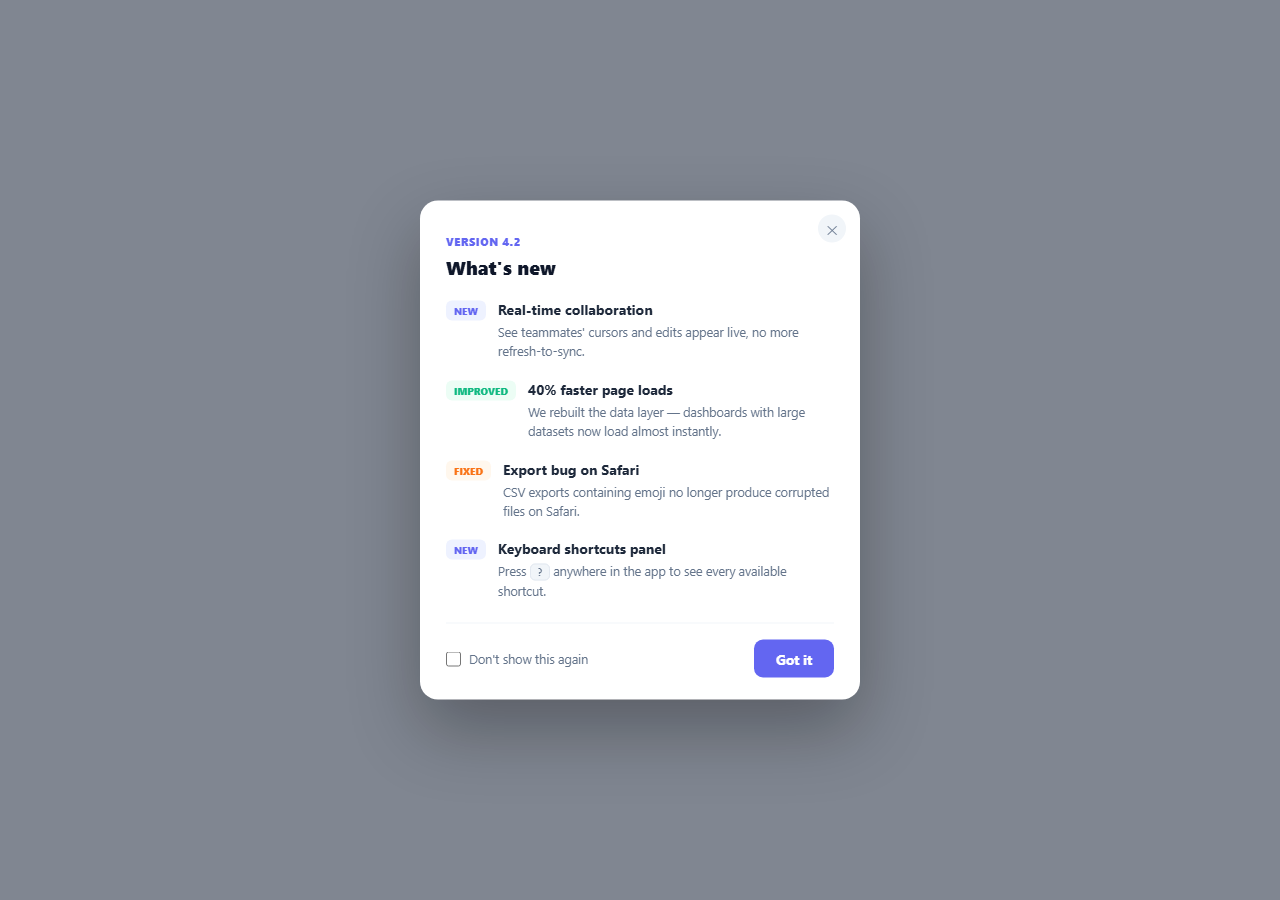
Release notes only matter if someone sees them once, at the right moment — not every time they open the app. This modal tracks which version a visitor last saw in localStorage and only auto-opens itself when the current version is genuinely new to them, with a separate "don't show again" checkbox for anyone who wants to opt out of future auto-opens entirely.
Two independent flags, not one
initVisibility() checks two separate localStorage keys: wnc_last_seen_version (which version, if any, this visitor has already dismissed) and wnc_muted (whether they've explicitly opted out forever). The modal only auto-opens when isNewVersion is true *and* muted is false — both conditions matter independently. A visitor who dismisses without checking the box will still see the *next* version's changelog; a visitor who checks the box won't see any future version until wnc_muted is cleared, even across version bumps.
A quiet notification dot, then a delayed auto-open
Rather than instantly popping the modal open the moment the page loads (jarring, and easy to dismiss reflexively without reading), initVisibility() first lights up a small red dot on the trigger button, then opens the modal after a 500ms setTimeout. That half-second gives the page a moment to settle visually before the modal appears, and the dot itself remains a permanent, low-pressure signal that "there's something new here" for a visitor who closes the auto-opened modal without reading closely.
`CURRENT_VERSION` is the only thing you change on release
Bumping CURRENT_VERSION to a new string (e.g. '4.3') is the entire mechanism for making the modal reappear for everyone — lastSeen !== CURRENT_VERSION becomes true again for every visitor whose stored value still reads the old version, regardless of whether they'd previously dismissed an older release. There's no need to clear anyone's storage or add version-specific logic elsewhere.
Reading and writing `localStorage` defensively
readStorage() and writeStorage() both wrap their calls in try/catch — private browsing modes, disabled storage, or a full storage quota can all make localStorage throw rather than simply fail silently. Wrapping every access means a storage failure degrades to "the modal simply auto-opens every time" rather than throwing an uncaught error that could break the rest of the page's script execution.
Entries categorized, not just listed
Each changelog entry carries a small colored label — NEW, IMPROVED, or FIXED — so a visitor scanning quickly can distinguish a net-new capability from a bug fix without reading every description in full. This is a deliberate content structure choice as much as a visual one: writing real changelog entries in three buckets makes the list easier to write consistently release after release, too.
Customizing it
Change CURRENT_VERSION on every release and update the .wnc-list entries to match. If you want the modal to be dismissible without ever auto-reopening for *any* version (a pure "view changelog on demand" trigger with no auto-open behavior), delete the initVisibility() call at the bottom — the click-to-open trigger button keeps working entirely independently of the auto-open logic.
Build with AI
Build, Understand, Optimize, and Extend It With AI
Instead of guessing why the modal sometimes auto-opens and sometimes doesn't, paste this snippet's HTML, CSS, and JS into an AI coding assistant like Claude and ask it to explain exactly how the two independent localStorage flags — the last-seen version string and the permanent mute flag — interact in initVisibility() to decide whether to auto-open, and why bumping a single CURRENT_VERSION constant is enough to make the modal reappear for everyone who hasn't muted it. The same assistant can help you extend it — ask it to fetch the changelog entries and current version from a real API instead of hardcoding them in the HTML, add a small "view full changelog" link that opens a dedicated changelog page for entries older than the current release, or sync the "seen" state to a real user account via your backend instead of per-browser localStorage so it follows a user across devices. It's also useful for a UX review: ask whether a 500ms auto-open delay is the right amount of friction for your product's tone, or whether the notification dot alone (with no auto-open at all) would respect returning users' attention better. Treat the code less like a finished artifact and more like a starting point for a conversation.
Prompt to recreate it
Copy this into your AI assistant of choice to build the effect from scratch, or as a jumping-off point for your own variant:
Build a "what's new" changelog modal in plain HTML, CSS, and vanilla JavaScript that auto-opens at most once per release using localStorage — no framework, no backend.

Requirements:
- A visible trigger button that can open the modal manually at any time, plus a small notification dot on that button that appears when there's an unseen release.
- A modal (backdrop + centered dialog with a fade/scale transition) listing several changelog entries, each with a small colored category label (e.g. NEW, IMPROVED, FIXED), a short title, and a one-sentence description.
- Track a version string constant in the JavaScript. On page load, compare it against a version string previously saved to localStorage (if any) to determine whether this is a version the current browser has already acknowledged.
- If the current version has not yet been acknowledged AND a separate "muted" flag (also read from localStorage) is not set, automatically open the modal after a short delay (not instantly on load) and show the notification dot.
- The modal's footer must include a "Got it" button that saves the current version string to localStorage (marking it as seen) and closes the modal, plus a "don't show this again" checkbox that, if checked when "Got it" is clicked, sets the separate permanent mute flag so no future version's changelog auto-opens until that flag is cleared — dismissing without checking the box must NOT set the mute flag, only the per-version seen state.
- Wrap all localStorage reads and writes in error handling so the modal still functions (falling back to always auto-opening) if storage access throws, such as in a private browsing context.
- Support closing the modal via a close button, backdrop click, and the Escape key, independent of the "Got it" button's save-and-close behavior.
Want to tighten it up first? Run this prompt through the AI Prompt Studio to score it across 8 quality dimensions, catch anti-patterns, and tune the wording for Claude, ChatGPT, or Gemini before you paste it in.
Step by step
How to Use
- 1Load the pageSince this version hasn't been seen yet, a notification dot appears and the modal auto-opens after a brief delay.
- 2Read the changelog entriesEach entry is labeled NEW, IMPROVED, or FIXED for quick scanning.
- 3Click "Got it"The current version is saved to localStorage — reloading the page will not reopen the modal automatically again.
- 4Try "Don't show this again"Check the box before clicking "Got it" to mute all future auto-opens, even for later versions.
- 5Bump the version to test againChange CURRENT_VERSION in the JS panel and reload — the modal auto-opens again since it's "new."
- 6Export in your formatClick "HTML" for a standalone file, "JSX" for a React component, or "Tailwind" for a React + Tailwind version.
Real-world uses
Common Use Cases
Got questions?
Frequently Asked Questions
No — it only auto-opens when the visitor has not yet seen the current CURRENT_VERSION, tracked via a localStorage key. Once "Got it" is clicked, that version string is saved, so reloading the page (or returning later, as long as CURRENT_VERSION has not changed) will not trigger another automatic open.
Dismissing without checking the box only records that this specific version has been seen — the visitor will still see the auto-open for the NEXT version whenever you bump CURRENT_VERSION. Checking "don't show this again" sets a separate permanent mute flag that suppresses all future auto-opens regardless of version, until that flag is cleared.
Change the CURRENT_VERSION constant to a new string (e.g. from "4.2" to "4.3") and update the changelog entries in the HTML to match. Every visitor whose stored "last seen" value still reads the old version string will have the modal auto-open again — unless they had previously checked "don't show this again."
Popping a modal open the instant the page loads tends to feel jarring and gets dismissed reflexively without being read. A small notification dot appears immediately as a low-pressure signal, and the modal itself opens after a brief setTimeout delay so the page has a moment to settle visually first.
Both the read and write helper functions wrap their localStorage calls in try/catch. If storage access throws, the read simply returns null (treating every version as unseen) and the write silently does nothing — the practical result is that the modal auto-opens on every visit rather than the page throwing an uncaught error that could break other scripts.
Yes. The visible trigger button's click handler calls openModal() directly and is completely independent of the auto-open/localStorage logic, so a visitor can reopen the changelog on demand at any time regardless of whether they have already seen or muted the current version.