Source Code
<div class="mc-wrap">
  <button type="button" class="mc-btn" id="mcBtn">
    <span class="mc-fill" id="mcFill"></span>
    <span class="mc-label" id="mcLabel">Mash to claim!</span>
  </button>
  <div class="mc-meter-track">
    <div class="mc-meter-fill" id="mcMeter"></div>
  </div>
  <p class="mc-status" id="mcStatus">Click rapidly to fill the meter before it drains</p>
</div>
* { box-sizing: border-box; margin: 0; padding: 0; }
body { font-family: system-ui, -apple-system, sans-serif; background: #0f172a; color: #e2e8f0; display: flex; justify-content: center; align-items: center; min-height: 100vh; padding: 24px; }
.mc-wrap { text-align: center; width: 100%; max-width: 260px; }
.mc-btn {
position: relative; width: 100%; border: none; border-radius: 12px;
background: #ea580c; color: #fff; font-family: inherit; font-size: 15px; font-weight: 800;
padding: 18px; cursor: pointer; overflow: hidden; user-select: none; -webkit-user-select: none;
transition: transform 0.06s;
}
.mc-btn:active { transform: scale(0.97); }
.mc-btn.charged { background: #16a34a; }
.mc-fill { position: absolute; inset: 0; background: radial-gradient(circle, rgba(255,255,255,0.35), transparent 70%); opacity: 0; transition: opacity 0.15s; pointer-events: none; }
.mc-btn.pulsing .mc-fill { opacity: 1; }
.mc-label { position: relative; z-index: 2; }
.mc-meter-track { margin-top: 12px; height: 12px; border-radius: 999px; background: #1e293b; border: 1px solid #334155; overflow: hidden; }
.mc-meter-fill { height: 100%; width: 0%; background: linear-gradient(90deg, #fb923c, #facc15); transition: width 0.08s linear; border-radius: 999px; }
.mc-status { margin-top: 12px; font-size: 12px; color: #94a3b8; font-weight: 600; min-height: 16px; }
.mc-status.win { color: #4ade80; font-weight: 800; }var btn = document.getElementById('mcBtn');
var label = document.getElementById('mcLabel');
var meter = document.getElementById('mcMeter');
var status = document.getElementById('mcStatus');
var CHARGE_PER_CLICK = 9;
var DECAY_PER_SECOND = 22;
var charge = 0;
var claimed = false;
var lastFrame = null;
var rafId = null;
var pulseTimeout = null;
function setMeter(value) {
charge = Math.max(0, Math.min(100, value));
meter.style.width = charge + '%';
}
// Each click adds a fixed chunk of charge. Between clicks a decay loop
// continuously drains the meter, so only a sustained mashing rhythm can
// out-pace the drain and reach 100%.
function frame(now) {
if (lastFrame === null) lastFrame = now;
var dt = (now - lastFrame) / 1000;
lastFrame = now;
if (!claimed && charge > 0) {
setMeter(charge - DECAY_PER_SECOND * dt);
}
if (!claimed) {
rafId = requestAnimationFrame(frame);
}
}
function onClick() {
if (claimed) return;
setMeter(charge + CHARGE_PER_CLICK);
status.textContent = 'Charging\u2026 ' + Math.round(charge) + '%';
status.className = 'mc-status';
btn.classList.add('pulsing');
clearTimeout(pulseTimeout);
pulseTimeout = setTimeout(function () { btn.classList.remove('pulsing'); }, 120);
if (charge >= 100) {
claim();
}
}
function claim() {
claimed = true;
cancelAnimationFrame(rafId);
setMeter(100);
btn.classList.add('charged');
label.textContent = 'Claimed!';
status.textContent = 'Reward unlocked \u2014 nice mashing.';
status.className = 'mc-status win';
}
function reset() {
claimed = false;
charge = 0;
lastFrame = null;
setMeter(0);
btn.classList.remove('charged');
label.textContent = 'Mash to claim!';
status.textContent = 'Click rapidly to fill the meter before it drains';
status.className = 'mc-status';
rafId = requestAnimationFrame(frame);
}
btn.addEventListener('click', onClick);
btn.addEventListener('dblclick', function (e) { e.preventDefault(); });
rafId = requestAnimationFrame(frame);
btn.addEventListener('mc:reset', reset);Learn Coding Visually
Learn to code with interactive, live-preview playgrounds — HTML, CSS, JavaScript, React & more.
 HTML Playground42 lessons · Click-based · Live preview
 CSS PlaygroundLearn CSS with a live editor
 JavaScript Playground60 lessons · DOM · Async · Canvas
 React PlaygroundLearn React with a live code editor
 GSAP PlaygroundLearn GSAP animation interactively
 SVG Playground44 lessons · shapes · paths · animation
 SCSS Playground45 lessons · Sass modules · tokens
 Tailwind PlaygroundLearn Tailwind CSS with a live editor
 Bootstrap 5 Playground50 lessons · live preview
Mash-to-Charge Button — Free Rapid-Click Meter JS Snippet
Mash-to-Charge Button · Buttons · Plain HTML, CSS & JS · Live preview
What's included
Features
About this UI Snippet
Mash-to-Charge Button — Rapid-Click Meter with Continuous Decay
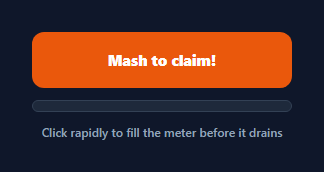
A mash-to-charge button turns a single call-to-action into a small burst of gamified effort: every click adds a fixed chunk to a charge meter, but the meter also drains continuously between clicks, so only a genuinely rapid, sustained click rate can out-pace the decay and reach 100%. It is the discrete-click counterpart to a press-and-hold button — where a hold to confirm button rewards one long continuous press, this rewards rhythm and repetition, which suits hype campaigns, claim-a-reward CTAs, and playful engagement moments rather than safety-critical confirmations.
Charge added per click, decay running independently
Every click calls setMeter(charge + CHARGE_PER_CLICK), adding a fixed 9 points regardless of click speed. Separately, a requestAnimationFrame loop in frame() runs continuously from the moment the button is ready, computing real elapsed time (dt) between frames and subtracting DECAY_PER_SECOND * dt from the current charge every frame. Because the decay loop runs independent of clicks, a burst of fast clicks visibly outpaces it and the meter climbs, while pausing for even a second or two lets it visibly fall back — the meter is a genuine race between click rate and a fixed drain rate, not just a click counter with a cosmetic bar.
Why decay uses delta-time, not a fixed decrement per frame
Subtracting a flat amount per animation frame would make the drain rate depend on the device's frame rate — faster on a 144Hz display, slower on an underpowered one. Computing dt as the actual milliseconds elapsed since the last frame and scaling the decay by it (DECAY_PER_SECOND * dt) keeps the drain rate consistent in real time regardless of how often requestAnimationFrame actually fires.
A short pulse per click for tactile feedback
Each click also toggles a .pulsing class on for 120ms via setTimeout, which fades in a radial highlight behind the label through .mc-fill's opacity transition. This gives every individual click a small visual acknowledgment separate from the meter's overall progress, reinforcing the "mash faster" feedback loop the mechanic is built around.
One-shot claim, then locked
Once charge reaches 100, claim() cancels the decay loop, locks the meter at 100%, swaps the button to a solid "claimed" state, and stops responding to further clicks — the reward fires exactly once. A separate reset() function (wired to a custom mc:reset event in this demo) restarts the meter at zero and resumes the decay loop, useful for a "play again" flow.
Build with AI
Build, Understand, Optimize, and Extend It With AI
Paste this snippet's HTML, CSS, and JS into an AI coding assistant like Claude and ask it to explain exactly why the decay loop scales DECAY_PER_SECOND by delta-time instead of subtracting a flat amount per animation frame, and why that matters for consistent difficulty across different devices and refresh rates. It's also worth asking the assistant to add an audio click/charge-up sound effect synced to the meter's progress, add a combo multiplier that rewards clicks landing within a tight time window of each other, or persist a daily best "fastest charge time" to localStorage for a leaderboard-style feature.
Prompt to recreate it
Copy this into your AI assistant of choice to build the effect from scratch, or as a jumping-off point for your own variant:
Build a "mash to charge" button in plain HTML, CSS, and JavaScript — no libraries, no canvas.

Requirements:
- A button with a text label plus a separate horizontal meter bar beneath it showing 0 to 100% charge.
- Each click on the button must add a fixed amount of charge (an easily-configurable constant), while a continuous animation-frame loop running independently of clicks must also drain the charge at a fixed rate per real second — computed using actual elapsed time between frames (delta-time), not a flat amount per frame, so the drain rate is consistent across different device frame rates.
- The meter must never go below 0% or above 100%, and the fill width must visually track the current charge value on every frame.
- The moment the charge first reaches 100%, trigger a one-time "claimed" action: stop the decay loop, lock the meter at 100%, visually mark the button as complete, and ignore any further clicks until a reset function is called.
- Give each individual click a brief (roughly 100-150ms) visual pulse or flash as tactile feedback that the click registered, separate from the overall meter progress.
- Expose the charge-per-click amount and the decay-per-second rate as two separate named constants so the difficulty is easy to tune independently in each direction.
Want to tighten it up first? Run this prompt through the AI Prompt Studio to score it across 8 quality dimensions, catch anti-patterns, and tune the wording for Claude, ChatGPT, or Gemini before you paste it in.
Step by step
How to Use
- 1Click rapidly and repeatedlyEach click adds CHARGE_PER_CLICK points to the meter. A single click alone will not reach 100% before the meter decays back down.
- 2Watch the meter race the decayA continuous requestAnimationFrame loop drains DECAY_PER_SECOND points every second, so only a sustained fast click rate keeps the bar climbing.
- 3Reach 100% to claimThe instant the meter hits 100%, claim() fires: the decay loop stops, the button locks, and the reward state is shown.
- 4Feel the per-click pulseEvery click flashes a brief radial highlight behind the label for 120ms as tactile confirmation the click registered.
- 5Tune the difficultyRaise DECAY_PER_SECOND or lower CHARGE_PER_CLICK to require a faster sustained click rate; do the opposite to make it easier.
- 6Wire your reward actionPut the actual claim/unlock call inside claim(), which fires exactly once when the meter first reaches full.
Real-world uses
Common Use Cases
Got questions?
Frequently Asked Questions
Each click only adds a fixed CHARGE_PER_CLICK amount (9 by default), while a separate requestAnimationFrame loop continuously drains DECAY_PER_SECOND points every second regardless of whether you are clicking. A single click adds less than what decays away almost immediately afterward, so only rapid, repeated clicking can out-pace the drain.
Animation frames do not fire at a perfectly consistent rate across devices and browsers. Computing dt as the actual milliseconds elapsed since the previous frame and scaling DECAY_PER_SECOND by it keeps the drain rate consistent in real time, regardless of the device's actual frame rate.
No. claim() is only ever called from inside onClick() the instant charge first reaches 100, and it immediately cancels the decay animation frame and locks further clicks from affecting the meter, so the reward logic runs exactly once per charge cycle.
Increase DECAY_PER_SECOND to require a faster sustained click rate, or decrease CHARGE_PER_CLICK so each click contributes less — both independently tune the difficulty without touching the animation loop itself.
No, the button stays in its claimed, locked state until something calls reset() (wired to a custom mc:reset event in this demo), which zeroes the charge, removes the claimed styling, and resumes the decay loop for another attempt.
Yes. Keep charge and claimed in component state, store the requestAnimationFrame id and lastFrame timestamp in refs so updating them does not trigger re-renders, and bind the meter fill's width to the charge value. Clean up the animation frame on unmount.