Source Code
<div class="demo">
  <button class="fill-btn" id="fillBtn">
    <span class="fill-btn-bg" id="fillBg"></span>
    <span class="fill-btn-label" id="fillLabel">Generate report</span>
  </button>
  <p class="fill-hint">Click to start a multi-step process — the fill tracks REAL step progress, not a decorative animation timed to guess how long the work takes.</p>
</div>
* { box-sizing: border-box; margin: 0; padding: 0; }
body { font-family: system-ui, sans-serif; background: #f8fafc; display: flex; align-items: center; justify-content: center; min-height: 100vh; padding: 24px; }
.demo { display: flex; flex-direction: column; align-items: center; gap: 12px; width: 280px; max-width: 100%; }
.fill-btn { position: relative; width: 100%; padding: 13px; border: none; border-radius: 12px; background: #4f46e5; cursor: pointer; font-family: inherit; overflow: hidden; }
.fill-btn:disabled { cursor: default; }
.fill-btn-bg { position: absolute; inset: 0; background: #4338ca; width: 0%; transition: width 0.3s ease; }
.fill-btn-label { position: relative; z-index: 1; font-size: 13.5px; font-weight: 700; color: #fff; }
.fill-btn.success .fill-btn-bg { background: #059669; width: 100%; }
.fill-btn.error .fill-btn-bg { background: #dc2626; width: 100%; }
.fill-hint { font-size: 11px; color: #94a3b8; text-align: center; line-height: 1.6; }const btn = document.getElementById('fillBtn');
const bg = document.getElementById('fillBg');
const label = document.getElementById('fillLabel');
// Each step's own weight reflects roughly how LONG that step actually takes
// relative to the others — the fill's width jumps to a specific known
// percentage after each step resolves, rather than animating smoothly and
// continuously toward a guessed endpoint. This is the core distinction from
// a fake/decorative loading animation: every fill-width change corresponds
// to a real, discrete unit of work having just genuinely completed.
const STEPS = [
{ label: 'Gathering data…', weight: 30, delay: 700 },
{ label: 'Running calculations…', weight: 45, delay: 1000 },
{ label: 'Formatting report…', weight: 25, delay: 500 },
];
function simulateStep(step) {
return new Promise((resolve, reject) => {
setTimeout(() => {
// A small chance of failure on the calculation step specifically, to
// demonstrate the button's error path without every click succeeding.
if (step.label.includes('calculations') && Math.random() < 0.25) {
reject(new Error('Calculation failed'));
} else {
resolve();
}
}, step.delay);
});
}
async function runProcess() {
btn.disabled = true;
btn.classList.remove('success', 'error');
bg.style.width = '0%';
let cumulativeWeight = 0;
try {
for (const step of STEPS) {
label.textContent = step.label;
await simulateStep(step);
// The width jumps to the running total of completed steps' weights —
// a real, verifiable measure of "how much of the actual work is done,"
// not a time-based animation that has no relationship to genuine progress.
cumulativeWeight += step.weight;
bg.style.width = cumulativeWeight + '%';
}
label.textContent = 'Report ready ✓';
btn.classList.add('success');
setTimeout(resetButton, 1800);
} catch (err) {
label.textContent = 'Failed — click to retry';
btn.classList.add('error');
btn.disabled = false;
// On failure, the fill deliberately stays at wherever it actually
// stopped (the width set by the last successfully completed step),
// not reset to 0 or jumped to 100 — an honest reflection of exactly
// how far real progress got before the failure occurred.
}
}
function resetButton() {
btn.classList.remove('success', 'error');
bg.style.width = '0%';
label.textContent = 'Generate report';
btn.disabled = false;
}
btn.addEventListener('click', runProcess);Learn Coding Visually
Learn to code with interactive, live-preview playgrounds — HTML, CSS, JavaScript, React & more.
 HTML Playground42 lessons · Click-based · Live preview
 CSS PlaygroundLearn CSS with a live editor
 JavaScript Playground60 lessons · DOM · Async · Canvas
 React PlaygroundLearn React with a live code editor
 GSAP PlaygroundLearn GSAP animation interactively
 SVG Playground44 lessons · shapes · paths · animation
 SCSS Playground45 lessons · Sass modules · tokens
 Tailwind PlaygroundLearn Tailwind CSS with a live editor
 Bootstrap 5 Playground50 lessons · live preview
Async Progress-Fill Button — Real Step-Based Progress, Not a Fake Timed Animation
Async Button with Real Progress Fill (Not a Fake Spinner) · Buttons · Plain HTML, CSS & JS · Live preview
What's included
Features
About this UI Snippet
Real Progress-Fill Buttons — The Difference Between Genuine and Decorative Progress
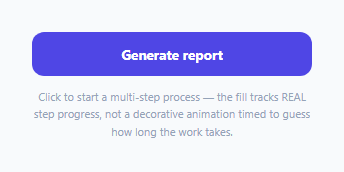
A button that fills with color while an async action runs is a nice pattern — but most implementations fake it: a CSS animation that smoothly grows over some guessed duration, with no actual relationship to how much of the real work has completed. This snippet builds a genuinely honest version: the fill's width only ever changes in response to a real, discrete unit of work having just finished, and it advances by exactly that unit's actual weight.
Weighted steps, not a smooth time-based animation
STEPS defines each phase of the process with its own weight (summing to 100) reflecting roughly how much of the *total real work* that step represents — gathering data is worth 30%, running calculations 45%, formatting the report 25%. The fill's width is set directly to the *running cumulative total* of completed steps' weights after each one resolves — a discrete jump to a known, meaningful percentage, not a continuous CSS animation ticking upward on its own independent timer with no actual connection to real work completing.
Why this matters: a fake progress bar lies eventually
A decorative progress animation timed to "usually take about 3 seconds" is either wrong when the real work finishes faster (the bar keeps filling after the work is actually done, visibly lying about ongoing work) or wrong when it takes longer (the bar reaches 100% and then just... sits there, also visibly lying). Tying the fill directly to real step completion means the bar's state is *always* an accurate reflection of actual progress, regardless of how long any individual step happens to take on a given run.
The error state deliberately does NOT reset the fill to zero
When a step fails partway through, the fill stays exactly where it was — at the cumulative weight of whatever steps *did* genuinely complete before the failure. This is a small but meaningful honesty detail: resetting to 0% on failure would misrepresent a process that actually made real, partial progress before hitting an error, while jumping to 100% (a more common but worse mistake) would be actively false. Leaving the fill at its true last-known-good position is the only representation that matches reality.
A realistic, non-deterministic failure point
The simulated calculation step has a genuine random chance of failing (rather than the demo always succeeding, or always failing at the same predictable point) — specifically so the button's error path, and the honest "stayed at partial progress" fill behavior, are actually reachable and observable rather than existing only in unused code that nobody would ever see triggered in a quick demo click-through.
Build with AI
Build, Understand, Optimize, and Extend It With AI
Ask an AI assistant to explain why a progress indicator that's decoupled from real work completion (a purely time-based CSS animation) is misleading compared to one driven by actual discrete step completion, with a concrete example of both finishing-too-fast and finishing-too-slow scenarios. It's also worth asking for a version that shows a small numeric percentage label alongside the fill, or one that supports steps running in parallel rather than strictly sequentially, computing combined weighted progress across concurrently-completing steps.
Prompt to recreate it
Copy this into your AI assistant of choice to build the effect from scratch, or as a jumping-off point for your own variant:
Build an async button with a real, step-based progress fill in HTML, CSS, and vanilla JavaScript — no external library.

Requirements:
- A button that, when clicked, runs a simulated multi-step async process (at least three sequential steps, each with its own realistic delay), disabling itself for the duration.
- Assign each step a numeric weight (summing to 100 across all steps) representing its relative share of the total work. The button's background fill must advance in discrete jumps to the running CUMULATIVE total of completed steps' weights immediately after each step genuinely resolves — it must NOT be a continuous CSS animation running on an independent timer disconnected from real step completion.
- Update the button's visible label text to describe whichever step is currently in progress.
- Give one of the simulated steps a genuine, non-deterministic chance of failing (not always succeeding, not always failing at a fixed point), so the button's error path is actually reachable across repeated clicks.
- On success, show a clear completed state (different background color, a completion label) before automatically resetting the button back to its initial state after a short delay.
- On failure, the fill must remain at exactly wherever it was — the cumulative weight of whatever steps genuinely completed before the failure — rather than resetting to 0% or jumping to 100%, and the button must re-enable itself with a retry-oriented label, ready for the user to click again.
- Clicking again after a failure must restart the entire process from the first step, resetting the fill to 0% before beginning.
Want to tighten it up first? Run this prompt through the AI Prompt Studio to score it across 8 quality dimensions, catch anti-patterns, and tune the wording for Claude, ChatGPT, or Gemini before you paste it in.
Step by step
How to Use
- 1Click "Generate report"The button disables and its background fill begins advancing through three real weighted steps, with the label updating to describe each one.
- 2Watch the fill jump at each step boundaryThe width changes discretely to a specific percentage the instant each step genuinely completes — not a smooth continuous animation running independently.
- 3Observe a success completionThe fill reaches 100%, turns green, and shows a completion label before automatically resetting after a short delay.
- 4Try again until you hit the simulated failureThe calculation step has a real chance of failing — when it does, the fill turns red and stops exactly where it was, not reset to zero or jumped to full.
- 5Click again after a failureRetrying re-runs the full process from the beginning, resetting the fill to 0% before starting fresh.
Real-world uses
Common Use Cases
Got questions?
Frequently Asked Questions
A typical CSS-only loading animation runs on its own independent timer, with no actual connection to how much real work has completed — it's purely decorative and can visibly disagree with reality if the work finishes faster or slower than the animation's guessed duration. This button's fill only changes width in direct response to a real step of work having just genuinely finished, advancing by that step's actual defined weight.
Each step's weight is meant to reflect roughly how much of the total real work it represents — a step that genuinely takes longer or does more should advance the fill further than a quick step, so the displayed progress stays a meaningful, proportional reflection of actual completion, not just "1 of 3 steps done = 33%" regardless of how much work each step actually involves.
Resetting to zero would misrepresent a process that actually made genuine partial progress before failing. Leaving the fill exactly where it was — at the cumulative weight of whatever steps truly did complete — is the only accurate representation of what actually happened before the error occurred.
Randomly — the calculation step has roughly a 25% chance of failing on any given run, specifically so the error path (and its honest partial-progress fill behavior) is genuinely observable across repeated clicks, rather than being dead code that's never actually exercised in a typical demo interaction.
It re-runs the entire process from the very first step, resetting the fill back to 0% before starting — a retry is treated as a completely fresh attempt, not a resumption from wherever the previous attempt failed.
Replace each simulateStep() call with your actual async request for that phase (keeping the same resolve-on-success/reject-on-failure Promise contract), and set each step's weight based on your own process's real relative timing or complexity — the fill-advancement and error-handling logic works unchanged against any steps following that contract.