
Learn Coding Visually
Learn to code with interactive, live-preview playgrounds — HTML, CSS, JavaScript, React & more.
 HTML Playground42 lessons · Click-based · Live preview
 CSS PlaygroundLearn CSS with a live editor
 JavaScript Playground60 lessons · DOM · Async · Canvas
 React PlaygroundLearn React with a live code editor
 GSAP PlaygroundLearn GSAP animation interactively
 SVG Playground44 lessons · shapes · paths · animation
 SCSS Playground45 lessons · Sass modules · tokens
 Tailwind PlaygroundLearn Tailwind CSS with a live editor
 Bootstrap 5 Playground50 lessons · live preview
Word Guess Game (Wordle-Style) — Free JS Snippet
Word Guess Game (Wordle-Style) · Games · Plain HTML, CSS & JS · Live preview
What's included
Features
About this UI Snippet
Word Guess Game (Wordle-Style) — Duplicate-Letter Scoring, Two-Pass Algorithm & Tile Flip Animation
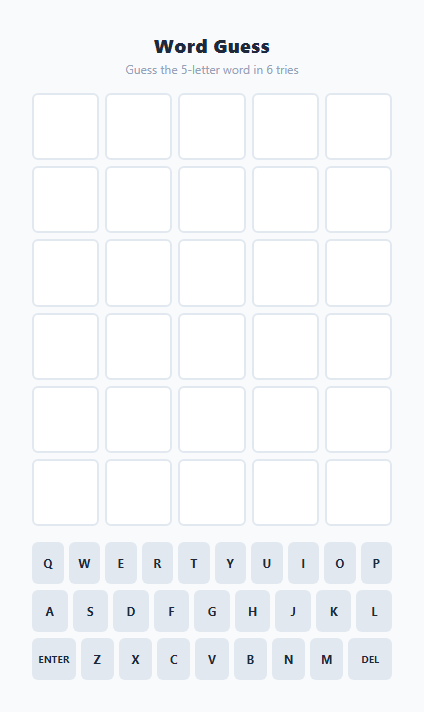
Building a Wordle clone is a popular exercise, but most naive implementations get one specific detail wrong: scoring a guess that contains a repeated letter. This snippet implements the real Wordle algorithm correctly — a two-pass, position-then-frequency scoring routine — alongside a 6x5 guess grid with flip-reveal animations, dual real-keyboard and on-screen keyboard input, and accurate color feedback that reflects actual letter availability rather than naive character presence checks.
The classic duplicate-letter bug and how this snippet avoids it
A naive scoring function checks, for each letter in the guess, whether that letter exists anywhere in the target word, and colors it yellow if so. This breaks the moment a letter is repeated: if the target word is CRANE and the guess is ERASE, a naive check would mark both E's in ERASE as present because "E" does exist in CRANE — but CRANE only has one E, so only one of the guessed E's should be colored, and the other should be gray. This snippet's scoreGuess() function solves this with two distinct passes and a shared consumed tracking array. Pass one walks the guess left to right and marks every position where the guessed letter exactly matches the target letter at that same index as 'correct' (green), immediately marking that target letter's index as consumed so it cannot be claimed again. Pass two then walks the guess again, and for every letter not already marked correct, searches the target word for an *unconsumed* occurrence of that letter using targetLetters.findIndex((t, idx) => t === letter && !consumed[idx]). If one is found, that position is marked 'present' (yellow) and the matched target index is consumed; if none is found, the letter remains 'absent' (gray) by the array's default fill. Because consumption is shared across both passes and tracked per target-letter-index rather than per unique-letter, a target with exactly one E will correctly color at most one guessed E as green or yellow combined — matching real Wordle behavior exactly.
Grid, flip animation, and staggered reveal
The board is a 6-row by 5-column grid of .cell divs built dynamically by buildGrid(). As the player types, updateCurrentRow() fills the active row's cells with letters and toggles a .filled class for a subtle border highlight before submission. On submit, applyResult() staggers each cell's reveal using setTimeout(..., c * 120), so the five tiles flip left to right in sequence rather than all at once — a small but important detail that gives each guess a satisfying cascading reveal instead of an abrupt color change. The flip itself is a CSS rotateX keyframe animation that rotates the tile through 90 degrees (momentarily edge-on) and back to 0, with the color class applied at the animation's midpoint conceptually — in practice both the .flip and status classes are added together so the color appears as the tile rotates back into view.
Dual input: real keyboard and on-screen keyboard
Two input paths funnel into the same handleKey() function. A document-level keydown listener maps physical key presses (e.key) to letters, Enter, and Backspace, calling handleKey() directly — this is how most players will interact with the game. Separately, buildKeyboard() renders a full on-screen QWERTY layout from the KEY_ROWS array, with each rendered <button> also wired to call handleKey() with its own key value on click, supporting touch devices with no physical keyboard. Both paths converge on identical logic, so there is only one code path to validate for guess length, letter matching, and submission — no duplicated state machine.
Keyboard color feedback with rank-based upgrades
As guesses are scored, updateKeyStatus() colors each on-screen key to reflect the best status ever observed for that letter, using a numeric rank map (absent: 0, present: 1, correct: 2) to ensure a key already shown green from an earlier guess is never downgraded to yellow or gray by a later guess that scores that same letter differently in a different position. This mirrors the letter-priority display convention used in the original Wordle and gives players a persistent, at-a-glance summary of every letter's status across all their guesses so far — similar in spirit to how a Tic-Tac-Toe win-line highlight persists to summarize the final board state.
Build with AI
Build, Understand, Optimize, and Extend It With AI
Paste this snippet into an AI coding assistant like Claude and ask it to trace scoreGuess() through a concrete duplicate-letter example — for instance, target CRANE against guess ERASE — cell by cell, to confirm exactly which letters end up green, yellow, and gray and why the consumed array is what prevents the classic double-credit bug. It's also worth asking the assistant to explain why the two input paths (physical keydown and on-screen keyboard clicks) are both routed through the same handleKey() function rather than duplicated. Beyond understanding, use the assistant to extend the game: ask for a deterministic word-of-the-day mode seeded from the date instead of Math.random(), a persisted win/loss streak and guess-distribution stats using localStorage, a shareable emoji-grid result summary (green/yellow/gray squares) copyable to the clipboard, or a larger validated word/guess dictionary. Treat the current file as a correct, well-tested scoring core to build daily-puzzle features on top of.
Prompt to recreate it
Copy this into your AI assistant of choice to build the effect from scratch, or as a jumping-off point for your own variant:
Build a Wordle-style 5-letter word guessing game in plain HTML, CSS, and JavaScript with a 6x5 guess grid and an on-screen keyboard.

Requirements:
- A hidden target word chosen randomly from a hardcoded list of 15-20 common 5-letter words at the start of each game.
- A 6-row by 5-column grid where the player types letters into the current row (via physical keyboard input and/or an on-screen keyboard) and submits the guess with Enter; reject submission if fewer than 5 letters have been entered.
- On submission, score each of the 5 letters as correct (right letter, right position), present (right letter, wrong position), or absent (not in the word, or already fully accounted for), with CORRECT duplicate-letter handling: if a letter appears once in the target but twice in the guess, only one instance of that letter in the guess should be colored correct/present — the other must be colored absent. Do not use a naive "does this letter exist anywhere in the target" check, since it fails on repeated letters.
- Reveal each submitted row's colors with a visual tile-flip animation, ideally staggered slightly across the 5 tiles rather than all appearing simultaneously.
- Reflect accumulated letter knowledge on an on-screen keyboard, coloring each key by the best status observed for that letter across all guesses so far, without ever downgrading a key that was already confirmed correct.
- Detect a win when the guess exactly matches the target word and display a clear win message; after 6 failed guesses, end the game, reveal the target word, and block further input.
- Provide a "New Word" control that picks a new random target and fully resets the grid, keyboard colors, and guess state.
Want to tighten it up first? Run this prompt through the AI Prompt Studio to score it across 8 quality dimensions, catch anti-patterns, and tune the wording for Claude, ChatGPT, or Gemini before you paste it in.
Source Code
<div class="game-wrap">
  <div class="header">
    <h2>Word Guess</h2>
    <p class="subtitle" id="subtitle">Guess the 5-letter word in 6 tries</p>
  </div>

  <div class="grid" id="grid"></div>

  <p class="message hidden" id="message"></p>

  <div class="keyboard" id="keyboard"></div>

  <button class="btn-new hidden" id="btn-new">New Word</button>

  <input type="text" id="hidden-input" class="hidden-input" maxlength="1" autocomplete="off" aria-hidden="true" />
</div>
* { box-sizing: border-box; margin: 0; padding: 0; }
body { font-family: system-ui, sans-serif; background: #f8fafc; min-height: 100vh; display: flex; align-items: center; justify-content: center; padding: 24px; }
.game-wrap { width: 100%; max-width: 360px; display: flex; flex-direction: column; align-items: center; gap: 16px; }
.header { text-align: center; }
.header h2 { font-size: 19px; font-weight: 800; color: #1e293b; letter-spacing: 0.02em; }
.subtitle { font-size: 12px; color: #94a3b8; margin-top: 3px; }
.grid {
display: grid; grid-template-rows: repeat(6, 1fr); gap: 6px;
width: 100%;
}
.row { display: grid; grid-template-columns: repeat(5, 1fr); gap: 6px; }
.cell {
aspect-ratio: 1 / 1;
border: 2px solid #e2e8f0; border-radius: 6px;
display: flex; align-items: center; justify-content: center;
font-size: 22px; font-weight: 800; color: #1e293b;
text-transform: uppercase;
background: #fff;
transition: transform 0.5s;
transform-style: preserve-3d;
}
.cell.filled { border-color: #94a3b8; }
.cell.flip { animation: flip 0.5s ease forwards; }
.cell.correct { background: #22c55e; border-color: #22c55e; color: #fff; }
.cell.present { background: #eab308; border-color: #eab308; color: #fff; }
.cell.absent { background: #94a3b8; border-color: #94a3b8; color: #fff; }
@keyframes flip {
0% { transform: rotateX(0); }
50% { transform: rotateX(90deg); }
100% { transform: rotateX(0); }
}
.message {
font-size: 13px; font-weight: 700; color: #6366f1;
text-align: center; min-height: 18px;
}
.message.hidden { display: none; }
.message.win { color: #16a34a; }
.message.lose { color: #dc2626; }
.keyboard { display: flex; flex-direction: column; gap: 6px; width: 100%; }
.key-row { display: flex; justify-content: center; gap: 5px; }
.key {
min-width: 28px; height: 42px; padding: 0 8px;
border: none; border-radius: 6px;
background: #e2e8f0; color: #1e293b;
font-size: 12px; font-weight: 700; text-transform: uppercase;
cursor: pointer; font-family: inherit;
display: flex; align-items: center; justify-content: center;
flex: 1; max-width: 40px;
transition: background 0.15s;
}
.key.wide { max-width: 62px; flex: 1.6; font-size: 10px; }
.key:hover { background: #cbd5e1; }
.key.correct { background: #22c55e; color: #fff; }
.key.present { background: #eab308; color: #fff; }
.key.absent { background: #64748b; color: #fff; }
.btn-new {
background: #6366f1; color: #fff; border: none;
padding: 10px 22px; border-radius: 9px;
font-size: 13px; font-weight: 700; cursor: pointer;
font-family: inherit; transition: background 0.15s;
}
.btn-new:hover { background: #4f46e5; }
.btn-new.hidden { display: none; }
.hidden-input {
position: absolute; opacity: 0; pointer-events: none; width: 1px; height: 1px;
}const WORD_LIST = [
'APPLE', 'BRAVE', 'CRANE', 'DOUBT', 'EAGLE', 'FLAME', 'GHOST', 'HOUSE',
'IMAGE', 'JOKER', 'KNIFE', 'LEMON', 'MONEY', 'NOBLE', 'OCEAN', 'PLANT',
'QUIET', 'RIVER', 'STONE', 'TIGER',
];
const ROWS = 6;
const COLS = 5;
const KEY_ROWS = [
'QWERTYUIOP'.split(''),
'ASDFGHJKL'.split(''),
['ENTER', ...'ZXCVBNM'.split(''), 'DEL'],
];
const grid = document.getElementById('grid');
const keyboard = document.getElementById('keyboard');
const messageEl = document.getElementById('message');
const subtitleEl = document.getElementById('subtitle');
const btnNew = document.getElementById('btn-new');
const hiddenInput = document.getElementById('hidden-input');
let targetWord = '';
let currentRow = 0;
let currentGuess = '';
let gameOver = false;
let keyStatus = {}; // letter -> 'correct' | 'present' | 'absent'
function buildGrid() {
grid.innerHTML = '';
for (let r = 0; r < ROWS; r++) {
const row = document.createElement('div');
row.className = 'row';
row.id = 'row-' + r;
for (let c = 0; c < COLS; c++) {
const cell = document.createElement('div');
cell.className = 'cell';
cell.id = 'cell-' + r + '-' + c;
row.appendChild(cell);
}
grid.appendChild(row);
}
}
function buildKeyboard() {
keyboard.innerHTML = '';
KEY_ROWS.forEach(rowKeys => {
const rowEl = document.createElement('div');
rowEl.className = 'key-row';
rowKeys.forEach(k => {
const btn = document.createElement('button');
btn.className = 'key' + (k.length > 1 ? ' wide' : '');
btn.textContent = k === 'DEL' ? 'Del' : k;
btn.dataset.key = k;
btn.addEventListener('click', () => handleKey(k));
rowEl.appendChild(btn);
});
keyboard.appendChild(rowEl);
});
}
function handleKey(key) {
if (gameOver) return;
if (key === 'ENTER') {
submitGuess();
} else if (key === 'DEL') {
currentGuess = currentGuess.slice(0, -1);
updateCurrentRow();
} else if (/^[A-Z]$/.test(key) && currentGuess.length < COLS) {
currentGuess += key;
updateCurrentRow();
}
}
function updateCurrentRow() {
for (let c = 0; c < COLS; c++) {
const cell = document.getElementById('cell-' + currentRow + '-' + c);
const letter = currentGuess[c] || '';
cell.textContent = letter;
cell.classList.toggle('filled', !!letter);
}
}
function showMessage(text, type) {
messageEl.textContent = text;
messageEl.classList.remove('hidden', 'win', 'lose');
if (type) messageEl.classList.add(type);
}
function submitGuess() {
if (currentGuess.length !== COLS) {
showMessage('Not enough letters', null);
return;
}
const result = scoreGuess(currentGuess, targetWord);
applyResult(result);
const won = currentGuess === targetWord;
currentRow++;
if (won) {
gameOver = true;
showMessage('You got it! 🎉', 'win');
btnNew.classList.remove('hidden');
} else if (currentRow >= ROWS) {
gameOver = true;
showMessage('The word was ' + targetWord, 'lose');
btnNew.classList.remove('hidden');
}
currentGuess = '';
}
// Classic Wordle scoring with correct duplicate-letter handling.
function scoreGuess(guess, target) {
const result = Array(COLS).fill('absent');
const targetLetters = target.split('');
const guessLetters = guess.split('');
const consumed = Array(COLS).fill(false);
// First pass: exact position matches (green)
for (let i = 0; i < COLS; i++) {
if (guessLetters[i] === targetLetters[i]) {
result[i] = 'correct';
consumed[i] = true;
}
}
// Second pass: wrong position but letter exists elsewhere (yellow),
// only consuming target letters not already claimed by a green match.
for (let i = 0; i < COLS; i++) {
if (result[i] === 'correct') continue;
const letter = guessLetters[i];
const targetIndex = targetLetters.findIndex((t, idx) => t === letter && !consumed[idx]);
if (targetIndex !== -1) {
result[i] = 'present';
consumed[targetIndex] = true;
}
}
return result;
}
function applyResult(result) {
const row = currentRow;
result.forEach((status, c) => {
const cell = document.getElementById('cell-' + row + '-' + c);
const letter = currentGuess[c];
setTimeout(() => {
cell.classList.add('flip');
cell.classList.add(status);
updateKeyStatus(letter, status);
}, c * 120);
});
}
function updateKeyStatus(letter, status) {
const rank = { absent: 0, present: 1, correct: 2 };
const existing = keyStatus[letter];
if (!existing || rank[status] > rank[existing]) {
keyStatus[letter] = status;
const keyBtn = keyboard.querySelector('[data-key="' + letter + '"]');
if (keyBtn) {
keyBtn.classList.remove('correct', 'present', 'absent');
keyBtn.classList.add(status);
}
}
}
function newGame() {
targetWord = WORD_LIST[Math.floor(Math.random() * WORD_LIST.length)];
currentRow = 0;
currentGuess = '';
gameOver = false;
keyStatus = {};
buildGrid();
showMessage('', null);
messageEl.classList.add('hidden');
btnNew.classList.add('hidden');
document.querySelectorAll('.key').forEach(k => k.classList.remove('correct', 'present', 'absent'));
hiddenInput.value = '';
hiddenInput.focus();
}
// Real keyboard support via a focused hidden input
document.addEventListener('keydown', e => {
if (gameOver) return;
const key = e.key.toUpperCase();
if (key === 'ENTER') { handleKey('ENTER'); e.preventDefault(); }
else if (key === 'BACKSPACE') { handleKey('DEL'); e.preventDefault(); }
else if (/^[A-Z]$/.test(key)) { handleKey(key); }
});
grid.addEventListener('click', () => hiddenInput.focus());
btnNew.addEventListener('click', newGame);
buildKeyboard();
newGame();Step by step
How to Use
- 1Type a 5-letter guessUse your physical keyboard (letters, Backspace, Enter) or click the on-screen keyboard — both call the same handleKey() function. Letters fill the current row left to right up to 5 characters via currentGuess.
- 2Submit and watch the flip revealPress Enter or click the ENTER key to call submitGuess(). Each of the 5 tiles flips in sequence (120ms stagger) and reveals its color: green for correct position, yellow for present-but-misplaced, gray for absent.
- 3Understand duplicate-letter scoringIf your guess repeats a letter that appears only once in the target, scoreGuess()'s two-pass algorithm ensures only one instance is colored green or yellow — the extra repeated letter is correctly marked gray, matching real Wordle rules.
- 4Track letter status on the keyboardThe on-screen keyboard keys recolor as you play, always showing the best (highest-rank) status ever seen for that letter — a key already green stays green even if a later guess scores that letter differently elsewhere.
- 5Win or exhaust your attemptsGuessing the exact word shows a win message immediately. After 6 failed rows, gameOver locks further input and reveals the target word in the message area, and the "New Word" button appears.
- 6Export and customize the word listClick HTML or JSX to export. Edit the WORD_LIST array in the JS panel to add your own themed word set (e.g. brand terms, product names) — any 5-letter uppercase words work without touching the scoring logic.
Real-world uses
Common Use Cases
Got questions?
Frequently Asked Questions
scoreGuess() runs two passes over the guess. The first pass marks every exact-position match as correct (green) and immediately records that target letter index as consumed. The second pass then checks each remaining guessed letter against the target using findIndex to locate an unconsumed occurrence — if found, it is marked present (yellow) and that index is consumed too; if not found, it stays absent (gray). Because consumption is tracked per target letter index and shared across both passes, a letter that appears once in the target can only be credited once across the whole guess, exactly matching Wordle's real behavior.
Both instances can be colored, since scoreGuess() consumes one target index per matched guess letter. If the target has two E's and the guess also has two E's, and both guessed E's either match position exactly or find an unconsumed target E, both will be colored green/yellow — the consumed array only prevents over-crediting when the guess has MORE of a letter than the target does, not when both have the same count.
Both work simultaneously. A document-level keydown listener captures physical key presses (letters, Enter, Backspace) and routes them through the same handleKey() function that the on-screen keyboard buttons call on click. There is no separate logic path for either input method, so behavior is identical regardless of how a letter is entered.
updateKeyStatus() uses a rank map (absent: 0, present: 1, correct: 2) and only updates a key's displayed status if the new status outranks its current one. This is intentional and matches real Wordle behavior: if a letter was confirmed correct in one position from an earlier guess, a later guess placing that same letter in the wrong position (which would score as absent or present at that new position) should not erase the earlier, more informative green confirmation.
Edit the WORD_LIST array in the JS panel — any 5-letter uppercase words work with no other code changes. For a deterministic "word of the day" instead of a random word each game, replace the Math.floor(Math.random() * WORD_LIST.length) call in newGame() with an index derived from the current date, for example by hashing a YYYY-MM-DD string, so every player sees the same word on the same calendar day.