Source Code
<div class="ng-stage">
  <p class="ng-hint">Hover any icon — it pulls its nearest neighbors toward itself</p>
  <div class="ng-grid" id="ngGrid">
    <button class="ng-icon" data-label="Home">🏠</button>
    <button class="ng-icon" data-label="Search">🔍</button>
    <button class="ng-icon" data-label="Heart">❤️</button>
    <button class="ng-icon" data-label="Star">⭐</button>
    <button class="ng-icon" data-label="Bell">🔔</button>
    <button class="ng-icon" data-label="Mail">✉️</button>
    <button class="ng-icon" data-label="Camera">📷</button>
    <button class="ng-icon" data-label="Music">🎵</button>
    <button class="ng-icon" data-label="Gift">🎁</button>
    <button class="ng-icon" data-label="Settings">⚙️</button>
  </div>
</div>
* { box-sizing: border-box; margin: 0; padding: 0; }
body { font-family: system-ui, sans-serif; background: #0b0f1a; display: flex; align-items: center; justify-content: center; min-height: 100vh; }
.ng-stage { display: flex; flex-direction: column; align-items: center; gap: 28px; padding: 24px; }
.ng-hint { font-size: 13px; color: #64748b; text-align: center; max-width: 320px; }
.ng-grid {
display: grid;
grid-template-columns: repeat(5, 56px);
gap: 18px;
}
.ng-icon {
width: 56px; height: 56px;
border-radius: 16px;
background: #161d2e;
border: 1px solid #263047;
font-size: 22px;
display: flex; align-items: center; justify-content: center;
cursor: pointer;
will-change: transform;
transition: background 0.2s, border-color 0.2s, box-shadow 0.2s, transform 0.35s cubic-bezier(0.34, 1.56, 0.64, 1);
}
.ng-icon:hover { background: #1c2540; border-color: #6366f1; box-shadow: 0 8px 24px rgba(99,102,241,0.35); z-index: 2; }// Hovering one icon pulls every OTHER icon a little toward it, based on how
// close each neighbor's grid position is to the hovered one — this is a
// neighbor-to-neighbor attraction, not a cursor-to-dot field like a magnetic
// grid of dots. Distance is measured in actual layout pixels via
// getBoundingClientRect, and closer neighbors move proportionally more.
var icons = Array.prototype.slice.call(document.querySelectorAll('.ng-icon'));
var MAX_REACH = 170; // neighbors farther than this (px) are unaffected
var MAX_PULL = 14; // max pixels a fully-adjacent neighbor moves
function centers() {
return icons.map(function (el) {
var r = el.getBoundingClientRect();
return { el: el, cx: r.left + r.width / 2, cy: r.top + r.height / 2 };
});
}
icons.forEach(function (icon) {
icon.addEventListener('mouseenter', function () {
var pts = centers();
var hovered = pts.find(function (p) { return p.el === icon; });
pts.forEach(function (p) {
if (p.el === icon) {
p.el.style.transform = 'scale(1.12)';
return;
}
var dx = hovered.cx - p.cx;
var dy = hovered.cy - p.cy;
var dist = Math.sqrt(dx * dx + dy * dy);
if (dist > MAX_REACH || dist === 0) {
p.el.style.transform = 'scale(1)';
return;
}
var falloff = 1 - dist / MAX_REACH; // 1 = adjacent, 0 = at max reach
var pull = falloff * MAX_PULL;
var ux = dx / dist, uy = dy / dist;
p.el.style.transform = 'translate(' + (ux * pull).toFixed(2) + 'px,' + (uy * pull).toFixed(2) + 'px)';
});
});
icon.addEventListener('mouseleave', function () {
icons.forEach(function (el) { el.style.transform = 'translate(0,0) scale(1)'; });
});
});Learn Coding Visually
Learn to code with interactive, live-preview playgrounds — HTML, CSS, JavaScript, React & more.
 HTML Playground42 lessons · Click-based · Live preview
 CSS PlaygroundLearn CSS with a live editor
 JavaScript Playground60 lessons · DOM · Async · Canvas
 React PlaygroundLearn React with a live code editor
 GSAP PlaygroundLearn GSAP animation interactively
 SVG Playground44 lessons · shapes · paths · animation
 SCSS Playground45 lessons · Sass modules · tokens
 Tailwind PlaygroundLearn Tailwind CSS with a live editor
 Bootstrap 5 Playground50 lessons · live preview
Icon Grid Neighbor Pull — Hover Attraction Snippet
Icon Grid Neighbor Pull · Animations · Plain HTML, CSS & JS · Live preview
What's included
Features
About this UI Snippet
Icon Grid Neighbor Pull — Distance-Falloff Attraction Between Sibling Icons on Hover
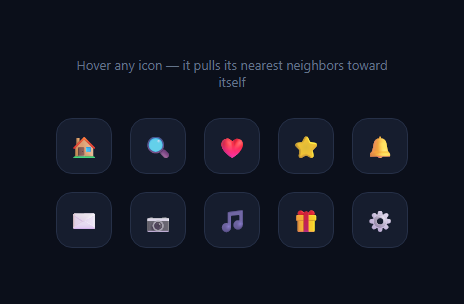
This effect makes a grid of icons feel like a connected surface rather than a flat list: hovering one icon doesn't just style itself, it visibly pulls its nearest neighbors a few pixels toward it, with the pull strength fading out for icons farther away. It's a different mechanism from a magnetic grid of dots that follow the live cursor position on every mousemove — here the pull is triggered once per icon-to-icon hover and computed between sibling elements, not between the cursor and a field of points.
Measuring real positions, not grid math
Instead of inferring neighbor distance from row/column indices, the script reads every icon's actual center point with getBoundingClientRect() inside a centers() helper. This matters because it means the effect works correctly even if the grid isn't perfectly uniform — irregular gaps, responsive reflow, or a non-square layout all still produce geometrically correct pull directions and distances.
The falloff formula
For every icon other than the one being hovered, the vector to the hovered icon's center is dx, dy, and dist = Math.sqrt(dx*dx + dy*dy) is the Euclidean distance in pixels. Anything beyond MAX_REACH (170px) doesn't move at all. Within that range, falloff = 1 - dist / MAX_REACH scales linearly from 1 (touching the hovered icon) down to 0 (right at the reach boundary), and the final pull distance is falloff * MAX_PULL.
Applying the pull as a unit vector
ux = dx / dist and uy = dy / dist normalize the direction vector to length 1, so multiplying by pull gives a translation of exactly the right magnitude in exactly the right direction — every affected neighbor slides directly toward the hovered icon's center, not toward some averaged or fixed direction.
The hovered icon itself
The icon under the cursor doesn't translate — translating it would fight with the neighbors moving toward its own position. Instead it scales up slightly (scale(1.12)) to read clearly as the "source" of the attraction, while everything else visibly responds to it.
The spring-like release
On mouseleave, every icon resets to translate(0,0) scale(1). The transition includes cubic-bezier(0.34, 1.56, 0.64, 1) — a curve with a controlled overshoot past 1, so the release has a small bounce rather than a flat linear return, which reinforces the tactile, elastic feel of the whole interaction.
Tuning it
Increase MAX_REACH to make more distant icons react; increase MAX_PULL for a more dramatic pull. For a denser grid, a smaller MAX_REACH keeps the effect localized to true immediate neighbors instead of pulling the whole grid inward on every hover.
Build with AI
Build, Understand, Optimize, and Extend It With AI
You don't need to re-derive the geometry from scratch. Paste this snippet's HTML, CSS, and JS into an AI coding assistant like Claude and ask it to explain exactly why the pull direction is computed as a normalized unit vector rather than just scaling dx and dy directly, and why MAX_REACH is measured in real pixels from getBoundingClientRect instead of counting grid cells. The same assistant can help optimize it — for instance asking whether recomputing centers() on every mouseenter is wasteful for a very large grid, and whether caching positions and only invalidating on resize would be more efficient. It's also useful for extending the effect: ask it to make the pull also apply a subtle rotation toward the hovered icon, add a repulsion mode where neighbors push away instead of toward, or combine this with the jelly press button's spring physics for an even bouncier neighbor response. Treat the code less like a finished artifact and more like a starting point for a conversation.
Prompt to recreate it
Copy this into your AI assistant of choice to build the effect from scratch, or as a jumping-off point for your own variant:
Build an "icon grid neighbor pull" hover effect in plain HTML, CSS, and JavaScript with no libraries.

Requirements:
- A grid of icon buttons (at least 8-10) laid out with CSS grid.
- On mouseenter of any one icon, every OTHER icon in the grid must translate a small distance toward the hovered icon's position, with the pull strength falling off linearly based on real measured distance — icons very close to the hovered one move the most, icons beyond a maximum reach distance do not move at all.
- Distances and directions must be computed from actual rendered positions using getBoundingClientRect on every icon (not assumed from row/column index math), so the effect stays geometrically correct even if the grid layout is irregular or reflows responsively.
- The pull direction for each affected neighbor must be a normalized unit vector toward the hovered icon's center, scaled by the falloff-adjusted pull distance, applied via a CSS transform: translate.
- The hovered icon itself should NOT translate toward its own center — give it a distinct visual treatment instead (such as scaling up slightly) so it reads clearly as the source of the attraction.
- On mouseleave of the icon, all icons must animate back to their neutral position and scale using a CSS transition with a slight overshoot easing curve (a cubic-bezier with a value above 1, like cubic-bezier(0.34, 1.56, 0.64, 1)) so the release has a small elastic bounce.
- Expose the maximum reach distance and maximum pull distance as easily tunable constants near the top of the script.
Want to tighten it up first? Run this prompt through the AI Prompt Studio to score it across 8 quality dimensions, catch anti-patterns, and tune the wording for Claude, ChatGPT, or Gemini before you paste it in.
Step by step
How to Use
- 1Hover any icon in the gridMove your cursor over one icon and watch its nearest neighbors slide slightly toward it, with farther icons barely moving.
- 2Move to a different iconMove directly between icons — the pull recalculates on each mouseenter based on the newly hovered icon's position.
- 3Adjust the reachIn the JS panel, change MAX_REACH to control how far the attraction extends before falling to zero.
- 4Adjust the pull strengthChange MAX_PULL to control the maximum pixel distance an adjacent neighbor moves.
- 5Swap in your own iconsReplace the emoji or add SVG icons inside each .ng-icon button — the pull logic reads only positions, not content.
- 6Export in your formatClick "HTML" for a standalone file, "JSX" for a React component, or "Tailwind" for a React + Tailwind version.
Real-world uses
Common Use Cases
Got questions?
Frequently Asked Questions
Magnetic Grid continuously tracks the live cursor position against a dense field of dots on every mousemove. This snippet instead triggers once per icon on mouseenter/mouseleave and pulls sibling icons toward each other based on their own measured positions — an element-to-element attraction, not a cursor-to-field one.
Every icon's center point is read with getBoundingClientRect() inside the centers() helper. The Euclidean distance between the hovered icon's center and every other icon's center determines whether and how much that icon moves.
If the hovered icon also translated toward its own gravitational center, the motion would look confusing or self-cancelling. Scaling it up instead cleanly signals "this is the source" while every other icon visibly responds by moving toward it.
Yes. Because distances come from actual rendered positions via getBoundingClientRect rather than assumed row/column math, the effect adapts correctly to any grid layout, including irregular gaps or a responsive reflow.
Lower MAX_REACH so it is just larger than the pixel distance between adjacent grid cells — icons further than one or two cells away will then fall outside the falloff range and stay still.
Yes. Click "JSX" for a React component. Keep an array of refs to each icon element, compute positions inside the onMouseEnter handler for a given icon, and apply the resulting transform directly to each ref's style to avoid unnecessary re-renders.