Source Code
<div class="cw-stage">
  <p class="cw-hint">Hover the heading — each letter wobbles independently as your cursor passes over it</p>
  <h1 class="cw-text" id="cwText">Wobble on hover</h1>
</div>
* { box-sizing: border-box; margin: 0; padding: 0; }
body { font-family: system-ui, sans-serif; background: #0b1120; display: flex; align-items: center; justify-content: center; min-height: 100vh; }
.cw-stage { display: flex; flex-direction: column; align-items: center; gap: 32px; padding: 24px; }
.cw-hint { font-size: 13px; color: #64748b; text-align: center; max-width: 340px; }
.cw-text {
font-size: clamp(28px, 6vw, 56px);
font-weight: 800;
letter-spacing: -0.01em;
color: #f1f5f9;
display: flex;
flex-wrap: wrap;
justify-content: center;
user-select: none;
}
.cw-char {
display: inline-block;
will-change: transform;
transition: transform 0.5s cubic-bezier(0.34, 1.56, 0.64, 1), color 0.3s;
}
.cw-char.cw-space { width: 0.28em; }// Each letter is its own inline-block span with an independent spring-back
// rotation/scale — not a single shared keyframe animation applied uniformly
// to the whole string. Hovering near a letter (not just landing exactly on
// it) triggers its own randomized wobble, and letters settle back on their
// own schedule, so multiple letters can be mid-wobble at once as the cursor
// sweeps across the text.
var heading = document.getElementById('cwText');
var text = heading.textContent;
heading.textContent = '';
text.split('').forEach(function (ch) {
var span = document.createElement('span');
span.className = 'cw-char' + (ch === ' ' ? ' cw-space' : '');
span.textContent = ch === ' ' ? '\u00A0' : ch;
heading.appendChild(span);
});
var chars = Array.prototype.slice.call(heading.querySelectorAll('.cw-char'));
function wobble(span) {
var rot = (Math.random() * 32 - 16).toFixed(1); // -16deg .. 16deg
var rise = (6 + Math.random() * 8).toFixed(1); // 6px .. 14px
var scale = (1.08 + Math.random() * 0.14).toFixed(2); // 1.08 .. 1.22
var hue = 200 + Math.floor(Math.random() * 80);
span.style.transform = 'translateY(-' + rise + 'px) rotate(' + rot + 'deg) scale(' + scale + ')';
span.style.color = 'hsl(' + hue + ', 90%, 72%)';
clearTimeout(span._settleTimer);
span._settleTimer = setTimeout(function () {
span.style.transform = 'translateY(0) rotate(0deg) scale(1)';
span.style.color = '';
}, 260);
}
chars.forEach(function (span) {
span.addEventListener('mouseenter', function () { wobble(span); });
});Learn Coding Visually
Learn to code with interactive, live-preview playgrounds — HTML, CSS, JavaScript, React & more.
 HTML Playground42 lessons · Click-based · Live preview
 CSS PlaygroundLearn CSS with a live editor
 JavaScript Playground60 lessons · DOM · Async · Canvas
 React PlaygroundLearn React with a live code editor
 GSAP PlaygroundLearn GSAP animation interactively
 SVG Playground44 lessons · shapes · paths · animation
 SCSS Playground45 lessons · Sass modules · tokens
 Tailwind PlaygroundLearn Tailwind CSS with a live editor
 Bootstrap 5 Playground50 lessons · live preview
Character Wobble Hover Text — Per-Letter Animation Snippet
Character Wobble Hover Text · Animations · Plain HTML, CSS & JS · Live preview
What's included
Features
About this UI Snippet
Character Wobble Hover Text — Independent Per-Letter Spring-Back Rotation on Hover
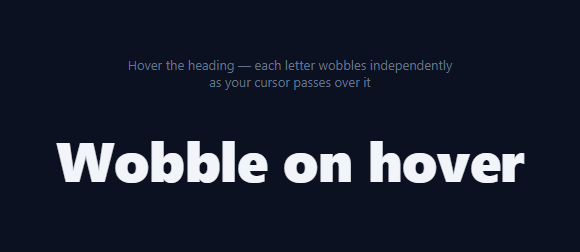
This effect gives each letter of a heading its own physical reaction to the cursor: as the pointer sweeps across the text, individual characters lift, rotate at a slightly random angle, and briefly tint a new color before springing back — not a text-scramble effect that swaps characters, and not one shared @keyframes animation applied identically to the whole string. Every letter's wobble is independent, so several letters can be mid-motion at once while the rest sit still.
Splitting text into per-character spans
The script reads heading.textContent, clears the element, then rebuilds it by wrapping every character (including spaces, which get a non-breaking space and a fixed width class so word gaps don't collapse) in its own <span class="cw-char">. This is the same "split into spans" foundation used by scramble and stagger-reveal text effects, but here each span keeps its own hover listener instead of being driven by a single shared timeline.
Randomizing the wobble per letter
The wobble(span) function picks fresh random values every time it runs: rot between -16° and 16°, rise (an upward translateY) between 6px and 14px, and scale between 1.08 and 1.22. Because Math.random() runs independently for every character on every hover, no two letters — and no two hovers of the same letter — wobble identically, which is what keeps the effect feeling organic rather than mechanically repeated.
The color pulse
Alongside the transform, each wobbling letter briefly switches to hsl(hue, 90%, 72%) with a randomized hue in the 200-280 range (blues through purples), then reverts to the heading's normal color. This is a cheap way to add visual energy without needing a gradient text mask or an extra layer.
Independent settle timers
Each span tracks its own _settleTimer directly on the DOM node. wobble() clears any existing timer for that specific span before setting a new one — so re-hovering the same letter quickly restarts its own wobble-and-settle cycle without interfering with any other letter's timer. After 260ms, that letter's transform and color reset to neutral, independent of what every other letter is doing.
Why CSS `transition` instead of `@keyframes`
Rather than authoring a fixed keyframe sequence, the JS simply sets a target transform and lets the CSS transition: transform 0.5s cubic-bezier(0.34, 1.56, 0.64, 1) interpolate to it — and back again when the timer resets it. That cubic-bezier includes a controlled overshoot (values above 1), giving the spring-back a small bounce rather than a flat ease.
Build with AI
Build, Understand, Optimize, and Extend It With AI
You don't have to design the randomization ranges from scratch. Paste this snippet's HTML, CSS, and JS into an AI coding assistant like Claude and ask it to explain exactly why each letter's settle timer is stored directly on its own span element (span._settleTimer) rather than in a shared array or Map, and what problem that solves when the same letter is re-hovered quickly. The same assistant can help optimize it — for instance asking whether storing timer references as a DOM property is idiomatic or whether a WeakMap keyed by span would be a cleaner separation of data from markup. It's also useful for extending the effect: ask it to make nearby (not just directly hovered) letters wobble slightly less as a "ripple" through the word, add a subtle sound effect on each wobble, or make the random ranges scale with how fast the cursor is moving across the text. Treat the code less like a finished artifact and more like a starting point for a conversation.
Prompt to recreate it
Copy this into your AI assistant of choice to build the effect from scratch, or as a jumping-off point for your own variant:
Build a "character wobble hover text" effect in plain HTML, CSS, and JavaScript with no libraries.

Requirements:
- A heading whose text content gets programmatically split into one span per character (preserving spaces correctly so word gaps don't collapse), on page load, using only the string already present in the heading — do not hardcode the split characters separately from the visible text.
- On mouseenter of an individual character's span, that character must animate independently: a randomized rotation (e.g. between -16 and 16 degrees), a randomized upward lift, and a randomized scale increase, each freshly randomized on every hover rather than reusing a fixed animation sequence.
- The character should also briefly shift to a randomized color (e.g. a random hue within a chosen range) during the wobble, then return to its normal color as it settles.
- Multiple characters must be able to be mid-wobble simultaneously and independently as the cursor sweeps across the text — one character's wobble and settle timing must not be blocked or reset by another character being hovered.
- Implement the settle-back using a CSS transition on transform (not a @keyframes animation) combined with a per-character JavaScript timer that resets that character's transform and color back to neutral after a short delay; store or track each character's timer in a way that a rapid re-hover of the same character cleanly restarts its own cycle without interference from other characters.
- Use an easing curve with a slight overshoot (a cubic-bezier with a control point above 1) for the settle-back so it has a small spring/bounce quality rather than a flat ease.
Want to tighten it up first? Run this prompt through the AI Prompt Studio to score it across 8 quality dimensions, catch anti-patterns, and tune the wording for Claude, ChatGPT, or Gemini before you paste it in.
Step by step
How to Use
- 1Hover across the headingMove your cursor slowly across the letters — each one lifts, rotates, and tints color independently as the pointer passes over it.
- 2Hover quickly back and forthSweep back and forth over the same letters and notice each wobble is freshly randomized, never identical to the last one.
- 3Change the heading textEdit the text inside the h1 in the HTML panel — the JS automatically re-splits whatever text is present into individual character spans.
- 4Adjust the wobble rangeIn the JS panel, change the random ranges for rot, rise, and scale inside the wobble() function to make the motion subtler or wilder.
- 5Change the settle timingAdjust the 260ms setTimeout duration and the 0.5s CSS transition to make letters spring back faster or slower.
- 6Export in your formatClick "HTML" for a standalone file, "JSX" for a React component, or "Tailwind" for a React + Tailwind version.
Real-world uses
Common Use Cases
Got questions?
Frequently Asked Questions
A scramble effect swaps each character through a sequence of random glyphs before landing on the real letter. This effect never changes the letters themselves — it physically rotates, lifts, and briefly recolors each real character, then springs it back, using CSS transforms rather than character substitution.
wobble(span) calls Math.random() fresh every time it runs, generating a new rotation, lift, and scale for that specific hover of that specific letter. There is no shared or looping animation — each wobble is a one-off random target that the CSS transition eases toward.
Each letter needs to settle back to neutral independently of every other letter and independently of how many times it has been re-hovered. Storing a per-span timer (span._settleTimer) and clearing it on each new hover lets rapid re-hovers restart that one letter's cycle cleanly without a shared animation timeline getting confused about which letter is doing what.
The split logic works on any string returned by textContent, splitting by JavaScript string character. For most Latin-script text this is fine; multi-codepoint characters (some emoji, certain combining accents) may split incorrectly, so keep to plain single-codepoint text for reliable results.
Wrapping each character in its own span for a heading can affect how screen readers announce the text (letter-by-letter in some cases). Consider adding aria-label with the full original string on the parent heading and aria-hidden="true" on the character spans to keep the accessible name intact.
Yes. Click "JSX" for a React component. Split the string into an array once (e.g. with useMemo), render one span per character with a key, and manage each span's wobble state via a ref-based approach or a small per-index state object rather than direct DOM writes, to stay idiomatic React.