
Learn Coding Visually
Learn to code with interactive, live-preview playgrounds — HTML, CSS, JavaScript, React & more.
 HTML Playground42 lessons · Click-based · Live preview
 CSS PlaygroundLearn CSS with a live editor
 JavaScript Playground60 lessons · DOM · Async · Canvas
 React PlaygroundLearn React with a live code editor
 GSAP PlaygroundLearn GSAP animation interactively
 SVG Playground44 lessons · shapes · paths · animation
 SCSS Playground45 lessons · Sass modules · tokens
 Tailwind PlaygroundLearn Tailwind CSS with a live editor
 Bootstrap 5 Playground50 lessons · live preview
Scroll Timeline Beam — Free HTML CSS JS Snippet
Scroll Timeline Beam · Scroll · Plain HTML, CSS & JS · Live preview
What's included
Features
About this UI Snippet
Scroll Timeline Beam — A Glowing Line That Fills as You Scroll
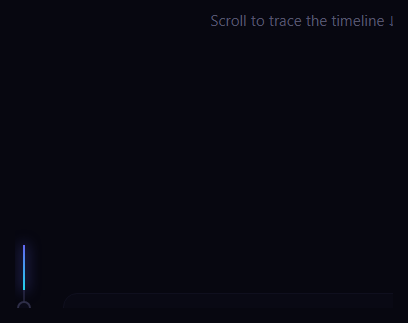
The scroll timeline beam is the storytelling layout where a vertical line runs down a list of milestones and a glowing beam progressively fills it as you scroll — lighting each dot and revealing its card the moment you reach it. This snippet builds the whole scroll-linked timeline with plain HTML, CSS, and a small vanilla JavaScript handler.
A read line drives everything
The effect is anchored to an imaginary horizontal "read line" partway down the viewport — here at 55% of the window height. As you scroll, content passes this line, and two things key off it: how far the beam has filled, and which milestones have been activated. Tying the animation to a fixed line on screen (rather than to absolute scroll position) makes it feel like the timeline reveals itself exactly as it reaches your eye level.
Filling the beam
A gray track sits behind the milestones, and a gradient .tb-beam overlays it. Each frame, update() computes how much of the timeline lies above the read line — mid - rect.top, clamped between 0 and the timeline's height — and sets that as the beam's height. So the glowing beam grows downward from the top of the timeline to wherever you've read to, with a soft box-shadow making it luminous. Because only one property (height) changes, the fill is cheap and smooth.
Lighting milestones as you pass
For each item, the handler measures its dot's center against the read line and toggles a .lit class once the dot has passed it. That class lights the dot — filling it with color and adding a glow — and brings its card to life, transitioning the card from dimmed and offset (opacity: .35, translateX(14px)) to full and in place. So milestones activate in sequence as the beam reaches them, and because it's a class toggle, scrolling back up deactivates them again — the timeline is fully reversible.
Efficient scroll handling
The scroll listener is { passive: true } and throttled with requestAnimationFrame behind a ticking flag, so the measurements and writes run at most once per frame. A resize listener re-runs the update because the read line is a fraction of viewport height. All layout reads (getBoundingClientRect) happen together before the writes, avoiding layout thrashing.
Reads from the DOM, not hard-coded
The script measures the live timeline and each dot's actual position, so adding, removing, or resizing milestones requires no code changes — the beam length and the activation points all derive from the rendered layout. The milestones are simple cards with a year, heading, and description.
Customizing it
Move the read line by changing the 0.55 factor to trigger earlier or later, recolor the beam gradient and dot glow, adjust the card's dimmed start state, or change the spacing. Add as many milestones as you like. Pair it with stacking scroll cards or a container scroll reveal for a complete scroll-driven story page.
Build with AI
Build, Understand, Optimize, and Extend It With AI
You do not need to work through the read-line math or the rAF throttling by hand. Paste this snippet's HTML, CSS, and JS into an AI coding assistant like Claude and ask it to explain exactly why the beam's fill is computed from mid minus rect.top rather than from window.scrollY directly, and why every getBoundingClientRect read happens before any style write inside update. The same assistant can help optimize it — for example checking whether the per-item forEach loop that toggles lit classes could be replaced with a single IntersectionObserver per milestone to cut down on layout reads for timelines with dozens of entries. It is just as useful for extending the effect: ask it to add a subtly different read-line position for mobile viewports, animate the dot with a small pulse the instant it lights, or drive an accompanying progress percentage label alongside the beam. Treat the code less like a finished artifact and more like a starting point for a conversation.
Prompt to recreate it
Copy this into your AI assistant of choice to build the effect from scratch, or as a jumping-off point for your own variant:
Build a "scroll timeline beam" in plain HTML, CSS, and vanilla JavaScript only — no animation library, no ScrollTrigger, no build step.

Requirements:
- A vertical timeline of milestone items, each with a dot and a card, laid beside a thin background track running the full height of the timeline container.
- Define a fixed horizontal "read line" at a percentage of the viewport height (for example 55%). Do not use absolute scroll position for anything — every calculation must be relative to this read line and the timeline's own bounding rectangle.
- On every scroll event, compute how much of the timeline lies above the read line (clamped between 0 and the timeline's total height) and set that value as the height of a gradient beam overlay positioned on top of the background track, so the beam visually fills downward as the reader scrolls.
- For every milestone, compare its dot's vertical center (via getBoundingClientRect) to the read line and toggle a "lit" class on the milestone once the dot has passed it. The lit class must transition the dot to a filled, glowing state and the card from a dimmed, offset state to a fully visible, in-place state — and removing the class (by scrolling back up) must reverse both transitions.
- Throttle the scroll handler so the actual read/write work runs at most once per animation frame (using a ticking flag and requestAnimationFrame), and register the scroll listener as passive. Also re-run the calculation on window resize.
- All getBoundingClientRect reads for a given frame must happen before any style writes, to avoid forcing synchronous layout thrashing.
Want to tighten it up first? Run this prompt through the AI Prompt Studio to score it across 8 quality dimensions, catch anti-patterns, and tune the wording for Claude, ChatGPT, or Gemini before you paste it in.
Source Code
<div class="tb-intro">Scroll to trace the timeline ↓</div>
<section class="tb-timeline" id="tbTimeline">
  <div class="tb-track"><div class="tb-beam" id="tbBeam"></div></div>
  <div class="tb-item"><span class="tb-dot"></span><div class="tb-card"><time>2021</time><h3>Founded</h3><p>Two engineers, one repo, and a very long roadmap.</p></div></div>
  <div class="tb-item"><span class="tb-dot"></span><div class="tb-card"><time>2022</time><h3>First 1,000 users</h3><p>The waitlist emptied overnight after launch.</p></div></div>
  <div class="tb-item"><span class="tb-dot"></span><div class="tb-card"><time>2023</time><h3>Series A</h3><p>Raised to grow the team and ship the API.</p></div></div>
  <div class="tb-item"><span class="tb-dot"></span><div class="tb-card"><time>2024</time><h3>Global launch</h3><p>Edge regions on five continents went live.</p></div></div>
  <div class="tb-item"><span class="tb-dot"></span><div class="tb-card"><time>2025</time><h3>One million</h3><p>Crossed a million developers building on the platform.</p></div></div>
</section>
<div class="tb-outro">The beam and dots fill as you pass them.</div>*{box-sizing:border-box;margin:0;padding:0}
body{font-family:system-ui,-apple-system,sans-serif;background:#070710;color:#fff}
.tb-intro,.tb-outro{height:50vh;display:flex;align-items:center;justify-content:center;color:#55556e;font-size:15px}
.tb-timeline{position:relative;max-width:620px;margin:0 auto;padding:30px 24px 30px 56px}
.tb-track{position:absolute;left:30px;top:0;bottom:0;width:2px;background:#1e1e33}
.tb-beam{position:absolute;inset:0;height:0;background:linear-gradient(180deg,#6366f1,#22d3ee);box-shadow:0 0 14px 1px rgba(99,102,241,.6);will-change:height}
.tb-item{position:relative;padding:18px 0}
.tb-dot{position:absolute;left:-32px;top:26px;width:14px;height:14px;border-radius:50%;background:#0a0a18;border:2px solid #2e2e48;transition:border-color .3s,background .3s,box-shadow .3s}
.tb-item.lit .tb-dot{background:#6366f1;border-color:#818cf8;box-shadow:0 0 12px 2px rgba(99,102,241,.7)}
.tb-card{background:#0e0e1c;border:1px solid #20203a;border-radius:14px;padding:18px;opacity:.35;transform:translateX(14px);transition:opacity .5s,transform .5s}
.tb-item.lit .tb-card{opacity:1;transform:none}
.tb-card time{font-size:12px;font-weight:700;letter-spacing:.06em;color:#818cf8}
.tb-card h3{font-size:18px;font-weight:800;margin:5px 0 6px}
.tb-card p{font-size:13.5px;color:#9a9ab8;line-height:1.55}var timeline = document.getElementById('tbTimeline');
var beam = document.getElementById('tbBeam');
var items = Array.prototype.slice.call(document.querySelectorAll('.tb-item'));
var ticking = false;
function update() {
var rect = timeline.getBoundingClientRect();
var mid = window.innerHeight * 0.55; // the "read line" down the page
// Beam fills from the timeline top to wherever the read line has reached.
var filled = Math.max(0, Math.min(rect.height, mid - rect.top));
beam.style.height = filled + 'px';
// Light each item once its dot passes the read line.
items.forEach(function (item) {
var dot = item.querySelector('.tb-dot');
var dr = dot.getBoundingClientRect();
item.classList.toggle('lit', dr.top + dr.height / 2 <= mid);
});
ticking = false;
}
window.addEventListener('scroll', function () {
if (ticking) return;
ticking = true;
requestAnimationFrame(update);
}, { passive: true });
window.addEventListener('resize', update);
update();Step by step
How to Use
- 1Paste HTML, CSS, and JSA vertical timeline of milestones renders with a dim track.
- 2Scroll downA glowing beam fills the line from the top as you go.
- 3Pass a milestoneIts dot lights up and the card brightens into place.
- 4Scroll back upMilestones deactivate again — the effect is reversible.
- 5Add milestonesInsert more items; the beam adapts automatically.
- 6Move the triggerChange the read-line factor to fire earlier or later.
Real-world uses
Common Use Cases
Got questions?
Frequently Asked Questions
It's an imaginary horizontal line at 55% of the viewport height that the animation keys off. The beam fills to wherever the read line has reached in the timeline, and milestones activate as their dots cross it. Anchoring to a fixed on-screen line makes the timeline reveal itself right as content reaches the reader's eye level, rather than at arbitrary scroll positions.
Each frame the handler computes how much of the timeline lies above the read line — the read-line position minus the timeline's top, clamped to its height — and sets that as the beam's height. The gradient beam grows downward from the top to that point, with a box-shadow making it glow. Only the height changes, so it stays cheap.
Yes. Each milestone's lit state is a class toggled by comparing its dot's center to the read line every frame. Scrolling up moves the dot back below the line, which removes the class and returns the dot and card to their dimmed state. So the whole timeline activates and deactivates as you scroll either way.
No. The script measures the live timeline height and each dot's actual position with getBoundingClientRect, so the beam length and the activation points derive from the rendered layout. Add, remove, or resize milestones and everything adjusts with no code changes.
Render the milestones from data and run the scroll/resize handler in a mount effect with cleanup, writing the beam height and toggling each item's lit state via refs or a state array. Read the read-line fraction from window height. The CSS ports directly. In Tailwind, style the track and beam with utilities and drive the height and lit class through inline styles and conditional classes.