Learn Coding Visually
Learn to code with interactive, live-preview playgrounds — HTML, CSS, JavaScript, React & more.
 HTML Playground42 lessons · Click-based · Live preview
 CSS PlaygroundLearn CSS with a live editor
 JavaScript Playground60 lessons · DOM · Async · Canvas
 React PlaygroundLearn React with a live code editor
 GSAP PlaygroundLearn GSAP animation interactively
 SVG Playground44 lessons · shapes · paths · animation
 SCSS Playground45 lessons · Sass modules · tokens
 Tailwind PlaygroundLearn Tailwind CSS with a live editor
 Bootstrap 5 Playground50 lessons · live preview
Count-Up Stats on Scroll — IntersectionObserver + rAF
Count-Up Stats on Scroll (IntersectionObserver) · Scroll · Plain HTML, CSS & JS · Live preview
What's included
Features
About this UI Snippet
Count-Up Stats on Scroll — IntersectionObserver-Triggered requestAnimationFrame Counter
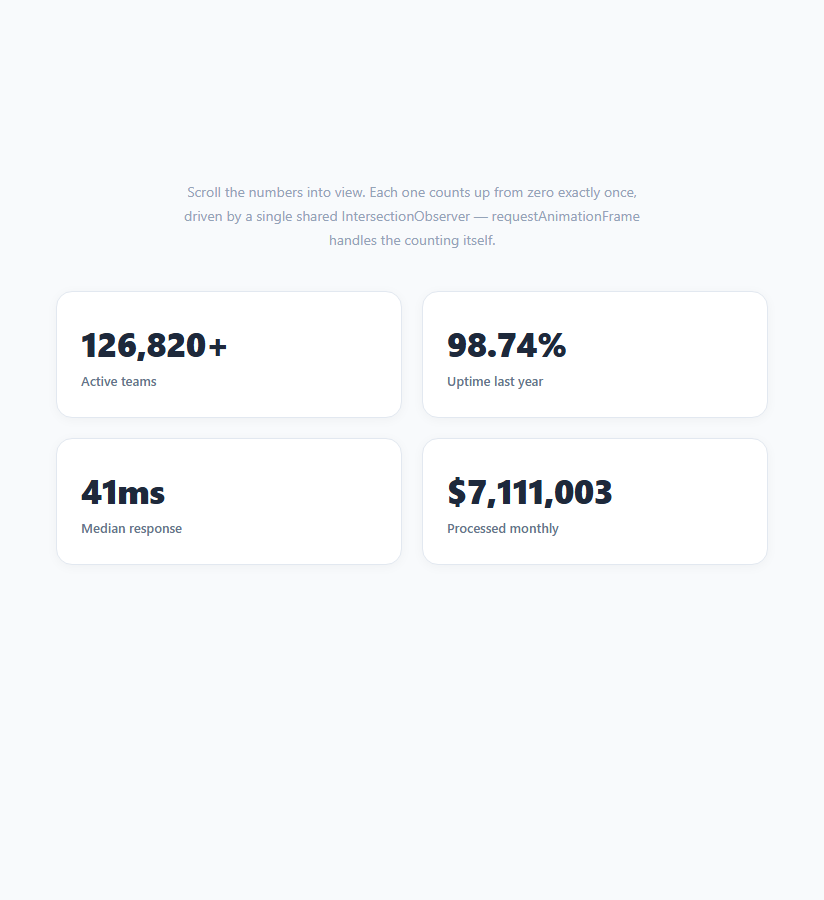
A grid of stat cards that count up from zero the moment they scroll into view is one of the most common trust-building devices on marketing and pricing pages — seeing "128,400+" animate into place reads as more credible than the same number sitting static on the page. This effect genuinely needs JavaScript: CSS counters cannot ease a numeric count-up with a duration and an easing curve on their own, so this snippet pairs a single shared IntersectionObserver with a hand-rolled requestAnimationFrame loop per counter.
One observer, many targets
A single IntersectionObserver instance watches every .rcs-num element via one querySelectorAll loop, exactly the pattern used in Reveal on Scroll — this scales far better than creating a new observer per stat, since the browser only has to maintain one set of intersection-tracking bookkeeping regardless of how many stat cards are on the page.
Reading configuration from data attributes
Each .rcs-num element carries its target value and formatting rules as data-* attributes — data-target, data-decimals, data-prefix, and data-suffix — rather than being hardcoded per counter in the JavaScript. This lets the exact same animateCount function correctly animate a plain integer ("128,400+"), a two-decimal percentage ("99.98%"), a millisecond figure ("42ms"), and a dollar amount ("$7,200,000") without any per-stat conditional logic.
Easing the count, not just linearly interpolating
animateCount computes progress from 0 to 1 across a fixed 1400ms duration, then applies a cubic ease-out — 1 - Math.pow(1 - progress, 3) — before multiplying by the target value. A raw linear count looks mechanical and finishes abruptly; the ease-out curve makes the count decelerate as it approaches its final value, which reads as more natural and gives the eye time to register the number settling.
obs.unobserve prevents repeat counting
Exactly as in a standard reveal-on-scroll pattern, observer.unobserve(el) is called immediately once a counter starts, ensuring each number counts up exactly once per page load — scrolling a stat card out of view and back in does not restart the animation, which would feel gimmicky on a second pass.
Respecting prefers-reduced-motion
Before deciding whether to animate, the script checks window.matchMedia('(prefers-reduced-motion: reduce)').matches once and, if true, sets every counter directly to its final formatted value with no requestAnimationFrame loop at all — users who have requested reduced motion see the correct number immediately rather than a suppressed but still-technically-running animation.
Why this needs JavaScript, unlike some other snippets in this series
Several of the newest snippets alongside this one lean entirely on native CSS animation-timeline: scroll() / view() for effects that only need to map scroll position to a CSS property. A numeric count-up is different: it needs to format numbers with commas, decimals, currency prefixes, and letter suffixes, none of which a CSS counter() or animation-timeline can express — so IntersectionObserver plus requestAnimationFrame remains the correct, and currently the only, tool for this specific effect.
Customizing it
Change duration for a faster or slower count, swap the ease-out cubic for a different easing function, or add a data-format="currency" attribute variant that routes through Intl.NumberFormat for locale-correct currency and grouping. Pair it with a Metric Card Grid or Hero Stats Counter Row layout.
Build with AI
Build, Understand, Optimize, and Extend It With AI
You don't have to work out the easing math or the observer wiring by hand. Paste this snippet's HTML, CSS, and JS into an AI coding assistant like Claude and ask it to explain exactly why animateCount applies 1 - Math.pow(1 - progress, 3) instead of a plain linear progress value, and why a single shared IntersectionObserver scales better than one observer per stat card. The same assistant can help you extend it — ask it to add an Intl.NumberFormat-based currency formatter for locale-correct grouping and currency symbols, support counting down instead of up for stats like "spots remaining," or add a subtle scale-pulse on the final settled frame for extra emphasis. It's also worth asking whether a CSS-only animation-timeline approach could handle the easing curve while your JavaScript stays responsible only for the number formatting. Treat the code less like a finished artifact and more like a starting point for a conversation.
Prompt to recreate it
Copy this into your AI assistant of choice to build the effect from scratch, or as a jumping-off point for your own variant:
Build a grid of stat cards whose numbers count up from zero to a target value exactly once, the moment each card scrolls into view, using the IntersectionObserver API and requestAnimationFrame — no animation library, no scroll event listeners.

Requirements:
- A grid of stat cards, each containing a number element and a label. The number element must read its target value and formatting rules from data attributes: a numeric target, an optional decimal-places count, an optional prefix string (for currency symbols), and an optional suffix string (for units or a plus sign).
- Create exactly one IntersectionObserver instance (not one per element), observing every counter element via a single querySelectorAll loop, with a threshold around 0.4.
- When a counter's entry becomes intersecting, start a requestAnimationFrame loop that computes progress from 0 to 1 over a fixed duration (roughly 1200 to 1500 milliseconds) using performance.now(), applies a cubic ease-out easing function to that progress, multiplies it by the target value, and writes the formatted result into the element's text content on every frame until progress reaches 1.
- Format the number according to its decimal-places attribute (toFixed for decimals, or a thousands-separated integer otherwise) and wrap it with its prefix and suffix strings.
- Call unobserve on the specific element immediately once its count-up starts, so each stat only ever animates once per page load, even if scrolled out of view and back in.
- Check prefers-reduced-motion via window.matchMedia once before animating; if the user has requested reduced motion, set the counter directly to its final formatted value with no requestAnimationFrame loop at all.
Want to tighten it up first? Run this prompt through the AI Prompt Studio to score it across 8 quality dimensions, catch anti-patterns, and tune the wording for Claude, ChatGPT, or Gemini before you paste it in.
Step by step
How to Use
- 1Scroll the cards into viewEach number counts up from zero once, then stays at its final value.
- 2Add a new stat cardCopy a .rcs-card block and set data-target, data-decimals, data-prefix, and data-suffix on the .rcs-num span.
- 3Change the count durationIn the JS panel, edit const duration = 1400 (milliseconds) inside animateCount.
- 4Adjust the trigger pointEdit { threshold: 0.4 } to control how much of the number must be visible before it starts counting.
- 5Format currency correctlySwap toLocaleString('en-US') for an Intl.NumberFormat call if you need locale-aware currency grouping.
- 6Export in your formatClick "HTML" for a standalone file, "JSX" for a React component, or "Tailwind" for a React + Tailwind version.
Real-world uses
Common Use Cases
Got questions?
Frequently Asked Questions
Native CSS animation-timeline can drive numeric CSS counters, but only as clean whole-number steps via counter-increment — it cannot format numbers with thousands separators, decimal places, currency prefixes, or unit suffixes, and it cannot ease a value smoothly from 0 to an arbitrary float like 99.98. Formatting and easing a real numeric count-up currently requires JavaScript.
A single observer instance watching every .rcs-num element via one querySelectorAll loop is significantly cheaper for the browser to maintain than creating a new observer per element, especially on pages with many stat cards — the intersection-tracking bookkeeping scales with observers, not just observed elements.
animateCount computes a linear progress value from 0 to 1 across a fixed duration using performance.now(), then applies 1 - Math.pow(1 - progress, 3) — a cubic ease-out — before multiplying by the target value. This makes the number decelerate as it approaches its final value instead of stopping abruptly.
No. observer.unobserve(el) is called the moment a counter starts animating, so each stat counts up exactly once per page load. Scrolling it out of view and back in leaves it at its final settled value.
Set data-prefix="$" and leave data-decimals unset (or 0) on the .rcs-num span — the formatValue function calls toLocaleString('en-US') for whole numbers, which inserts thousands separators automatically. For decimal currency, set data-decimals to 2 and adjust formatValue to combine both toFixed and locale grouping if needed.
The script checks window.matchMedia("(prefers-reduced-motion: reduce)").matches once before starting. If true, it sets each counter directly to its fully formatted final value with no requestAnimationFrame loop at all, rather than running a suppressed animation in the background.