
Learn Coding Visually
Learn to code with interactive, live-preview playgrounds — HTML, CSS, JavaScript, React & more.
 HTML Playground42 lessons · Click-based · Live preview
 CSS PlaygroundLearn CSS with a live editor
 JavaScript Playground60 lessons · DOM · Async · Canvas
 React PlaygroundLearn React with a live code editor
 GSAP PlaygroundLearn GSAP animation interactively
 SVG Playground44 lessons · shapes · paths · animation
 SCSS Playground45 lessons · Sass modules · tokens
 Tailwind PlaygroundLearn Tailwind CSS with a live editor
 Bootstrap 5 Playground50 lessons · live preview
Scroll Film Strip Scrub — Free HTML CSS JS Snippet
Scroll Film Strip Scrub · Scroll · Plain HTML, CSS & JS · Live preview
What's included
Features
About this UI Snippet
Scroll Film Strip Scrub — Horizontal Scrub-Through-Pin, CSS Sprocket Holes & Frame Counter
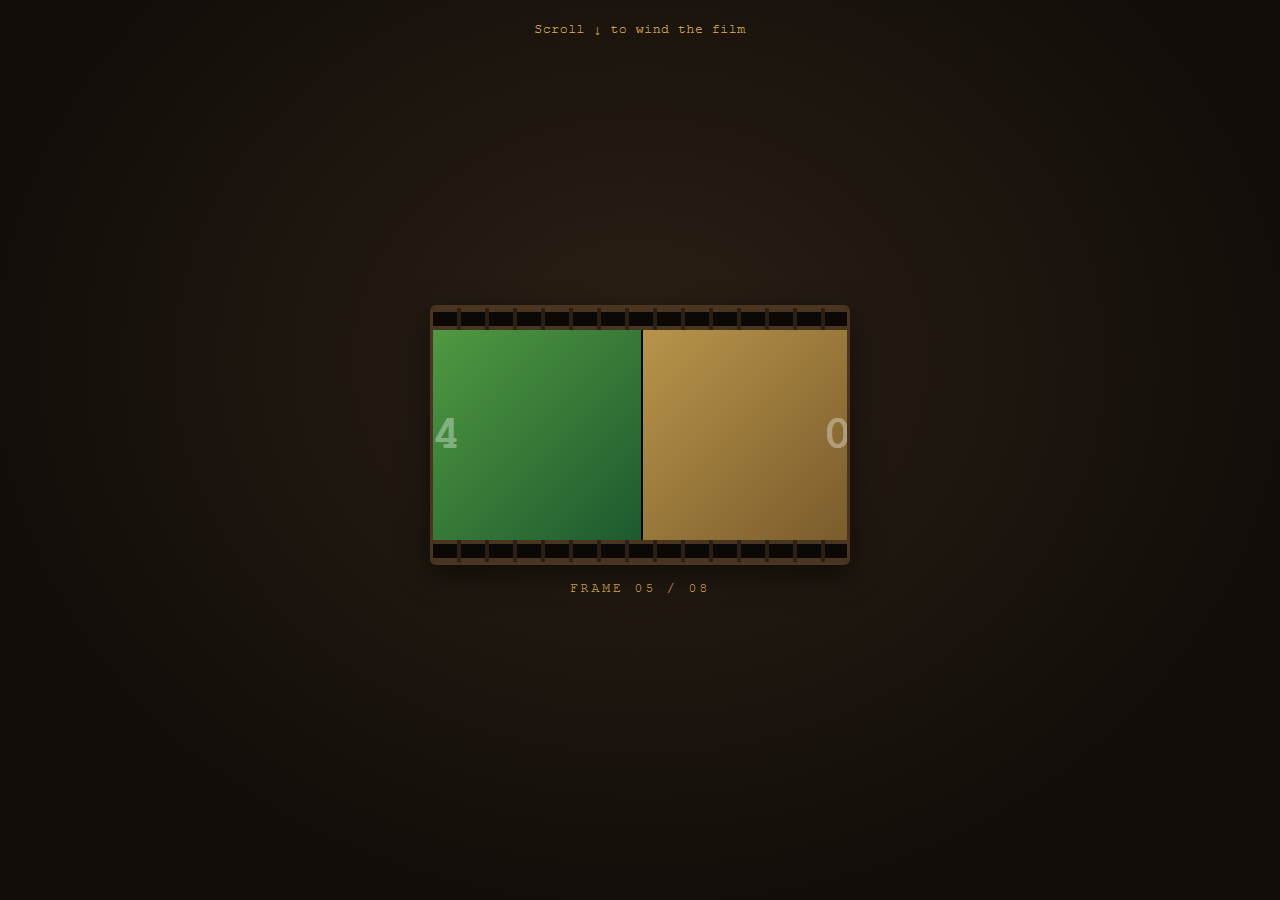
A literal film-strip effect: a long horizontal strip of frames with sprocket holes down both edges scrubs through a fixed projector "gate" as you scroll, exactly like manually winding film past a lens. Pair with Scroll Horizontal Pin for the general horizontal-scrub-while-pinned pattern this builds on, or Scroll Image Sequence for a frame-by-frame alternative.
Horizontal motion from a pinned vertical scroll
.projector-stage is pinned (pin: true) while the user scrolls down through end: '+=250%' of vertical distance. Inside the fixed "gate" window, #strip's x transform is tweened from 0 to a large negative value — -(totalWidth - frameWidth) — with ease: 'none', so vertical scroll distance converts directly and linearly into horizontal strip movement, the classic pin-and-translate trick used for horizontal scroll sections.
Sprocket holes without any images
Both .sprockets bars use a repeating-linear-gradient to cut evenly-spaced dark rectangles, then a pseudo-element (::before) layers a second inverted repeating pattern on top — together they read as punched sprocket holes along the film edge, entirely in CSS with no image assets.
A frame counter synced to scroll progress, not strip position
Rather than deriving the frame number from the strip's pixel offset, the ScrollTrigger's own onUpdate callback reads self.progress (0 to 1) directly and maps it to a frame index with Math.floor(progress * frames.length). This keeps the readout perfectly in step with the scrub regardless of how the strip's width or frame count changes.
Reversibility
Because the whole horizontal scrub is one x tween keyed to a scrubbed ScrollTrigger, scrolling back up runs the strip back to the right and the frame counter back down — exactly like rewinding the film.
Build with AI
Build, Understand, Optimize, and Extend It With AI
The core mechanic here — pin a section, then tween a child's x transform with ease: "none" so vertical scroll converts 1:1 into horizontal motion — is one of the most broadly useful ScrollTrigger patterns, and it's worth asking an AI assistant to explain why ease: "none" specifically matters (any easing curve would desync the strip's position from the user's actual scroll input, which feels wrong for a "scrub" interaction). It's also a good base to extend: ask the assistant to add scroll-velocity-based motion blur to the frames, to snap to the nearest frame boundary when scrolling stops, or to swap in real images with lazy loading. Use this as a technique reference for horizontal scroll-scrubbing, not a finished media player.
Prompt to recreate it
Copy this into your AI assistant of choice to build the effect from scratch, or as a jumping-off point for your own variant:
Build a scroll-scrubbed "film strip" horizontal-scroll animation in plain HTML, CSS, and JavaScript using GSAP and ScrollTrigger — no canvas, no video element.

Requirements:
- Create a fixed-size "gate" container with overflow: hidden representing a projector window.
- Inside it, create a "strip" element containing: a sprocket-hole bar along the top, a row of frame divs laid out with display: flex (each frame a fixed width, e.g. 420px, with distinct background colors or gradients and a large frame-number label), and a matching sprocket-hole bar along the bottom.
- Create the sprocket holes using CSS repeating-linear-gradient backgrounds (no image assets) to simulate evenly spaced punched rectangular holes along both strip edges.
- Create one GSAP tween on the strip element's x transform, from 0 to a large negative value equal to negative (total strip width minus one frame width), using ease: "none".
- Attach a ScrollTrigger to that tween with pin: true (pinning the whole gate section), a numeric scrub value, and generous scroll distance (e.g. end: "+=250%").
- In the ScrollTrigger's onUpdate callback, read the trigger's own progress value (0 to 1) and use it to compute and display the current frame number (progress multiplied by total frame count, floored) in a "FRAME X / N" readout, rather than deriving the frame number from the strip's pixel position.
- Confirm scrolling back up smoothly rewinds the strip to the right and counts the frame number back down.
- Style it with a vintage sepia/amber projector palette: dark brown gate frame, warm amber sprocket bars, and warm-toned frame colors.
Want to tighten it up first? Run this prompt through the AI Prompt Studio to score it across 8 quality dimensions, catch anti-patterns, and tune the wording for Claude, ChatGPT, or Gemini before you paste it in.
Source Code
<div class="hint">Scroll ↓ to wind the film</div>
<section class="projector-stage">
  <div class="gate">
    <div class="strip" id="strip">
      <div class="sprockets top"></div>
      <div class="frames">
        <div class="frame" style="background:linear-gradient(135deg,#e2b34a,#7a3f1d)">01</div>
        <div class="frame" style="background:linear-gradient(135deg,#4a90b8,#1d3f7a)">02</div>
        <div class="frame" style="background:linear-gradient(135deg,#b84a7a,#5a1d3f)">03</div>
        <div class="frame" style="background:linear-gradient(135deg,#6ab84a,#1d5a2f)">04</div>
        <div class="frame" style="background:linear-gradient(135deg,#b8944a,#5a3f1d)">05</div>
        <div class="frame" style="background:linear-gradient(135deg,#8a4ab8,#2f1d5a)">06</div>
        <div class="frame" style="background:linear-gradient(135deg,#b84a4a,#5a1d1d)">07</div>
        <div class="frame" style="background:linear-gradient(135deg,#4ab89e,#1d5a4d)">08</div>
      </div>
      <div class="sprockets bottom"></div>
    </div>
  </div>
  <div class="counter">FRAME <span id="frameNum">01</span> / 08</div>
</section>
<div class="spacer"></div>
* { box-sizing: border-box; }
body { margin: 0; font-family: 'Courier New', monospace; background: #1a1410; color: #f0dfc0; }
.hint { position: sticky; top: 12px; text-align: center; font-size: 13px; letter-spacing: 0.05em; color: #c99a4a; z-index: 5; padding: 10px; }
.projector-stage { height: 100vh; display: flex; flex-direction: column; align-items: center; justify-content: center; background: radial-gradient(ellipse at 50% 40%, #2a2015 0%, #120d09 75%); overflow: hidden; }
.spacer { height: 220vh; }
.gate { width: min(88vw, 420px); height: 260px; overflow: hidden; border: 3px solid #4a3520; border-radius: 6px; background: #0c0805; box-shadow: inset 0 0 30px rgba(0,0,0,0.7), 0 10px 30px rgba(0,0,0,0.5); position: relative; }
.strip { position: absolute; top: 0; left: 0; height: 100%; display: flex; flex-direction: column; }
.sprockets { height: 22px; background: repeating-linear-gradient(90deg, transparent 0 10px, #2a2015 10px 14px, transparent 14px 28px), #4a3520; background-size: 28px 100%, auto; position: relative; }
.sprockets::before { content: ''; position: absolute; inset: 4px 0; background: repeating-linear-gradient(90deg, #0c0805 0 10px, transparent 10px 14px, #0c0805 14px 28px); }
.frames { display: flex; height: calc(100% - 44px); }
.frame { flex: 0 0 420px; height: 100%; display: flex; align-items: center; justify-content: center; font-size: 48px; font-weight: 700; color: rgba(255,255,255,0.35); border-right: 2px solid #0c0805; }
.counter { margin-top: 16px; font-size: 13px; letter-spacing: 3px; color: #c99a4a; }gsap.registerPlugin(ScrollTrigger);
var strip = document.getElementById('strip');
var frameNum = document.getElementById('frameNum');
var frames = document.querySelectorAll('.frame');
var frameWidth = 420;
var totalWidth = frames.length * frameWidth;
gsap.to(strip, {
x: function () { return -(totalWidth - frameWidth); },
ease: 'none',
scrollTrigger: {
trigger: '.projector-stage',
start: 'top top',
end: '+=250%',
scrub: 0.5,
pin: true,
onUpdate: function (self) {
var idx = Math.min(frames.length - 1, Math.floor(self.progress * frames.length));
frameNum.textContent = String(idx + 1).padStart(2, '0');
},
},
});Step by step
How to Use
- 1Scroll through the reelScroll down slowly — the film strip scrubs left through the projector gate, revealing each numbered frame, while the frame counter updates below.
- 2Scroll back upThe strip rewinds to the right and the frame counter counts back down, confirming full reversibility.
- 3Add more framesDuplicate a .frame div inside .frames in the HTML panel — the JS automatically recalculates totalWidth from frames.length, no other changes needed.
- 4Use real imagesReplace each .frame div's background gradient with background-image: url(...) and background-size: cover for real photo frames instead of color blocks.
- 5Adjust scrub speedChange end: "+=250%" on the ScrollTrigger in the JS panel to spread the scrub across more or less vertical scroll distance.
- 6Export in your formatClick "HTML" for a standalone file, "JSX" for React, or "Tailwind" for a React + Tailwind version.
Real-world uses
Common Use Cases
Got questions?
Frequently Asked Questions
The section is pinned with ScrollTrigger's pin: true, holding it fixed in the viewport for a defined scroll distance. Meanwhile the strip's x transform is tweened from 0 to a large negative value with ease: "none", so as the user scrolls down through that pinned distance, the tween's progress — and therefore the strip's horizontal position — advances in lockstep.
A repeating-linear-gradient creates evenly spaced dark rectangles across a bar, and a ::before pseudo-element layers a second inverted repeating pattern with a small inset on top of it, producing the look of punched rectangular holes purely in CSS.
It reads the ScrollTrigger's own self.progress (always 0 to 1 regardless of pixel distances) inside the onUpdate callback and multiplies it by frames.length to compute the current frame index — so adding or removing frames doesn't require touching the counter logic.
Yes — replace each .frame div's inline background gradient style with a background-image and background-size: cover. The layout and scrub logic work identically with images.
The horizontal scrub through a fixed gate is what gives the effect its "winding film through a projector" identity — it is deliberately a distinct mechanism from a typical crossfade image sequence, keeping continuous strip geometry visible (sprockets and frame edges) rather than isolated stills.