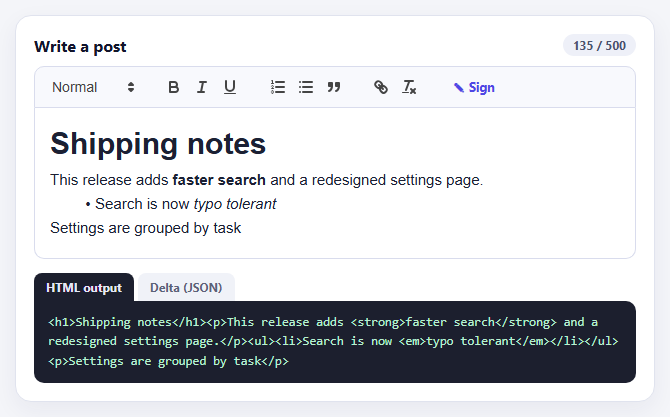
Quill Rich Text Editor with Custom Toolbar and Character Limit
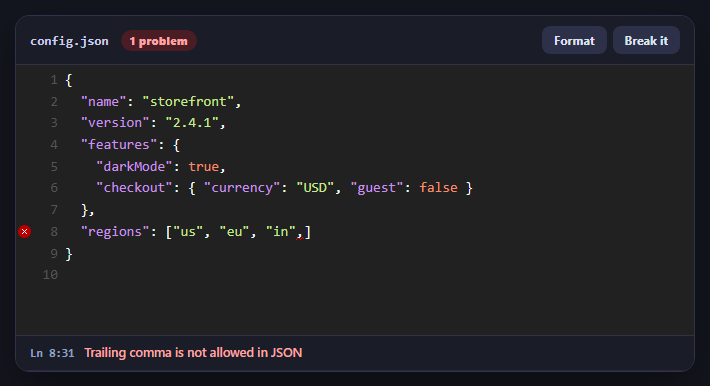
CodeMirror JSON Editor with Validation Gutter
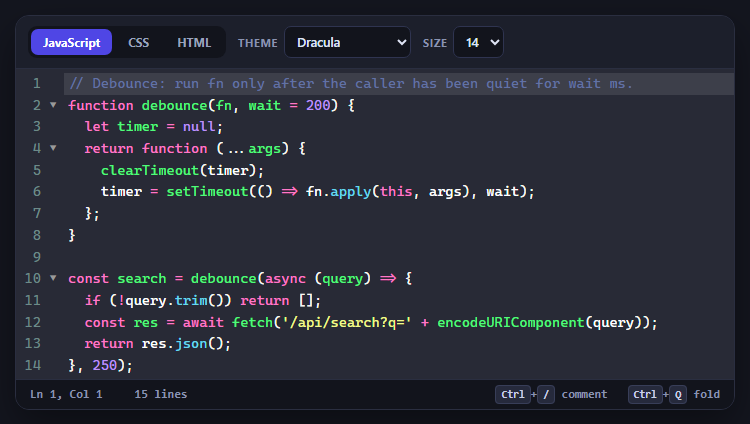
CodeMirror Code Editor with Line Numbers, Folding and Themes
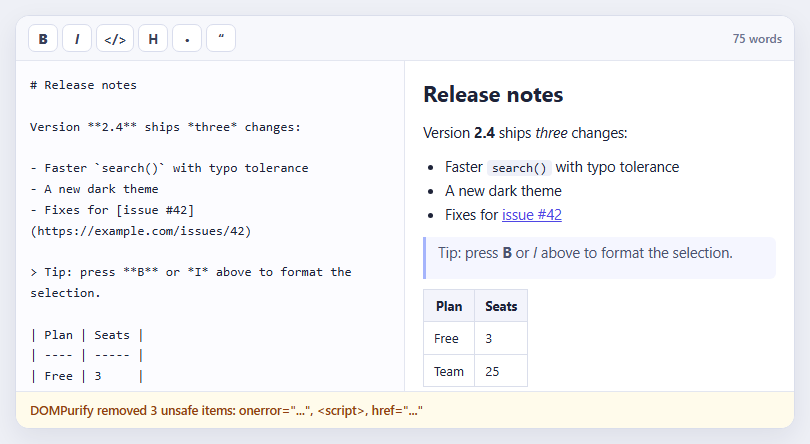
Marked + DOMPurify Live Markdown Preview
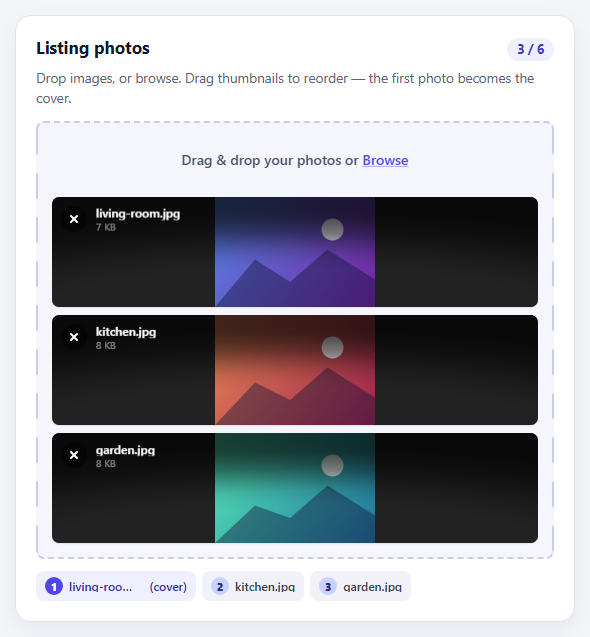
FilePond Image Upload with Preview and Reorder
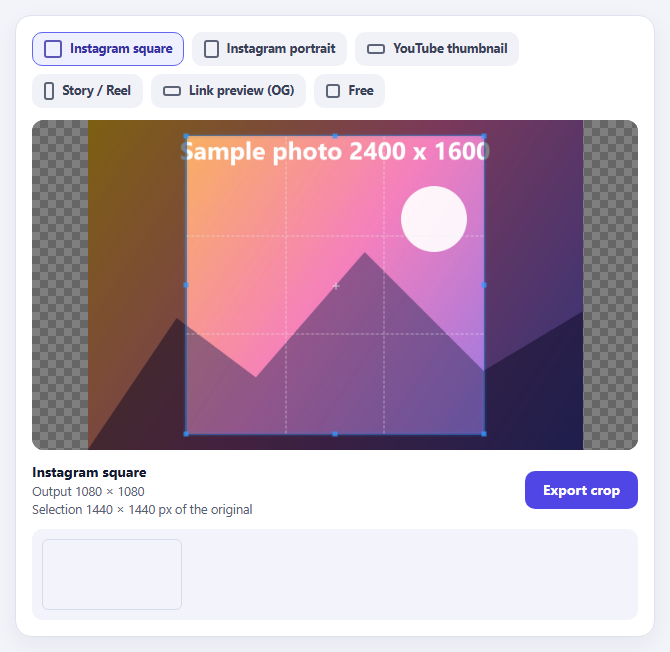
Cropper.js Aspect-Ratio Presets for Social Posts
Learn Coding Visually
Learn to code with interactive, live-preview playgrounds — HTML, CSS, JavaScript, React & more.
 HTML Playground42 lessons · Click-based · Live preview
 CSS PlaygroundLearn CSS with a live editor
 JavaScript Playground60 lessons · DOM · Async · Canvas
 React PlaygroundLearn React with a live code editor
 GSAP PlaygroundLearn GSAP animation interactively
 SVG Playground44 lessons · shapes · paths · animation
 SCSS Playground45 lessons · Sass modules · tokens
 Tailwind PlaygroundLearn Tailwind CSS with a live editor
 Bootstrap 5 Playground50 lessons · live preview
Quill Rich Text Editor, Custom Toolbar — Free JS Snippet
Quill Rich Text Editor with Custom Toolbar and Character Limit · Forms · Plain HTML, CSS & JS · Live preview
What's included
Features
About this UI Snippet
Quill Rich Text Editor with Custom Toolbar — HTML, CSS & JavaScript
Rich text editing in the browser is notoriously hard. The old approach — contenteditable plus document.execCommand — behaves differently in every browser and produces messy, inconsistent HTML. Quill takes a different route. It treats the document as data, a structured model called a Delta, and renders the editor from it, which is what makes its output predictable and its features (undo, formatting, collaboration) reliable. This snippet is Quill 1.3.7, the long-standing stable release that loads from a single script tag and is still widely deployed.
The default toolbar is generic, and production forms almost always want their own. Quill lets you pass modules: { toolbar: { container: '#selector' } } and then build the toolbar yourself in plain HTML using its class conventions — ql-bold, ql-italic, ql-list with a value attribute, ql-header on a select. Quill wires those elements to formatting automatically, and because it is your markup, you can restyle it, reorder it, and add controls of your own. The Sign button here has no ql- class at all; it is an ordinary button whose click handler calls quill.insertText, showing how custom actions coexist with built-in ones.
The formats option is the security-minded setting. Pasted content can carry fonts, colours, sizes and other formatting you never intended to support; a whitelist of header, bold, italic, underline, list, blockquote and link makes Quill discard everything else on paste, keeping content consistent with the design. Two implementation details matter for the character limit. Quill's document always ends with a newline, so the real length is getLength() minus one. And the limit is enforced in the text-change handler by trimming with deleteText using the silent source, which avoids the handler re-triggering itself in a loop. The counter changes colour as the limit approaches — amber at 90 percent, red once exceeded.
The two output tabs show what Quill actually gives you. quill.root.innerHTML is the rendered HTML you would store or display, and quill.getContents() is the Delta — a JSON list of inserts with attributes — which is the better thing to persist if you plan to edit the content again, since it round-trips exactly and is easy to diff. The initial document is loaded through setContents with a Delta, which is also how you would restore saved content.
Build with AI
Build, Understand, Optimize, and Extend It With AI
Ask an AI assistant like Claude to add an image upload handler, @mention autocomplete, or sanitise the HTML output with DOMPurify before saving.
Prompt to recreate it
Copy this into your AI assistant of choice to build the effect from scratch, or as a jumping-off point for your own variant:
Build a rich text editor with Quill 1.3.7 loaded from a CDN (script and snow CSS).

Requirements:
- Write the toolbar in HTML (header select, bold, italic, underline, ordered and bullet list, blockquote, link, clean) and pass it via modules: { toolbar: { container: '#toolbar' } }.
- Add a custom button (not a ql- class) whose handler inserts an italic signature at the cursor with insertText and moves the selection after it.
- Restrict formats to header, bold, italic, underline, list, blockquote and link.
- Enforce a 500 character limit in the text-change handler using deleteText with the 'silent' source, remembering that getLength() includes a trailing newline; show a counter that turns amber at 90% and red over the limit.
- Show tabs for quill.root.innerHTML and JSON.stringify(quill.getContents()), and load the starting text with setContents.
Want to tighten it up first? Run this prompt through the AI Prompt Studio to score it across 8 quality dimensions, catch anti-patterns, and tune the wording for Claude, ChatGPT, or Gemini before you paste it in.
Source Code
<div class="qe-card">
<div class="qe-head">
<h3>Write a post</h3>
<span class="qe-count" id="qeCount" aria-live="polite">0 / 500</span>
</div>
<div id="qeToolbar" class="qe-toolbar">
<span class="ql-formats">
<select class="ql-header"><option value="1">Heading</option><option value="2">Subheading</option><option selected>Normal</option></select>
</span>
<span class="ql-formats">
<button class="ql-bold" aria-label="Bold"></button>
<button class="ql-italic" aria-label="Italic"></button>
<button class="ql-underline" aria-label="Underline"></button>
</span>
<span class="ql-formats">
<button class="ql-list" value="ordered" aria-label="Numbered list"></button>
<button class="ql-list" value="bullet" aria-label="Bulleted list"></button>
<button class="ql-blockquote" aria-label="Quote"></button>
</span>
<span class="ql-formats">
<button class="ql-link" aria-label="Link"></button>
<button class="ql-clean" aria-label="Clear formatting"></button>
</span>
<span class="ql-formats">
<button type="button" class="qe-custom" id="qeSig" title="Insert signature">✎ Sign</button>
</span>
</div>
<div id="qeEditor"></div>
<div class="qe-tabs" role="tablist">
<button type="button" role="tab" aria-selected="true" data-v="html">HTML output</button>
<button type="button" role="tab" aria-selected="false" data-v="delta">Delta (JSON)</button>
</div>
<pre class="qe-out" id="qeOut"></pre>
</div>body { background: #f4f5f9; padding: 22px; font-family: system-ui, sans-serif; }
.qe-card { max-width: 640px; margin: 0 auto; background: #fff; border: 1px solid #e0e3ee; border-radius: 16px; padding: 18px; box-shadow: 0 8px 24px rgba(30,30,80,.06); }
.qe-head { display: flex; justify-content: space-between; align-items: center; margin-bottom: 10px; }
.qe-head h3 { margin: 0; font-size: 16px; color: #12152b; }
.qe-count { font: 700 12px/1 system-ui, sans-serif; color: #4b5270; background: #eef0f8; padding: 5px 10px; border-radius: 999px; font-variant-numeric: tabular-nums; }
.qe-count.warn { background: #fef3c7; color: #92400e; }
.qe-count.full { background: #fee2e2; color: #991b1b; }
.qe-toolbar.ql-toolbar.ql-snow { border: 1px solid #d9dced; border-radius: 10px 10px 0 0; background: #f8f9fd; padding: 8px; }
#qeEditor.ql-container.ql-snow { border: 1px solid #d9dced; border-top: 0; border-radius: 0 0 10px 10px; font-size: 15px; }
#qeEditor .ql-editor { min-height: 150px; max-height: 190px; overflow-y: auto; line-height: 1.6; color: #1b2033; }
#qeEditor .ql-editor.ql-blank::before { color: #9aa1bd; font-style: normal; }
.qe-custom { width: auto !important; padding: 0 10px !important; font: 700 12.5px/1 system-ui, sans-serif; color: #4f46e5 !important; }
.qe-tabs { display: flex; gap: 4px; margin-top: 14px; }
.qe-tabs button { font: 700 12px/1 system-ui, sans-serif; color: #5b6279; background: #f0f2f8; border: 0; border-radius: 8px 8px 0 0; padding: 8px 12px; cursor: pointer; }
.qe-tabs button[aria-selected="true"] { background: #1c1f2e; color: #e6e9f7; }
.qe-out { margin: 0; padding: 12px 14px; background: #1c1f2e; color: #b8f0d0; border-radius: 0 10px 10px 10px; font: 12.5px/1.55 ui-monospace, Menlo, monospace; max-height: 130px; overflow: auto; white-space: pre-wrap; word-break: break-word; }const LIMIT = 500;
const quill = new Quill('#qeEditor', {
theme: 'snow',
placeholder: 'Start writing... try selecting text and using the toolbar.',
// A container selector replaces the default toolbar with the markup above, so it can be restyled freely.
modules: { toolbar: { container: '#qeToolbar' } },
// Only allow the formats the toolbar offers, so pasted content cannot smuggle in fonts and colours.
formats: ['header', 'bold', 'italic', 'underline', 'list', 'blockquote', 'link'],
});
quill.setContents([
{ insert: 'Shipping notes' },
{ insert: '\n', attributes: { header: 1 } },
{ insert: 'This release adds ' },
{ insert: 'faster search', attributes: { bold: true } },
{ insert: ' and a redesigned settings page.\n' },
{ insert: 'Search is now ' },
{ insert: 'typo tolerant', attributes: { italic: true } },
{ insert: '\n', attributes: { list: 'bullet' } },
{ insert: 'Settings are grouped by task\n', attributes: {} },
]);
const countEl = document.getElementById('qeCount');
const out = document.getElementById('qeOut');
let view = 'html';
// Quill always keeps a trailing newline, so subtract it from the length.
function length() { return quill.getLength() - 1; }
function render() {
const n = length();
countEl.textContent = n + ' / ' + LIMIT;
countEl.className = 'qe-count' + (n > LIMIT ? ' full' : n > LIMIT * 0.9 ? ' warn' : '');
out.textContent = view === 'html'
? quill.root.innerHTML
: JSON.stringify(quill.getContents(), null, 2);
}
quill.on('text-change', function (delta, old, source) {
// Enforce the limit by trimming what was just typed or pasted, then let the event fire again.
if (length() > LIMIT) quill.deleteText(LIMIT, quill.getLength(), 'silent');
render();
});
// A custom toolbar button: insert a signature at the cursor (or the end) and move the cursor past it.
document.getElementById('qeSig').addEventListener('click', function () {
const range = quill.getSelection(true);
const at = range ? range.index : quill.getLength() - 1;
const sig = '\n— The Product Team';
quill.insertText(at, sig, { italic: true }, 'user');
quill.setSelection(at + sig.length, 0, 'user');
});
document.querySelectorAll('.qe-tabs button').forEach(function (b) {
b.addEventListener('click', function () {
view = b.dataset.v;
document.querySelectorAll('.qe-tabs button').forEach(function (x) { x.setAttribute('aria-selected', String(x === b)); });
render();
});
});
render();Step by step
How to Use
- 1Format some textSelect a word and use the toolbar to bold, italicise or link it. Change the heading level with the dropdown.
- 2Use the custom buttonClick Sign to insert an italic signature at the cursor. It is a normal button, not a built-in Quill control.
- 3Watch the counterType or paste past 450 characters and the counter turns amber; past 500 the extra text is trimmed.
- 4Compare the outputsSwitch between HTML output and Delta (JSON) to see the two representations of the same document.
- 5Paste formatted contentPaste text with fonts and colours from another page; unsupported formats are stripped.
Real-world uses
Common Use Cases
Got questions?
Frequently Asked Questions
A Delta is Quill's JSON document format: an ordered list of insert operations with optional attributes. It round-trips exactly and is easy to store and diff.
Pass modules: { toolbar: { container: "#toolbar" } } and write the toolbar markup using ql- classes such as ql-bold and ql-list with value attributes.
Quill always keeps a final newline in the document, so the visible character count is getLength() minus one.
Set the formats option to a whitelist. Anything not on the list is discarded.
Store the Delta if you will edit the content again, since it round-trips exactly. Store HTML for display or when another system needs it.
Version 1.3.7 is stable and widely used. Quill 2 is the newer release with a similar API and modern build output.
Yes. Use the JSX, Vue, Angular or Tailwind export buttons on this page to convert the markup and styles. The behaviour comes from Quill, so in a framework project install it with npm install quill (or react-quill / ngx-quill) instead of the CDN tag, create it in useEffect / onMounted / ngAfterViewInit on the editor element, and release it with removing the element and its listeners when the component unmounts.