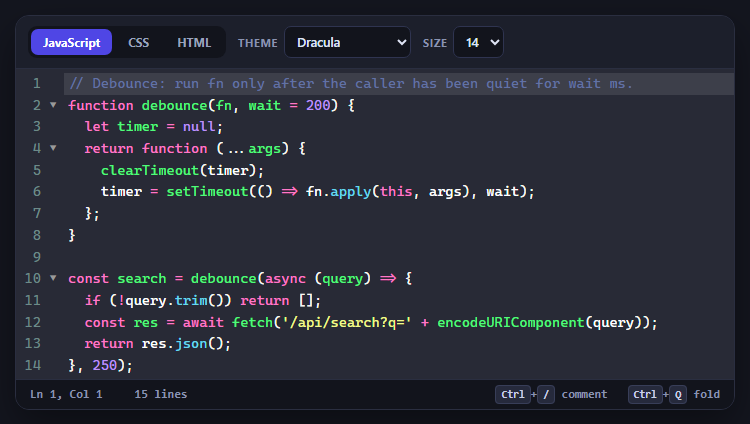
CodeMirror Code Editor with Line Numbers, Folding and Themes
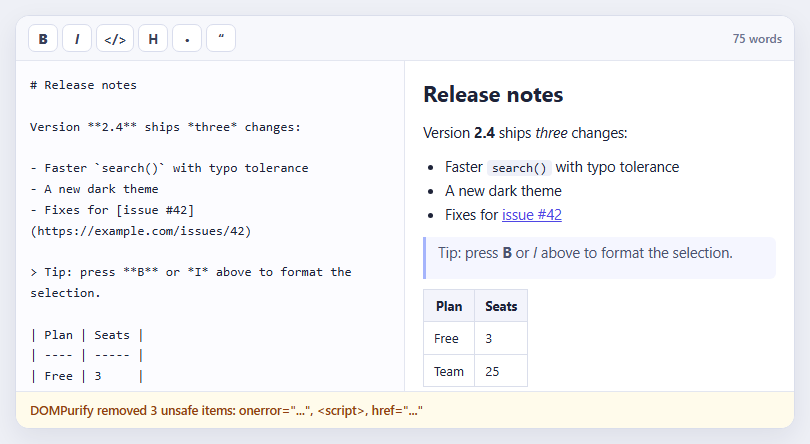
Marked + DOMPurify Live Markdown Preview
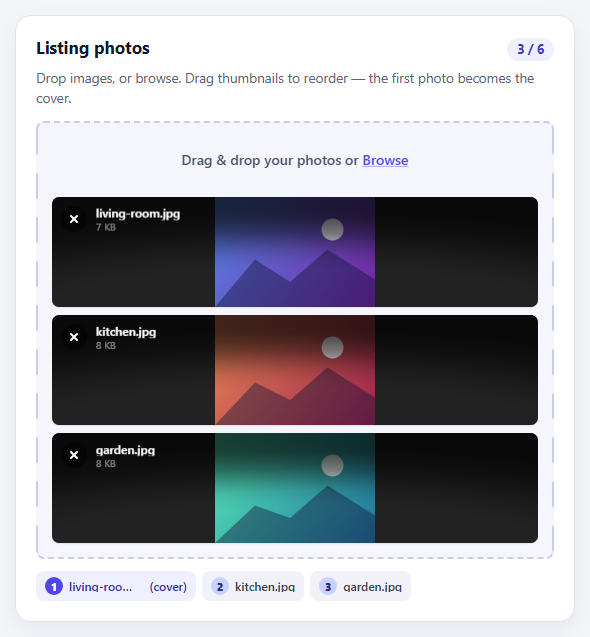
FilePond Image Upload with Preview and Reorder
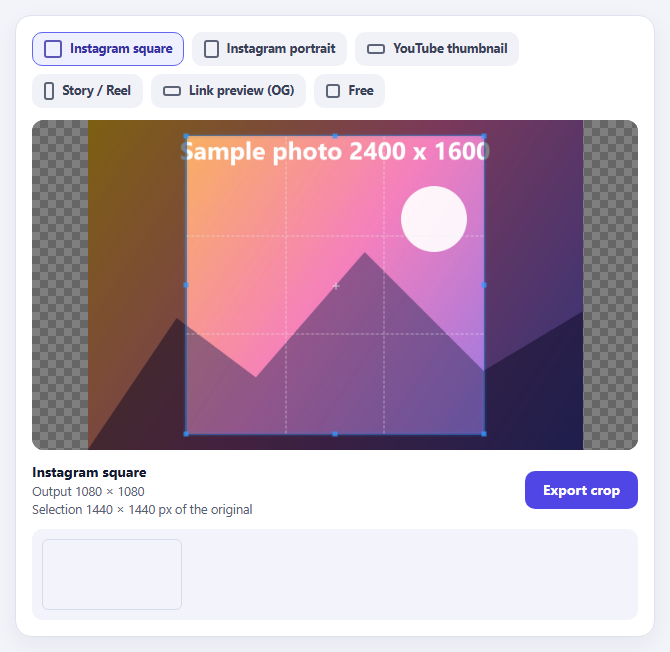
Cropper.js Aspect-Ratio Presets for Social Posts
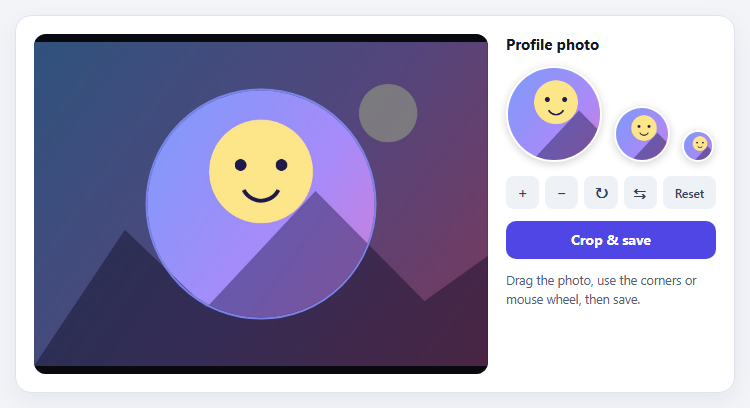
Cropper.js Avatar Crop with Live Circular Preview
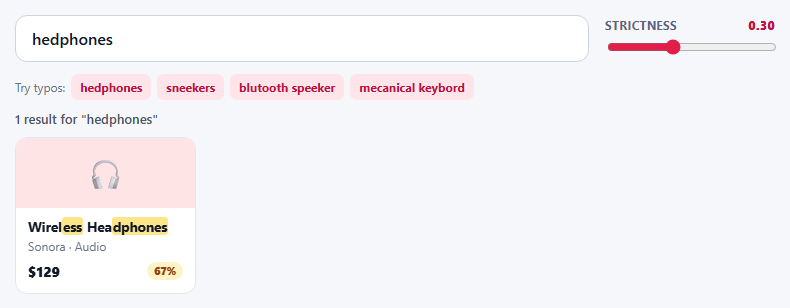
Fuse.js Typo-Tolerant Product Search with Threshold Tuning
Learn Coding Visually
Learn to code with interactive, live-preview playgrounds — HTML, CSS, JavaScript, React & more.
 HTML Playground42 lessons · Click-based · Live preview
 CSS PlaygroundLearn CSS with a live editor
 JavaScript Playground60 lessons · DOM · Async · Canvas
 React PlaygroundLearn React with a live code editor
 GSAP PlaygroundLearn GSAP animation interactively
 SVG Playground44 lessons · shapes · paths · animation
 SCSS Playground45 lessons · Sass modules · tokens
 Tailwind PlaygroundLearn Tailwind CSS with a live editor
 Bootstrap 5 Playground50 lessons · live preview
CodeMirror Editor with Folding and Themes — Free JS Snippet
CodeMirror Code Editor with Line Numbers, Folding and Themes · Forms · Plain HTML, CSS & JS · Live preview
What's included
Features
About this UI Snippet
CodeMirror Code Editor — HTML, CSS & JavaScript
A textarea cannot be a code editor. It has no syntax colouring, no line numbers, no bracket matching, no sensible indentation and no way to fold a block, and every one of those omissions shows up the moment someone pastes twenty lines of code. CodeMirror is the long-standing answer: a small, embeddable editor component that turns a div into something that behaves like a real editing surface. This snippet uses CodeMirror 5, the classic version that loads from a single script tag with no build step — it is the historical workhorse behind countless in-page editors, and it remains one of the easiest ways to get a capable editor onto a page.
CodeMirror 5 is modular in a way that is easy to misunderstand. The core file only provides the editing engine; everything else is an add-on you load separately and then switch on with an option. Language modes (javascript, css, htmlmixed) supply syntax highlighting and indentation rules. Add-ons provide features: matchbrackets highlights the partner of the bracket under the cursor, closebrackets inserts the closing half as you type, active-line marks the current line, and foldgutter with brace-fold adds the fold arrows in the margin. Loading a script does nothing on its own — the matching option (matchBrackets: true, foldGutter: true) is what activates it, and the gutters array must list the fold gutter for the arrows to appear.
Key handling shows where CodeMirror's design pays off. The extraKeys map binds Ctrl-/ to the built-in toggleComment command, which comes from the comment add-on and knows the comment syntax of the current mode — so the same shortcut writes // in JavaScript, /* */ in CSS and <!-- --> in HTML. Tab is overridden to insert two spaces rather than a literal tab character, and to indent a whole selection when text is selected, which is what people expect from a code editor.
Two small details prevent frustrating bugs. When the language changes, the snippet calls clearHistory() after setValue, so pressing undo does not walk back into the previous language's sample. And when the font size changes it calls refresh(), because CodeMirror caches character measurements for cursor and selection placement; without the refresh, the cursor drifts out of alignment with the text. The status bar reads the cursor and selection from cursorActivity to show line, column and selection length.
Build with AI
Build, Understand, Optimize, and Extend It With AI
Ask an AI assistant like Claude to add a Run button that executes the code in a sandboxed iframe, persist the content to local storage, or port the editor to CodeMirror 6 modules.
Prompt to recreate it
Copy this into your AI assistant of choice to build the effect from scratch, or as a jumping-off point for your own variant:
Build an embeddable code editor with CodeMirror 5.65 loaded from cdnjs (core script and CSS, plus modes and add-ons).

Requirements:
- Load the javascript, css, xml and htmlmixed modes and the matchbrackets, closebrackets, active-line, comment, foldcode, foldgutter and brace-fold add-ons, and enable each with its option (foldGutter needs the gutters array).
- Use extraKeys for Ctrl-/ toggleComment, Ctrl-Q folding and a Tab handler that inserts spaces or indents a selection.
- Provide language tabs that call setOption('mode') and setValue(), followed by clearHistory().
- Add a theme switcher (dracula, monokai, material-darker, eclipse) and a font-size selector that calls refresh().
- Show a status bar with line, column, selection length and line count from the cursorActivity event.
Want to tighten it up first? Run this prompt through the AI Prompt Studio to score it across 8 quality dimensions, catch anti-patterns, and tune the wording for Claude, ChatGPT, or Gemini before you paste it in.
Source Code
<div class="cm-app">
<div class="cm-bar">
<div class="cm-group" role="group" aria-label="Language">
<button type="button" data-lang="js" class="on">JavaScript</button>
<button type="button" data-lang="css">CSS</button>
<button type="button" data-lang="html">HTML</button>
</div>
<label class="cm-sel">Theme
<select id="cmTheme">
<option value="dracula">Dracula</option>
<option value="monokai">Monokai</option>
<option value="material-darker">Material Darker</option>
<option value="eclipse">Eclipse (light)</option>
</select>
</label>
<label class="cm-sel">Size
<select id="cmSize"><option>13</option><option selected>14</option><option>16</option><option>18</option></select>
</label>
</div>
<div id="cmHost"></div>
<div class="cm-status" aria-live="polite"><span id="cmPos">Ln 1, Col 1</span><span id="cmSel"></span><span id="cmLen"></span><span class="cm-keys"><kbd>Ctrl</kbd>+<kbd>/</kbd> comment <kbd>Ctrl</kbd>+<kbd>Q</kbd> fold</span></div>
</div>body { background: #14161f; padding: 20px; font-family: system-ui, sans-serif; }
.cm-app { max-width: 720px; margin: 0 auto; border-radius: 14px; overflow: hidden; box-shadow: 0 16px 40px rgba(0,0,0,.4); border: 1px solid #2a2e40; background: #1c1f2b; }
.cm-bar { display: flex; flex-wrap: wrap; gap: 12px; align-items: center; padding: 10px 12px; background: #1c1f2b; border-bottom: 1px solid #2a2e40; }
.cm-group { display: flex; gap: 4px; background: #12141c; padding: 3px; border-radius: 9px; }
.cm-group button { font: 700 12px/1 system-ui, sans-serif; color: #9aa3bd; background: none; border: 0; border-radius: 7px; padding: 7px 12px; cursor: pointer; }
.cm-group button.on { color: #fff; background: #4f46e5; }
.cm-sel { display: flex; align-items: center; gap: 6px; font: 700 11px/1 system-ui, sans-serif; color: #8a93b0; text-transform: uppercase; letter-spacing: .05em; }
.cm-sel select { font: 600 12.5px/1 system-ui, sans-serif; color: #dfe4f5; background: #12141c; border: 1px solid #2f3450; border-radius: 7px; padding: 6px 8px; }
#cmHost .CodeMirror { height: 310px; font-family: ui-monospace, 'Cascadia Code', Menlo, Consolas, monospace; line-height: 1.55; }
#cmHost .CodeMirror-gutters { border-right: 0; padding-right: 4px; }
#cmHost .CodeMirror-linenumber { padding: 0 8px 0 4px; }
.cm-status { display: flex; gap: 16px; align-items: center; padding: 8px 14px; background: #12141c; border-top: 1px solid #2a2e40; font: 600 12px/1 ui-monospace, Menlo, monospace; color: #8a93b0; flex-wrap: wrap; }
.cm-keys { margin-left: auto; }
kbd { font: 700 10.5px/1 ui-monospace, Menlo, monospace; color: #c9d0e8; background: #262a3c; border: 1px solid #383e58; border-radius: 4px; padding: 2px 5px; }const SAMPLES = {
js: { mode: 'javascript', code:
"// Debounce: run fn only after the caller has been quiet for wait ms.\n" +
"function debounce(fn, wait = 200) {\n" +
" let timer = null;\n" +
" return function (...args) {\n" +
" clearTimeout(timer);\n" +
" timer = setTimeout(() => fn.apply(this, args), wait);\n" +
" };\n" +
"}\n\n" +
"const search = debounce(async (query) => {\n" +
" if (!query.trim()) return [];\n" +
" const res = await fetch('/api/search?q=' + encodeURIComponent(query));\n" +
" return res.json();\n" +
"}, 250);\n" },
css: { mode: 'css', code:
":root {\n --brand: #6366f1;\n --radius: 12px;\n}\n\n" +
".card {\n display: grid;\n gap: 12px;\n padding: 20px;\n border-radius: var(--radius);\n border: 1px solid color-mix(in srgb, var(--brand) 25%, transparent);\n}\n\n" +
".card:hover {\n box-shadow: 0 10px 30px rgba(99, 102, 241, .25);\n transform: translateY(-2px);\n}\n" },
html: { mode: 'htmlmixed', code:
"<!doctype html>\n<html lang=\"en\">\n<head>\n <meta charset=\"utf-8\">\n <title>Hello</title>\n <style>\n body { font-family: system-ui; }\n </style>\n</head>\n<body>\n <h1>Hello, editor</h1>\n <button id=\"go\">Click me</button>\n <script>\n document.getElementById('go').onclick = () => alert('hi');\n </scr" + "ipt>\n</body>\n</html>\n" },
};
const editor = CodeMirror(document.getElementById('cmHost'), {
value: SAMPLES.js.code,
mode: 'javascript',
theme: 'dracula',
lineNumbers: true,
lineWrapping: false,
indentUnit: 2,
tabSize: 2,
indentWithTabs: false,
matchBrackets: true,
autoCloseBrackets: true,
styleActiveLine: true,
foldGutter: true,
gutters: ['CodeMirror-linenumbers', 'CodeMirror-foldgutter'],
extraKeys: {
'Ctrl-/': 'toggleComment',
'Cmd-/': 'toggleComment',
'Ctrl-Q': function (cm) { cm.foldCode(cm.getCursor()); },
Tab: function (cm) { // soft tab: spaces instead of a literal tab, and indent a selection
if (cm.somethingSelected()) cm.indentSelection('add');
else cm.replaceSelection(' ', 'end');
},
'Shift-Tab': function (cm) { cm.indentSelection('subtract'); },
},
});
const pos = document.getElementById('cmPos'), sel = document.getElementById('cmSel'), len = document.getElementById('cmLen');
function status() {
const c = editor.getCursor();
pos.textContent = 'Ln ' + (c.line + 1) + ', Col ' + (c.ch + 1);
const s = editor.getSelection();
sel.textContent = s ? s.length + ' selected' : '';
len.textContent = editor.lineCount() + ' lines';
}
editor.on('cursorActivity', status);
editor.on('change', status);
status();
document.querySelectorAll('.cm-group button').forEach(function (b) {
b.addEventListener('click', function () {
const s = SAMPLES[b.dataset.lang];
document.querySelectorAll('.cm-group button').forEach(function (x) { x.classList.toggle('on', x === b); });
editor.setOption('mode', s.mode); // modes are loaded per language, then switched by name
editor.setValue(s.code);
editor.clearHistory(); // undo should not walk back into the previous language's sample
editor.focus();
});
});
document.getElementById('cmTheme').addEventListener('change', function (e) {
editor.setOption('theme', e.target.value);
const light = e.target.value === 'eclipse';
document.querySelector('.cm-app').style.background = light ? '#f3f4f8' : '#1c1f2b';
});
document.getElementById('cmSize').addEventListener('change', function (e) {
editor.getWrapperElement().style.fontSize = e.target.value + 'px';
editor.refresh(); // CodeMirror caches character sizes; tell it the font changed
});
editor.getWrapperElement().style.fontSize = '14px';Step by step
How to Use
- 1Type some codeClick in the editor and type. Brackets close automatically and the matching bracket is highlighted.
- 2Fold a blockClick a fold arrow in the gutter, or press Ctrl+Q inside a function, to collapse it.
- 3Comment a linePress Ctrl+/ on a line or a selection. The comment style changes with the language.
- 4Switch language and themeUse the language tabs and theme menu. Each language has its own sample and syntax rules.
- 5Change the font sizeChoose a different size; the editor refreshes so the cursor stays aligned with the text.
Real-world uses
Common Use Cases
Got questions?
Frequently Asked Questions
Loading the add-on script is not enough. You must also enable it with its option, such as matchBrackets: true or foldGutter: true, and list required gutters.
Load that language's mode script and set the mode option to its name, for example "python" or "text/x-java".
CodeMirror caches character measurements. Refreshing forces it to re-measure so the cursor and selections line up with the text.
It is stable and simple to load without a build step. CodeMirror 6 is the modern rewrite with a different, modular API and better accessibility, if you use a bundler.
Call editor.getValue(). Use editor.on("change", handler) to react to edits.
Bind Tab in extraKeys to a function that calls replaceSelection with spaces, or indentSelection when text is selected.
Yes. Use the JSX, Vue, Angular or Tailwind export buttons on this page to convert the markup and styles. The behaviour comes from CodeMirror, so in a framework project install it with npm install codemirror (v5) or use the modular CodeMirror 6 packages instead of the CDN tag, create it in useEffect / onMounted / ngAfterViewInit on a host element, and release it with toTextArea() or removing the wrapper element when the component unmounts.