
Learn Coding Visually
Learn to code with interactive, live-preview playgrounds — HTML, CSS, JavaScript, React & more.
 HTML Playground42 lessons · Click-based · Live preview
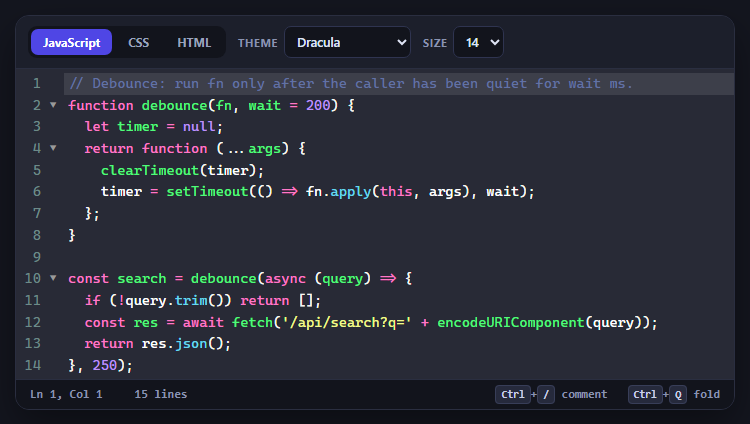
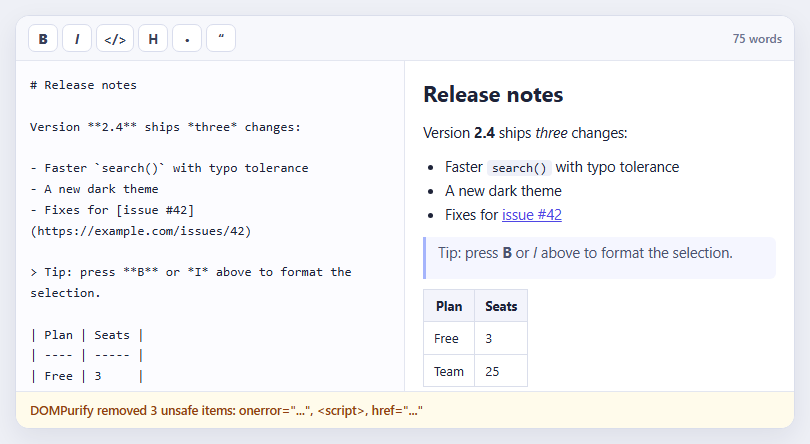
 CSS PlaygroundLearn CSS with a live editor
 JavaScript Playground60 lessons · DOM · Async · Canvas
 React PlaygroundLearn React with a live code editor
 GSAP PlaygroundLearn GSAP animation interactively
 SVG Playground44 lessons · shapes · paths · animation
 SCSS Playground45 lessons · Sass modules · tokens
 Tailwind PlaygroundLearn Tailwind CSS with a live editor
 Bootstrap 5 Playground50 lessons · live preview
CodeMirror JSON Editor with Linting — Free JS Snippet
CodeMirror JSON Editor with Validation Gutter · Forms · Plain HTML, CSS & JS · Live preview
What's included
Features
About this UI Snippet
CodeMirror JSON Editor with Validation Gutter — HTML, CSS & JavaScript
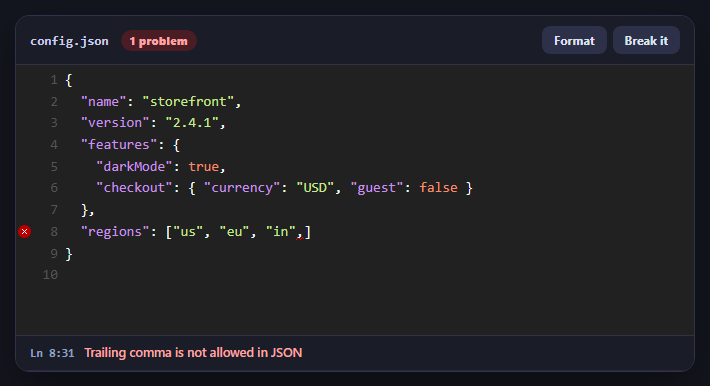
Editing JSON by hand is a fragile activity. A missing comma, a stray trailing comma, an unquoted key or a mismatched brace turns the whole document invalid, and a plain textarea reports nothing until something downstream fails. A good JSON editor tells you the moment it goes wrong and shows exactly where. CodeMirror's lint add-on provides the machinery — markers in a gutter column, tooltips on hover, underlined ranges in the text — and leaves the actual checking to a function you supply.
The lint add-on is worth understanding because it separates two concerns. CodeMirror handles the presentation: given a list of annotations, each with a from position, a to position, a message and a severity, it draws the gutter marker, the wavy underline and the hover tooltip, debounced by the delay option so it does not run on every keystroke. Your job is only to produce those annotations. Here that is lintJson(), which calls JSON.parse and converts its failure into a single annotation. Two setup details are easy to miss: the CodeMirror-lint-markers gutter must be listed in the gutters array or there is nowhere for the markers to appear, and the function can be registered with registerHelper('lint', 'json', fn) or passed directly through lint: { getAnnotations }.
The subtle part is turning an error into a location. It is tempting to call JSON.parse and read its exception, but browsers disagree about what that exception contains: older V8 reports a character position, current Chrome quotes a fragment of the text with no position at all, Firefox reports a line and column, and Safari reports something different again. Code that scrapes the message works in one browser and silently points at the end of the document in another. So this snippet includes a small recursive-descent checker, findJsonError(), that walks the text itself and returns the exact character offset of the first mistake along with a plain-English message — "Trailing comma is not allowed in JSON", "Property names must be in double quotes", "Expected ',' or '}'". A short locate() function then converts the offset into a line and column by counting newlines. JSON.parse stays as a final safety net for anything the checker accepts but the engine rejects. The checker stops at the first error, so only one problem is reported at a time; fix one and the next appears, and a genuinely multi-error linter needs a tolerant parser such as jsonc-parser.
The surrounding UI turns diagnostics into workflow. A status pill shows Valid JSON or the problem count, a problems list underneath is clickable and moves the cursor to the error, and the Format button re-serialises with two-space indentation — but only when the document is valid, since formatting invalid JSON is impossible. The editor opens on a document with a trailing comma, the most common real-world JSON mistake, so the gutter marker is visible immediately.
Build with AI
Build, Understand, Optimize, and Extend It With AI
Ask an AI assistant like Claude to add JSON Schema validation with Ajv, an error position tolerant of multiple problems using jsonc-parser, or auto-fix for trailing commas.
Prompt to recreate it
Copy this into your AI assistant of choice to build the effect from scratch, or as a jumping-off point for your own variant:
Build a JSON editor with live validation using CodeMirror 5.65 from cdnjs (core, javascript mode, matchbrackets, closebrackets and the lint add-on with its CSS).

Requirements:
- Use mode { name: 'javascript', json: true } and gutters ['CodeMirror-lint-markers', 'CodeMirror-linenumbers'] with lint: { getAnnotations, delay: 250 }.
- Implement lintJson(text) with a small recursive-descent JSON checker that returns the exact character offset and a plain-English message for the first error (trailing commas, unquoted keys, missing commas), convert the offset to a line and column, and return a from/to/message/severity annotation; keep JSON.parse as a final safety net.
- Show a status pill (Valid JSON / n problems) and a clickable problems list that moves the cursor to the error.
- Add a Format button using JSON.stringify(JSON.parse(text), null, 2) that does nothing on invalid input, and a button toggling a known-bad sample with a trailing comma.
Want to tighten it up first? Run this prompt through the AI Prompt Studio to score it across 8 quality dimensions, catch anti-patterns, and tune the wording for Claude, ChatGPT, or Gemini before you paste it in.
Source Code
<div class="jl-app">
  <div class="jl-bar">
    <div class="jl-title">config.json</div>
    <span class="jl-pill" id="jlPill" role="status" aria-live="polite">Checking...</span>
    <div class="jl-btns">
      <button type="button" id="jlFormat">Format</button>
      <button type="button" id="jlBreak">Break it</button>
    </div>
  </div>
  <div id="jlHost"></div>
  <ul class="jl-problems" id="jlProblems" aria-label="Problems"></ul>
</div>
body { background: #14161f; padding: 20px; font-family: system-ui, sans-serif; }
.jl-app { max-width: 680px; margin: 0 auto; border-radius: 14px; overflow: hidden; background: #212121; border: 1px solid #2f3348; box-shadow: 0 16px 40px rgba(0,0,0,.4); }
.jl-bar { display: flex; align-items: center; gap: 12px; padding: 10px 14px; background: #1a1c27; border-bottom: 1px solid #2f3348; }
.jl-title { font: 700 13px/1 ui-monospace, Menlo, monospace; color: #c9d0e8; }
.jl-pill { font: 800 11px/1 system-ui, sans-serif; letter-spacing: .04em; padding: 5px 9px; border-radius: 999px; background: #2f3348; color: #aab2cc; }
.jl-pill.ok { background: #143d2a; color: #6ee7a8; }
.jl-pill.bad { background: #4a1d24; color: #fca5a5; }
.jl-btns { margin-left: auto; display: flex; gap: 6px; }
.jl-btns button { font: 700 12px/1 system-ui, sans-serif; color: #dfe4f5; background: #2c3048; border: 0; border-radius: 8px; padding: 8px 12px; cursor: pointer; }
.jl-btns button:hover { background: #383d5c; }
#jlHost .CodeMirror { height: 270px; font: 14px/1.55 ui-monospace, Menlo, Consolas, monospace; }
#jlHost .CodeMirror-gutters { border-right: 0; }
.CodeMirror-lint-tooltip { z-index: 30; font: 12.5px/1.4 system-ui, sans-serif; border-radius: 8px; padding: 6px 10px; }
.jl-problems { list-style: none; margin: 0; padding: 0; background: #1a1c27; border-top: 1px solid #2f3348; max-height: 92px; overflow: auto; }
.jl-problems li { display: flex; gap: 10px; align-items: baseline; padding: 8px 14px; font: 600 12.5px/1.4 system-ui, sans-serif; color: #fca5a5; cursor: pointer; border-bottom: 1px solid #262a3c; }
.jl-problems li:hover { background: #22263a; }
.jl-problems li code { font: 700 11.5px/1 ui-monospace, Menlo, monospace; color: #93a0c6; flex: none; }
.jl-problems li.empty { color: #6ee7a8; cursor: default; }const GOOD =
'{\n' +
' "name": "storefront",\n' +
' "version": "2.4.1",\n' +
' "features": {\n' +
' "darkMode": true,\n' +
' "checkout": { "currency": "USD", "guest": false }\n' +
' },\n' +
' "regions": ["us", "eu", "in"]\n' +
'}\n';
// The same document with a classic mistake: a trailing comma.
const BAD = GOOD.replace('"in"]', '"in",]');
// JSON.parse only reports the first error, as a character offset. Turn it into a line/column.
function locate(text, offset) {
const before = text.slice(0, offset);
const line = before.split('\n').length - 1;
return { line: line, ch: offset - (before.lastIndexOf('\n') + 1) };
}
// Engines disagree about JSON errors: older V8 gives "at position 41", current Chrome quotes a snippet of
// text with no position, Firefox gives "line 3 column 5", Safari something else again. Relying on
// JSON.parse's message for a location is therefore not portable, so this small recursive-descent
// checker walks the text itself and reports the exact character offset of the first mistake.
function findJsonError(s) {
let i = 0, lastComma = -1;
const err = function (message, at) { return { offset: at === undefined ? i : at, message: message }; };
const ws = function () { while (i < s.length && ' \t\n\r'.indexOf(s[i]) !== -1) i++; };
function str() {
i++;
while (i < s.length) {
const c = s[i];
if (c === '"') { i++; return null; }
if (c === '\\') { i += 2; continue; }
if (c === '\n') return err('Unterminated string');
i++;
}
return err('Unterminated string');
}
function num() {
const m = /^-?(0|[1-9]\d*)(\.\d+)?([eE][+-]?\d+)?/.exec(s.slice(i));
if (!m) return err('Invalid number');
i += m[0].length; return null;
}
function arr() {
i++; ws();
if (s[i] === ']') { i++; return null; }
for (;;) {
const e = val(); if (e) return e;
ws();
if (s[i] === ',') {
lastComma = i; i++; ws();
if (s[i] === ']') return err('Trailing comma is not allowed in JSON', lastComma);
continue;
}
if (s[i] === ']') { i++; return null; }
return err(s[i] === undefined ? 'Unexpected end of input' : "Expected ',' or ']' but found " + s[i]);
}
}
function obj() {
i++; ws();
if (s[i] === '}') { i++; return null; }
for (;;) {
ws();
if (s[i] === '}') return err('Trailing comma is not allowed in JSON', lastComma);
if (s[i] !== '"') return err('Property names must be in double quotes');
let e = str(); if (e) return e;
ws();
if (s[i] !== ':') return err("Expected ':' after the property name");
i++;
e = val(); if (e) return e;
ws();
if (s[i] === ',') { lastComma = i; i++; continue; }
if (s[i] === '}') { i++; return null; }
return err(s[i] === undefined ? 'Unexpected end of input' : "Expected ',' or '}' but found " + s[i]);
}
}
function val() {
ws();
const c = s[i];
if (c === undefined) return err('Unexpected end of input');
if (c === '{') return obj();
if (c === '[') return arr();
if (c === '"') return str();
if (c === '-' || (c >= '0' && c <= '9')) return num();
const lits = ['true', 'false', 'null'];
for (let k = 0; k < lits.length; k++) if (s.startsWith(lits[k], i)) { i += lits[k].length; return null; }
return err('Unexpected character ' + c);
}
const e = val();
if (e) return e;
ws();
return i < s.length ? err('Unexpected content after the JSON value') : null;
}
function lintJson(text) {
if (!text.trim()) return [{ from: CodeMirror.Pos(0, 0), to: CodeMirror.Pos(0, 1), message: 'The document is empty', severity: 'error' }];
let found = findJsonError(text);
if (!found) {
try { JSON.parse(text); return []; } catch (err) { found = { offset: 0, message: 'Not valid JSON' }; } // safety net
}
const p = locate(text, Math.min(found.offset, text.length));
const lineText = text.split('\n')[p.line] || '';
return [{ from: CodeMirror.Pos(p.line, p.ch), to: CodeMirror.Pos(p.line, Math.min(lineText.length, p.ch + 1) || 1), message: found.message, severity: 'error' }];
}
// Register a named helper, then switch linting on with lint: true.
CodeMirror.registerHelper('lint', 'json', lintJson);
const editor = CodeMirror(document.getElementById('jlHost'), {
value: BAD,
mode: { name: 'javascript', json: true },
theme: 'material-darker',
lineNumbers: true,
matchBrackets: true,
autoCloseBrackets: true,
tabSize: 2,
indentUnit: 2,
gutters: ['CodeMirror-lint-markers', 'CodeMirror-linenumbers'], // the lint marker column must be declared
lint: { getAnnotations: function (text) { return lintJson(text); }, delay: 250 },
});
const pill = document.getElementById('jlPill');
const list = document.getElementById('jlProblems');
function report() {
const problems = lintJson(editor.getValue());
if (!problems.length) {
pill.textContent = 'Valid JSON'; pill.className = 'jl-pill ok';
list.innerHTML = '<li class="empty">No problems found</li>';
return;
}
pill.textContent = problems.length + ' problem' + (problems.length > 1 ? 's' : ''); pill.className = 'jl-pill bad';
list.innerHTML = problems.map(function (p) {
return '<li data-line="' + p.from.line + '" data-ch="' + p.from.ch + '"><code>Ln ' + (p.from.line + 1) + ':' + (p.from.ch + 1) + '</code>' + p.message.replace(/</g, '<') + '</li>';
}).join('');
}
editor.on('change', report);
report();
// Click a problem to jump the cursor to it.
list.addEventListener('click', function (e) {
const li = e.target.closest('li[data-line]');
if (!li) return;
const pos = CodeMirror.Pos(Number(li.dataset.line), Number(li.dataset.ch));
editor.focus(); editor.setCursor(pos); editor.scrollIntoView(pos, 60);
});
document.getElementById('jlFormat').addEventListener('click', function () {
try { editor.setValue(JSON.stringify(JSON.parse(editor.getValue()), null, 2) + '\n'); }
catch (e) { editor.focus(); } // cannot format invalid JSON - leave it and let the gutter explain why
});
document.getElementById('jlBreak').addEventListener('click', function () { editor.setValue(editor.getValue() === BAD ? GOOD : BAD); });Step by step
How to Use
- 1See the errorThe editor opens on JSON with a trailing comma. A red marker sits in the gutter and the status pill shows one problem.
- 2Hover the markerHover the gutter marker or the underlined text for the parser's message.
- 3Jump to the problemClick the entry in the problems list. The cursor moves to the exact position.
- 4Fix it and formatDelete the trailing comma. The pill turns green; press Format to re-indent the whole document.
- 5Break it againPress Break it to toggle the error back and forth and watch the diagnostics update.
Real-world uses
Common Use Cases
Got questions?
Frequently Asked Questions
The checker stops at the first syntax error, like JSON.parse. To report several at once, use a tolerant parser such as jsonc-parser or a JSON-schema validator.
Browsers format those messages differently and some no longer include a position. A small custom checker gives the same exact offset in every browser.
The gutters array must include "CodeMirror-lint-markers". Without that gutter column there is nowhere to draw the markers.
Take the text before the offset, count its newlines for the line, and subtract the last newline index for the column, as locate() does.
Register a helper for the mode or pass getAnnotations returning from/to positions, messages and severities from any checker you have.
It parses first. Invalid JSON cannot be re-serialised, so the button leaves the text alone and the gutter explains why.
Run a validator such as Ajv on the parsed value and map each schema error's path back to a position to create additional annotations.
Yes. Use the JSX, Vue, Angular or Tailwind export buttons on this page to convert the markup and styles. The behaviour comes from CodeMirror, so in a framework project install it with npm install codemirror (v5) or use the modular CodeMirror 6 packages instead of the CDN tag, create it in useEffect / onMounted / ngAfterViewInit on a host element, and release it with toTextArea() or removing the wrapper element when the component unmounts.