

Learn Coding Visually
Learn to code with interactive, live-preview playgrounds — HTML, CSS, JavaScript, React & more.
 HTML Playground42 lessons · Click-based · Live preview
 CSS PlaygroundLearn CSS with a live editor
 JavaScript Playground60 lessons · DOM · Async · Canvas
 React PlaygroundLearn React with a live code editor
 GSAP PlaygroundLearn GSAP animation interactively
 SVG Playground44 lessons · shapes · paths · animation
 SCSS Playground45 lessons · Sass modules · tokens
 Tailwind PlaygroundLearn Tailwind CSS with a live editor
 Bootstrap 5 Playground50 lessons · live preview
Scroll Canvas Particle Text Formation — Canvas2D Particles Converge Into Type
Scroll Canvas Particle Text Formation · Scroll · Plain HTML, CSS & JS · Live preview
What's included
Features
About this UI Snippet
How to Build a Scroll-Driven Particle Text Formation With Canvas2D
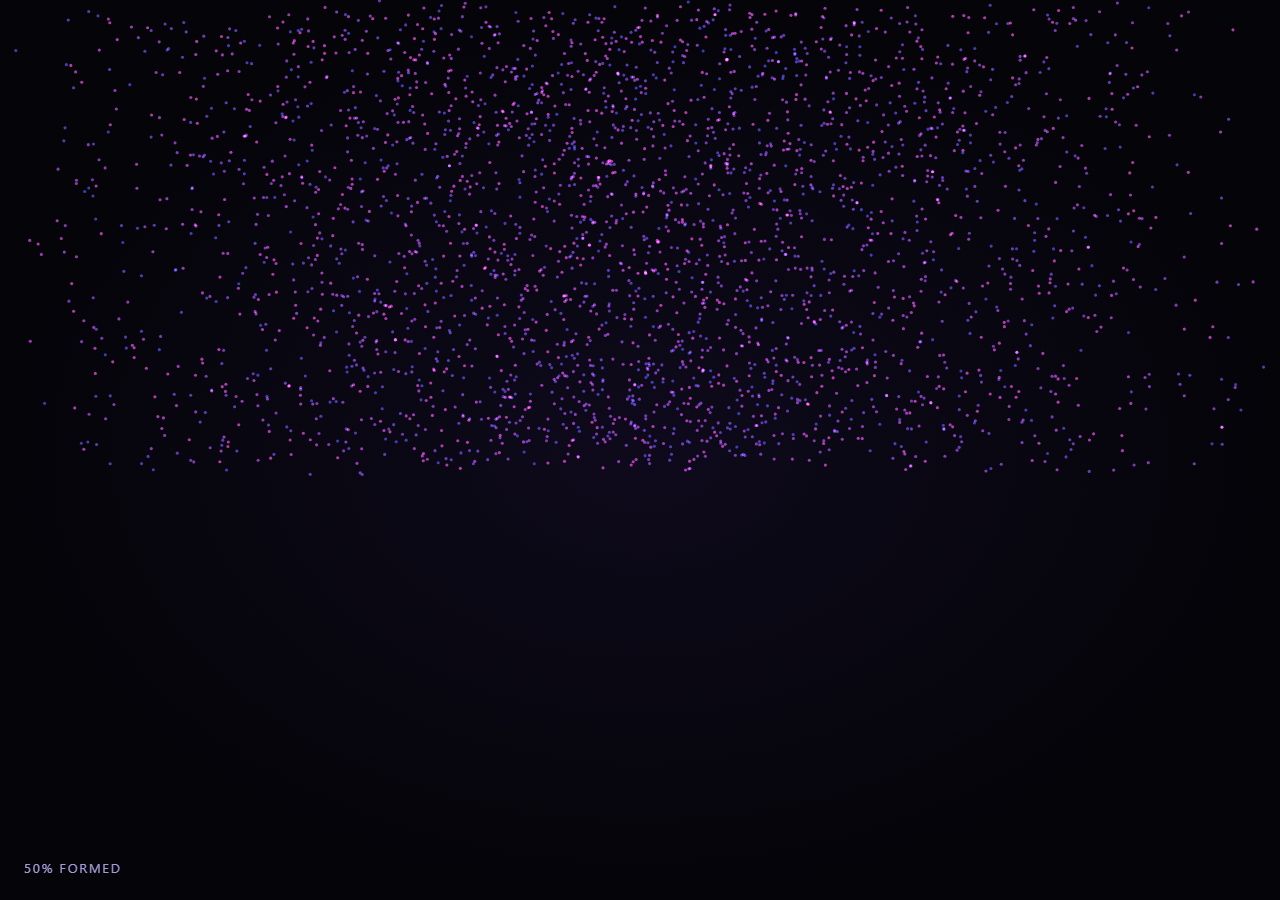
The Scroll Canvas Particle Text Formation snippet scatters a few thousand small dots randomly across a <canvas> and, as the visitor scrolls through a pinned stage, lerps every dot toward a target position sampled from the outline of a rendered word. It is plain Canvas2D — ctx.arc per particle — with no Three.js and no external noise or physics library.
Sampling the target shape from an offscreen render
Rather than hand-authoring particle target coordinates, the word "SCROLL" is drawn once to an off-screen <canvas> with ctx.fillText, then getImageData reads back every pixel's alpha channel. Any pixel with meaningful opacity becomes a candidate particle target, sampled every few pixels for density control — this is how the exact glyph shapes of any font, at any size, become particle targets with zero manual point-plotting.
Two lerps, not one
Each particle tracks three positions: a fixed startX/startY scatter point, a fixed targetX/targetY sampled from the text, and a live position that is itself lerped toward a scroll-eased interpolation of the two. Blending a per-frame live-position lerp on top of the scroll-progress lerp is what gives the convergence its slightly trailing, organic settle rather than every particle snapping instantly to its exact interpolated position each frame.
No per-frame allocation
All particle state lives in flat Float32Arrays allocated once in buildParticles(). The render loop only reads and writes into those arrays — never creates new objects or arrays per frame — keeping garbage collection out of the hot path even with thousands of particles animating every frame.
Additive blending for a glowing dust look
ctx.globalCompositeOperation = 'lighter' makes overlapping particles brighten instead of simply overdrawing each other, giving dense clusters (especially inside thick glyph strokes) a soft glow rather than a flat blob of solid color.
Browser support
Canvas2D and getImageData are supported in every modern browser, so unlike the native animation-timeline snippets in this collection, this technique needs no @supports fallback — only GSAP and ScrollTrigger are required as dependencies.
Customizing it
Change the sampled word in sampleTextPoints('SCROLL'), adjust step for denser or sparser sampling, or swap the hue range in the draw loop for a different color story. Pair it with Three.js Scroll Shader Fluid Gradient Wave for a WebGL companion effect.
Build with AI
Build, Understand, Optimize, and Extend It With AI
You don't have to work out canvas pixel sampling and dual-lerp particle motion by hand. Paste this snippet's HTML, CSS, and JS into an AI coding assistant like Claude and ask it to explain exactly how getImageData turns a rendered word into particle target coordinates, and why the render loop blends a scroll-progress lerp with a separate per-frame trailing lerp instead of moving particles directly to their scroll-interpolated position. The same assistant is useful for extending the effect: ask it to sample a logo image instead of text, add a second word that the particles reform into after a delay, or vary particle size based on distance traveled. Treat the code as a conversation starter, not a finished artifact.
Prompt to recreate it
Copy this into your AI assistant of choice to build the effect from scratch, or as a jumping-off point for your own variant:
Build a "scroll-scrubbed particle text formation" in plain HTML, CSS, and JavaScript using Canvas2D (no Three.js, no WebGL) plus GSAP and GSAP's ScrollTrigger plugin loaded from a CDN (no bundler, no build step).

Requirements:
- A pinned section containing a full-size canvas with a 2D rendering context, resized to match its display size and device pixel ratio, regenerating particle data on window resize.
- Render a word once to an offscreen canvas using ctx.fillText at a large font size, then use getImageData to sample pixel coordinates wherever the alpha channel indicates the glyph is opaque, sampling every few pixels for density control, capped at a few thousand points for performance.
- Store each particle's scattered random starting position and its sampled text-target position in flat Float32Arrays allocated once — never allocate new arrays or objects inside the render loop.
- Register a GSAP tween on a ScrollTrigger targeting the pinned section, with pin: true, start at top top, a numeric scrub, and a multi-hundred-percent end, animating a single plain progress value from 0 to 1 with linear easing.
- Every animation frame (requestAnimationFrame, independent of the scroll callback), apply an additional smoothstep easing to the scrubbed progress, compute each particle's eased target position by lerping between its start and text-target coordinates, then lerp the particle's separately tracked live position toward that eased target by a fixed small factor each frame (a trailing lerp, not a direct snap) for an organic settle.
- Draw each particle as a small filled arc using ctx.arc, with globalCompositeOperation set to 'lighter' (additive blending) so overlapping particles glow instead of flatly overdrawing each other, and vary hue and radius slightly with scroll progress.
- Confirm scrolling back up reverses the formation smoothly, scattering the word back into random dust.
Want to tighten it up first? Run this prompt through the AI Prompt Studio to score it across 8 quality dimensions, catch anti-patterns, and tune the wording for Claude, ChatGPT, or Gemini before you paste it in.
Source Code
<section class="ptf-stage" id="ptfStage">
  <div class="ptf-intro-overlay"><p>Scroll ↓ to converge the dust into a word</p></div>
  <canvas id="ptfCanvas"></canvas>
  <div class="ptf-hud"><span id="ptfPct">0</span>% formed</div>
</section>
<section class="ptf-bottom"><p>Hundreds of scattered particles, resolved into type.</p></section>*{box-sizing:border-box;margin:0;padding:0}
html,body{background:#050409;color:#fff;font-family:system-ui,-apple-system,sans-serif}
.ptf-bottom{min-height:70vh;display:flex;justify-content:center;align-items:center;color:#8a86b8;font-size:15px;letter-spacing:.08em;text-transform:uppercase;text-align:center;padding:0 24px}
.ptf-stage{height:100vh;position:relative;overflow:hidden;background:radial-gradient(ellipse at center,#0e0a1c 0%,#050409 70%)}
.ptf-intro-overlay{position:absolute;inset:0;display:flex;align-items:center;justify-content:center;text-align:center;padding:24px;pointer-events:none;z-index:5;color:#8a86b8;font-size:15px;letter-spacing:.08em;text-transform:uppercase;transition:opacity .4s ease}
#ptfCanvas{display:block;width:100%;height:100%}
.ptf-hud{position:absolute;left:24px;bottom:24px;font-variant-numeric:tabular-nums;font-size:13px;letter-spacing:.14em;color:#c4b5fd;text-transform:uppercase;opacity:.85}const canvas = document.getElementById('ptfCanvas');
const ctx = canvas.getContext('2d');
const pctEl = document.getElementById('ptfPct');
const introEl = document.querySelector('.ptf-intro-overlay');
const DPR = Math.min(window.devicePixelRatio || 1, 2);
let W = 0, H = 0;
// Particle count is derived from how many sample points we manage to pull
// out of the offscreen text render, capped for performance.
const MAX_PARTICLES = 3200;
let count = 0;
let startX, startY, targetX, targetY, liveX, liveY, hueShift;
function sampleTextPoints(word) {
const off = document.createElement('canvas');
const octx = off.getContext('2d');
const w = Math.floor(W), h = Math.floor(H);
off.width = w; off.height = h;
octx.fillStyle = '#000';
octx.fillRect(0, 0, w, h);
const fontSize = Math.min(w * 0.16, h * 0.34);
octx.fillStyle = '#fff';
octx.font = '800 ' + fontSize + 'px system-ui, -apple-system, sans-serif';
octx.textAlign = 'center';
octx.textBaseline = 'middle';
octx.fillText(word, w / 2, h / 2);
const img = octx.getImageData(0, 0, w, h).data;
const step = 4; // sample every Nth pixel for density control
const pts = [];
for (let y = 0; y < h; y += step) {
for (let x = 0; x < w; x += step) {
const alpha = img[(y * w + x) * 4 + 3];
if (alpha > 128) pts.push([x, y]);
if (pts.length >= MAX_PARTICLES) return pts;
}
}
return pts;
}
function buildParticles() {
const pts = sampleTextPoints('SCROLL');
count = pts.length;
startX = new Float32Array(count);
startY = new Float32Array(count);
targetX = new Float32Array(count);
targetY = new Float32Array(count);
liveX = new Float32Array(count);
liveY = new Float32Array(count);
hueShift = new Float32Array(count);
for (let i = 0; i < count; i++) {
// Scattered starting position: a wide random field across the whole canvas.
const sx = Math.random() * W;
const sy = Math.random() * H;
startX[i] = sx; startY[i] = sy;
liveX[i] = sx; liveY[i] = sy;
targetX[i] = pts[i][0];
targetY[i] = pts[i][1];
hueShift[i] = Math.random();
}
}
function resize() {
W = canvas.clientWidth; H = canvas.clientHeight;
canvas.width = Math.floor(W * DPR);
canvas.height = Math.floor(H * DPR);
ctx.setTransform(DPR, 0, 0, DPR, 0, 0);
buildParticles();
}
gsap.registerPlugin(ScrollTrigger);
const form = { t: 0 };
gsap.to(form, {
t: 1,
ease: 'none',
scrollTrigger: {
trigger: '#ptfStage',
start: 'top top',
end: '+=350%',
scrub: 0.6,
pin: true,
},
});
function draw() {
requestAnimationFrame(draw);
if (introEl) introEl.style.opacity = (form.t > 0.03) ? '0' : '1';
const t = form.t;
const eased = t * t * (3 - 2 * t);
const lerpSpeed = 0.06 + eased * 0.1;
ctx.clearRect(0, 0, W, H);
ctx.globalCompositeOperation = 'lighter';
for (let i = 0; i < count; i++) {
const tx = startX[i] + (targetX[i] - startX[i]) * eased;
const ty = startY[i] + (targetY[i] - startY[i]) * eased;
liveX[i] += (tx - liveX[i]) * lerpSpeed;
liveY[i] += (ty - liveY[i]) * lerpSpeed;
const hue = 260 + hueShift[i] * 70 - eased * 40;
const radius = 1.1 + eased * 0.9;
ctx.beginPath();
ctx.fillStyle = 'hsla(' + hue.toFixed(0) + ', 85%, ' + (58 + eased * 10).toFixed(0) + '%, ' + (0.55 + eased * 0.35).toFixed(2) + ')';
ctx.arc(liveX[i], liveY[i], radius, 0, Math.PI * 2);
ctx.fill();
}
ctx.globalCompositeOperation = 'source-over';
pctEl.textContent = Math.round(eased * 100);
}
resize();
window.addEventListener('resize', resize);
draw();Step by step
How to Use
- 1Load the CDN scriptsAdd gsap.min.js and ScrollTrigger.min.js from the CDN panel, in that order.
- 2Paste HTML, CSS, and JSA scattered particle field appears inside a pinned canvas stage with a live "% formed" read-out.
- 3Scroll downParticles lerp from a random scatter into the shape of the word "SCROLL".
- 4Scroll back upThe word dissolves back into scattered dust as the scroll-eased progress reverses.
- 5Change the wordEdit sampleTextPoints('SCROLL') to render any word your font can display.
- 6Tune the densityLower step in sampleTextPoints for denser particle coverage of the glyphs.
Real-world uses
Common Use Cases
Got questions?
Frequently Asked Questions
The word is rendered once to an offscreen canvas with ctx.fillText, then getImageData reads back every pixel’s alpha channel. Any sufficiently opaque pixel, sampled every few pixels for density control, becomes a particle target coordinate — no manual point-plotting or font-outline parsing is needed.
The visual only needs simple filled circles composited additively, which ctx.arc handles directly with no scene graph, camera, or shader pipeline required. Three.js is used elsewhere in this collection for genuinely 3D or shader-driven effects; a flat particle field sampled from 2D text is a better fit for plain Canvas2D.
The scroll-progress lerp computes where each particle should be heading based on scroll position, while a second per-frame lerp trails the particle’s live position toward that target rather than snapping to it instantly. The trailing lerp is what gives the convergence its organic, slightly delayed settle instead of a mechanical linear interpolation.
No — Canvas2D and getImageData are supported in every modern browser, so no @supports fallback is needed here; the only requirements are the GSAP and ScrollTrigger CDN scripts.
Yes — replace the ctx.fillText call in sampleTextPoints with ctx.drawImage of a loaded logo image (drawn at the same offscreen canvas size), and the getImageData alpha-sampling logic works identically against the image’s silhouette instead of a text glyph.