Learn Coding Visually
Learn to code with interactive, live-preview playgrounds — HTML, CSS, JavaScript, React & more.
 HTML Playground42 lessons · Click-based · Live preview
 CSS PlaygroundLearn CSS with a live editor
 JavaScript Playground60 lessons · DOM · Async · Canvas
 React PlaygroundLearn React with a live code editor
 GSAP PlaygroundLearn GSAP animation interactively
 SVG Playground44 lessons · shapes · paths · animation
 SCSS Playground45 lessons · Sass modules · tokens
 Tailwind PlaygroundLearn Tailwind CSS with a live editor
 Bootstrap 5 Playground50 lessons · live preview
Lottie Scroll Scrub — Frame-by-Frame JSON on Scroll
Lottie Scroll Scrub · Scroll · Plain HTML, CSS & JS · Live preview
What's included
Features
About this UI Snippet
How to Scrub a Lottie JSON Animation Frame-by-Frame on Scroll With lottie-web and GSAP
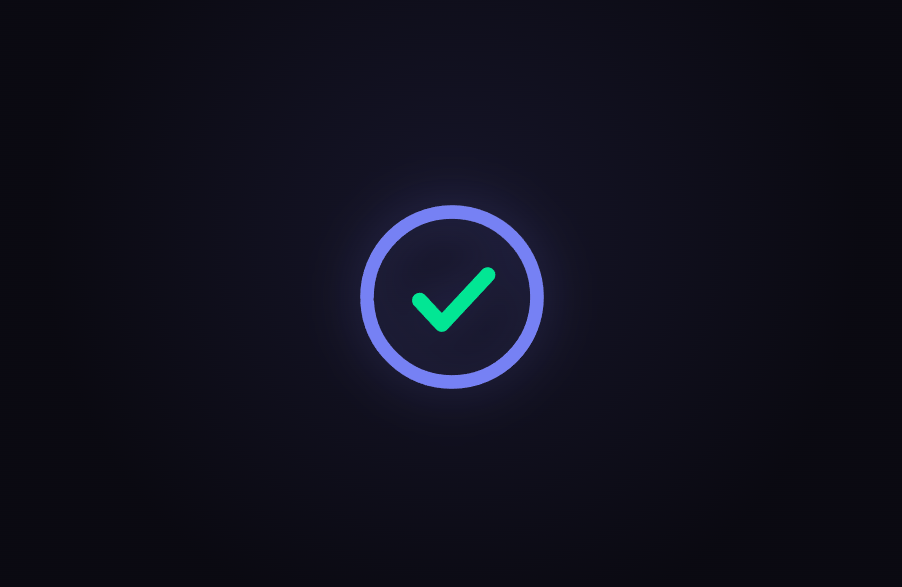
The Lottie Scroll Scrub snippet plays a Lottie animation with the scrollbar instead of a clock — as you scroll down a pinned section, a progress ring "draws" itself around a circle and a checkmark strokes in at the end, and scrolling back up rewinds the whole thing. It pairs the official lottie-web player with GSAP's ScrollTrigger, and the entire animation is a plain JSON object embedded right in the code, so there is nothing to fetch and nothing that can 404.
Lottie is just JSON, and you can inline it
A Lottie animation is a JSON document (exported from After Effects via Bodymovin, or authored by hand) describing vector layers, shapes, and keyframes. Most tutorials load it from a URL with lottie.loadAnimation({ path: 'anim.json' }), but that means an extra network request and a file that has to be hosted somewhere. This snippet instead passes the JSON directly as animationData, so the animation ships inside the component. To use your own file, you delete the animationData object and swap in path: 'your-animation.json' — every other line stays identical, because the player's API is the same either way.
Autoplay off, scroll on
The critical option is autoplay: false. A normal Lottie plays on a timer the moment it loads; here we never want the internal clock to run, because scroll position — not elapsed time — decides which frame is visible. With autoplay disabled and loop: false, the animation sits frozen at frame 0 until we explicitly seek it.
goToAndStop is what makes it scrubbable
Each frame, the snippet calls anim.goToAndStop(frame, true). The second argument, true, tells lottie-web the value is a *frame number* (not milliseconds), and goToAndStop renders that single still frame without starting playback. Multiplying the scroll progress (0 to 1) by anim.totalFrames - 1 gives the exact frame for the current scroll position. Because lottie-web interpolates between keyframes, fractional frame values render smoothly, so the ring grows continuously rather than snapping between discrete steps.
One scrubbed value, driven by ScrollTrigger
Rather than reading the raw scroll offset, the snippet tweens a single plain number — state.p — from 0 to 1 with a GSAP ScrollTrigger that pins the stage (pin: true) and scrubs over a range several viewport-heights tall (end: '+=400%'). A requestAnimationFrame loop reads state.p every frame and seeks the Lottie accordingly. Deriving the frame from one normalized value each frame — the same approach used by the scroll tunnel and scroll camera path snippets — is what makes the effect fully reversible: scrolling up simply produces smaller values, and the animation plays backward with no extra code.
The "draw" effect comes from a trim path
The ring and checkmark don't fade in — they *stroke on*, like a pen drawing a line. That is a Lottie trim path (shape type tm): it renders only a portion of a stroked path, from a start percentage to an end percentage. Animating the trim's end from 0 to 100 across the timeline makes the stroke appear to draw itself. A faint static "track" ring sits behind the coloured one so the circle's full path is always visible, exactly like a circular progress indicator. This is the same visual idea as an SVG path-draw on scroll, but authored once in Lottie and reusable anywhere the player runs.
A smoothed scrub for a premium feel
A numeric scrub: 0.5 lets the animation glide toward the scroll position over about half a second instead of snapping frame-perfectly to every wheel tick. Wheel and trackpad input is noisy; that small amount of smoothing turns raw scroll jitter into a fluid, deliberate playback that feels designed rather than mechanical.
SVG renderer for crispness
The animation uses the svg renderer, so the ring stays razor-sharp at any size and picks up a CSS drop-shadow glow for free. For very heavy animations you could switch to the canvas renderer, but for a vector progress ring, SVG gives the cleanest result and the smallest DOM.
Build with AI
Build, Understand, Optimize, and Extend It With AI
You don't have to reverse-engineer how a JSON file becomes a scroll-scrubbed animation. Paste this snippet's HTML, CSS, and JS into an AI assistant like Claude and ask it to walk through why autoplay is disabled, what goToAndStop's second argument does, and how the trim path produces the drawing effect. The same assistant can help you extend it — ask it to load your own exported Lottie via a path instead of inline JSON, sync several Lottie layers to different scroll ranges, or add a second animation that plays as the first finishes. It can also help you swap the SVG renderer for canvas on a heavier animation, or wire the whole thing into a React or Vue component with proper cleanup. Treat the code as a conversation starter, not a finished artifact.
Prompt to recreate it
Copy this into your AI assistant of choice to build the effect from scratch, or as a jumping-off point for your own variant:
Build a "scroll-scrubbed Lottie animation" in plain HTML, CSS, and JavaScript using lottie-web and GSAP's ScrollTrigger plugin, all loaded from a CDN (no bundler, no build step).

Requirements:
- A pinned full-height section containing a centered container div for the Lottie, an intro caption overlay, and a live "percent complete" read-out.
- Load a Lottie animation with lottie.loadAnimation using renderer 'svg', loop false, and autoplay FALSE, so a timer never drives it. Provide the animation as an inline animationData JSON object, but leave a clear comment showing how to swap it for path: 'your-animation.json'.
- The inline Lottie should include a faint static "track" ring, a coloured progress ring whose stroke draws on via an animated trim path (type 'tm') whose end goes 0 -> 100, and a checkmark path that draws in over the last third of the timeline.
- Register a GSAP tween on a ScrollTrigger targeting the pinned section, with pin: true, start at top top, a numeric scrub around 0.5, and an end several hundred percent tall, animating a single plain value p from 0 to 1.
- In a requestAnimationFrame loop (independent of the scroll callback), read p and call anim.goToAndStop(p * (anim.totalFrames - 1), true) to seek a single frame, and update the percent read-out.
- Fade the intro caption out once p passes a small threshold and back in when it returns to 0.
- Confirm scrolling back up reverses the animation, since the frame is derived from a fully scrubbed value rather than a one-way timer.
Want to tighten it up first? Run this prompt through the AI Prompt Studio to score it across 8 quality dimensions, catch anti-patterns, and tune the wording for Claude, ChatGPT, or Gemini before you paste it in.
Step by step
How to Use
- 1Load the three CDN scriptsAdd lottie.min.js, gsap.min.js, and ScrollTrigger.min.js from the CDN panel, in that order.
- 2Paste the HTML, CSS, and JSA faint track ring appears centred in a pinned stage with a live "% complete" read-out.
- 3Scroll downThe coloured ring draws itself around the circle and a checkmark strokes in at the end, all tied directly to scroll position.
- 4Scroll back upThe animation rewinds exactly, because goToAndStop seeks a single frame rather than playing on a timer.
- 5Swap in your own Lottie fileDelete the animationData object and pass path: "your-animation.json" to loadAnimation instead — nothing else changes.
- 6Tune the scrub lengthChange the ScrollTrigger end value (+=400%) for a longer, slower playback or a shorter, quicker one.
Real-world uses
Common Use Cases
Got questions?
Frequently Asked Questions
Inlining it as animationData keeps the snippet self-contained — there is no second network request, nothing to host, and nothing that can 404 or be blocked by a sandbox. For your own project you can absolutely load an external file: delete the animationData object and pass path: "your-animation.json" to loadAnimation instead. The rest of the code, including the scroll scrubbing, is identical because the player exposes the same API regardless of how the animation was supplied.
play and setSpeed run the animation on its own internal clock, which is exactly what you do not want when scroll should control it. goToAndStop(frame, true) renders one specific still frame and never starts the timer — the second argument tells lottie-web the value is a frame number, not milliseconds. Multiplying scroll progress by totalFrames gives the frame to show, and because lottie-web interpolates between keyframes, fractional frames render smoothly, so the motion is continuous rather than stepped.
That is a Lottie trim path — shape type "tm" — which renders only a portion of a stroked path from a start percentage to an end percentage. Animating the end value from 0 to 100 over the timeline makes the stroke look like it is being drawn by a pen. It is the same principle as animating stroke-dashoffset on an SVG path, but expressed inside the Lottie JSON so it travels with the animation wherever the player runs.
Yes, automatically. The frame shown is derived every requestAnimationFrame from a single scrubbed value that ScrollTrigger moves between 0 and 1. Scrolling up produces smaller values, so goToAndStop seeks earlier frames and the animation plays in reverse — the ring un-draws and the checkmark retracts — with no extra reverse-playback code.
Yes. Click JSX for a React component, Vue for a Vue 3 SFC, Angular for a standalone component, or Tailwind for a React + Tailwind version. In a framework, call lottie.loadAnimation against a ref inside a mount effect, register the ScrollTrigger there, and on cleanup call anim.destroy() and kill the ScrollTrigger instance (or revert a gsap.context) so the SVG and scroll listener are released on unmount. The lottie-react and @lottiefiles/react-lottie wrappers work too, but the raw player shown here keeps the frame-seeking logic fully in your control.