Learn Coding Visually
Learn to code with interactive, live-preview playgrounds — HTML, CSS, JavaScript, React & more.
 HTML Playground42 lessons · Click-based · Live preview
 CSS PlaygroundLearn CSS with a live editor
 JavaScript Playground60 lessons · DOM · Async · Canvas
 React PlaygroundLearn React with a live code editor
 GSAP PlaygroundLearn GSAP animation interactively
 SVG Playground44 lessons · shapes · paths · animation
 SCSS Playground45 lessons · Sass modules · tokens
 Tailwind PlaygroundLearn Tailwind CSS with a live editor
 Bootstrap 5 Playground50 lessons · live preview
SHA Hash Generator — Free HTML CSS JS Snippet
SHA Hash Generator · Dev · Plain HTML, CSS & JS · Live preview
What's included
Features
About this UI Snippet
SHA Hash Generator — SHA-1, SHA-256, SHA-384 & SHA-512 via Web Crypto SubtleCrypto
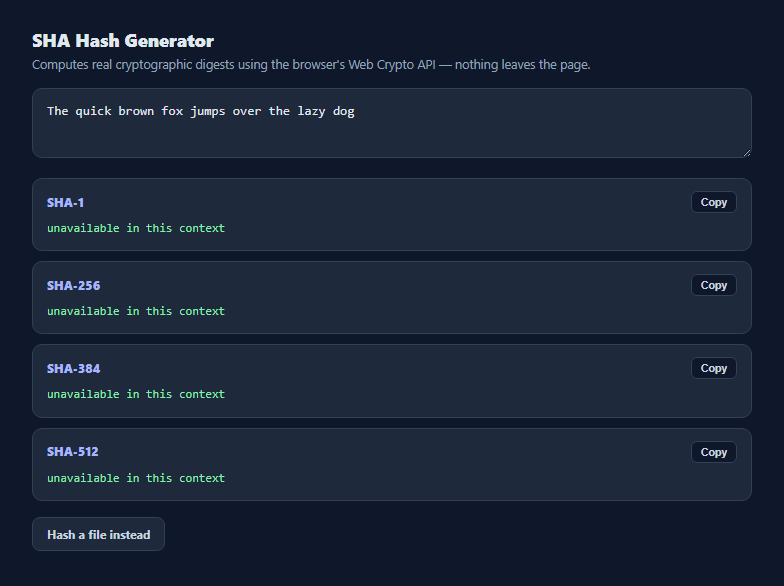
Checking a file's integrity or generating a quick fingerprint for a string usually means reaching for a command-line tool like shasum or openssl dgst. This snippet gets the same real cryptographic digests directly in the browser using crypto.subtle.digest, the SubtleCrypto interface built into every modern browser — no server round trip, no library, and no token or file content ever leaves the page.
Four algorithms computed from the same input
An ALGOS array lists the four digest algorithms SubtleCrypto supports natively — SHA-1, SHA-256, SHA-384, and SHA-512 — and computeAll() runs the same ArrayBuffer through crypto.subtle.digest() once per algorithm, updating each row independently as its promise resolves. Notably, SubtleCrypto does not expose MD5 at all — it was deliberately excluded from the Web Crypto spec because MD5 is cryptographically broken, which is itself a useful thing for this tool to demonstrate by omission.
Encoding text into bytes before hashing
crypto.subtle.digest operates on raw bytes, not JavaScript strings, so any digest algorithm needs its input as an ArrayBuffer or typed array first. For text input, TextEncoder().encode(text) converts the string into a UTF-8 Uint8Array before it is handed to digest(). This is the same encoding step every server-side hashing library performs implicitly — making it explicit here is what makes the digests match shasum or Node's crypto.createHash output exactly for the same input text.
Hashing a file directly
The file input reads the selected file as raw bytes via file.arrayBuffer(), an async File API method, and passes that buffer straight into the same computeAll() function used for text — no re-encoding needed, since the file's bytes are already exactly what should be hashed. This lets the tool double as a quick file-integrity checker: hash a downloaded file locally and compare it against a publisher's published checksum without installing anything.
Converting a digest buffer into a hex string
crypto.subtle.digest() resolves to a raw ArrayBuffer, not a readable string. bufferToHex() wraps it in a Uint8Array, then converts each byte to a two-character hex pair with byte.toString(16).padStart(2, '0') — the padStart call matters because a byte value under 16 (like 0x0a) would otherwise produce a single hex character and silently shift every following byte pair, corrupting the digest's readable representation.
Avoiding stale results with a request counter
Because typing triggers a new async digest() call on every keystroke and digests do not necessarily resolve in the order they were requested, a simple incrementing requestId closure variable is captured at the start of each computeAll() call. Before writing any result to the DOM, the code checks that the captured id still matches the latest requestId — if the user kept typing while an older digest was still computing, that stale result is silently discarded instead of overwriting a newer, correct one.
Build with AI
Build, Understand, Optimize, and Extend It With AI
Paste this snippet's JavaScript into an AI assistant like Claude and ask it to explain why crypto.subtle.digest needs a TextEncoder step for text input but not for file input, and why MD5 is intentionally absent from the Web Crypto API. It is also a good base to extend: ask for an HMAC mode using crypto.subtle.sign with a user-supplied secret key, a side-by-side "compare two hashes" mode for verifying a checksum against a pasted expected value, or drag-and-drop support for the file input.
Prompt to recreate it
Copy this into your AI assistant of choice to build the effect from scratch, or as a jumping-off point for your own variant:
Build a client-side SHA hash generator in plain HTML, CSS, and JavaScript, no libraries.

Requirements:
- A textarea where typed or pasted text is hashed live on every input event using the browser's native crypto.subtle.digest (Web Crypto SubtleCrypto API) — not a hand-rolled or bundled hashing implementation.
- Compute and display SHA-1, SHA-256, SHA-384, and SHA-512 digests simultaneously, each in its own labeled row, formatted as lowercase hex strings.
- Convert the input text to bytes using TextEncoder before hashing, and convert each resulting ArrayBuffer digest to a hex string manually (mapping each byte to a two-character, zero-padded hex pair) rather than using any third-party formatting helper.
- Also support hashing a local file selected via a native file input, reading its raw bytes with File.arrayBuffer() and running the same four algorithms against that buffer.
- Guard against out-of-order async results: since digest() is asynchronous and typing fires many requests quickly, only ever display the result of the most recently requested computation, discarding any stale one that resolves late.
- A Copy button next to each algorithm's digest using the Clipboard API with a brief visual confirmation.
- Do not implement MD5 — explain in a code comment that the Web Crypto API does not support it because it is cryptographically broken.
Want to tighten it up first? Run this prompt through the AI Prompt Studio to score it across 8 quality dimensions, catch anti-patterns, and tune the wording for Claude, ChatGPT, or Gemini before you paste it in.
Step by step
How to Use
- 1Type or paste textAll four hash digests recompute live on every keystroke using the Web Crypto API.
- 2Read each digestSHA-1, SHA-256, SHA-384, and SHA-512 hex digests are shown in separate rows, each computed independently.
- 3Or hash a fileClick "Hash a file instead" to select a local file — its raw bytes are hashed directly, useful for verifying a download against a published checksum.
- 4Copy a specific digestClick Copy next to any algorithm row to copy just that hex string to your clipboard.
- 5Compare against a known checksumPaste the same input elsewhere and compare the generated hash character-for-character against a published value.
Real-world uses
Common Use Cases
Got questions?
Frequently Asked Questions
The Web Crypto SubtleCrypto specification only defines digest support for SHA-1, SHA-256, SHA-384, and SHA-512 — MD5 was deliberately left out of the browser standard because it is cryptographically broken and unsuitable for any security-sensitive use.
Yes, for text input. The tool encodes the string to UTF-8 bytes with TextEncoder before hashing, which is the same encoding those command-line tools use by default, so the resulting hex digest matches exactly for identical input.
No — SHA-1 has known collision attacks and should not be used for security purposes like password storage or digital signatures. It is included here for compatibility checking and legacy verification only; prefer SHA-256 or SHA-512 for anything security-sensitive.
crypto.subtle.digest() is asynchronous and returns a Promise, so the browser tab stays responsive while a large file hashes, though very large files can still take a few seconds depending on the algorithm and device.
No. Everything happens locally using the browser's built-in Web Crypto API — no network request is made, which is exactly why it is safe to hash sensitive local files with this tool.
They should not overwrite each other out of order — a request counter discards any digest result that resolves after a newer one has already been requested, so only the result matching your latest input is ever shown.