
Learn Coding Visually
Learn to code with interactive, live-preview playgrounds — HTML, CSS, JavaScript, React & more.
 HTML Playground42 lessons · Click-based · Live preview
 CSS PlaygroundLearn CSS with a live editor
 JavaScript Playground60 lessons · DOM · Async · Canvas
 React PlaygroundLearn React with a live code editor
 GSAP PlaygroundLearn GSAP animation interactively
 SVG Playground44 lessons · shapes · paths · animation
 SCSS Playground45 lessons · Sass modules · tokens
 Tailwind PlaygroundLearn Tailwind CSS with a live editor
 Bootstrap 5 Playground50 lessons · live preview
Three.js Scroll Jellyfish Drift — Bioluminescent Underwater Effect
Three.js Scroll Jellyfish Drift · Scroll · Plain HTML, CSS & JS · Live preview
What's included
Features
About this UI Snippet
How to Build a Scroll-Driven Jellyfish Drift With Three.js
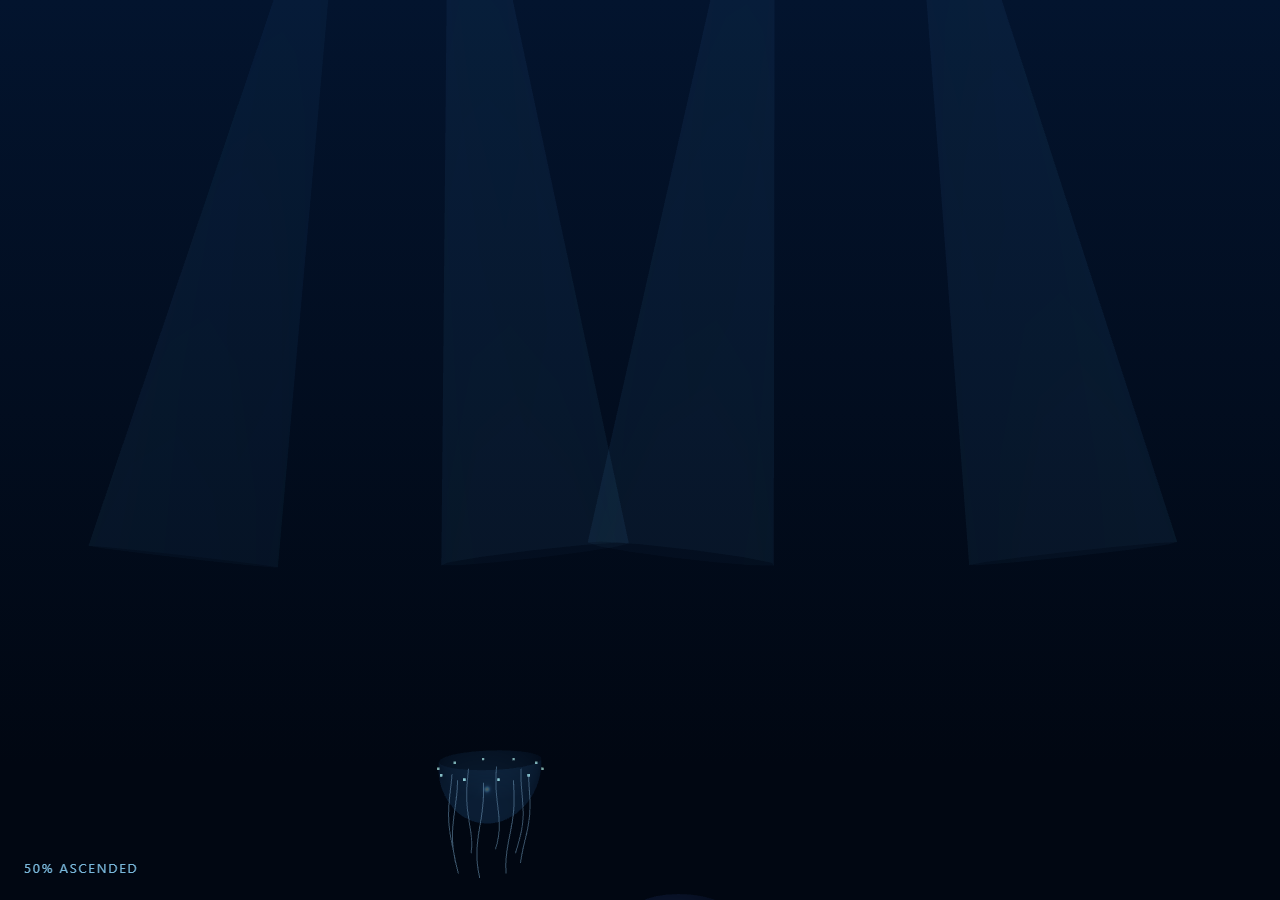
The Three.js Scroll Jellyfish Drift snippet builds several translucent jellyfish from a displaced half-sphere bell and per-tentacle line geometries, then drifts them upward through deep water with pulsing and undulating motion as the visitor scrolls through a pinned stage — all driven by one scrubbed progress value, no keyframe animation clips.
A half-sphere bell that pulses along its own vertices
Each jellyfish's bell starts as a THREE.SphereGeometry restricted to a partial phi range so it reads as a dome rather than a full ball. Its original vertex positions are cached once into bellBase, and every frame a shared sine pulse factor scales the X/Z of every vertex outward from the bell's own vertical axis — a cheap way to fake the muscular contraction real jellyfish use to swim, without a skeletal rig or morph targets.
Tentacles as independently undulating line geometries
Each tentacle is its own small THREE.BufferGeometry/THREE.Line with a fixed number of segments. Every frame, each segment's horizontal offset is a sine wave whose phase includes a term proportional to along (the segment's position down the tentacle's length) — that term is what makes the wave visibly travel down the tentacle instead of the whole strand swaying as one rigid unit, similar in spirit to the segment-based undulation in fabric ripple but applied per-line rather than per-plane.
Drift and pulse phase both derive from scroll progress
Every jellyfish's vertical position lerps from a deep starting Y to a shallower ending Y by eased scroll progress, and the shared phase value driving both the bell pulse and tentacle sway is computed as t * 10 + phaseOffset — a pure function of the scrubbed progress, not a running clock. That is what keeps the whole scene, pulsing and drifting alike, exactly reversible: scrolling up plays every motion backward instead of continuing to animate forward while the page state moves up.
Light shafts without volumetric lighting
A handful of large, mostly-transparent THREE.ConeGeometry shapes with AdditiveBlending and depthWrite: false fan down from above the scene, faking crepuscular light rays through water with zero postprocessing — the same cheap-glow trick as the halo lines in circuit board trace, applied here as ambient set dressing rather than a focal element.
Independent phase offsets prevent visual synchronization
Each of the three jellyfish gets its own phaseOffset, starting depth, and horizontal base position, so despite sharing identical pulse/undulation code they never pulse or sway in lockstep — a small but important detail for making a handful of instances read as a believable drifting group rather than three copies of one animation.
Build with AI
Build, Understand, Optimize, and Extend It With AI
You do not need to reverse-engineer how jellyfish pulse and drift on scroll without a rig or animation clips. Paste this snippet's HTML, CSS, and JS into an AI assistant like Claude and ask it to explain why the bell pulse scales vertices outward from the vertical axis rather than moving them individually, or how the phase-offset-by-segment-position term creates a traveling tentacle wave. The same assistant can help you extend it — ask it to add small fish that dart away from the jellyfish as they pass, vary bell color with a subtle hue shift synced to the pulse, or add a caustic light-pattern texture on the light shafts. It can also help optimize further, for instance batching all tentacle lines from all jellyfish into fewer draw calls. Treat the code as a conversation starter, not a finished artifact.
Prompt to recreate it
Copy this into your AI assistant of choice to build the effect from scratch, or as a jumping-off point for your own variant:
Build a "scroll-scrubbed jellyfish drift" scene in plain HTML, CSS, and JavaScript using Three.js, GSAP, and GSAP's ScrollTrigger plugin, all loaded from a CDN (no bundler, no build step).

Requirements:
- A pinned section containing a full-size canvas, with a WebGLRenderer and PerspectiveCamera sized to it and updated on window resize including aspect ratio, plus THREE.Fog in a deep ocean blue and a few large, mostly-transparent additively-blended cone shapes fanning down from above to fake light shafts.
- Write a function that constructs one jellyfish: a half-sphere "bell" geometry (a partial-phi THREE.SphereGeometry) whose original vertex positions are cached once, a ring of small additively-blended accent points around its rim, and several individual THREE.Line "tentacles" each with their own small BufferGeometry of a fixed segment count.
- Every animation frame, compute a shared phase value as a pure function of the current scrubbed scroll progress (not elapsed time) plus a per-jellyfish phase offset, and use a shared sine value derived from that phase to scale every bell vertex's horizontal (X/Z) coordinates outward from its cached base position, simulating a pulsing contraction.
- For each tentacle, recompute every segment's horizontal offset each frame as a sine wave whose phase includes a term proportional to that segment's position along the tentacle's length, so the wave visibly travels down the tentacle rather than the whole strand swaying rigidly as one piece.
- Interpolate each jellyfish's vertical position from a deep starting Y to a shallower ending Y using eased scroll progress, and give each of several jellyfish instances its own horizontal base position and phase offset so they do not pulse or drift in lockstep.
- Register a GSAP tween on a ScrollTrigger targeting the pinned section, with pin: true, start at top top, a numeric scrub, and a multi-hundred-percent end, animating a single plain progress value from 0 to 1 with linear easing that drives all of the above.
- Confirm scrolling back up sinks the jellyfish back down and reverses their pulse/tentacle phase exactly, since every visual property is a pure function of the current scrubbed progress value.
Want to tighten it up first? Run this prompt through the AI Prompt Studio to score it across 8 quality dimensions, catch anti-patterns, and tune the wording for Claude, ChatGPT, or Gemini before you paste it in.
Source Code
<section class="jel-stage" id="jelStage">
  <div class="jel-intro-overlay"><p>Scroll ↓ to drift jellyfish upward through deep water</p></div>
  <canvas id="jelCanvas"></canvas>
  <div class="jel-hud"><span id="jelPct">0</span>% ascended</div>
</section>
<section class="jel-bottom"><p>Bioluminescent drifters, nearing the light.</p></section>*{box-sizing:border-box;margin:0;padding:0}
html,body{background:#020a1a;color:#dff3ff;font-family:system-ui,-apple-system,sans-serif}
.jel-bottom{min-height:70vh;display:flex;justify-content:center;align-items:center;color:#3f7fb0;font-size:15px;letter-spacing:.08em;text-transform:uppercase;text-align:center;padding:0 24px}
.jel-stage{height:100vh;position:relative;overflow:hidden;background:linear-gradient(180deg,#03142e 0%,#010712 85%)}
.jel-intro-overlay{position:absolute;inset:0;display:flex;align-items:center;justify-content:center;text-align:center;padding:24px;pointer-events:none;z-index:5;color:#8fd8ff;font-size:15px;letter-spacing:.08em;text-transform:uppercase;transition:opacity .4s ease;text-shadow:0 0 10px rgba(143,216,255,.4)}
#jelCanvas{display:block;width:100%;height:100%}
.jel-hud{position:absolute;left:24px;bottom:24px;font-variant-numeric:tabular-nums;font-size:13px;letter-spacing:.14em;color:#8fd8ff;text-transform:uppercase;opacity:.85}const canvas = document.getElementById('jelCanvas');
const pctEl = document.getElementById('jelPct');
const renderer = new THREE.WebGLRenderer({ canvas, antialias: true, alpha: true });
renderer.setPixelRatio(Math.min(window.devicePixelRatio, 2));
const scene = new THREE.Scene();
scene.fog = new THREE.Fog(0x020a1a, 8, 55);
const camera = new THREE.PerspectiveCamera(55, 1, 0.1, 200);
camera.position.set(0, 0, 22);
camera.lookAt(0, 4, 0);
scene.add(new THREE.AmbientLight(0x224466, 0.8));
const rim = new THREE.DirectionalLight(0x8fd8ff, 0.5);
rim.position.set(4, 20, 10);
scene.add(rim);
// Light shafts: additive-blended cones fanning down from above, subtly
// swaying. Purely decorative, no interaction with the jellyfish.
const rayGroup = new THREE.Group();
for (let i = 0; i < 4; i++) {
const ray = new THREE.Mesh(
new THREE.ConeGeometry(3.2, 34, 12, 1, true),
new THREE.MeshBasicMaterial({ color: 0x6fd0ff, transparent: true, opacity: 0.05, blending: THREE.AdditiveBlending, side: THREE.DoubleSide, depthWrite: false })
);
ray.position.set(-14 + i * 9, 20, -14 + Math.random() * 10);
ray.rotation.z = 0.12 * (i % 2 ? 1 : -1);
rayGroup.add(ray);
}
scene.add(rayGroup);
// --- Jellyfish construction ----------------------------------------------
// A bell is a half-sphere whose vertices get a small sine pulse displacement
// along their own normal each frame (a breathing/pulsing contraction), and
// tentacles are individual THREE.Line objects whose points undulate with a
// sine wave whose phase is offset down the tentacle's length.
function makeJellyfish(hue, scale) {
const group = new THREE.Group();
const bellGeo = new THREE.SphereGeometry(1.6, 24, 16, 0, Math.PI * 2, 0, Math.PI * 0.52);
const bellPos = bellGeo.getAttribute('position');
const bellBase = new Float32Array(bellPos.array.length);
bellBase.set(bellPos.array);
const bellMat = new THREE.MeshPhysicalMaterial({
color: hue, transparent: true, opacity: 0.38, roughness: 0.2, transmission: 0.4,
side: THREE.DoubleSide, depthWrite: false,
});
const bell = new THREE.Mesh(bellGeo, bellMat);
bell.rotation.x = Math.PI;
group.add(bell);
// Bioluminescent accent dots around the bell rim.
const dotsGeo = new THREE.BufferGeometry();
const DOTS = 10;
const dotPos = new Float32Array(DOTS * 3);
for (let i = 0; i < DOTS; i++) {
const a = (i / DOTS) * Math.PI * 2;
dotPos[i * 3] = Math.cos(a) * 1.5;
dotPos[i * 3 + 1] = -0.15;
dotPos[i * 3 + 2] = Math.sin(a) * 1.5;
}
dotsGeo.setAttribute('position', new THREE.BufferAttribute(dotPos, 3));
const dots = new THREE.Points(dotsGeo, new THREE.PointsMaterial({
color: 0xbdfff0, size: 0.14, transparent: true, opacity: 0.9,
blending: THREE.AdditiveBlending, depthWrite: false,
}));
group.add(dots);
// Tentacles: trailing lines whose vertical points undulate with a phase
// offset by segment index, so waves visibly travel down the tentacle.
const TENT = 8, SEGS = 14;
const tentacles = [];
for (let i = 0; i < TENT; i++) {
const a = (i / TENT) * Math.PI * 2;
const rootX = Math.cos(a) * 1.1, rootZ = Math.sin(a) * 1.1;
const positions = new Float32Array(SEGS * 3);
const geo = new THREE.BufferGeometry();
geo.setAttribute('position', new THREE.BufferAttribute(positions, 3));
const mat = new THREE.LineBasicMaterial({ color: hue, transparent: true, opacity: 0.5 });
const line = new THREE.Line(geo, mat);
group.add(line);
tentacles.push({ line, rootX, rootZ, phase: a });
}
group.scale.setScalar(scale);
scene.add(group);
return { group, bellGeo, bellBase, bellPos, tentacles };
}
const jellies = [
makeJellyfish(0x9fd8ff, 1.0),
makeJellyfish(0xc9a8ff, 0.7),
makeJellyfish(0x8fffe0, 0.85),
];
// Give each jellyfish an independent horizontal position and phase offset
// so their pulsing and drifting is not synchronized.
const jellyConfig = jellies.map((j, i) => ({
jelly: j,
baseX: (i - 1) * 5.5,
baseZ: -4 + i * 3,
startY: -16 - i * 4,
endY: 10 - i * 2,
phaseOffset: i * 2.1,
}));
const introEl = document.querySelector('.jel-intro-overlay');
gsap.registerPlugin(ScrollTrigger);
const form = { t: 0 };
gsap.to(form, {
t: 1,
ease: 'none',
scrollTrigger: {
trigger: '#jelStage',
start: 'top top',
end: '+=420%',
scrub: 0.6,
pin: true,
},
});
function resize() {
const w = canvas.clientWidth, h = canvas.clientHeight;
renderer.setSize(w, h, false);
camera.aspect = w / h;
camera.updateProjectionMatrix();
}
function updateJellyfish(cfg, t) {
const { jelly, baseX, baseZ, startY, endY, phaseOffset } = cfg;
const eased = t * t * (3 - 2 * t);
const phase = t * 10 + phaseOffset; // pure function of scroll progress
jelly.group.position.set(
baseX + Math.sin(phase * 0.3) * 1.2,
startY + (endY - startY) * eased,
baseZ
);
// Bell pulse: displace each vertex outward along its local direction from
// the bell's pole by a shared sine value, simulating contraction.
const pulse = 1 + Math.sin(phase) * 0.09;
const arr = jelly.bellPos.array;
const base = jelly.bellBase;
for (let i = 0; i < arr.length; i += 3) {
arr[i] = base[i] * pulse;
arr[i + 1] = base[i + 1];
arr[i + 2] = base[i + 2] * pulse;
}
jelly.bellPos.needsUpdate = true;
// Tentacles undulate with a traveling sine wave down their length.
jelly.tentacles.forEach((tn) => {
const arrT = tn.line.geometry.getAttribute('position').array;
const SEGS = arrT.length / 3;
for (let s = 0; s < SEGS; s++) {
const along = s / (SEGS - 1);
const sway = Math.sin(phase * 1.4 + tn.phase + along * 4) * 0.18 * along;
arrT[s * 3] = tn.rootX + sway;
arrT[s * 3 + 1] = -0.3 - along * 2.4;
arrT[s * 3 + 2] = tn.rootZ + Math.cos(phase * 1.4 + tn.phase + along * 4) * 0.18 * along;
}
tn.line.geometry.getAttribute('position').needsUpdate = true;
});
}
function animate() {
requestAnimationFrame(animate);
if (introEl) introEl.style.opacity = (form.t > 0.03) ? '0' : '1';
const t = form.t;
jellyConfig.forEach((cfg) => updateJellyfish(cfg, t));
rayGroup.rotation.y = t * 0.15;
camera.position.y = 0 + t * 4;
camera.lookAt(0, 4 + t * 3, 0);
pctEl.textContent = Math.round(t * 100);
renderer.render(scene, camera);
}
resize();
window.addEventListener('resize', resize);
animate();Step by step
How to Use
- 1Load all three CDN scriptsAdd three.min.js, gsap.min.js, and ScrollTrigger.min.js from the CDN panel, in that order.
- 2Paste HTML, CSS, and JSThree jellyfish appear deep in dark water inside a pinned 3D stage with a live "% ascended" read-out.
- 3Scroll downThe jellyfish pulse, undulate their tentacles, and drift upward together toward the light shafts above.
- 4Scroll back upThey sink back down and their pulse/sway phase reverses exactly, since it is a pure function of scroll progress.
- 5Add or restyle jellyfishCall makeJellyfish(hue, scale) again with a new color and size, then push a matching jellyConfig entry.
- 6Adjust the pacingChange the ScrollTrigger end value (+=420%) for a slower or faster ascent.
Real-world uses
Common Use Cases
Got questions?
Frequently Asked Questions
The bell's original vertex positions are cached once. Every frame, a single shared sine value scales each vertex's X and Z outward from the bell's vertical axis while leaving Y untouched, producing a breathing contraction-and-release motion with a couple of lines of code instead of a morph-target animation clip.
Each tentacle segment's sway includes a phase term proportional to its position along the tentacle (the "along" variable). Because segments further down the tentacle are offset further in phase, they reach their peak sway at a slightly later point in the shared sine cycle, which reads as a wave traveling downward rather than uniform rigid swaying.
Deriving phase as t * 10 + phaseOffset from the scrubbed scroll progress value means the pulse and tentacle sway at any given scroll position are always identical, whether arrived at by scrolling down or back up. If phase instead accumulated with elapsed time, scrolling backward would not visually reverse the pulsing and swaying.
All three jellyfish share the exact same makeJellyfish() construction and update logic. Without a distinct phaseOffset, baseX, and startY per instance, they would pulse, sway, and drift in perfect lockstep, which reads as an obviously repeated copy rather than a believable small group drifting independently.
Yes. Click JSX for a React component, Vue for a Vue 3 SFC, Angular for a standalone component, or Tailwind for a React + Tailwind version. Build the jellyfish group and geometry caches inside a mount effect keyed to a canvas ref, and on unmount kill the ScrollTrigger instance, dispose every geometry and material, and call renderer.dispose().