
Learn Coding Visually
Learn to code with interactive, live-preview playgrounds — HTML, CSS, JavaScript, React & more.
 HTML Playground42 lessons · Click-based · Live preview
 CSS PlaygroundLearn CSS with a live editor
 JavaScript Playground60 lessons · DOM · Async · Canvas
 React PlaygroundLearn React with a live code editor
 GSAP PlaygroundLearn GSAP animation interactively
 SVG Playground44 lessons · shapes · paths · animation
 SCSS Playground45 lessons · Sass modules · tokens
 Tailwind PlaygroundLearn Tailwind CSS with a live editor
 Bootstrap 5 Playground50 lessons · live preview
Three.js Scroll Liquid Metal Blob — Chrome Noise Displacement
Three.js Scroll Liquid Metal Blob · Scroll · Plain HTML, CSS & JS · Live preview
What's included
Features
About this UI Snippet
How to Build a Scroll-Driven Liquid Metal Blob With Three.js
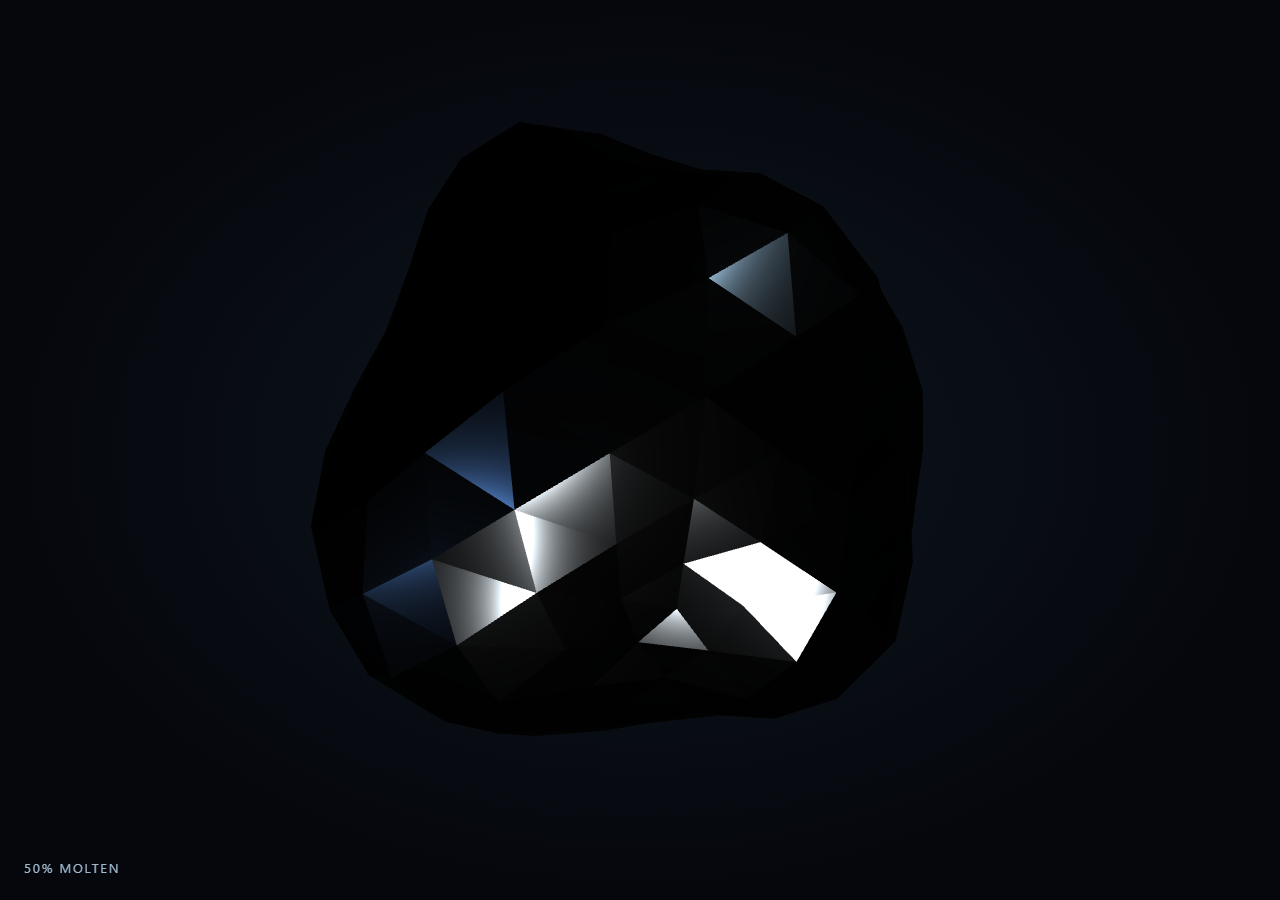
The Three.js Scroll Liquid Metal Blob snippet starts as a perfectly smooth chrome sphere and, as the visitor scrolls through a pinned stage, displaces every vertex outward along its own normal by a noise value whose amplitude ramps with scroll progress — morphing a static icosahedron into an organic, rippling liquid-metal form entirely on the CPU, no fragment shader required.
High-subdivision icosahedron as the base mesh
A THREE.IcosahedronGeometry(radius, 4) gives a near-uniform triangulated sphere with a couple thousand evenly spaced vertices — far more uniform than a lat/long SphereGeometry, which bunches vertices at the poles and would make displacement look uneven there, while staying light enough to update and recompute normals for every frame. Every vertex's original position is copied once into a flat basePos Float32Array before any displacement runs, so the "rest shape" is always available to compute a fresh offset from, frame after frame.
Sum-of-sines noise instead of a Perlin/Simplex library
Rather than pulling in a full noise library, noise3(x, y, z) combines three offset sine/cosine products at different frequencies and phases into one continuous, deterministic pseudo-noise field. It is not a mathematically rigorous gradient noise, but it is smooth, has no visible tiling at the scales used here, and costs only a handful of trig calls — cheap enough to evaluate for every vertex, every frame, at 60fps — a "good enough, cheap enough" philosophy applied along vertex normals instead of a height grid.
Displacement along the per-vertex normal, scaled by progress
Each frame, a vertex's live position is recomputed as normalize(basePos) * radius * (1 + noise * amplitude), where amplitude is directly proportional to the smoothstepped scroll progress. At eased = 0, amplitude is zero and every vertex sits exactly on the original sphere; as eased climbs, the same noise field is scaled up, pushing vertices further from their rest position and reading as the surface "melting" into liquid ripples. Because displacement is always a function of the current eased value rather than an accumulated delta, scrolling back up shrinks the amplitude back toward zero and the surface relaxes back to a perfect sphere with no residual distortion.
Time-varying phase keeps the surface alive without breaking reversibility
The noise field's input coordinates are also offset by a slowly accumulating clock value, so the ripple pattern continues to drift and shimmer even while scroll is paused — a small but important detail for a convincing "liquid" material. This phase drift never affects the *amplitude*, only *which* ripple pattern is currently visible, so it never prevents the blob from returning to a smooth sphere when eased reaches zero; it only changes what the ripples look like the next time amplitude rises again.
Metalness, roughness, and colored point lights stand in for an environment map
MeshStandardMaterial with metalness: 1 and roughness: 0.16 gives the blob a chrome-like physically based response, and three colored point lights (cool cyan, blue, and a bright white key) positioned around the mesh substitute for a full HDRI environment map, producing convincing specular highlights and reflective-looking gradients across the rippling surface without the cost of loading or generating a cube/PMREM environment texture.
Build with AI
Build, Understand, Optimize, and Extend It With AI
You do not need to reverse-engineer how a chrome sphere ripples into liquid metal without a custom shader. Paste this snippet's HTML, CSS, and JS into an AI assistant like Claude and ask it to explain why base positions are cached separately from live positions, or how the sum-of-sines noise3 function produces a smooth deformation field. The same assistant can help you extend it — ask it to port the displacement into a GLSL vertex shader for better performance at higher resolutions, add a real PMREM-generated environment map for sharper reflections, or vary the noise frequency by scroll velocity for a more reactive feel. Treat the code as a conversation starter, not a finished artifact.
Prompt to recreate it
Copy this into your AI assistant of choice to build the effect from scratch, or as a jumping-off point for your own variant:
Build a "scroll-scrubbed liquid metal blob" in plain HTML, CSS, and JavaScript using Three.js, GSAP, and GSAP's ScrollTrigger plugin, all loaded from a CDN (no bundler, no build step).

Requirements:
- A pinned section containing a full-size canvas, with a WebGLRenderer and PerspectiveCamera sized to the canvas element (not window.innerWidth/innerHeight) and updated on window resize including aspect ratio.
- Create a high-subdivision THREE.IcosahedronGeometry sphere and cache every vertex's original position once into a flat Float32Array before any displacement is applied.
- Implement a lightweight custom 3D noise function using a small combination of sine and cosine terms at different frequencies and phases (no external noise library) that takes x, y, z and returns a smooth pseudo-random value.
- Give the mesh a MeshStandardMaterial with metalness near 1 and low roughness, lit by two or three colored point lights positioned around it to simulate a chrome environment reflection without loading an actual environment map.
- Register a GSAP tween on a ScrollTrigger targeting the pinned section, with pin: true, start at top top, a numeric scrub, and a multi-hundred-percent end, animating a single plain progress value from 0 to 1 with linear easing.
- Every animation frame, apply smoothstep easing to the scrubbed progress to get a displacement amplitude, then for every vertex compute its normalized direction from the cached base position, evaluate the noise function at that vertex's base coordinates offset by a slowly accumulating clock value, and set the vertex's live position to its normalized direction times the base radius times one plus noise times amplitude.
- After updating all vertex positions in a frame, set the position attribute's needsUpdate flag and call computeVertexNormals so lighting stays correct as the surface deforms.
- Slowly rotate the blob and let one of the lights drift for added visual interest, and dolly the camera slightly closer as the effect intensifies.
- Confirm scrolling back up reverses the effect smoothly, relaxing the surface back to a perfectly smooth sphere, since displacement amplitude is a direct, non-accumulating function of scroll progress.
Want to tighten it up first? Run this prompt through the AI Prompt Studio to score it across 8 quality dimensions, catch anti-patterns, and tune the wording for Claude, ChatGPT, or Gemini before you paste it in.
Source Code
<section class="lqm-stage" id="lqmStage">
  <div class="lqm-intro-overlay"><p>Scroll ↓ to melt the sphere into rippling liquid metal</p></div>
  <canvas id="lqmCanvas"></canvas>
  <div class="lqm-hud"><span id="lqmPct">0</span>% molten</div>
</section>
<section class="lqm-bottom"><p>A fully rippling liquid-metal form.</p></section>*{box-sizing:border-box;margin:0;padding:0}
html,body{background:#05070c;color:#fff;font-family:system-ui,-apple-system,sans-serif}
.lqm-bottom{min-height:70vh;display:flex;justify-content:center;align-items:center;color:#8fb0c9;font-size:15px;letter-spacing:.08em;text-transform:uppercase;text-align:center;padding:0 24px}
.lqm-stage{height:100vh;position:relative;overflow:hidden;background:radial-gradient(ellipse at center,#0e1620 0%,#05070c 70%)}
.lqm-intro-overlay{position:absolute;inset:0;display:flex;align-items:center;justify-content:center;text-align:center;padding:24px;pointer-events:none;z-index:5;color:#8fb0c9;font-size:15px;letter-spacing:.08em;text-transform:uppercase;transition:opacity .4s ease;}
#lqmCanvas{display:block;width:100%;height:100%}
.lqm-hud{position:absolute;left:24px;bottom:24px;font-variant-numeric:tabular-nums;font-size:13px;letter-spacing:.14em;color:#bcd8f0;text-transform:uppercase;opacity:.85}const canvas = document.getElementById('lqmCanvas');
const pctEl = document.getElementById('lqmPct');
const renderer = new THREE.WebGLRenderer({ canvas, antialias: true, alpha: true });
renderer.setPixelRatio(Math.min(window.devicePixelRatio, 2));
const scene = new THREE.Scene();
const camera = new THREE.PerspectiveCamera(48, 1, 0.1, 200);
camera.position.set(0, 0, 12);
camera.lookAt(0, 0, 0);
scene.add(new THREE.AmbientLight(0x203040, 0.6));
const l1 = new THREE.PointLight(0xbfe4ff, 2.2, 60);
l1.position.set(8, 8, 10);
scene.add(l1);
const l2 = new THREE.PointLight(0x6ea8ff, 1.6, 60);
l2.position.set(-9, -6, 6);
scene.add(l2);
const l3 = new THREE.PointLight(0xffffff, 1.2, 60);
l3.position.set(0, -10, 8);
scene.add(l3);
// Cheap 3D value-noise: a hash-based gradient noise substitute built entirely
// from sums of sines. Not a true Perlin/Simplex implementation, but smooth,
// deterministic, and fast enough to evaluate per-vertex every frame.
function noise3(x, y, z) {
const n1 = Math.sin(x * 1.7 + z * 0.6) * Math.cos(y * 1.3 - z * 0.4);
const n2 = Math.sin(x * 0.6 - y * 1.9 + z * 1.1) * 0.5;
const n3 = Math.cos(x * 2.3 + y * 0.4 - z * 1.6) * 0.3;
return n1 + n2 + n3;
}
const geometry = new THREE.IcosahedronGeometry(3.2, 4);
const posAttr = geometry.getAttribute('position');
const count = posAttr.count;
const basePos = new Float32Array(count * 3);
for (let i = 0; i < count; i++) {
basePos[i * 3] = posAttr.getX(i);
basePos[i * 3 + 1] = posAttr.getY(i);
basePos[i * 3 + 2] = posAttr.getZ(i);
}
const material = new THREE.MeshStandardMaterial({
color: 0xdfe8ee,
metalness: 1,
roughness: 0.16,
envMapIntensity: 1.2,
});
const blob = new THREE.Mesh(geometry, material);
scene.add(blob);
const introEl = document.querySelector('.lqm-intro-overlay');
gsap.registerPlugin(ScrollTrigger);
const form = { t: 0 };
gsap.to(form, {
t: 1,
ease: 'none',
scrollTrigger: {
trigger: '#lqmStage',
start: 'top top',
end: '+=450%',
scrub: 0.6,
pin: true,
},
});
function resize() {
const w = canvas.clientWidth, h = canvas.clientHeight;
renderer.setSize(w, h, false);
camera.aspect = w / h;
camera.updateProjectionMatrix();
}
const nx = new THREE.Vector3();
let clock = 0;
function animate() {
requestAnimationFrame(animate);
if (introEl) introEl.style.opacity = (form.t > 0.03) ? '0' : '1';
const t = form.t;
const eased = t * t * (3 - 2 * t);
clock += 0.006;
// Displacement amplitude ramps with scroll progress so at t=0 the mesh is a
// perfectly smooth sphere, and grows toward a rippling organic blob at t=1.
const amp = eased * 1.15;
const freq = 0.55 + eased * 0.35;
for (let i = 0; i < count; i++) {
const ix = i * 3;
const bx = basePos[ix], by = basePos[ix + 1], bz = basePos[ix + 2];
nx.set(bx, by, bz).normalize();
const n = noise3(bx * freq + clock, by * freq - clock * 0.7, bz * freq + clock * 0.4);
const displaced = 1 + n * amp * 0.22;
posAttr.setXYZ(i, nx.x * (3.2 * displaced), nx.y * (3.2 * displaced), nx.z * (3.2 * displaced));
}
posAttr.needsUpdate = true;
geometry.computeVertexNormals();
blob.rotation.y += 0.0022 + eased * 0.003;
blob.rotation.x = Math.sin(clock * 0.3) * 0.15 * eased;
l1.intensity = 2.2 - eased * 0.4;
l2.position.x = -9 + Math.sin(clock) * 2 * eased;
const camDist = 12 - eased * 2.5;
camera.position.set(0, 0, camDist);
camera.lookAt(0, 0, 0);
pctEl.textContent = Math.round(eased * 100);
renderer.render(scene, camera);
}
resize();
window.addEventListener('resize', resize);
animate();Step by step
How to Use
- 1Load all three CDN scriptsAdd three.min.js, gsap.min.js, and ScrollTrigger.min.js from the CDN panel, in that order.
- 2Paste HTML, CSS, and JSA smooth chrome sphere appears inside a pinned 3D stage with a live "% molten" read-out.
- 3Scroll downThe sphere's surface ripples outward into an organic liquid-metal blob as noise amplitude ramps up.
- 4Scroll back upThe surface relaxes back to a perfectly smooth sphere exactly in reverse, since amplitude is tied directly to progress.
- 5Retune the lookChange the IcosahedronGeometry detail level for more or fewer vertices, or the noise3 frequencies for finer or coarser ripples.
- 6Adjust the pacingChange the ScrollTrigger end value (+=450%) for a slower or snappier melt relative to scroll distance.
Real-world uses
Common Use Cases
Got questions?
Frequently Asked Questions
A true gradient noise implementation is more mathematically well-behaved, but for a decorative surface ripple, three offset sine/cosine products at different frequencies produce a smooth, non-tiling-looking field that is visually convincing at the scale used here, with far less code and no external dependency to load.
If displacement were applied to the geometry's current (already displaced) position every frame, the offsets would compound and the mesh would drift away from a sphere permanently, with no way to reverse it. By always computing the new position from the original, cached basePos array, displacement amplitude alone controls how far from the rest shape the surface sits, which is what makes shrinking amplitude back to zero return the mesh exactly to a sphere.
For a few tens of thousands of vertices, writing floats into a typed array and calling setXYZ is cheap relative to a 16ms frame budget, and it avoids the complexity of a custom vertex shader. For much higher vertex counts, moving the same noise3 formula into a ShaderMaterial vertex shader would move the work to the GPU and scale further, at the cost of losing easy CPU-side inspection of positions.
MeshStandardMaterial lighting depends on accurate surface normals. Since vertex positions change every frame, their normals would go stale (still describing the smooth sphere) without recomputation, producing visibly wrong shading on the rippled surface. Recomputing normals after every position update keeps the metallic highlights following the actual deformed surface.
Yes. Click JSX for a React component, Vue for a Vue 3 SFC, Angular for a standalone component, or Tailwind for a React + Tailwind version. Build the geometry, base position cache, and GSAP ScrollTrigger inside a mount effect keyed to a canvas ref, and on unmount kill the ScrollTrigger instance, dispose geometry/material, and call renderer.dispose().