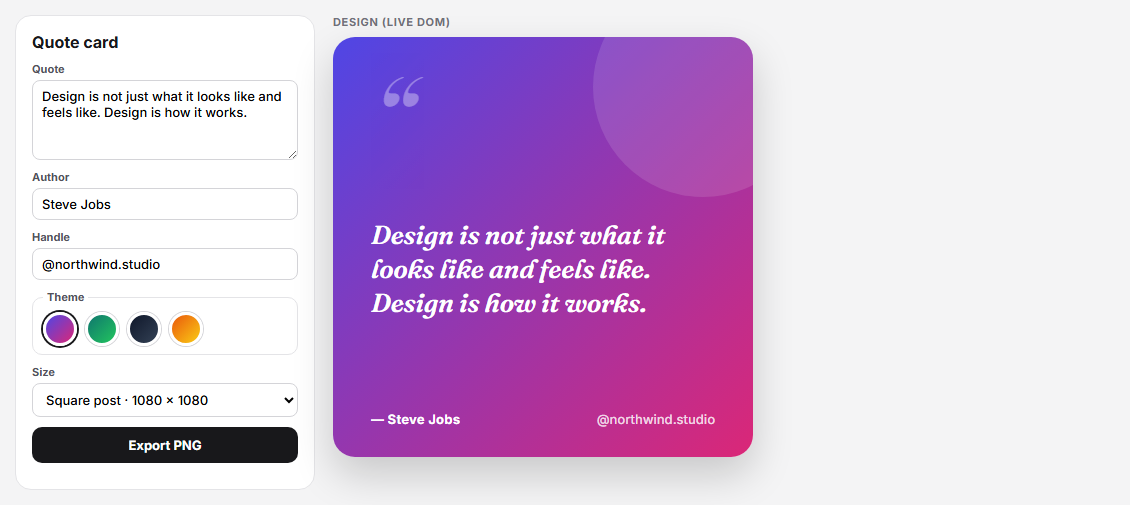
HTML to PNG Quote Card Designer (html-to-image)
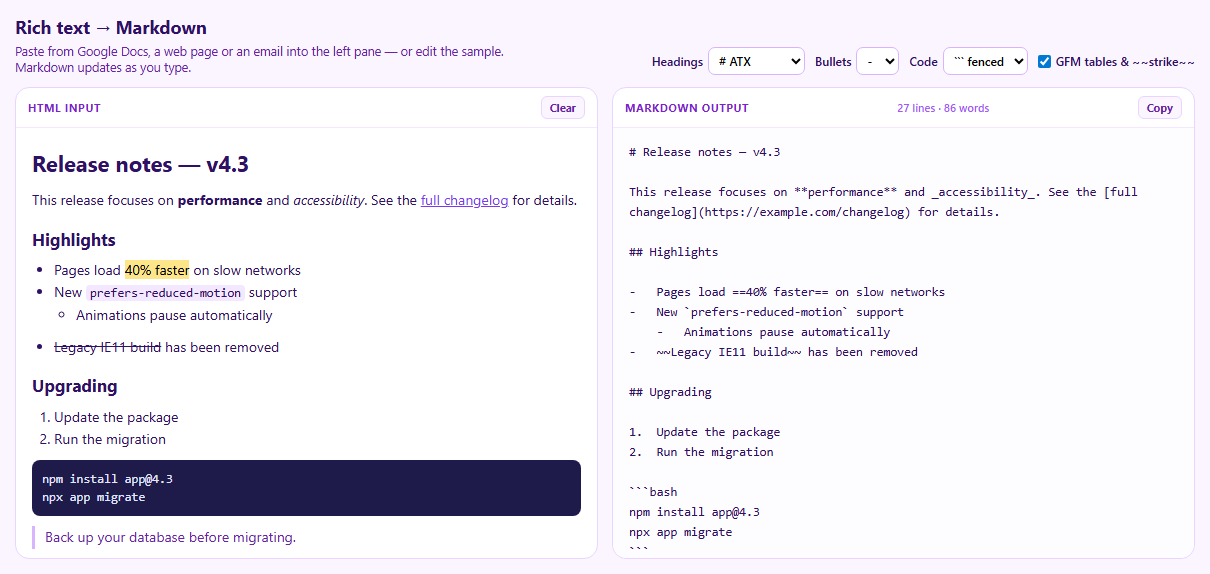
Turndown HTML to Markdown Converter (Paste Rich Text, Get Markdown)
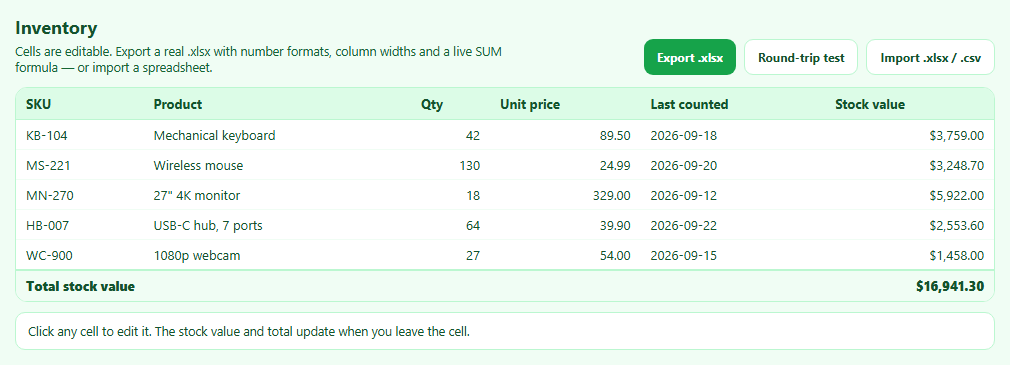
SheetJS Table to Excel Export and Import (.xlsx)
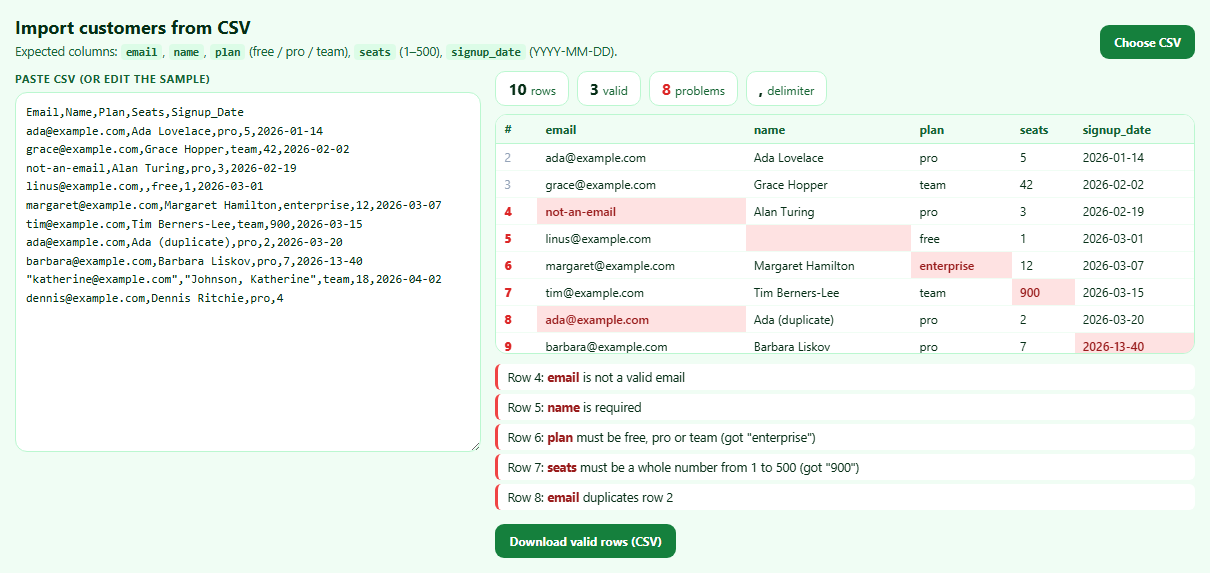
Papa Parse CSV Import Validator with Error Report
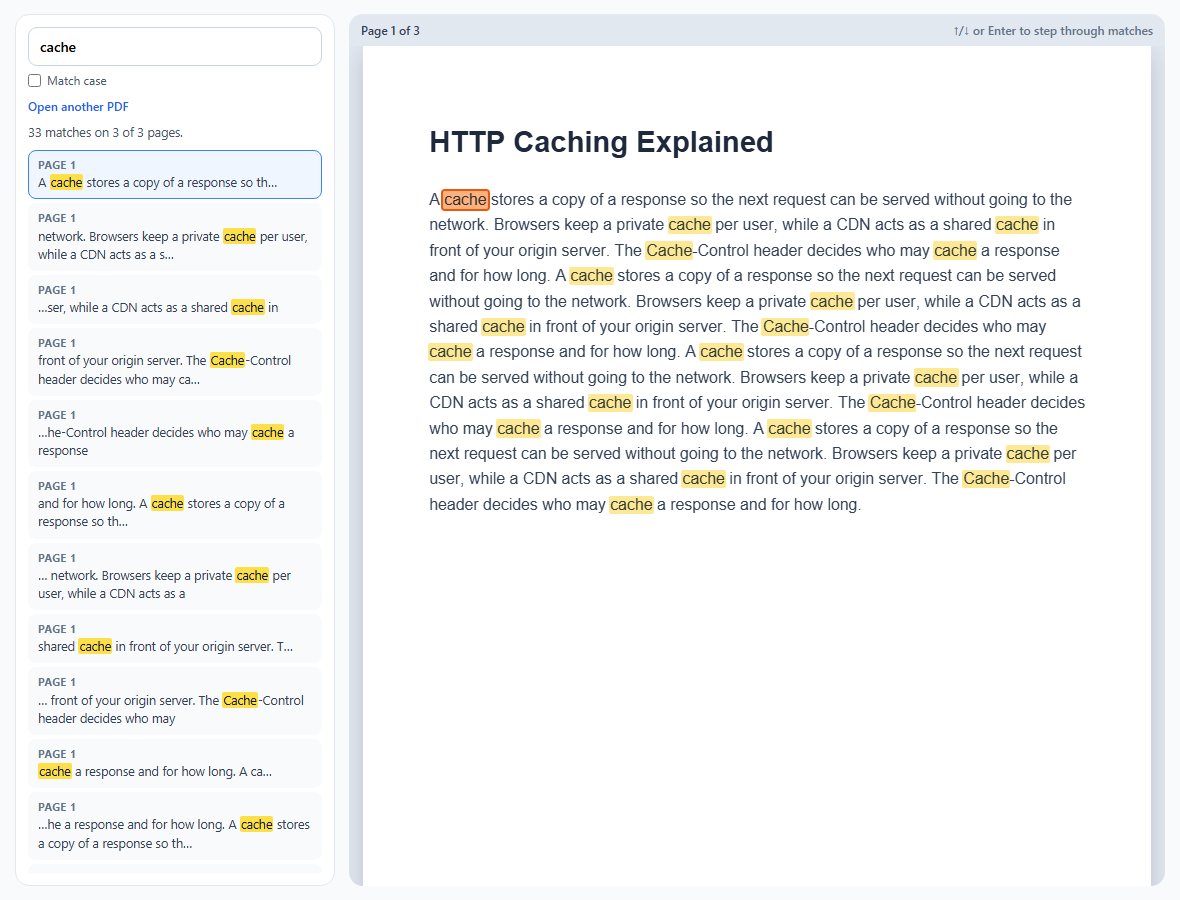
PDF.js Text Search with Highlighted Matches
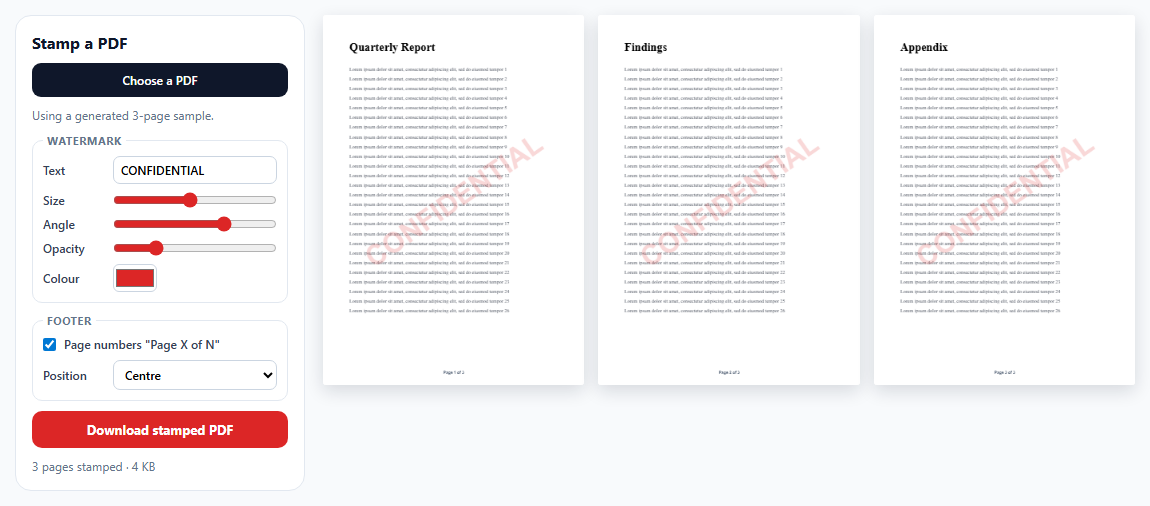
pdf-lib Watermark and Page Numbers for Existing PDFs
Learn Coding Visually
Learn to code with interactive, live-preview playgrounds — HTML, CSS, JavaScript, React & more.
 HTML Playground42 lessons · Click-based · Live preview
 CSS PlaygroundLearn CSS with a live editor
 JavaScript Playground60 lessons · DOM · Async · Canvas
 React PlaygroundLearn React with a live code editor
 GSAP PlaygroundLearn GSAP animation interactively
 SVG Playground44 lessons · shapes · paths · animation
 SCSS Playground45 lessons · Sass modules · tokens
 Tailwind PlaygroundLearn Tailwind CSS with a live editor
 Bootstrap 5 Playground50 lessons · live preview
HTML to PNG Quote Card Designer with html-to-image — Free JavaScript Snippet
HTML to PNG Quote Card Designer (html-to-image) · Tools · Plain HTML, CSS & JS · Live preview
What's included
Features
About this UI Snippet
HTML to PNG in the Browser — html-to-image, Web Fonts and Exact Sizes
Designing an image with HTML and CSS is much faster than drawing it on a canvas by hand: layout, typography and gradients come for free. Turning that element into a PNG is the missing step. This snippet uses html-to-image to export a quote card at exact social-media sizes.
How html-to-image works
It clones the element, inlines its computed styles, embeds web fonts and images as data URLs, wraps the result in an SVG <foreignObject>, loads that SVG as an image and draws it onto a canvas. Because the browser itself renders the HTML inside foreignObject, modern CSS generally comes out as it looks on screen.
Why not html2canvas here?
html2canvas takes a different approach: it copies the whole document into a hidden iframe and repaints it with the Canvas API. In a sandboxed iframe without allow-same-origin — like this site's live preview, many CodePen-style embeds and some CMS previews — the page has an opaque origin and is not allowed to read that helper iframe, so html2canvas fails with "Blocked a frame with origin null". html-to-image never creates an iframe, so it works in the same sandbox.
Web fonts need CORS
To embed a web font, html-to-image reads the font stylesheet's cssRules. Browsers only expose rules of a cross-origin stylesheet if it was loaded in CORS mode, so the Google Fonts <link> is added with crossOrigin = 'anonymous' (Google Fonts sends the required headers). Without it, export still works but falls back to a default font and logs errors. document.fonts.ready is awaited first so the fonts are actually loaded.
Exact output size
The card is about 420 px wide on screen; a square post is 1080 px. pixelRatio: 1080 / cardWidth renders the PNG at exactly the target size, and the card's aspect-ratio follows the chosen preset.
Seeing the result
The exported PNG appears below the design with its dimensions and size, so the export is visible even where downloads are blocked.
Build with AI
Build, Understand, Optimize, and Extend It With AI
Paste this snippet into an AI assistant like Claude and ask it to compare the foreignObject approach with html2canvas's repaint approach, including the sandbox issue. Ask it to add an uploaded background photo, a logo, automatic text contrast, exporting several quotes as a ZIP, or copying the image to the clipboard with ClipboardItem. It can also help debug fonts that don't appear in Safari.
Prompt to recreate it
Copy this into your AI assistant of choice to build the effect from scratch, or as a jumping-off point for your own variant:
Build a quote card designer that exports PNG images with html-to-image (from a CDN) in plain HTML, CSS and JavaScript, loading Google Fonts (Fraunces italic for the quote, Inter for UI) through a link element added in JavaScript with crossOrigin set to anonymous.

Requirements:
- Controls for quote text, author, handle, four gradient themes (swatch buttons with aria-pressed) and three size presets: 1080×1080, 1080×1350 and 1200×630.
- A live card about 420 px wide whose aspect ratio follows the chosen size, with a large decorative quote mark, the quote text (shrinking for long quotes), the author and handle, a translucent circle decoration, rounded corners and a shadow.
- Export: await document.fonts.ready, then call htmlToImage.toPng on the card with pixelRatio = target width ÷ on-screen width and cache busting.
- Show the exported PNG below the design with its natural dimensions, approximate file size and a download link, and report errors in a status line.
Want to tighten it up first? Run this prompt through the AI Prompt Studio to score it across 8 quality dimensions, catch anti-patterns, and tune the wording for Claude, ChatGPT, or Gemini before you paste it in.
Source Code
<div class="hc">
  <aside class="hc-panel">
    <h2>Quote card</h2>
    <label>Quote <textarea id="hcQuote" rows="4" maxlength="220">Design is not just what it looks like and feels like. Design is how it works.</textarea></label>
    <label>Author <input id="hcAuthor" value="Steve Jobs" maxlength="40"></label>
    <label>Handle <input id="hcHandle" value="@northwind.studio" maxlength="30"></label>
    <fieldset>
      <legend>Theme</legend>
      <div class="hc-themes" id="hcThemes"></div>
    </fieldset>
    <label>Size <select id="hcSize">
      <option value="1080x1080">Square post · 1080 × 1080</option>
      <option value="1080x1350">Portrait post · 1080 × 1350</option>
      <option value="1200x630">Link preview · 1200 × 630</option>
    </select></label>
    <button type="button" id="hcExport">Export PNG</button>
    <p class="hc-status" id="hcStatus" role="status"></p>
  </aside>
  <main class="hc-stage">
    <div class="hc-label">Design (live DOM)</div>
    <div class="hc-card" id="hcCard">
      <div class="hc-mark">“</div>
      <p class="hc-text" id="hcText"></p>
      <div class="hc-foot"><span class="hc-author" id="hcAuthorOut"></span><span class="hc-handle" id="hcHandleOut"></span></div>
    </div>
    <div class="hc-label" id="hcResultLabel" hidden>Exported PNG</div>
    <div class="hc-result" id="hcResult"></div>
  </main>
</div>*{box-sizing:border-box;margin:0;padding:0}
body{font-family:Inter,system-ui,sans-serif;background:#f4f4f5;color:#18181b;min-height:100vh;padding:20px}
.hc{max-width:1100px;margin:0 auto;display:grid;grid-template-columns:300px minmax(0,1fr);gap:18px;align-items:start}
@media (max-width:820px){.hc{grid-template-columns:1fr}}
.hc-panel{background:#fff;border:1px solid #e4e4e7;border-radius:16px;padding:16px;display:flex;flex-direction:column;gap:10px}
.hc h2{font-size:16px}
.hc label{display:flex;flex-direction:column;gap:4px;font-size:11px;font-weight:700;color:#52525b}
.hc textarea,.hc input,.hc select{font:500 13px Inter,system-ui;border:1px solid #d4d4d8;border-radius:8px;padding:7px 9px;width:100%;resize:vertical}
.hc fieldset{border:1px solid #e4e4e7;border-radius:10px;padding:8px 10px}
.hc legend{font-size:11px;font-weight:700;color:#52525b;padding:0 4px}
.hc-themes{display:flex;gap:8px}
.hc-themes button{width:34px;height:34px;border-radius:50%;border:3px solid #fff;box-shadow:0 0 0 1px #d4d4d8;cursor:pointer}
.hc-themes button[aria-pressed="true"]{box-shadow:0 0 0 2px #18181b}
.hc :focus-visible{outline:2px solid #6366f1;outline-offset:2px}
#hcExport{border:0;border-radius:10px;background:#18181b;color:#fff;font:700 13px Inter,system-ui;padding:10px;cursor:pointer}
#hcExport:disabled{opacity:.5}
.hc-status{font-size:12px;color:#71717a;line-height:1.5}
.hc-stage{min-width:0}
.hc-label{font-size:11px;font-weight:700;color:#71717a;text-transform:uppercase;letter-spacing:.06em;margin:0 0 8px}
.hc-result img{width:420px;max-width:100%;height:auto;border-radius:10px;box-shadow:0 8px 24px rgba(0,0,0,.15);display:block}
.hc-result small{display:block;font-size:12px;color:#71717a;margin-top:6px}
.hc-card{position:relative;width:420px;max-width:100%;aspect-ratio:1/1;border-radius:22px;padding:40px 38px 30px;display:flex;flex-direction:column;overflow:hidden;color:#fff;background:linear-gradient(135deg,var(--c1),var(--c2));box-shadow:0 18px 40px rgba(0,0,0,.18);margin-bottom:20px}
.hc-card::after{content:'';position:absolute;right:-60px;top:-60px;width:220px;height:220px;border-radius:50%;background:rgba(255,255,255,.12)}
.hc-mark{font:600 italic 110px/0.8 Fraunces,Georgia,serif;opacity:.35;height:52px}
.hc-text{font:600 italic 26px/1.3 Fraunces,Georgia,serif;margin-top:auto;margin-bottom:auto;position:relative;z-index:1}
.hc-foot{display:flex;justify-content:space-between;align-items:flex-end;gap:10px;font-size:13px;position:relative;z-index:1}
.hc-author{font-weight:700;letter-spacing:.02em}
.hc-author::before{content:'— '}
.hc-handle{opacity:.8}// Web fonts come from a <link> added here, with crossorigin="anonymous".
// html-to-image embeds fonts by reading the stylesheet's cssRules, which
// the browser only allows for cross-origin CSS loaded in CORS mode.
var fontLink = document.createElement('link');
fontLink.rel = 'stylesheet';
fontLink.crossOrigin = 'anonymous';
fontLink.href = 'https://fonts.googleapis.com/css2?family=Fraunces:ital,opsz,wght@1,9..144,600&family=Inter:wght@500;700&display=swap';
document.head.appendChild(fontLink);
var THEMES = [
{ c1: '#4f46e5', c2: '#db2777', name: 'Sunset' },
{ c1: '#0f766e', c2: '#22c55e', name: 'Forest' },
{ c1: '#0f172a', c2: '#334155', name: 'Slate' },
{ c1: '#ea580c', c2: '#facc15', name: 'Citrus' },
];
var card = document.getElementById('hcCard');
var theme = 0;
var themeBox = document.getElementById('hcThemes');
THEMES.forEach(function (t, i) {
var b = document.createElement('button');
b.type = 'button';
b.style.background = 'linear-gradient(135deg,' + t.c1 + ',' + t.c2 + ')';
b.setAttribute('aria-label', t.name + ' theme');
b.setAttribute('aria-pressed', i === 0 ? 'true' : 'false');
b.addEventListener('click', function () {
theme = i;
themeBox.querySelectorAll('button').forEach(function (x, j) { x.setAttribute('aria-pressed', j === i ? 'true' : 'false'); });
update();
});
themeBox.appendChild(b);
});
function size() { var s = document.getElementById('hcSize').value.split('x'); return { w: +s[0], h: +s[1] }; }
function update() {
var t = THEMES[theme], s = size();
card.style.setProperty('--c1', t.c1);
card.style.setProperty('--c2', t.c2);
card.style.aspectRatio = s.w + ' / ' + s.h;
var quote = document.getElementById('hcQuote').value.trim();
var text = document.getElementById('hcText');
text.textContent = quote;
var px = quote.length > 150 ? 18 : quote.length > 100 ? 21 : 26;
if (s.h < s.w) px -= 4;
text.style.fontSize = px + 'px';
document.getElementById('hcAuthorOut').textContent = document.getElementById('hcAuthor').value;
document.getElementById('hcHandleOut').textContent = document.getElementById('hcHandle').value;
}
document.querySelectorAll('#hcQuote, #hcAuthor, #hcHandle, #hcSize').forEach(function (el) { el.addEventListener('input', update); });
document.getElementById('hcExport').addEventListener('click', async function () {
var btn = this, status = document.getElementById('hcStatus');
btn.disabled = true;
status.textContent = 'Rendering…';
try {
// Fonts must be loaded, or the PNG falls back to Georgia/system fonts.
await document.fonts.ready;
var target = size();
var rect = card.getBoundingClientRect();
// pixelRatio = output pixels ÷ on-screen pixels, so the PNG comes out at
// the exact social size whatever the card's on-screen width is.
var url = await htmlToImage.toPng(card, {
pixelRatio: target.w / rect.width,
cacheBust: true,
});
var img = new Image();
img.src = url;
await img.decode();
var result = document.getElementById('hcResult');
result.innerHTML = '';
img.alt = 'Exported quote card';
result.appendChild(img);
result.insertAdjacentHTML('beforeend', '<small>' + img.naturalWidth + ' × ' + img.naturalHeight + ' px · ' +
Math.round(url.length * 0.75 / 1024) + ' KB · <a href="' + url + '" download="quote-card.png">Download PNG</a> (open the demo in its own tab if the sandbox blocks downloads)</small>');
document.getElementById('hcResultLabel').hidden = false;
status.textContent = 'Exported at ' + img.naturalWidth + ' × ' + img.naturalHeight + '.';
} catch (e) {
status.textContent = 'Export failed: ' + (e && e.message ? e.message : e);
}
btn.disabled = false;
});
update();Step by step
How to Use
- 1Edit the quoteChange the text, author and handle; long quotes shrink to fit.
- 2Pick a theme and sizeFour gradients; square, portrait or link-preview proportions.
- 3Export PNGRendered at the exact pixel size and shown below.
- 4Check the dimensionsThe result lists width, height and file size.
- 5DownloadUse the link under the image (in its own tab if the sandbox blocks it).
Real-world uses
Common Use Cases
Got questions?
Frequently Asked Questions
With html-to-image, call htmlToImage.toPng(element, options), which resolves to a PNG data URL. Use it as an image src or as a download link.
html2canvas copies the document into a helper iframe and then reads it. In an iframe sandboxed without allow-same-origin the page has an opaque origin, and reading the helper frame is blocked as cross-origin access. html-to-image doesn't use a helper iframe.
The font wasn't loaded yet, or its stylesheet was cross-origin without CORS. Await document.fonts.ready and load the font CSS with crossorigin="anonymous" so its rules can be read and the font embedded.
Set pixelRatio to the target width divided by the element's rendered width, and keep the element's aspect ratio equal to the target's. html-to-image also accepts canvasWidth and canvasHeight.
It works well in Chromium and Firefox. Safari has had issues with fonts and images inside foreignObject, so test your design there, sometimes calling toPng twice helps the first render load resources.