
Learn Coding Visually
Learn to code with interactive, live-preview playgrounds — HTML, CSS, JavaScript, React & more.
 HTML Playground42 lessons · Click-based · Live preview
 CSS PlaygroundLearn CSS with a live editor
 JavaScript Playground60 lessons · DOM · Async · Canvas
 React PlaygroundLearn React with a live code editor
 GSAP PlaygroundLearn GSAP animation interactively
 SVG Playground44 lessons · shapes · paths · animation
 SCSS Playground45 lessons · Sass modules · tokens
 Tailwind PlaygroundLearn Tailwind CSS with a live editor
 Bootstrap 5 Playground50 lessons · live preview
View Transition API Carousel — HTML CSS JS Snippet
View Transition API Carousel · Cards · Plain HTML, CSS & JS · Live preview
What's included
Features
About this UI Snippet
View Transition API Carousel — The Browser Animates the Diff, Not You
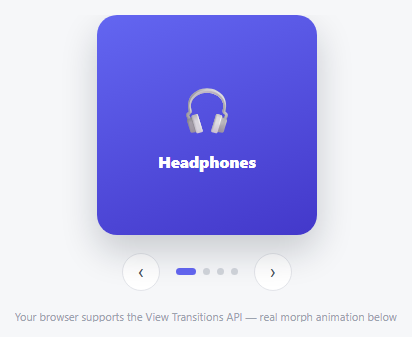
Every other carousel in this library animates a transition by hand — a transform, an opacity, a keyframe. This one hands that job to the browser itself: document.startViewTransition(callback) snapshots the DOM as it is right now, runs the callback (which just replaces the slide's HTML — no animation code inside it at all), snapshots the DOM again afterward, and then automatically cross-fades and morphs between the two snapshots for any element carrying a matching view-transition-name.
One CSS property is the entire animation setup
The *only* animation-related code in this snippet is view-transition-name: vtc-active-slide on .vtc-slide in the CSS. That single declaration tells the browser "treat this element as a named subject to animate between states" — there's no transition, no @keyframes, no JS-driven transform anywhere in the slide-change logic. paint() just tears down the old slide's markup and writes in the new one synchronously; the browser handles everything about *how* that change appears.
Feature detection, not a hard dependency
Because the View Transitions API isn't universal yet, every call is guarded: typeof document.startViewTransition === 'function'. When it's missing, update() just calls paint() directly — the carousel still works, it simply swaps instantly instead of animating. That's a deliberate progressive-enhancement pattern: the feature adds polish where supported and never breaks functionality where it isn't.
Build with AI
Build, Understand, Optimize, and Extend It With AI
Paste this snippet's HTML, CSS, and JS into an AI coding assistant like Claude and ask it to explain exactly what document.startViewTransition does with the DOM snapshots it captures before and after its callback runs, and why the callback itself (paint()) contains no animation code whatsoever. It's also worth asking the assistant to give the icon and title their own separate view-transition-names so they animate independently from the background, or to add a prefers-reduced-motion check that skips the transition wrapper entirely for users who've requested reduced motion.
Prompt to recreate it
Copy this into your AI assistant of choice to build the effect from scratch, or as a jumping-off point for your own variant:
Build a carousel in plain HTML, CSS, and vanilla JavaScript that uses the native browser View Transitions API to animate between slides, with no hand-written CSS transitions, keyframes, or JavaScript-driven transform animation for the slide-change effect itself — no library.

Requirements:
- A single stage element that, at any time, contains the markup for exactly one currently active slide (icon, title, and background), swapped out for a different slide's markup on navigation — implemented as a straightforward synchronous DOM replacement with no animation logic inside that replacement function.
- The slide element must carry a view-transition-name CSS property, which is the only styling responsible for enabling the automatic browser-driven cross-fade/morph animation between the old and new slide states.
- Before performing the DOM replacement, feature-detect whether the browser supports the View Transitions API by checking whether document.startViewTransition exists as a function. If supported, wrap the slide-replacement logic inside a call to document.startViewTransition, passing the replacement logic as its callback. If not supported, call the replacement logic directly with no wrapping, so the carousel still functions correctly (just without the animated transition) in browsers lacking the API.
- Display a small text note on the page reporting to the user whether their current browser supports the View Transitions API or not, determined by the same feature check.
- Previous/next buttons and a row of dynamically generated indicator dots that trigger the same slide-update logic (including the same view-transition wrapping/fallback behavior) as any other navigation method.
- Left/Right arrow key support performing the same next/previous action as the buttons.
Want to tighten it up first? Run this prompt through the AI Prompt Studio to score it across 8 quality dimensions, catch anti-patterns, and tune the wording for Claude, ChatGPT, or Gemini before you paste it in.
Source Code
<div class="vtc-wrap">
  <div class="vtc-stage" id="vtcStage">
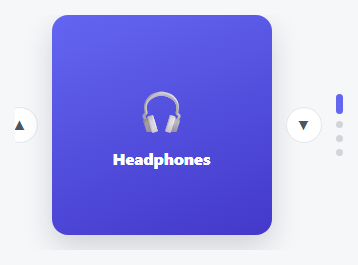
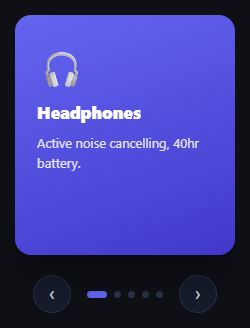
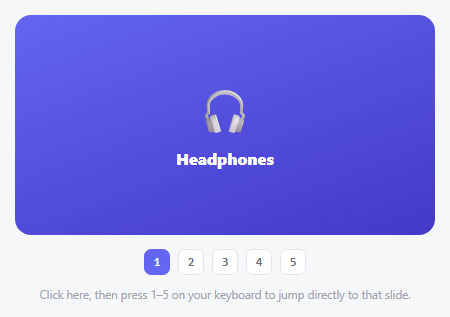
    <div class="vtc-slide" style="background:linear-gradient(160deg,#6366f1,#4338ca)"><span>🎧</span><h3>Headphones</h3></div>
  </div>
  <div class="vtc-controls">
    <button class="vtc-btn" id="vtcPrev" aria-label="Previous">‹</button>
    <div class="vtc-dots" id="vtcDots"></div>
    <button class="vtc-btn" id="vtcNext" aria-label="Next">›</button>
  </div>
  <p class="vtc-support" id="vtcSupport"></p>
</div>*{box-sizing:border-box;margin:0;padding:0}
body{font-family:system-ui,-apple-system,sans-serif;background:#f6f7f9;min-height:100vh;display:flex;align-items:center;justify-content:center;padding:24px}
.vtc-wrap{display:flex;flex-direction:column;align-items:center;gap:18px}
.vtc-stage{width:220px;height:220px}
.vtc-slide{width:100%;height:100%;border-radius:20px;display:flex;flex-direction:column;align-items:center;justify-content:center;gap:12px;box-shadow:0 16px 36px rgba(15,23,42,.2);view-transition-name:vtc-active-slide}
.vtc-slide span{font-size:46px}
.vtc-slide h3{color:#fff;font-size:16px;font-weight:800}
.vtc-controls{display:flex;align-items:center;gap:16px}
.vtc-btn{width:38px;height:38px;border-radius:50%;background:#fff;border:1.5px solid #e3e5ea;color:#4b5563;font-size:19px;cursor:pointer;display:flex;align-items:center;justify-content:center;transition:border-color .15s,color .15s}
.vtc-btn:hover{border-color:#6366f1;color:#6366f1}
.vtc-dots{display:flex;gap:7px}
.vtc-dot{width:7px;height:7px;border-radius:50%;background:#d1d5db;border:none;cursor:pointer;transition:background .2s,width .2s}
.vtc-dot.active{background:#6366f1;width:20px;border-radius:4px}
.vtc-support{font-size:11px;color:#9ca3af}var ITEMS = [
{ icon: '🎧', title: 'Headphones', bg: '#6366f1,#4338ca' },
{ icon: '📷', title: 'Camera', bg: '#ec4899,#9d174d' },
{ icon: '⌚', title: 'Watch', bg: '#0ea5e9,#0369a1' },
{ icon: '🎮', title: 'Console', bg: '#10b981,#047857' },
];
var stage = document.getElementById('vtcStage');
var dotsWrap = document.getElementById('vtcDots');
var supportNote = document.getElementById('vtcSupport');
var current = 0;
var supported = typeof document.startViewTransition === 'function';
supportNote.textContent = supported
? 'Your browser supports the View Transitions API — real morph animation below.'
: 'Your browser lacks View Transitions API support — falls back to an instant swap.';
ITEMS.forEach(function (it, i) {
var d = document.createElement('button');
d.className = 'vtc-dot';
d.setAttribute('aria-label', 'Go to slide ' + (i + 1));
d.addEventListener('click', function () { goTo(i); });
dotsWrap.appendChild(d);
});
var dots = document.querySelectorAll('.vtc-dot');
function paint() {
var it = ITEMS[current];
stage.innerHTML = '<div class="vtc-slide" style="background:linear-gradient(160deg,' + it.bg + ')"><span>' + it.icon + '</span><h3>' + it.title + '</h3></div>';
dots.forEach(function (d, i) { d.classList.toggle('active', i === current); });
}
function update(newIndex) {
current = newIndex;
// document.startViewTransition captures a snapshot of the DOM before AND
// after the callback runs, then cross-fades/morphs between them for any
// element carrying a view-transition-name — here, the slide itself. No
// manual keyframes are written for this transition at all; the browser
// interpolates position, size, and appearance between the two snapshots.
if (supported) {
document.startViewTransition(function () { paint(); });
} else {
paint();
}
}
function next() { update((current + 1) % ITEMS.length); }
function prev() { update((current - 1 + ITEMS.length) % ITEMS.length); }
function goTo(i) { update(i); }
document.getElementById('vtcNext').addEventListener('click', next);
document.getElementById('vtcPrev').addEventListener('click', prev);
document.addEventListener('keydown', function (e) {
if (e.key === 'ArrowRight') next();
else if (e.key === 'ArrowLeft') prev();
});
paint();Step by step
How to Use
- 1Paste HTML, CSS, and JSA support note tells you whether your browser has the View Transitions API; the first slide appears.
- 2Click the arrowsIn a supporting browser, the slide smoothly cross-fades and morphs into the next one — no hand-written animation.
- 3Click a dotJump directly to that slide, with the same automatic browser-driven transition.
- 4Try it in an unsupported browserThe carousel still works perfectly — it just swaps instantly instead of animating.
- 5Inspect the CSSNotice there's no transition or @keyframes rule driving the slide change at all — just one view-transition-name declaration.
Real-world uses
Common Use Cases
Got questions?
Frequently Asked Questions
It marks an element as a named "subject" the browser should track across a startViewTransition call — if an element with that same name exists in both the before and after DOM snapshots, the browser automatically animates between its old and new state (position, size, opacity) rather than treating it as an unrelated element being removed and added.
The feature is checked with typeof document.startViewTransition === "function" before use — when it's missing, paint() is called directly with no wrapping transition call, so the carousel still functions correctly, just without the animated cross-fade/morph.
Yes — give the icon, the title, and the background each their own unique view-transition-name, and the browser will animate each one's before/after state independently rather than treating the whole slide as one blob.
Yes, in supporting browsers it also works for full page navigations (same-document or cross-document), which is a separate but related use of the same API — this snippet demonstrates the single-page, same-document version.
Arrows and dots are real labeled buttons, fully keyboard-operable via Left/Right arrow keys; consider also checking prefers-reduced-motion and skipping startViewTransition's animation (calling paint() directly) for users who've requested reduced motion.