You Might Also Like
Learn Coding Visually
Learn to code with interactive, live-preview playgrounds — HTML, CSS, JavaScript, React & more.
 HTML Playground42 lessons · Click-based · Live preview
 CSS PlaygroundLearn CSS with a live editor
 JavaScript Playground60 lessons · DOM · Async · Canvas
 React PlaygroundLearn React with a live code editor
 GSAP PlaygroundLearn GSAP animation interactively
 SVG Playground44 lessons · shapes · paths · animation
 SCSS Playground45 lessons · Sass modules · tokens
 Tailwind PlaygroundLearn Tailwind CSS with a live editor
 Bootstrap 5 Playground50 lessons · live preview
CustomBounce Ball — Free GSAP Squash & Stretch Snippet
CustomBounce Ball · Animations · Plain HTML, CSS & JS · Live preview
What's included
Features
About this UI Snippet
CustomBounce Ball — Animation-Principle Bouncing With Paired Eases
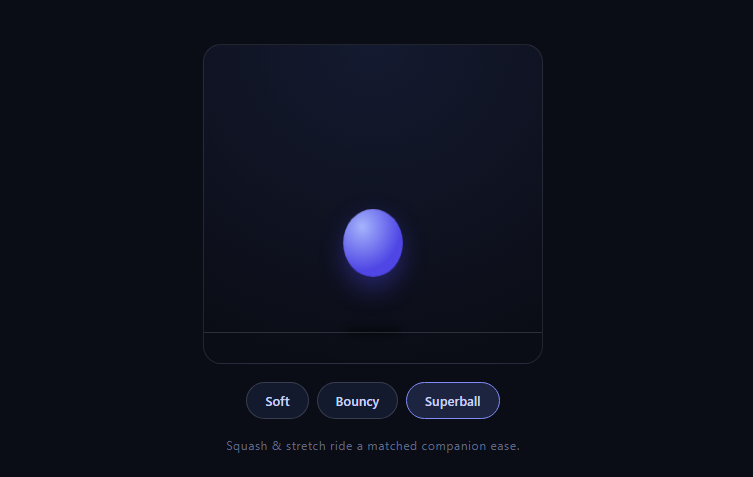
GSAP's built-in bounce.out moves a value like a bouncing ball — but a *real* ball also squashes on impact and stretches in flight, Disney's most famous animation principle. Faking that by hand means computing exactly when each bounce contacts the floor and syncing scale keyframes to those instants. CustomBounce (free on the CDN since 3.13) does the sync for you: one call generates a position ease *and* a matched squash ease whose deformations land precisely on every floor contact.
One create() call, two synchronized eases
CustomBounce.create('ball', { strength: 0.6, squash: 3 }) registers two named eases: 'ball', the bounce trajectory for y, and 'ball-squash', a companion curve that spikes exactly at the trajectory's contact points. Two separate tweens — one moving y, one animating scaleX/scaleY — run over the *same duration* with their respective eases, and because both curves were generated from the same bounce math, deformation and impact can never drift apart. That co-generation is the entire plugin; hand-synced versions break the moment you retune the bounce.
strength is restitution
The strength parameter (0–1) is effectively the coefficient of restitution: how much energy survives each bounce. Soft (0.3) dies in a couple of low rebounds; Superball (0.8) keeps rebounding tall and long. The demo scales total duration with strength (1.6 + strength) because bouncier balls genuinely take longer to settle — a fixed duration would compress the superball's extra bounces into frantic jitter.
squash: 3 and the transform origin
squash sets how much of the ease's time is spent deformed relative to airborne travel. The squash tween drives scaleX: 1.5, scaleY: 0.55 — wider and flatter — with transformOrigin: '50% 100%' so the ball flattens *against the floor* rather than around its own center (center-origin squash makes the ball appear to levitate mid-impact, the most common squash-and-stretch mistake).
The shadow rides the same position ease
The contact shadow grows and darkens using the *same* 'ball' ease on scale and opacity — so it inflates as the ball approaches and shrinks as it rebounds, in perfect sync, with zero additional timing logic. Reusing a registered ease across properties is the quiet superpower of named CustomEases.
Replays are kill-set-play
Each button re-creates the ease with a new strength (re-registering under the same name replaces it), kills running tweens, resets transforms, and replays — the standard idiom for parameterized animations, keeping every run interrupt-safe.
Where CustomBounce sits in the ease family
It's built on CustomEase (SVG-path-defined easing curves — also loaded here as a dependency) alongside CustomWiggle. Bounce trajectories are painful to draw by hand as paths; CustomBounce is essentially a curve *generator* for the physics-shaped subset. For arbitrary hand-drawn feels, drop to raw CustomEase; for oscillation, see custom wiggle icons.
Customizing it
Tweak squash (1 subtle, 4 cartoon), drop from a click position, or apply the paired-eases idea to UI: a dropping modal or badge with landing squash reads delightfully physical. Related motion: ease shopping in gsap ease gallery, simulated momentum in physics props pucks, gravity arcs in physics 2d burst, and the CSS-keyframe breathing animation.
Build with AI
Build, Understand, Optimize, and Extend It With AI
You don't have to reverse-engineer how the two generated eases stay locked together. Paste this snippet's HTML, CSS, and JS into an AI coding assistant like Claude and ask it to explain exactly how CustomBounce.create derives the 'ball-squash' ease from the same underlying bounce math as the 'ball' position ease, and why that guarantees the squash always lands on a floor contact instead of drifting out of sync over repeated bounces. The same assistant can help optimize it — ask whether re-creating the named ease on every button click is wasteful when only three fixed strength presets ever get used, and whether those could be pre-registered once instead. It's also useful for extending the effect: ask it to add a click-to-drop-from-cursor-position interaction, a second ball with a different squash value bouncing alongside the first for comparison, or a sound effect timed to trigger exactly at each floor contact using the same ease's progress. Treat the code less like a finished artifact and more like a starting point for a conversation.
Prompt to recreate it
Copy this into your AI assistant of choice to build the effect from scratch, or as a jumping-off point for your own variant:
Build a squash-and-stretch bouncing ball animation in plain HTML, CSS, and JavaScript using GSAP with the CustomEase and CustomBounce plugins (load all three from a CDN, in that order) — no manual keyframe timing.

Requirements:
- A circular ball element and a separate blurred elliptical shadow element on a stage with a visible floor line.
- Call CustomBounce.create with a unique name, a strength option between 0 and 1 controlling how much energy the bounce retains per rebound, and a squash option controlling how exaggerated the impact deformation is.
- Run two separate GSAP tweens over the exact same duration: one animating the ball's y position using the generated position ease, and one animating the ball's scaleX and scaleY using the generated companion squash ease, so the deformation is mathematically guaranteed to land exactly at each floor contact rather than being manually timed.
- Set the ball's transform-origin to the bottom-center of the element (not its own center) before applying the squash scale, so the ball visibly flattens against the floor on impact instead of appearing to compress around its own middle and float above the ground.
- Scale down the shadow's size and opacity when the ball is airborne and grow/darken it as the ball approaches the floor, driven by reusing the same named position ease rather than writing separate timing logic for the shadow.
- Scale the total animation duration up as the strength value increases, since a bouncier ball takes measurably longer to settle and a fixed duration would visually compress its extra rebounds.
- Provide at least three strength presets as buttons, and make replaying any preset kill any in-flight tweens on the ball and shadow, reset their transforms, then start a fresh animation — so rapid button clicks never leave the ball in a broken mid-animation state.
Want to tighten it up first? Run this prompt through the AI Prompt Studio to score it across 8 quality dimensions, catch anti-patterns, and tune the wording for Claude, ChatGPT, or Gemini before you paste it in.
Step by step
How to Use
- 1Add the GSAP CDNsgsap, CustomEase, and CustomBounce (order matters).
- 2Paste HTML, CSS, and JSThe ball drops immediately with the Bouncy preset.
- 3Watch an impactThe ball squashes flat exactly at floor contact.
- 4Try SuperballHigher strength: taller rebounds, longer settle.
- 5Watch the shadowIt grows and darkens on the same ease.
- 6Tune squashRaise it toward 4 for cartoon-grade deformation.
Real-world uses
Common Use Cases
Got questions?
Frequently Asked Questions
The companion squash ease. bounce.out only shapes a value's trajectory; CustomBounce.create generates that trajectory plus a second registered ease ('name-squash') whose spikes align exactly with each floor contact. Run position and scale tweens over the same duration with the paired eases and squash-and-stretch synchronizes to impacts automatically — the hand-sync this replaces breaks on every retune.
strength (0–1) is restitution — how much energy each rebound keeps: 0.3 dies quickly in low bounces, 0.8 keeps rebounding tall. squash sets how much relative time the ease allocates to deformation at contact versus airborne travel: 1 reads as firm rubber, 3–4 as cartoon. They're independent, so a soft ball can still squash dramatically.
Squash must flatten against the floor: with origin at 50% 100%, scaleY compresses the ball downward onto the contact line while scaleX widens it there. Center-origin squash shrinks toward the middle, visually lifting the ball's underside off the floor mid-impact — the tell-tale mistake in most squash-and-stretch attempts.
It tweens with the same registered 'ball' ease over the same duration — as y approaches the floor the ease's progress drives shadow scale and opacity up, and rebounds pull both back. Named eases are reusable across any tween and property, so one generated curve coordinates ball, squash companion, and shadow.
Each preset needs a different strength, and CustomBounce.create registering under the same name simply replaces the previous curves. The replay then follows the kill-set-play idiom — kill running tweens, reset transforms, start fresh — which keeps mid-animation button mashing safe and means the shadow and squash always pair with the current preset's trajectory.
Register CustomEase and CustomBounce at module scope and create the named ease there too if strength is fixed; parameterized versions re-create inside the play function as here. Trigger from handlers against refs, and killTweensOf the ball in the unmount cleanup (useEffect return, onUnmounted, ngOnDestroy). The stage is simple absolute positioning that maps directly to Tailwind utilities.