You Might Also Like
Learn Coding Visually
Learn to code with interactive, live-preview playgrounds — HTML, CSS, JavaScript, React & more.
 HTML Playground42 lessons · Click-based · Live preview
 CSS PlaygroundLearn CSS with a live editor
 JavaScript Playground60 lessons · DOM · Async · Canvas
 React PlaygroundLearn React with a live code editor
 GSAP PlaygroundLearn GSAP animation interactively
 SVG Playground44 lessons · shapes · paths · animation
 SCSS Playground45 lessons · Sass modules · tokens
 Tailwind PlaygroundLearn Tailwind CSS with a live editor
 Bootstrap 5 Playground50 lessons · live preview
Floating Share Dock — Free HTML CSS JS Social Snippet
Floating Share Dock · Navigation · Plain HTML, CSS & JS · Live preview
What's included
Features
About this UI Snippet
Floating Share Dock — Sticky Vertical Social Share Bar with Copy Link and Tooltips
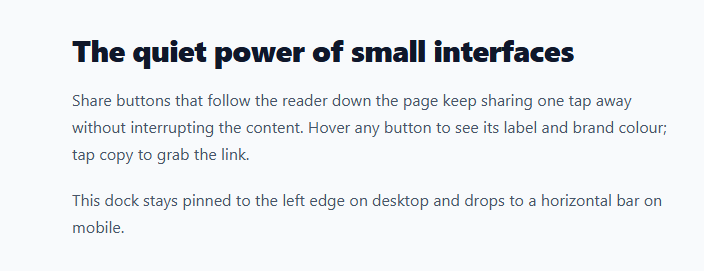
Readers share what is easy to share. A floating share dock — a small vertical bar pinned to the side of an article that scrolls with the reader — keeps sharing one tap away at every point in the content, without a clunky row of buttons interrupting the text. This component is a complete share dock with X (Twitter), Facebook, and LinkedIn intent links, a copy-link button with a clipboard fallback, hover tooltips, an optimistic share count, and a responsive layout that drops from a left-edge vertical column to a bottom horizontal bar on mobile. It is built in HTML, CSS, and vanilla JavaScript.
Fixed positioning that follows the reader
The dock uses position: fixed with left: 28px; top: 50% and transform: translateY(-50%) to centre it vertically against the viewport. Because it is fixed rather than absolute, it stays in place as the article scrolls — always reachable without hunting for it. The article content is given left padding so the text never collides with the dock. This is the pattern used by Medium, news sites, and most long-form blogs.
Share intent links, not SDKs
Each network button opens a share "intent" URL — the official endpoint each platform provides for pre-filled sharing (twitter.com/intent/tweet, facebook.com/sharer, linkedin.com/sharing/share-offsite). The script builds these from the current page URL and title with encodeURIComponent and opens them in a sized popup window via window.open(..., 'noopener,width=600,height=520'). This approach needs no third-party SDK, loads no tracking scripts, and adds zero weight to the page — a deliberate contrast to the heavy official share widgets that slow sites down.
Copy link with clipboard fallback
The copy button writes the page URL to the clipboard with the async navigator.clipboard.writeText() API, wrapped in a try/catch that falls back to a hidden-textarea document.execCommand('copy') for insecure contexts. On success the button swaps its link icon for a green checkmark (a pure-CSS icon toggle via the .copied class) and a toast slides up confirming "Link copied." Both the icon and the toast reset on timers that are cleared on repeat clicks.
CSS tooltips from aria-label
Each button reveals its label on hover using a ::after pseudo-element whose content is attr(aria-label) — so the accessible label and the visible tooltip are the same single source of truth, and there is no duplicated text to keep in sync. The tooltip fades and scales in beside the button. On hover the network buttons also fill with their real brand colour (X black, Facebook blue, LinkedIn blue), passed in via a --c CSS custom property on each button, so theming a button is a one-attribute change.
Optimistic share count
A small count sits at the bottom of the dock. Clicking a network button optimistically increments it immediately with parseInt + 1, rather than waiting for a server round-trip — the responsive feedback that makes the interaction feel instant. In production you would reconcile this with a real count from your analytics or a share-count API, but the optimistic bump is what users perceive.
Responsive vertical-to-horizontal flip
A media query at 720px transforms the dock from a vertical left-edge column into a horizontal bar fixed to the bottom-centre of the screen — the mobile-friendly placement within thumb reach. The tooltips re-orient to appear above the buttons instead of beside them, and the share count's divider switches from a top border to a left border. The same component serves desktop and mobile with only CSS changes.
Customisation
Set SHARE_URL and SHARE_TEXT (they default to the live page URL and the H1) to control what gets shared. Add or remove network buttons by editing the markup and the INTENTS map. Change each button's --c brand colour, swap the #6366f1 copy accent and #059669 success green, and adjust the dock offset and radius to match your layout.
Build with AI
Build, Understand, Optimize, and Extend It With AI
You don't have to trace the clipboard fallback or the tooltip trick by hand. Paste this snippet's HTML, CSS, and JS into an AI coding assistant like Claude and ask it to explain exactly why the tooltip's content comes from attr(aria-label) instead of a separate data attribute, and why the copy button's try/catch falls back to a hidden textarea with execCommand rather than just failing silently when navigator.clipboard is unavailable. The same assistant can help optimize it — ask whether the share count increment should be reconciled against a real share-count API instead of staying purely optimistic forever, or whether opening three separate share-intent popups needs any additional focus-management for accessibility. It's also useful for extending the dock: have it add more networks (Reddit, WhatsApp, email) using the same INTENTS map pattern, a native Web Share API branch for mobile that replaces the popup on supporting devices, or a "shared" celebration animation. Treat the code less like a finished artifact and more like a starting point for a conversation.
Prompt to recreate it
Copy this into your AI assistant of choice to build the effect from scratch, or as a jumping-off point for your own variant:
Build a sticky vertical social share dock for an article page in plain HTML, CSS, and JavaScript — no third-party SDKs, no tracking scripts, only official share-intent URLs opened in popups.

Requirements:
- A fixed-position dock pinned to the left edge of the viewport, vertically centered, containing icon buttons for at least three social networks plus a copy-link button and a small share count, all inside a card-styled container with a shadow.
- Each network button must open that platform's official share-intent URL (built from the current page's URL and title, properly encoded) in a new popup window sized roughly 600x520 with noopener, rather than loading any SDK or widget script. Store the network-to-intent-URL mapping in a single lookup object keyed by network name so adding a network is a one-line addition.
- Each button's hover tooltip must be a CSS ::after pseudo-element whose text content comes directly from that button's aria-label attribute (using the attr() CSS function), so the accessible label and the visible tooltip can never drift out of sync. Each button must also visually fill with its own real brand color on hover, driven by a per-button CSS custom property rather than a hardcoded per-button CSS rule.
- The copy-link button must attempt navigator.clipboard.writeText first, and only if that throws (e.g. an insecure context), fall back to creating a temporary off-screen textarea, selecting its text, and calling document.execCommand('copy'), then removing the textarea. On success, swap the button's icon from a link icon to a checkmark icon using a CSS class (not by replacing DOM nodes) and show a toast notification that fades in and back out on a timer.
- Clicking any social network button must optimistically increment the visible share count immediately, without waiting for the popup or any network confirmation.
- Add a media query that, below a reasonable breakpoint, converts the dock from a vertical left-edge column into a horizontal bar fixed to the bottom-center of the screen, with the tooltips reorienting to appear above the buttons instead of beside them.
Want to tighten it up first? Run this prompt through the AI Prompt Studio to score it across 8 quality dimensions, catch anti-patterns, and tune the wording for Claude, ChatGPT, or Gemini before you paste it in.
Step by step
How to Use
- 1Paste the HTML, CSS, and JSA vertical share dock pins to the left edge beside the article, with X, Facebook, LinkedIn, copy, and a share count.
- 2Hover a buttonA tooltip with the network name fades in beside it and the button fills with that network's brand colour.
- 3Click a networkA sized share popup opens pre-filled with the page URL and title, and the share count bumps up by one.
- 4Click copyThe page link is copied, the icon turns into a green check, and a toast slides up confirming "Link copied."
- 5Resize to mobileBelow 720px the dock becomes a horizontal bar fixed to the bottom-center with tooltips flipping above the buttons.
- 6Set the share targetEdit SHARE_URL and SHARE_TEXT, and add or remove buttons via the markup and the INTENTS map.
Real-world uses
Common Use Cases
Got questions?
Frequently Asked Questions
Yes. Each button opens that platform's official share-intent URL (twitter.com/intent/tweet, facebook.com/sharer, linkedin.com/sharing/share-offsite) in a popup window. There is no Facebook SDK, no Twitter widget script, and no tracking pixel — just a link with the page URL and title encoded into it. This keeps the page fast and avoids loading the platforms' heavy official widgets.
Edit the SHARE_URL and SHARE_TEXT constants at the top of the script. They default to window.location.href and the page's H1, but you can set them to a canonical URL and a custom share message. The values are encoded with encodeURIComponent before being inserted into the intent links, so special characters are handled safely.
Add a button with a data-net attribute and a --c brand colour in the markup, then add a matching entry to the INTENTS map that returns the share URL for that network. To remove one, delete its button and its INTENTS entry. The copy button is handled separately in the click logic, so it is independent of the network list.
It is an optimistic update — the count increments immediately so the interaction feels instant, rather than waiting for a popup to open and a server to confirm. In production you would fetch the real count from a share-count API or your analytics on load and reconcile, but the instant local bump is what users perceive as responsiveness.
Render the buttons from a config array of { net, label, color, intent }. The click handler stays nearly identical — open the intent URL or copy the link — but read the URL/title from props or the router rather than the DOM. Hold the copied and count state in the framework and bind them to the .copied class and the count text; clear the copy/toast timeouts in a cleanup hook. The fixed positioning, tooltips, and brand-colour hover are all CSS and port unchanged.