You Might Also Like
Learn Coding Visually
Learn to code with interactive, live-preview playgrounds — HTML, CSS, JavaScript, React & more.
 HTML Playground42 lessons · Click-based · Live preview
 CSS PlaygroundLearn CSS with a live editor
 JavaScript Playground60 lessons · DOM · Async · Canvas
 React PlaygroundLearn React with a live code editor
 GSAP PlaygroundLearn GSAP animation interactively
 SVG Playground44 lessons · shapes · paths · animation
 SCSS Playground45 lessons · Sass modules · tokens
 Tailwind PlaygroundLearn Tailwind CSS with a live editor
 Bootstrap 5 Playground50 lessons · live preview
Achievement Unlock Toast — Free HTML CSS JS Snippet
Achievement Unlock Toast · Modals · Plain HTML, CSS & JS · Live preview
What's included
Features
About this UI Snippet
Achievement Unlock Toast — Queued Game-Style Notification Toast in Vanilla JS
Games like Steam, Xbox, and PlayStation solved a UI problem long before web apps needed to: what happens when the user does two things worth celebrating within the same second? If both toasts render at once, they overlap and neither is readable. If the second replaces the first mid-animation, the player never actually sees what they earned. The correct answer, used by every console overlay, is a queue — one toast on screen at a time, everything else waits its turn. This snippet implements exactly that pattern with a plain JavaScript array and a boolean lock, no external state library, and applies it to a celebratory "Achievement Unlocked" toast with a spring-overshoot badge entrance and a small radial spark burst.
The queue: an array plus a lock flag
The entire scheduling logic is two module-level variables: queue, a plain array acting as FIFO storage, and isShowing, a boolean lock. queueAchievement(data) does one thing — queue.push(data) — then calls tryShowNext(). That function is the gatekeeper: if isShowing is true, it returns immediately and does nothing, leaving the new item sitting safely in the array. If nothing is showing and the queue has an item, it calls queue.shift() to pull the oldest entry off the front, sets isShowing = true, and renders it. The lock is only released back to false inside dismiss(), right before tryShowNext() is called again — which is what lets the next queued achievement (if any) begin its own entrance animation. This shift-then-lock-then-unlock-then-recurse loop is the same shape used by toast notification libraries, upload-progress queues, and chat "typing" indicator sequencing in production apps; the achievement toast is just a concrete, visual place to see it work.
Why shift() and not pop()
Using Array.prototype.shift() instead of pop() is deliberate — it takes from the front of the array, preserving the order achievements were earned in. If pop() were used instead, firing three achievements quickly would show the last-earned one first, which reads as a bug to any player watching their own accomplishments play back out of order. FIFO ordering is the entire point of a notification queue; a stack (LIFO) is the wrong data structure here even though both are one-line changes.
Spring-overshoot entrance with cubic-bezier
The badge and toast card both animate in using a CSS @keyframes rule driven by cubic-bezier(0.34, 1.56, 0.64, 1) — a bezier curve whose second control point exceeds 1, which is what produces the overshoot: the element grows past its final scale of 1 before settling back down, mimicking a physical spring rather than a linear ease. The badge keyframes go further, adding a rotation from -140 degrees back to 0 degrees so the medal appears to spin into place rather than simply grow. Because this is pure CSS animation rather than a JavaScript physics simulation, it runs on the compositor thread and stays smooth even while other work (like the spark burst) is happening on the main thread at the same time.
The spark burst: trigonometry, not sprites
Ten span.spark elements are generated in a loop, each positioned with Math.cos(angle) * distance and Math.sin(angle) * distance where angle divides a full circle (2π) into ten equal slices. Those computed x/y offsets are written as CSS custom properties (--sx, --sy) directly in each spark's inline style, and a shared @keyframes sparkFly rule reads them via translate(var(--sx), var(--sy)) to fly every spark outward along its own radius. Staggering each spark's animation-delay by a small per-index offset makes the burst feel organic rather than a single synchronized pop, without needing any actual particle-system library.
Auto-dismiss synced to a real progress bar
The thin bar under the toast is not decorative — its animation-duration is set in JavaScript to the exact same AUTO_DISMISS_MS value used in the setTimeout that removes the toast, using scaleX(1) to scaleX(0) as a literal, linear countdown the user can watch. Clicking the toast clears that timeout and dismisses immediately, so a player who already read their achievement is never stuck waiting. Either path — timeout or click — funnels into the same dismiss() function, which listens for animationend on the CSS-driven exit animation before actually removing the DOM node and releasing the isShowing lock, guaranteeing the exit animation always finishes cleanly before the next queued toast begins its own entrance.
Build with AI
Build, Understand, Optimize, and Extend It With AI
Paste this snippet's JavaScript into an AI assistant like Claude and ask it to trace exactly what happens if queueAchievement() is called five times in the same synchronous loop — walking through the isShowing lock step by step is a great way to actually understand FIFO queueing rather than just accepting that it works. From there, try asking the assistant to add a "max 2 queued, drop the rest" limit, a pause-on-hover that stops the countdown bar, or a swap from CSS keyframes to the Web Animations API so the entrance and exit can be reversed smoothly if the toast is clicked mid-animation.
Prompt to recreate it
Copy this into your AI assistant of choice to build the effect from scratch, or as a jumping-off point for your own variant:
Build a queued "Achievement Unlocked" toast notification system in plain HTML, CSS, and JavaScript — no frameworks, no libraries.

Requirements:
- A toast card that renders a circular badge icon, an eyebrow label, a title, and a short description, anchored to one area of the screen.
- The badge and card must animate in with a spring/overshoot effect (grows past 100% scale before settling) using a CSS cubic-bezier keyframe animation, not a JS tween.
- Around the badge, generate a burst of 8-12 small particle elements positioned using trigonometry (Math.cos/Math.sin around a circle) that fly outward and fade on entrance, staggered slightly so they don't all move in perfect unison.
- Implement a strict FIFO queue using a plain array and a boolean "currently showing" lock: pushing a new achievement while one is visible must NOT render it immediately — it must wait until the current toast's exit animation fully completes.
- Auto-dismiss each toast after a few seconds using a visible countdown progress bar whose animation duration exactly matches the JS timeout duration, and also allow dismissing early by clicking the toast (cancelling the pending timeout).
- After a toast's exit animation ends (detected via an animationend listener, not a fixed setTimeout guess), remove it from the DOM, release the lock, and automatically show the next queued achievement if one is waiting.
- Provide a few demo trigger buttons, including one that fires several achievements in the same click handler, to prove the queue never shows two toasts stacked or overlapping.
Want to tighten it up first? Run this prompt through the AI Prompt Studio to score it across 8 quality dimensions, catch anti-patterns, and tune the wording for Claude, ChatGPT, or Gemini before you paste it in.
Step by step
How to Use
- 1Click a single achievement buttonA toast slides up from the bottom with a spring-overshoot scale animation, the badge spins into place, and a burst of gold sparks flies outward from around it.
- 2Watch the auto-dismiss progress bar drainA thin amber bar beneath the toast text shrinks from full width to nothing over about 3.6 seconds — when it empties, the toast fades and slides out on its own.
- 3Click the toast itself to dismiss earlyClicking anywhere on the toast cancels the countdown immediately and plays the same exit animation, so you never have to wait out the timer if you already saw the message.
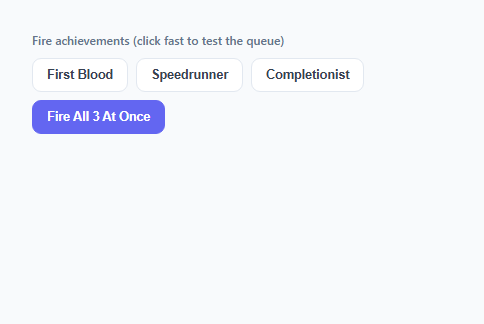
- 4Click "Fire All 3 At Once" to see the queueAll three achievements are pushed into the queue array in the same tick, but only the first one animates in — the other two wait silently until the current toast fully dismisses.
- 5Watch the "+N queued" counter in the cornerWhile a toast is showing and others are waiting, a small counter in the top-right of the toast tells you how many more are lined up behind it.
- 6Confirm strict one-at-a-time, in-order playbackEach queued achievement appears only after the previous one fully finishes its exit animation, and they always play back in the exact order you triggered them — first earned, first shown.
Real-world uses
Common Use Cases
Got questions?
Frequently Asked Questions
Call queueAchievement() with an object shaped like the entries in the ACHIEVEMENTS array: { icon: "trophy", title: "...", desc: "..." }. The icon key must match a key in the ICONS map (trophy, bolt, star) or you can add your own SVG entry to that map. The function immediately pushes onto the internal queue array and calls tryShowNext(), which either renders it right away or leaves it waiting if another toast is currently visible — you never need to check isShowing yourself.
No — that is the entire purpose of the isShowing lock flag. tryShowNext() checks isShowing before doing anything, and it only becomes false again inside dismiss(), after the exit animation has fully played via the animationend listener. Even if you call queueAchievement() ten times in a single synchronous loop, only one toast renders at a time, in the order they were queued.
Change the AUTO_DISMISS_MS constant at the top of the script (in milliseconds) — it drives both the setTimeout call and the progress-bar animation-duration, so they always stay in sync automatically. To disable auto-dismiss entirely and require a click, remove the setTimeout call in showToast() and keep only the click listener that calls dismiss().
Yes. Keep queue and isShowing as values in a ref (React useRef, or a plain module-level variable in Vue/Angular) rather than reactive state, since they are scheduling internals, not render data — only the "currently visible achievement" needs to be actual component state. In React, call tryShowNext() from a useEffect with no dependency array to mount the listener setup once, and make sure any pending setTimeout from showToast is cleared in the effect cleanup function if the component unmounts mid-toast, to avoid a "set state on unmounted component" warning. In Vue, the equivalent goes in onMounted/onBeforeUnmount; in Angular, ngAfterViewInit and ngOnDestroy.
shift() removes and returns the first element of the array, preserving the order things were queued in (first earned, first shown). pop() would remove the last element, meaning the most recently triggered achievement would display first — which looks like a bug to a user watching their own accomplishments appear out of order. FIFO ordering via shift() is what makes this a true queue rather than a stack.