Source Code
<div class="demo">
  <div class="trigger-grid">
    <button class="trig success" onclick="toast('success','Changes saved','Your profile has been updated.')">Success</button>
    <button class="trig error" onclick="toast('error','Upload failed','File too large. Max size is 10 MB.')">Error</button>
    <button class="trig info" onclick="toast('info','New version available','v2.4.0 includes performance fixes.')">Info</button>
    <button class="trig warning" onclick="toast('warning','Session expiring','You will be logged out in 5 minutes.')">Warning</button>
    <button class="trig neutral" onclick="toast('neutral','Synced','All changes backed up to Gist.')">Neutral</button>
    <button class="trig dismiss" onclick="dismissAll()">Dismiss all</button>
  </div>
</div>

<div class="toast-container" id="toast-container" aria-live="polite" aria-label="Notifications"></div>
* { box-sizing: border-box; margin: 0; padding: 0; }
body { font-family: system-ui, sans-serif; background: #f1f5f9; min-height: 100vh; display: flex; align-items: center; justify-content: center; padding: 24px; }
.demo { display: flex; flex-direction: column; align-items: center; gap: 16px; }
.trigger-grid { display: grid; grid-template-columns: repeat(3, 1fr); gap: 8px; }
.trig { padding: 10px 14px; border-radius: 9px; border: none; font-size: 13px; font-weight: 700; cursor: pointer; transition: opacity 0.12s; font-family: inherit; }
.trig:hover { opacity: 0.85; }
.trig.success { background: rgba(34,197,94,0.12); color: #16a34a; }
.trig.error { background: rgba(239,68,68,0.12); color: #dc2626; }
.trig.info { background: rgba(99,102,241,0.12); color: #4f46e5; }
.trig.warning { background: rgba(245,158,11,0.12); color: #b45309; }
.trig.neutral { background: rgba(100,116,139,0.12);color: #475569; }
.trig.dismiss { background: #1e293b; color: #fff; grid-column: 1/-1; }
/* Toast container */
.toast-container { position: fixed; bottom: 16px; left: 50%; transform: translateX(-50%); display: flex; flex-direction: column-reverse; gap: 8px; z-index: 9999; width: min(340px, calc(100vw - 32px)); pointer-events: none; }
/* Individual toast */
.toast { background: #fff; border-radius: 12px; padding: 13px 14px; display: flex; align-items: flex-start; gap: 10px; box-shadow: 0 4px 24px rgba(0,0,0,0.1); border-left: 3px solid; pointer-events: all; animation: toastIn 0.3s cubic-bezier(0.32,0.72,0,1) forwards; position: relative; overflow: hidden; }
.toast.leaving { animation: toastOut 0.25s ease forwards; }
@keyframes toastIn { from { opacity:0; transform:translateX(40px) scale(0.96); } to { opacity:1; transform:none; } }
@keyframes toastOut { to { opacity:0; transform:translateX(40px) scale(0.96); max-height:0; padding:0; margin:0; } }
/* Progress bar */
.toast-progress { position: absolute; bottom: 0; left: 0; height: 2px; animation: shrink linear forwards; }
@keyframes shrink { from { width: 100%; } to { width: 0%; } }
/* Colours per type */
.toast.success { border-color: #22c55e; }
.toast.success .toast-icon { color: #16a34a; }
.toast.success .toast-progress { background: #22c55e; }
.toast.error { border-color: #ef4444; }
.toast.error .toast-icon { color: #dc2626; }
.toast.error .toast-progress { background: #ef4444; }
.toast.info { border-color: #6366f1; }
.toast.info .toast-icon { color: #4f46e5; }
.toast.info .toast-progress { background: #6366f1; }
.toast.warning { border-color: #f59e0b; }
.toast.warning .toast-icon { color: #b45309; }
.toast.warning .toast-progress { background: #f59e0b; }
.toast.neutral { border-color: #94a3b8; }
.toast.neutral .toast-icon { color: #64748b; }
.toast.neutral .toast-progress { background: #94a3b8; }
.toast-icon { flex-shrink: 0; margin-top: 1px; }
.toast-body { flex: 1; min-width: 0; }
.toast-title { font-size: 13px; font-weight: 700; color: #0f172a; }
.toast-msg { font-size: 12px; color: #64748b; margin-top: 2px; line-height: 1.5; }
.toast-close { background: none; border: none; color: #94a3b8; font-size: 16px; cursor: pointer; padding: 0 2px; flex-shrink: 0; transition: color 0.12s; line-height: 1; margin-top: -1px; }
.toast-close:hover { color: #374151; }const ICONS = {
success: '<svg width="16" height="16" viewBox="0 0 24 24" fill="none" stroke="currentColor" stroke-width="2.5" stroke-linecap="round"><circle cx="12" cy="12" r="10"/><polyline points="9 12 11 14 15 10"/></svg>',
error: '<svg width="16" height="16" viewBox="0 0 24 24" fill="none" stroke="currentColor" stroke-width="2.5" stroke-linecap="round"><circle cx="12" cy="12" r="10"/><line x1="15" y1="9" x2="9" y2="15"/><line x1="9" y1="9" x2="15" y2="15"/></svg>',
info: '<svg width="16" height="16" viewBox="0 0 24 24" fill="none" stroke="currentColor" stroke-width="2.5" stroke-linecap="round"><circle cx="12" cy="12" r="10"/><line x1="12" y1="8" x2="12" y2="12"/><line x1="12" y1="16" x2="12.01" y2="16"/></svg>',
warning: '<svg width="16" height="16" viewBox="0 0 24 24" fill="none" stroke="currentColor" stroke-width="2.5" stroke-linecap="round"><path d="M10.29 3.86L1.82 18a2 2 0 0 0 1.71 3h16.94a2 2 0 0 0 1.71-3L13.71 3.86a2 2 0 0 0-3.42 0z"/><line x1="12" y1="9" x2="12" y2="13"/><line x1="12" y1="17" x2="12.01" y2="17"/></svg>',
neutral: '<svg width="16" height="16" viewBox="0 0 24 24" fill="none" stroke="currentColor" stroke-width="2.5" stroke-linecap="round"><path d="M4.5 9A8 8 0 0 1 19 8"/><path d="M19.5 15A8 8 0 0 1 5 16"/><path d="M19 5v4h-4"/><path d="M5 19v-4h4"/></svg>',
};
const DURATION = 4000;
const MAX = 5;
function toast(type, title, msg) {
const container = document.getElementById('toast-container');
// Remove oldest if over max
const toasts = container.querySelectorAll('.toast:not(.leaving)');
if (toasts.length >= MAX) dismiss(toasts[toasts.length - 1]);
const el = document.createElement('div');
el.className = 'toast ' + type;
el.innerHTML =
'<div class="toast-icon">' + ICONS[type] + '</div>' +
'<div class="toast-body"><div class="toast-title">' + title + '</div>' +
(msg ? '<div class="toast-msg">' + msg + '</div>' : '') + '</div>' +
'<button class="toast-close" onclick="dismiss(this.closest('.toast'))" aria-label="Dismiss">×</button>' +
'<div class="toast-progress" style="animation-duration:' + DURATION + 'ms"></div>';
container.prepend(el);
const timer = setTimeout(() => dismiss(el), DURATION);
el.dataset.timer = timer;
// Pause on hover
el.addEventListener('mouseenter', () => {
clearTimeout(+el.dataset.timer);
el.querySelector('.toast-progress').style.animationPlayState = 'paused';
});
el.addEventListener('mouseleave', () => {
el.querySelector('.toast-progress').style.animationPlayState = 'running';
el.dataset.timer = setTimeout(() => dismiss(el), 1500);
});
}
function dismiss(el) {
if (!el || el.classList.contains('leaving')) return;
clearTimeout(+el.dataset.timer);
el.classList.add('leaving');
el.addEventListener('animationend', () => el.remove(), { once: true });
}
function dismissAll() {
document.querySelectorAll('.toast').forEach(dismiss);
}Learn Coding Visually
Learn to code with interactive, live-preview playgrounds — HTML, CSS, JavaScript, React & more.
 HTML Playground42 lessons · Click-based · Live preview
 CSS PlaygroundLearn CSS with a live editor
 JavaScript Playground60 lessons · DOM · Async · Canvas
 React PlaygroundLearn React with a live code editor
 GSAP PlaygroundLearn GSAP animation interactively
 SVG Playground44 lessons · shapes · paths · animation
 SCSS Playground45 lessons · Sass modules · tokens
 Tailwind PlaygroundLearn Tailwind CSS with a live editor
 Bootstrap 5 Playground50 lessons · live preview
Toast Queue — Free HTML CSS JS Snippet
Toast Queue · Modals · Plain HTML, CSS & JS · Live preview
What's included
Features
About this UI Snippet
Toast Queue — Multi-Toast Stack, Progress Bar, Hover Pause, Auto-Dismiss & Max Limit
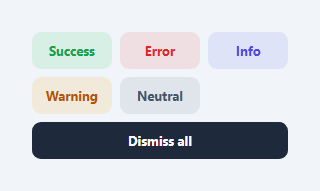
A toast notification queue manages multiple simultaneous toasts — stacking them, auto-dismissing each after a timeout, pausing on hover, and removing the oldest when a maximum count is reached. This is the production-grade version of a single toast notification. It handles the real-world case where multiple operations complete or fail simultaneously. This snippet provides: five semantic toast types (success, error, info, warning, neutral), a CSS progress bar that drains over the dismiss duration, hover-to-pause, animated entrance and exit, a dismiss-all button, and a configurable maximum stack size.
The toast queue architecture
Toasts are prepended to a column-reverse flex container — prepend adds at the visual bottom of the stack (newest appears below older toasts). The flex-direction: column-reverse means the newest toast is at the DOM top but visually at the bottom-right, appearing to "stack up" from the corner. Each toast gets an individual setTimeout for auto-dismiss stored in a data-timer attribute.
The CSS progress bar
Each toast contains a .toast-progress div with animation: shrink linear forwards. The animation runs for DURATION milliseconds (4000ms by default), shrinking width from 100% to 0%. The animation-duration is set as an inline style from the JavaScript constant. When the user hovers, the animation is paused via animationPlayState and a new shorter timer (1500ms) starts on mouseleave.
Hover-to-pause
On mouseenter, clearTimeout removes the pending auto-dismiss. The progress bar animation is paused. On mouseleave, the animation resumes and a new 1500ms timer starts. This gives users time to read toasts without the timer running while they are focused on the notification.
The maximum stack limit
Before adding a new toast, the queue checks the count of non-leaving toasts. If equal to MAX (5), the oldest toast (last in the column-reverse list) is dismissed first. This prevents the toast stack from growing unboundedly on rapid triggers.
The exit animation
The .leaving class triggers an exit animation: toastOut slides the toast to the right with scale(0.96) and opacity 0, while also animating max-height and padding to 0. This collapse animation removes the toast from the visual stack without leaving a gap.
Integrating with a global event bus
For framework-free apps, dispatch and listen to custom events: window.dispatchEvent(new CustomEvent("toast", { detail: { type:"success", title:"Saved!" } })). Add a listener: window.addEventListener("toast", e => toast(e.detail.type, e.detail.title, e.detail.msg)). Any module or component can now fire toasts without direct function calls. This decoupled pattern prevents circular dependencies in larger applications.
Build with AI
Build, Understand, Optimize, and Extend It With AI
Ask an AI coding assistant like Claude to trace through what happens to a toast's timer and progress bar the instant you hover it — specifically why mouseenter clears the original setTimeout and pauses the CSS animation, while mouseleave doesn't just resume the original countdown but starts a fresh, shorter one. It's worth a correctness check too: since dismiss() reads data-timer off the element and clearTimeout can silently no-op on an already-fired timer, ask whether there's a race condition when a toast is dismissed manually right as its auto-dismiss timer fires. For extending it, ask for an action button inside a toast that both runs a callback and dismisses it, a deduplication check that bumps an existing toast instead of stacking a duplicate, or grouping toasts by type with a collapsed "3 more" summary once the max is exceeded. Treat the code less like a finished artifact and more like a starting point for a conversation.
Prompt to recreate it
Copy this into your AI assistant of choice to build the effect from scratch, or as a jumping-off point for your own variant:
Build a stacked toast notification queue in plain HTML, CSS, and JavaScript with a maximum visible count, a per-toast countdown progress bar, and hover-to-pause — no library.

Requirements:
- A toast function that creates a new toast element, prepends it into a fixed-position container using flex-direction: column-reverse (so newest toasts visually stack at the bottom while being first in DOM order), and stores its own auto-dismiss setTimeout id on the element itself (e.g. as a data attribute) so each toast's timer can be individually cancelled.
- Before adding a new toast, check the count of currently visible (non-dismissing) toasts against a maximum constant; if the stack is already at that maximum, dismiss the oldest visible toast first so the total never exceeds the configured limit.
- Each toast must include a thin progress bar whose width shrinks from 100% to 0% via a CSS animation matched in duration to the toast's auto-dismiss timer, giving a visual countdown of exactly how much time is left.
- On mouseenter, clear the toast's pending dismiss timer and pause the progress bar's CSS animation (via animationPlayState); on mouseleave, resume the animation and start a new, shorter timer so a toast the user was reading still dismisses promptly rather than lingering indefinitely.
- A single dismiss function that guards against double-dismissal, cancels any pending timer, adds an exit-animation class, and removes the element from the DOM only once that exit animation completes via an animationend listener.
- A "dismiss all" control that iterates every current toast and calls the same dismiss function on each, rather than duplicating the removal logic.
Want to tighten it up first? Run this prompt through the AI Prompt Studio to score it across 8 quality dimensions, catch anti-patterns, and tune the wording for Claude, ChatGPT, or Gemini before you paste it in.
Step by step
How to Use
- 1Click the trigger buttons to show different toast typesEach button shows a toast with a matching colour, icon, and progress bar. Hover a toast to pause its timer. Add 6 toasts to see the oldest one auto-dismiss when the stack limit is reached.
- 2Call toast() from anywhere in your codetoast("success", "Saved!", "Optional description") — first arg is the type, second is the title, third is an optional message. Call from API callbacks, form handlers, or any async operation.
- 3Change the auto-dismiss durationUpdate const DURATION = 4000 at the top of the JS. The progress bar animation-duration updates automatically since it reads from this constant. Use 3000 for quick feedback toasts, 6000 for important warnings.
- 4Change the maximum simultaneous toastsUpdate const MAX = 5 to control the stack limit. The oldest toast dismisses automatically when a new toast would exceed this limit.
- 5Change the toast positionUpdate .toast-container CSS: bottom/right for bottom-right (default), top/right for top-right, bottom/left for bottom-left. For centred top toasts, use top:24px; left:50%; transform:translateX(-50%); and change flex-direction to column.
- 6Export in your formatClick "HTML" for a standalone file, "JSX" for a React component with a toast context/hook, or "Tailwind" for a React + Tailwind CSS version.
Real-world uses
Common Use Cases
Got questions?
Frequently Asked Questions
On mouseenter: clearTimeout(+el.dataset.timer) cancels the pending dismiss. el.querySelector(".toast-progress").style.animationPlayState = "paused" freezes the visual progress bar. On mouseleave: the progress animation resumes with animationPlayState = "running". A new setTimeout of 1500ms starts — shorter than the original duration so toasts that were hovered still dismiss reasonably quickly after the user stops hovering. The data-timer attribute holds the current timer ID for each toast independently.
Create a ToastContext: const ToastContext = React.createContext(null). In a ToastProvider, manage toasts as useState([]) and expose a toast() function via the context. Components call const { toast } = useContext(ToastContext). Render the <ToastContainer> inside the provider. This gives any component in the tree access to add toasts without prop drilling. For TypeScript, define a ToastType and use useReducer for more complex state management.
Add a button inside the toast HTML: after the toast-msg div, add <button class="toast-action" onclick="handleAction()">View details</button>. Style .toast-action with font-size:12px; font-weight:700; color:inherit; background:transparent; border:1px solid currentColor; border-radius:6px; padding:3px 10px; cursor:pointer; margin-top:6px. The action button clicking should also dismiss the toast: onclick="handleAction(); dismiss(this.closest('.toast'))".
Add a message ID to each toast: el.dataset.toastId = title + "-" + type. Before adding, check for duplicates: if (container.querySelector("[data-toast-id='" + toastId + "']")) { bump animation on existing toast instead of creating new. }. This prevents "Changes saved" from appearing 5 times if the user clicks save rapidly. The bump animation (brief scale up and down) communicates that a duplicate was received without adding visual clutter.