You Might Also Like
Learn Coding Visually
Learn to code with interactive, live-preview playgrounds — HTML, CSS, JavaScript, React & more.
 HTML Playground42 lessons · Click-based · Live preview
 CSS PlaygroundLearn CSS with a live editor
 JavaScript Playground60 lessons · DOM · Async · Canvas
 React PlaygroundLearn React with a live code editor
 GSAP PlaygroundLearn GSAP animation interactively
 SVG Playground44 lessons · shapes · paths · animation
 SCSS Playground45 lessons · Sass modules · tokens
 Tailwind PlaygroundLearn Tailwind CSS with a live editor
 Bootstrap 5 Playground50 lessons · live preview
Cookie Preferences Panel — Free HTML CSS JS Snippet
Cookie Preferences Panel · Modals · Plain HTML, CSS & JS · Live preview
What's included
Features
About this UI Snippet
Cookie Preferences Panel — Per-Category Consent Toggles with Accept, Reject and Save
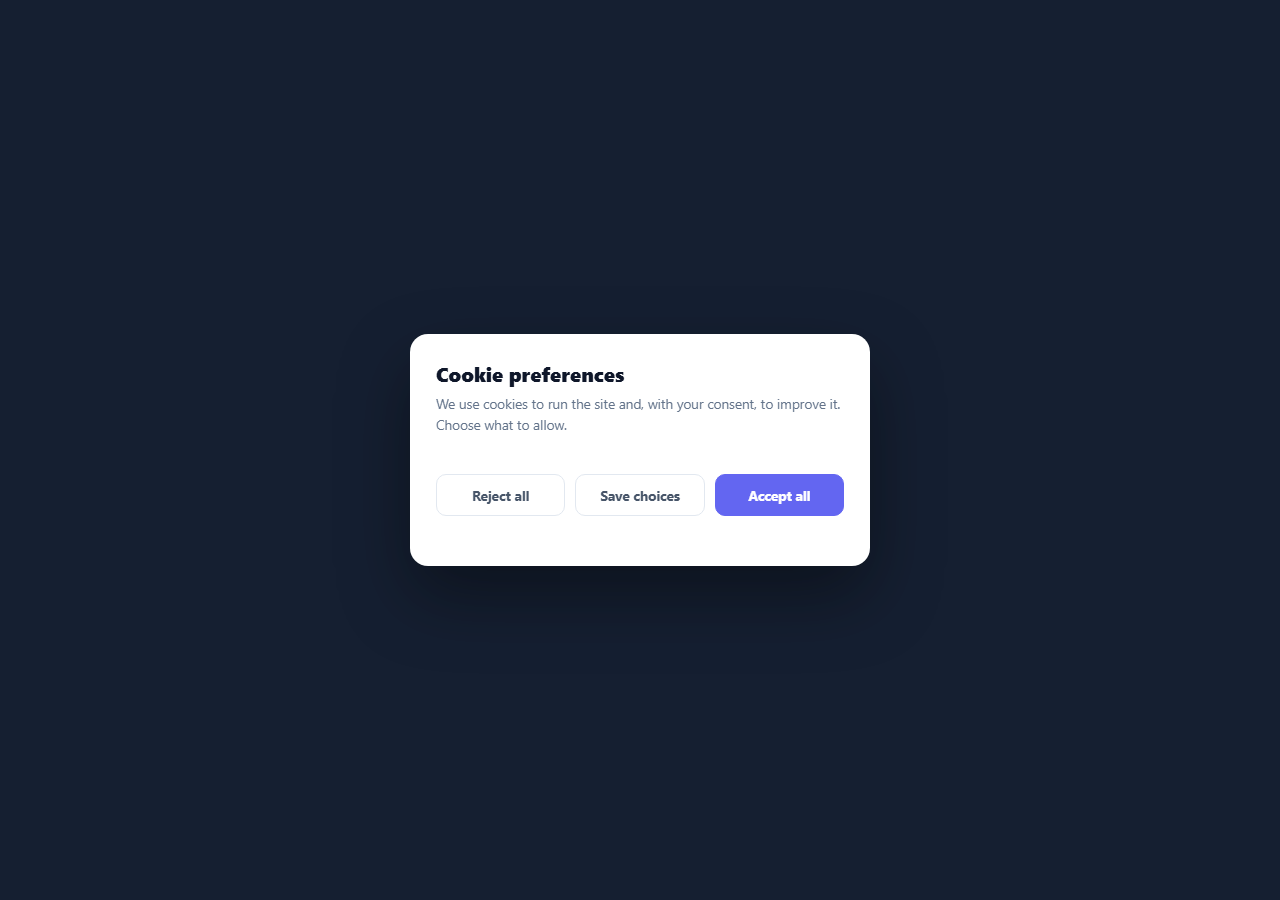
Privacy laws like GDPR and ePrivacy require granular cookie consent: users must be able to accept or reject each category of non-essential cookies, and "strictly necessary" cookies must be clearly marked as always-on. A single "Accept" button is not compliant. This component is a proper cookie preferences panel — a modal with a labelled toggle for each cookie category, a locked necessary category, and three actions (Accept all, Reject all, Save choices) — built in HTML, CSS, and vanilla JavaScript, ready to wire to your real consent storage and script loading.
Per-category toggles built on real checkboxes
The panel is generated from a CATEGORIES array of { key, title, desc, required, on } objects. Each renders a row with the category name, a description of what it does, and a switch. The switch is a styled native <input type="checkbox"> — not a div pretending to be a toggle — so it is keyboard-operable (Space toggles it), focusable, and announced correctly by screen readers. The visual switch (track and sliding knob) is drawn by CSS on a sibling element using the :checked and :disabled sibling selectors, so the appearance always reflects the real input state. A :focus-visible ring makes keyboard focus obvious.
The locked "necessary" category
The strictly-necessary category is required: true, which renders its checkbox checked and disabled and adds an "Always on" badge. Disabled means the user cannot turn it off (necessary cookies are exempt from consent), and the bulk Accept/Reject actions explicitly skip required categories so they are never changed. This is the compliance-critical detail: essential cookies stay on, everything else defaults to off until the user opts in.
Consent defaults to off
Note that analytics, marketing, and functional all start on: false. Under GDPR, non-essential cookies must be off by default — consent has to be an active opt-in, not a pre-ticked box the user must notice and uncheck. The panel reflects that: optional toggles are off until the user enables them or clicks Accept all.
Three actions, one state object
A state object mirrors every category's on/off value and is the single source of truth. Toggling a switch updates state via a delegated change listener on the list (one listener for all rows, rather than one per switch). "Accept all" and "Reject all" call setAll(), which flips every non-required category in both the state object and the visible checkboxes. "Save choices" persists whatever the current toggles are. All three then call save(), which here flashes a confirmation showing the resulting consent object — the exact shape you would store.
Wiring to real consent
The save() function is where you connect reality: persist the state object to a cookie or localStorage, then conditionally load the scripts the user consented to (fire your analytics snippet only if state.analytics is true, your ad pixels only if state.marketing is true, and so on). On a return visit you would read the stored consent, set the toggles to match, and skip the panel if a choice was already made. The component handles all the UI; you provide the storage and the script gating.
The modal presentation
The panel sits in a fixed overlay with a blurred, dimmed backdrop, centred, with role="dialog", aria-modal="true", and aria-labelledby pointing at the title — the correct dialog semantics. The action buttons wrap to full width on narrow screens (under 420px) so the three-button row never crowds on mobile. Swap the #6366f1 accent for your brand and edit the categories and copy to match your cookie policy.
Build with AI
Build, Understand, Optimize, and Extend It With AI
You don't have to trace the CATEGORIES-to-DOM pipeline by hand to see how one array drives the whole panel. Paste this snippet's HTML, CSS, and JS into an AI coding assistant like Claude and ask it to explain exactly why the change listener is attached once to the list container rather than once per checkbox, and why setAll explicitly skips any category marked required instead of relying on the disabled attribute alone to protect it. The same assistant can help optimize it — for instance asking whether generating the row markup with string concatenation and innerHTML is safe if category titles or descriptions ever come from user-editable data versus a hardcoded array. It's also useful for extending the panel: ask it to persist the state object with a policy-version number so consent is invalidated when the cookie policy changes, add a "why we ask" expandable detail per category, or wire save() to conditionally inject real analytics and ad scripts based on the final state values. Treat the code less like a finished artifact and more like a starting point for a conversation.
Prompt to recreate it
Copy this into your AI assistant of choice to build the effect from scratch, or as a jumping-off point for your own variant:
Build a granular cookie-preferences panel in plain HTML, CSS, and JavaScript driven entirely by a single data array — no consent-management library, no frameworks.

Requirements:
- Define a single array of cookie category objects (key, title, description, whether required, and default on/off state), and generate every row of the panel's UI dynamically from that array by iterating it once — no hand-written per-category markup.
- Each category row must include a real checkbox input styled as a toggle switch via a sibling element and CSS selectors targeting the checkbox's checked and disabled states, so the switches are keyboard-operable and screen-reader accessible, not just divs with click handlers.
- The category marked required must render checked and disabled with a visible "always on" badge, and must be structurally impossible for any bulk action to change: the accept-all and reject-all functions must explicitly skip any category flagged required when iterating, rather than relying only on the disabled attribute to prevent the change.
- All non-required categories must default to off, reflecting an opt-in rather than opt-out consent model.
- Maintain one plain state object that mirrors every category's current on/off value as the single source of truth, updated through one delegated change event listener attached to the whole list container rather than one listener per individual checkbox.
- Three actions — Accept All, Reject All, Save Choices — where the first two both set every non-required category's state and checkbox to true or false respectively and the third simply reads current values, and all three must call one shared save function that shows a confirmation message built dynamically from the actual current state object (not a hardcoded string).
- Present the whole thing as a modal dialog with proper role, aria-modal, and aria-labelledby attributes, and make sure the confirmation message uses an aria-live region so screen reader users are notified of the outcome.
Want to tighten it up first? Run this prompt through the AI Prompt Studio to score it across 8 quality dimensions, catch anti-patterns, and tune the wording for Claude, ChatGPT, or Gemini before you paste it in.
Step by step
How to Use
- 1Paste the HTML, CSS, and JSA centered cookie preferences modal renders with four categories, each with a description and a toggle switch.
- 2Toggle a categoryFlip analytics, marketing, or functional on or off; the strictly-necessary category is locked on with an "Always on" badge.
- 3Use the bulk actionsAccept all turns every optional category on, Reject all turns them off, and Save choices keeps the current toggles — necessary is never changed.
- 4See the resulting consentA confirmation flashes showing the consent object you would store.
- 5Edit the categoriesChange the CATEGORIES array — titles, descriptions, defaults, and which are required — and the rows rebuild.
- 6Wire to storage and scriptsIn save(), persist the state to a cookie/localStorage and conditionally load only the scripts the user consented to.
Real-world uses
Common Use Cases
Got questions?
Frequently Asked Questions
The panel manages choices; you enforce them in save(). Persist the state object to a cookie or localStorage, then load category scripts conditionally: only inject your analytics tag if state.analytics is true, your ad pixels if state.marketing is true, and so on. The key is that those scripts must not run before consent — load them dynamically inside save() (or on a return visit after reading stored consent), not statically in the page head.
GDPR requires that consent for non-essential cookies be an active opt-in — pre-ticked boxes are explicitly not valid consent. So analytics, marketing, and functional start off, and only the strictly-necessary category (which is exempt from consent) is on and locked. The user must deliberately enable or Accept all to turn optional categories on.
A native <input type=checkbox> is keyboard-operable (Space toggles), focusable, and announced by screen readers as a checkbox with its state — all for free. The visual switch is just CSS drawn on a sibling element via the :checked and :disabled selectors, so the look always matches the real input. A div toggle would require re-implementing all that accessibility manually and is easy to get wrong.
In save(), write the state object (and a timestamp/version) to a cookie or localStorage. On page load, read it: if a valid consent record exists, set each toggle to the stored value and skip showing the panel (or just load the consented scripts). Re-prompt if your cookie policy changes by bumping a version number that invalidates old consent. Always provide a way to reopen the panel so users can change their mind.
Hold the consent object in state and render CATEGORIES with .map/v-for/*ngFor, binding each checkbox's checked/disabled to the category. The change handler updates the state for that key; Accept/Reject set all non-required keys. Move save() into a function that persists to storage and triggers your script-loading logic. The CSS — the switch, the modal, the layout — ports unchanged; consider a context/store so other components can read consent before loading scripts.