You Might Also Like
Learn Coding Visually
Learn to code with interactive, live-preview playgrounds — HTML, CSS, JavaScript, React & more.
 HTML Playground42 lessons · Click-based · Live preview
 CSS PlaygroundLearn CSS with a live editor
 JavaScript Playground60 lessons · DOM · Async · Canvas
 React PlaygroundLearn React with a live code editor
 GSAP PlaygroundLearn GSAP animation interactively
 SVG Playground44 lessons · shapes · paths · animation
 SCSS Playground45 lessons · Sass modules · tokens
 Tailwind PlaygroundLearn Tailwind CSS with a live editor
 Bootstrap 5 Playground50 lessons · live preview
Skeleton Chat Message Loader — Alternating Bubble Placeholders in HTML CSS JS
Skeleton Chat Message Loader · Loaders · Plain HTML, CSS & JS · Live preview
What's included
Features
About this UI Snippet
Skeleton Chat Message Loader — Alternating Bubbles for a Messaging UI
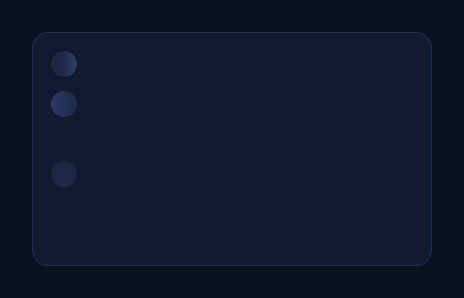
A generic skeleton list of equal-width bars doesn't read as "a conversation is loading" — it reads as "a list is loading." This snippet is shaped specifically for chat: skeleton placeholders styled as message bubbles, alternating between left-aligned "received" messages (with a small avatar circle) and right-aligned "sent" messages (no avatar), each bubble a different width, so the loading state already looks like a conversation before any real content arrives.
Alternating sides via a data array
Rather than hard-coding rows, a small MESSAGES array holds { side, width } pairs — side is 'in' (received, avatar shown, bubble left-aligned with align-self: flex-start) or 'out' (sent, no avatar, bubble right-aligned via flex-direction: row-reverse and align-self: flex-end). Looping over this array and toggling classes/flex direction per row is what produces the genuine left/right alternation — a structural difference from a skeleton list where every row has identical alignment.
Varied bubble widths read as varied message lengths
Each entry's width (a percentage, 30–70% in the demo) sets that bubble's actual CSS width, so the skeleton bubbles are different sizes the way real chat messages are — a one-word reply next to a longer sentence. A uniform-width skeleton row, by contrast, reads as a table or list rather than conversational text of varying length, which is a big part of what makes this pattern feel chat-specific rather than generic.
Bubble-shaped corners, not bars
Each placeholder uses a large border-radius like a real chat bubble, with one corner flattened (border-bottom-left-radius on received, border-bottom-right-radius on sent) to mimic the little "tail" corner convention most chat UIs use — a detail that immediately reads as "message bubble" rather than "generic skeleton bar," even before the shimmer animation runs.
Avatar only on the received side
Only 'in' rows get a circular avatar placeholder next to the bubble, matching how most chat UIs show the other person's avatar next to their messages but omit your own avatar next to messages you sent — another small alternation that reinforces the specific chat-UI mental model rather than a generic alternating list. Pair it with a chat UI shell or chat message bubbles for the resolved content, or a typing indicator for the moment just before a reply streams in.
Build with AI
Build, Understand, Optimize, and Extend It With AI
Rather than reverse-engineering the alternation logic by eye, paste this snippet's HTML, CSS, and JS into an AI coding assistant like Claude and ask it to explain exactly how the side value in each MESSAGES entry drives both the flex alignment (flex-start vs flex-end with a reversed flex-direction) and the conditional avatar rendering, and why varying each bubble's width per entry is what makes the skeleton read as a conversation rather than a generic list. The same assistant can help optimize it — for example asking whether the MESSAGES array should be randomly generated to match an unknown real message count, or kept as fixed realistic-looking data for a stable-looking loading state. It's also useful for extending the pattern: ask it to add a typing-indicator row at the end of the received side, vary the avatar between a few placeholder colors, or crossfade each skeleton bubble into its real message once content loads instead of an abrupt swap. Treat the code less like a finished artifact and more like a starting point for a conversation.
Prompt to recreate it
Copy this into your AI assistant of choice to build the effect from scratch, or as a jumping-off point for your own variant:
Build a chat-message-shaped skeleton loading state in plain HTML, CSS, and JavaScript — no library.

Requirements:
- Generate a configurable list of skeleton message rows dynamically in JavaScript from a small data array where each entry specifies which side the message belongs to (received vs sent) and a width percentage for that bubble — do not hard-code the rows as static HTML.
- Received-side rows must align to the left of the thread container and include a small circular avatar placeholder next to the bubble. Sent-side rows must align to the right of the container and must NOT include an avatar, matching a typical chat UI's convention of only showing the other person's avatar.
- Each bubble's width must come from its own entry in the data array so widths vary noticeably between rows, rather than every bubble sharing one fixed width — this is what makes the skeleton read as varied-length chat messages rather than a generic uniform list.
- Style each bubble with rounded corners typical of a chat bubble, with one corner (the one nearest the "tail" side, differing between received and sent) flattened slightly to mimic the common chat-bubble tail-corner convention.
- Apply a shimmering gradient animation (an oversized background-position keyframe loop) to every bubble and avatar placeholder, with a small per-row stagger so the shimmer ripples gently down the thread rather than every element pulsing in perfect unison.
- Ensure the whole thing is driven from one central array so adding, removing, or reordering messages (and toggling which side they're on) automatically produces a correctly alternating, correctly avatar'd layout with no other code changes.
Want to tighten it up first? Run this prompt through the AI Prompt Studio to score it across 8 quality dimensions, catch anti-patterns, and tune the wording for Claude, ChatGPT, or Gemini before you paste it in.
Step by step
How to Use
- 1Paste HTML, CSS, and JS6 alternating chat-bubble skeletons render inside a thread container.
- 2Observe the alternationReceived messages sit left with an avatar; sent messages sit right without one.
- 3Observe the widthsEach bubble is a different width, mimicking varied message lengths.
- 4Edit the MESSAGES arrayAdd, remove, or reorder { side, width } entries to change the thread shape.
- 5Replace with real messagesOnce data loads, swap each skeleton row for the actual message bubble.
- 6Restyle the bubblesChange the bubble colors, corner radius, or avatar size to match your chat UI.
Real-world uses
Common Use Cases
Got questions?
Frequently Asked Questions
A MESSAGES array holds a side value ('in' or 'out') per row. The row's CSS class and alignment are set from that value: 'in' rows get align-self: flex-start and a leading avatar; 'out' rows get align-self: flex-end and flex-direction: row-reverse with no avatar. Because this comes from real per-row data rather than a fixed CSS pattern like nth-child(even), you can reorder or extend the array freely and the alignment always matches.
Only rows where side is 'in' (received messages) render an avatar element, matching the common chat-UI convention of showing the other person's avatar next to their messages while omitting your own avatar next to messages you sent. This is a conditional render based on the data, not a CSS visibility trick.
Each entry in MESSAGES carries its own width percentage, applied directly as that bubble's CSS width. Real chat messages vary enormously in length, so uniform-width skeleton bars would look like a generic list rather than a conversation. Randomizing or hand-picking varied widths per row is what sells the "chat message" read before any real text loads.
Generate the MESSAGES array from your actual expected message count (or a reasonable guess, like 5-8 rows) rather than hard-coding 6 entries, and randomize width and side if you don't know the real shape yet — Math.random() < 0.5 ? 'in' : 'out' and a random width in a sensible range (30-75%) works well as a stand-in.
Map over your MESSAGES-equivalent array (or a generated placeholder array) in the framework's templating syntax, conditionally rendering the avatar for 'in' rows and binding the width as an inline style or CSS variable on the bubble. The shimmer keyframe and bubble-shape CSS are framework-agnostic and need no changes.