You Might Also Like
Learn Coding Visually
Learn to code with interactive, live-preview playgrounds — HTML, CSS, JavaScript, React & more.
 HTML Playground42 lessons · Click-based · Live preview
 CSS PlaygroundLearn CSS with a live editor
 JavaScript Playground60 lessons · DOM · Async · Canvas
 React PlaygroundLearn React with a live code editor
 GSAP PlaygroundLearn GSAP animation interactively
 SVG Playground44 lessons · shapes · paths · animation
 SCSS Playground45 lessons · Sass modules · tokens
 Tailwind PlaygroundLearn Tailwind CSS with a live editor
 Bootstrap 5 Playground50 lessons · live preview
Suspense-Style Fallback Card — Vanilla JS Loading Boundary Pattern
Suspense-Style Data Fetch Fallback · Loaders · Plain HTML, CSS & JS · Live preview
What's included
Features
About this UI Snippet
Suspense-Style Fallback Card — The Vanilla-JS Version of a Suspense Boundary
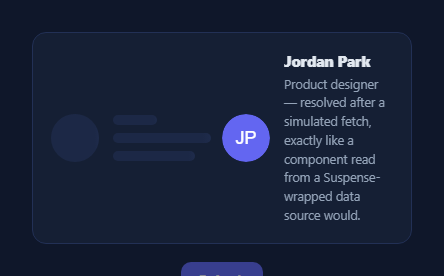
React's <Suspense fallback={<Skeleton />}> pattern shows a fallback UI while a component's data is unresolved, then swaps to the real component the instant it resolves — no manual loading-state plumbing inside the component itself. This snippet demonstrates that exact visual pattern without React: a fallback skeleton and the real content both exist in the DOM from the start, and a single fetchProfile() function toggles which one is visible based on whether the simulated "resource" has resolved — the same boundary-and-swap mechanic, written by hand.
Two pre-built states, one visibility toggle
Both the .sf-fallback skeleton and the .sf-content real markup exist in the HTML from page load; only their hidden attribute changes. fetchProfile() shows the fallback and hides the content, waits on a promise standing in for a real request, and on resolve flips hidden the other way. This mirrors what Suspense does structurally — the fallback and the resolved tree are two things React can swap between, not a single element mutating its own inner state — which is why this pattern generalizes so cleanly to any framework or no framework at all.
Why this is useful without React
If you like the Suspense mental model — declare a fallback, declare the real content, let a resolve event handle the swap — but you're not using React (or you're building a plain HTML component), this is the same idea implemented directly: a promise-returning function that owns exactly one job, showing the right state at the right time. It reads as a clean vanilla-JS pattern for "loading boundary" logic that a framework component or hook could wrap later.
A real promise, not a fake delay
fetchProfile returns an actual Promise, resolved here by a setTimeout standing in for fetch(). Because it's a real promise, callers can await it, chain .then(), or race it against a timeout — the same ergonomics as the data-fetching function a Suspense-compatible resource would wrap, just without the resource-cache machinery React needs internally.
Retry included
A "Refetch" button re-invokes fetchProfile(), re-showing the fallback and disabling itself until the new promise resolves — demonstrating that the boundary isn't a one-shot animation, it's a reusable toggle driven by any promise you hand it. Pair the fallback shape with a skeleton loader for other layouts, or an ai thinking loader for a chat-specific fallback.
Build with AI
Build, Understand, Optimize, and Extend It With AI
Rather than reasoning through the fallback/resolve toggle on your own, paste this snippet's HTML, CSS, and JS into an AI coding assistant like Claude and ask it to explain exactly how it mirrors React's Suspense fallback pattern — specifically, why both the fallback skeleton and the real content exist as separate pre-built elements from page load rather than the real content being constructed only after the fetch resolves, and why fetchProfile returns an actual Promise instead of just running a timeout with side effects. The same assistant can help optimize it — for instance asking whether adding a minimum fallback display time (so a very fast resolve doesn't cause a jarring instant flash) would improve perceived quality, similar to React's concurrent rendering avoiding flashing fallbacks for fast resolutions. It's also useful for extending the pattern: ask it to add an error state third branch (a fallback, an error card, and the real content), wrap the whole toggle logic into a small reusable helper function that takes any promise and two DOM elements, or add a race against a timeout to show a "taking longer than expected" message. Treat the code less like a finished artifact and more like a starting point for a conversation.
Prompt to recreate it
Copy this into your AI assistant of choice to build the effect from scratch, or as a jumping-off point for your own variant:
Build a "Suspense-style" data-fetching card in plain HTML, CSS, and JavaScript that reproduces the React Suspense fallback pattern without using React — no framework, no libraries.

Requirements:
- Two complete UI states must exist in the DOM from page load: a skeleton "fallback" (an avatar placeholder plus a few shimmering text-line placeholders) and the real "resolved" content (an actual avatar image, a name, and a bio paragraph) — do not construct the real content's markup dynamically after the fetch resolves; it should already exist, just hidden.
- Write one function that returns a real Promise (not just a bare setTimeout with side effects) representing a data fetch: immediately on call, it must show the fallback and hide the real content, then after the promise resolves (stand in with a setTimeout, but structure it so a real fetch() call could drop in unchanged), hide the fallback and reveal the real content.
- The swap from fallback to real content must use a toggle of visibility/hidden state on the two pre-existing elements, not innerHTML replacement or dynamically created nodes.
- Give the real content a subtle entrance animation (a brief fade and slight upward movement) when it becomes visible, so the swap doesn't feel like an abrupt snap.
- Add a "Refetch" button that re-invokes the fetch function, demonstrating that the fallback-then-resolve cycle is a reusable toggle driven by any promise, not a one-shot page-load animation — disable the button while the fetch is in flight and re-enable it once resolved.
- In comments, explicitly note how this pattern maps to React's <Suspense fallback={...}> boundary concept, for developers coming from a React background who want the same visual/logical pattern in a non-React context.
Want to tighten it up first? Run this prompt through the AI Prompt Studio to score it across 8 quality dimensions, catch anti-patterns, and tune the wording for Claude, ChatGPT, or Gemini before you paste it in.
Step by step
How to Use
- 1Paste HTML, CSS, and JSA skeleton fallback shows immediately, then resolves into a real profile card.
- 2Watch the swapAfter ~1.6s the fallback hides and the real content fades in.
- 3Click RefetchThe fallback reappears and the cycle repeats, mirroring a re-suspended boundary.
- 4Replace the fake promiseSwap the setTimeout in fetchProfile for your real fetch()/API call.
- 5Swap the fallback shapeChange .sf-fallback's markup to match whatever content it's standing in for.
- 6Reuse the patternCopy the two-elements-plus-toggle structure for any other async section.
Real-world uses
Common Use Cases
Got questions?
Frequently Asked Questions
React's <Suspense fallback={<Skeleton/>}> shows the fallback element while a wrapped component's data dependency is unresolved, then swaps to the real component tree once it resolves — without the component itself managing a loading flag. This snippet reproduces that structurally: both the fallback and real content exist as separate elements from the start, and one function toggles which is visible based on a promise's resolution, rather than one element mutating an internal loading state.
No — that's the point. fetchProfile() is a plain function returning a plain Promise, and the "swap" is just toggling the hidden attribute on two existing DOM elements. It works in any HTML page, any framework, or no framework, which makes it useful if you like the Suspense mental model but aren't using React.
Replace the setTimeout-wrapped Promise inside fetchProfile with your real fetch() or async function, keeping the same shape: show the fallback and hide the content at the start, await/resolve the real request, then hide the fallback and show the content in a .then() or after an await. Add a .catch() to show an error state if you need one — this demo omits it for clarity.
Pre-building both states and toggling visibility (rather than injecting the real content's markup only after it resolves) keeps the swap instant and avoids a layout jump from building new DOM nodes at resolve time. It also mirrors how Suspense conceptually treats the fallback and the resolved tree as two ready-made branches, not a dynamically constructed one.
In React, this is literally what <Suspense> plus a Suspense-compatible data source gives you for free. In Vue or Angular (no built-in Suspense-equivalent for arbitrary promises), wrap the same idea in a small component: hold a resolved boolean in state/signal, render the fallback markup when false and the real content when true, and flip it in a promise .then()/await, exactly like fetchProfile() does here.