You Might Also Like
Learn Coding Visually
Learn to code with interactive, live-preview playgrounds — HTML, CSS, JavaScript, React & more.
 HTML Playground42 lessons · Click-based · Live preview
 CSS PlaygroundLearn CSS with a live editor
 JavaScript Playground60 lessons · DOM · Async · Canvas
 React PlaygroundLearn React with a live code editor
 GSAP PlaygroundLearn GSAP animation interactively
 SVG Playground44 lessons · shapes · paths · animation
 SCSS Playground45 lessons · Sass modules · tokens
 Tailwind PlaygroundLearn Tailwind CSS with a live editor
 Bootstrap 5 Playground50 lessons · live preview
Liquid Fill Progress Indicator — Wavy SVG Loader in HTML CSS JS
Liquid Fill Progress Indicator · Loaders · Plain HTML, CSS & JS · Live preview
What's included
Features
About this UI Snippet
Liquid Fill Progress Indicator — A Tank That Fills With a Genuinely Undulating Surface
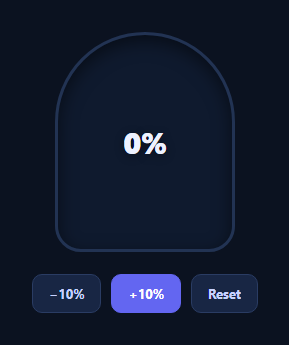
A liquid fill indicator shows progress as rising liquid inside a container rather than a bar or ring — a shape more associated with tanks, gauges, and playful onboarding or gamified UIs than a typical progress bar. The part that makes it convincing is the surface: a flat rectangle sliding up reads as a fake liquid, so this snippet draws the top edge as a real sine wave in an SVG path and keeps it moving continuously, even when the fill level is holding steady.
A sine wave, not a straight edge
The liquid's surface is an SVG <path> rebuilt every frame inside a requestAnimationFrame loop. Twenty-four points are sampled across the tank's width, each offset vertically by Math.sin((x / WAVELENGTH) * Math.PI * 2 + t), where t increments a little every frame. That constant increment is what keeps the wave rolling sideways forever — the surface never goes flat, whether progress is at 20% or sitting untouched at 70% for a minute.
The fill level is a real value
Separately from the wave's own motion, the whole SVG element is translated vertically by translateY(100 - progress + '%'), computed directly from a progress variable you control (0–100). This is the actual liquid level: incrementing progress with the demo buttons animates the tank rising or falling with a smooth cubic-bezier transition, while the sine wave keeps undulating on top of wherever that level currently sits — two independent motions (level and surface) composed together, which is what separates this from a bar with a wavy PNG background.
Two separate motions, cleanly split
Keeping "how full" (a CSS transform driven by a real percentage) and "how the surface moves" (a continuously regenerated SVG path) as two independent systems is the key architectural decision here. It means you can drive progress from a real value — an upload's loaded/total, a task counter, a battery level — while the wave animation runs untouched in its own rAF loop, never needing to know what the percentage is.
Accessible and swappable
The tank carries role="progressbar" with aria-valuenow kept in sync with the real percentage on every render, so assistive tech reports genuine progress, not just the visual. Swap the pill-shaped tank for a circle, change the gradient stops, or tune AMPLITUDE/WAVELENGTH for calmer or choppier water. Pair it with a circular progress ring for a numeric companion, or a quota usage meter for a dashboard context.
Build with AI
Build, Understand, Optimize, and Extend It With AI
Rather than working out the wave math from scratch, paste this snippet's HTML, CSS, and JS into an AI coding assistant like Claude and ask it to explain exactly how the SVG path's y-coordinate formula combines a per-frame time variable with Math.sin to produce continuous sideways motion, and why the fill level is a completely separate transform rather than being baked into the same wave calculation. The same assistant can help optimize it — for instance asking whether resampling 24 points every frame is necessary at small tank sizes, or whether the amplitude should scale down as the tank narrows. It's also useful for extending the effect: ask it to add a second, offset wave layer for more visual depth, make the liquid color shift as it approaches 100%, or add a subtle bobbing/splash animation triggered on level changes. Treat the code less like a finished artifact and more like a starting point for a conversation.
Prompt to recreate it
Copy this into your AI assistant of choice to build the effect from scratch, or as a jumping-off point for your own variant:
Build a "liquid fill" progress indicator in plain HTML, CSS, and JavaScript using an SVG path for the liquid surface — no canvas library, no animation engine.

Requirements:
- A rounded tank/container shape with overflow hidden, containing an SVG whose viewBox spans the tank, and a percentage label centered on top.
- The liquid's top surface must be an SVG path recomputed every animation frame inside a requestAnimationFrame loop: sample a fixed number of x-coordinates across the viewBox width, compute each point's y-offset from a sine function of x combined with a continuously incrementing time variable, and rebuild the path's d attribute from those points each frame — so the surface visibly undulates sideways forever, never settling into a static shape.
- The actual fill LEVEL must be entirely separate from the wave's own motion: represent it as a CSS transform (a vertical translate) on the whole wave SVG element, computed directly from a real numeric progress variable (0 to 100), with a smooth CSS transition so changing the level eases rather than snaps.
- Demonstrate both systems working together: add buttons that increment/decrement the progress variable, and confirm that even while progress is unchanged and the tank is holding at a fixed level, the sine-wave surface keeps moving.
- Give the tank container role="progressbar" with aria-valuemin, aria-valuemax, and aria-valuenow, updating aria-valuenow every time the progress variable changes so assistive tech reports the real value.
- Fill the liquid path with an SVG linearGradient for visual depth rather than a flat color.
Want to tighten it up first? Run this prompt through the AI Prompt Studio to score it across 8 quality dimensions, catch anti-patterns, and tune the wording for Claude, ChatGPT, or Gemini before you paste it in.
Step by step
How to Use
- 1Paste HTML, CSS, and JSA tank renders empty with a percentage label at 0%.
- 2Click +10% / −10%The liquid level rises or falls with a smooth transition to the real value.
- 3Watch the surface at restEven holding steady, the wave keeps rolling — it never goes flat.
- 4Drive it from real dataSet the progress variable from your actual percentage and call render().
- 5Tune the waveAdjust AMPLITUDE and WAVELENGTH for calmer or choppier motion.
- 6Restyle the tankChange the border-radius, gradient stops, or container shape.
Real-world uses
Common Use Cases
Got questions?
Frequently Asked Questions
The wave's shape and the fill level are two separate systems. A requestAnimationFrame loop increments a time variable t every frame and rebuilds the SVG path from Math.sin(x / WAVELENGTH * 2π + t) regardless of the progress value, so the surface keeps rolling sideways continuously. The fill level is a separate CSS transform driven only by the progress variable, so it only changes when you actually update progress.
A static background image repeats identically every cycle and cannot be resized without artifacts. Rebuilding the path from real trigonometry each frame means the wave scales cleanly to any tank width, the amplitude and wavelength are tunable numbers rather than a fixed asset, and the motion has no visible seam or restart point.
Set the progress variable to your real value (0-100) — for example from a fetch/XHR progress event's loaded/total — and call render(). The translateY transform and the aria-valuenow both update from that same variable, so the visual and the accessible value never drift apart.
Lower AMPLITUDE for a calmer, flatter surface or raise it for more dramatic waves. Increase WAVELENGTH for slower, broader swells or decrease it for tighter ripples. Changing the 0.06 increment on t controls how fast the surface scrolls sideways.
Keep the rAF wave-drawing loop in a mount effect with cleanup (cancelAnimationFrame on unmount), and drive the fill level from component state instead of a bare variable — update the transform whenever your progress prop or state changes. The SVG path generation logic is framework-agnostic and ports unchanged.