You Might Also Like
Learn Coding Visually
Learn to code with interactive, live-preview playgrounds — HTML, CSS, JavaScript, React & more.
 HTML Playground42 lessons · Click-based · Live preview
 CSS PlaygroundLearn CSS with a live editor
 JavaScript Playground60 lessons · DOM · Async · Canvas
 React PlaygroundLearn React with a live code editor
 GSAP PlaygroundLearn GSAP animation interactively
 SVG Playground44 lessons · shapes · paths · animation
 SCSS Playground45 lessons · Sass modules · tokens
 Tailwind PlaygroundLearn Tailwind CSS with a live editor
 Bootstrap 5 Playground50 lessons · live preview
Particle Swarm Loader — Randomized Orbiting Particles in HTML CSS JS
Particle Swarm Loader · Loaders · Plain HTML, CSS & JS · Live preview
What's included
Features
About this UI Snippet
Particle Swarm Loader — 12 Particles With Real Per-Particle Randomized Orbits
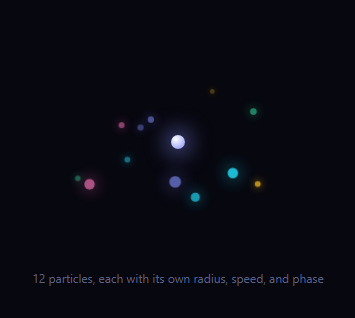
A ring loader like an orbit loader or dots loader typically animates a handful of evenly-spaced dots on identical circular paths — clean, but mechanical. A swarm reads differently: dozens of particles moving at their own pace on their own paths, converging and drifting apart unpredictably. This snippet builds that with 12 particles, each given genuinely randomized orbit parameters computed once at load and then animated every frame with real trigonometry — not CSS keyframes on a shared ring.
Per-particle randomized parameters
Each particle gets its own radius (30–110px), speed (0.4–1.8 rad/s, with roughly half orbiting clockwise and half counter-clockwise), phase (a random starting angle around the circle), and eccentricity (0.55–1, flattening the circular path into an ellipse of varying flatness). These are generated once with Math.random() when the particles are created, so no two particles trace the same path — a structural difference from a CSS @keyframes ring where every dot shares one rotation duration and only differs by a fixed animation-delay.
Real per-frame position math, not CSS rotation
A single requestAnimationFrame loop computes every particle's x/y position each frame from Math.cos(angle) * radius and Math.sin(angle) * radius * eccentricity, where angle advances by each particle's own speed times elapsed time. This is genuinely computed motion — the position exists as real numbers you could log, not an opaque CSS animation — which is what makes true per-particle randomization possible; CSS keyframes can't express twelve different radii and speeds without twelve separate keyframe blocks.
Faked depth from the ellipse
Because each orbit is flattened into an ellipse, particles on the "near" side of their path (where sin(angle) is largest) are scaled up slightly and given higher opacity and z-index, while particles on the "far" side shrink and fade. This single trick — deriving apparent depth from the same sine value that already drives vertical position — gives the swarm a pseudo-3D quality without any actual 3D transform or WebGL.
A genuine swarm, not a bigger ring
Twelve particles with independently randomized radius, direction, speed, and phase is meaningfully more complex than the 3–8 dot rings common elsewhere in this library: there is no repeating unit, no shared timing, and the pattern never exactly loops. Tune COUNT, the radius range, or the color palette to match your brand, and consider pairing it with a gradient progress bar for a companion determinate indicator once real progress is known.
Build with AI
Build, Understand, Optimize, and Extend It With AI
Instead of tracing the swarm math by eye, paste this snippet's HTML, CSS, and JS into an AI coding assistant like Claude and ask it to explain exactly how each particle's independently randomized radius, speed, phase, and eccentricity are generated once and then combined every frame into a position via cos/sin, and how the same sine value that shapes the elliptical orbit is reused to fake depth through scale and opacity. The same assistant can help optimize it — for example asking whether 12 DOM-element particles updated via inline transform styles every frame is efficient enough, or whether a <canvas> approach would be better past a few dozen particles. It's also useful for extending the effect: ask it to make particles occasionally swap orbits, add a subtle trailing effect behind each particle, or tie the swarm's overall speed to a real loading-progress value so it visibly "settles" as work completes. Treat the code less like a finished artifact and more like a starting point for a conversation.
Prompt to recreate it
Copy this into your AI assistant of choice to build the effect from scratch, or as a jumping-off point for your own variant:
Build a "particle swarm" loading indicator in plain HTML, CSS, and JavaScript with at least 12 particles orbiting a central core — no canvas library, no physics engine.

Requirements:
- A container holding a glowing central core element and one small circular particle element per particle, created dynamically in JavaScript (not hand-written in the HTML) so the particle count is a single configurable constant.
- Each particle must be assigned independently RANDOMIZED orbit parameters when it is created: its own orbit radius, its own angular speed (with roughly half the particles orbiting clockwise and half counter-clockwise), its own starting phase angle, and its own orbital eccentricity that flattens its circular path into an ellipse of a randomized flatness — do not give every particle the same radius/speed/phase.
- Drive all particle motion from a single requestAnimationFrame loop that, every frame, computes each particle's current x and y position directly from cos(angle) and sin(angle) times its own radius and eccentricity, where angle is derived from that particle's own phase plus elapsed time times its own speed — not from CSS keyframe animations.
- Use the same per-frame sine value that determines each particle's vertical elliptical position to also derive a scale factor and an opacity/z-index adjustment, so particles on the near side of their ellipse appear larger and brighter than particles on the far side, faking depth without any 3D transform.
- Give particles varied sizes and colors from a small palette so the swarm reads as visually varied rather than uniform.
- Confirm that because every particle's radius, speed, phase, and eccentricity differ, the overall pattern never exactly repeats within any short observation window, unlike a simple evenly-spaced dot ring.
Want to tighten it up first? Run this prompt through the AI Prompt Studio to score it across 8 quality dimensions, catch anti-patterns, and tune the wording for Claude, ChatGPT, or Gemini before you paste it in.
Step by step
How to Use
- 1Paste HTML, CSS, and JS12 particles orbit a glowing core at independently randomized speeds.
- 2Watch for a full minuteNotice the pattern never exactly repeats — each particle has its own phase and speed.
- 3Change particle countEdit the COUNT constant to add or remove particles.
- 4Tune the orbit rangesAdjust the radius, speed, and eccentricity random ranges for a tighter or wider swarm.
- 5Recolor the paletteEdit the colors array to match your brand.
- 6Reuse the position mathThe angle/radius/eccentricity formula ports to canvas or SVG if you need thousands of particles.
Real-world uses
Common Use Cases
Got questions?
Frequently Asked Questions
A CSS-keyframe orbit ring rotates one shared element (or a few dots on it) using @keyframes, so every dot shares the same duration and only differs by animation-delay. Here, each of 12 particles has its own independently randomized radius, speed, direction, and phase computed once in JS, and every frame recalculates each particle's position from real cos/sin math — a structurally different, much less repetitive motion.
CSS keyframes can express a fixed number of named states per animation, which becomes unwieldy for 12+ particles each needing a unique radius and speed. Driving position from a requestAnimationFrame loop with real numbers means every parameter can be randomized independently and the same formula scales to any particle count without writing new keyframe blocks.
Each orbit is an ellipse (y is scaled by an eccentricity factor), so a particle at the "front" of its ellipse has a larger sine value than one at the "back". That same sine value drives a size scale and opacity boost, so front particles appear closer and back particles appear farther — a 2D trick that reads as depth without any actual perspective transform.
12 DOM-element particles with a requestAnimationFrame loop is well within budget for any modern browser. If you need hundreds or thousands, port the same angle/radius/eccentricity formula to a <canvas> 2D context or WebGL point sprites instead of individual DOM elements, since DOM updates get costly at very high counts.
Generate the particle parameter array once (in useMemo, a computed ref, or a component field) so it is not re-randomized on every re-render, then run the requestAnimationFrame loop in a mount effect with cleanup that cancels the frame on unmount. Update each particle's transform via a ref rather than through component state to avoid a re-render every frame.