
Learn Coding Visually
Learn to code with interactive, live-preview playgrounds — HTML, CSS, JavaScript, React & more.
 HTML Playground42 lessons · Click-based · Live preview
 CSS PlaygroundLearn CSS with a live editor
 JavaScript Playground60 lessons · DOM · Async · Canvas
 React PlaygroundLearn React with a live code editor
 GSAP PlaygroundLearn GSAP animation interactively
 SVG Playground44 lessons · shapes · paths · animation
 SCSS Playground45 lessons · Sass modules · tokens
 Tailwind PlaygroundLearn Tailwind CSS with a live editor
 Bootstrap 5 Playground50 lessons · live preview
Chat Conversation List — Free HTML CSS JS Snippet
Chat Conversation List · Navigation · Plain HTML, CSS & JS · Live preview
What's included
Features
About this UI Snippet
Chat Conversation List — Messenger Sidebar with Unread Badges, Presence, and Live Search
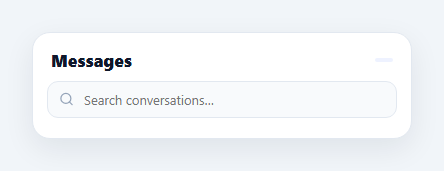
Before a user ever sees a chat window, they see the conversation list — the inbox sidebar that WhatsApp, Messenger, Slack, and iMessage all share: avatar with a presence dot, name, last-message preview, relative timestamp, and an unread badge. This component builds that full pattern in HTML, CSS, and vanilla JavaScript, including live search across names and messages, an animated typing indicator in the preview line, and click-to-open behaviour that marks the conversation read.
The two-row item anatomy
Each conversation is a real <button> (so it is keyboard-focusable and clickable for free) laid out with flexbox: a fixed 44px avatar column and a flexible main column holding two rows. Row one puts the name and timestamp at opposite ends with justify-content: space-between and align-items: baseline so the small <time> sits on the name's text baseline. Row two does the same with the message preview and the unread badge. The critical detail is min-width: 0 on the flexible column — without it, a long message preview refuses to shrink and blows the layout open; with it, text-overflow: ellipsis can truncate both the name and the preview cleanly.
Unread state in three visual channels
An unread conversation communicates through three reinforcing signals: the count badge (a min-width pill so "3" and "12" both render round), the preview text darkening to near-black and turning semibold, and the timestamp switching to the accent colour. All three hang off a single .unread class, so marking a chat read is one class removal. Clicking an item zeroes its unread count and re-renders — the badge disappears, the preview relaxes to grey, and the header's "new" counter (a reduce over all unread counts) drops accordingly.
Presence dots and the typing indicator
The online dot is absolutely positioned on the avatar's bottom-right corner with a 2.5px white ring (border) so it reads cleanly against any avatar colour — the same cut-out technique used by every messenger. When a contact is typing, the preview row swaps the last message for three bouncing dots animated with staggered translateY keyframes at 0/0.15/0.3s delays, identical in spirit to the standalone typing indicator. Because typing is just a flag on the data, your WebSocket handler only has to flip typing and re-render.
Live search over names and previews
The search input filters on every input event with a case-insensitive includes against both the contact name and the last message, so searching "mockups" finds the Design Team chat even though the query is not in the name. The filter maps items with their original index first ({ c, i }) so the active highlight and click handling still reference the master CHATS array, not the filtered copy — a subtle bug this structure avoids. An empty result renders an explicit "No conversations found" state.
Relative timestamps and group chats
Timestamps are short relative labels (2m, 1h, Tue) exactly as messengers display them — in production, derive these from message dates with Intl.RelativeTimeFormat and fall back to weekday names past 48 hours. Group chats work with no special casing: prefix the sender inside the message string ("Theo: uploaded the new mockups") and the preview handles it.
Customisation
Feed CHATS from your API, flip online, typing, and unread from your realtime events, and attach navigation in the click handler — pair it with a chat UI on the right for a complete messaging screen. Swap initials avatars for <img> tags, and adjust the accent #6366f1 to your brand.
Build with AI
Build, Understand, Optimize, and Extend It With AI
Instead of tracing the index-mapping by hand, paste this snippet's HTML, CSS, and JS into an AI coding assistant like Claude and ask it to explain exactly why render() maps each chat to an { c, i } pair before filtering, and what specific bug would appear if the click handler used the filtered array's position instead of that original index. The same assistant can help you optimize it — ask whether min-width: 0 is really required on the flex column for the ellipsis truncation to work, and what visually breaks if it's removed. It's also a great partner for extending the list: ask it to add swipe-to-archive gestures on mobile, group conversations into pinned versus regular sections, or wire the typing flag and unread counts to real WebSocket events instead of static demo data. Treat the code less like a finished artifact and more like a starting point for a conversation.
Prompt to recreate it
Copy this into your AI assistant of choice to build the effect from scratch, or as a jumping-off point for your own variant:
Build a "messenger-style conversation list" sidebar in plain HTML, CSS, and JavaScript — no framework, no library.

Requirements:
- Render every conversation row as a real button element (not a div with a click handler) from a single JavaScript array of chat objects, each with a name, last message, relative timestamp, accent color, online boolean, unread count, and typing boolean.
- Each row's flexible text column must correctly truncate a long name and a long message preview with an ellipsis rather than breaking the row's layout or pushing the timestamp/badge out of view — get the specific CSS property right that allows a flex child to shrink below its content's intrinsic width.
- An unread conversation must be visually distinguished through at least three coordinated signals hanging off one shared state class: a numeric badge, a bolder/darker message preview color, and an accent-colored timestamp.
- A presence dot absolutely positioned on the avatar's corner with a border matching the page background so it reads as a clean cutout regardless of the avatar's own color.
- When a contact is typing, swap that row's message preview for three dots animated with a staggered bouncing keyframe (different animation-delay per dot) instead of showing stale message text.
- A live search input that filters the list on every keystroke by matching the query case-insensitively against both the name and the message text, showing an explicit empty state when nothing matches.
- Critically: when filtering produces a shorter, reordered array, clicking a row (to mark it read) must correctly identify and mutate the right entry in the original unfiltered data array — not accidentally use the filtered array's position as if it were the original index.
Want to tighten it up first? Run this prompt through the AI Prompt Studio to score it across 8 quality dimensions, catch anti-patterns, and tune the wording for Claude, ChatGPT, or Gemini before you paste it in.
Source Code
<div class="ccl">
  <div class="ccl-top">
    <h3>Messages</h3>
    <span class="ccl-count" id="cclCount"></span>
  </div>
  <div class="ccl-search">
    <svg viewBox="0 0 24 24" aria-hidden="true"><circle cx="11" cy="11" r="8"/><line x1="21" y1="21" x2="16.65" y2="16.65"/></svg>
    <input type="text" id="cclSearch" placeholder="Search conversations…" aria-label="Search conversations">
  </div>
  <div class="ccl-list" id="cclList" role="list"></div>
</div>
* { box-sizing: border-box; margin: 0; padding: 0; }
body { font-family: system-ui, -apple-system, sans-serif; background: #f1f5f9; min-height: 100vh; display: flex; align-items: center; justify-content: center; padding: 24px; }
.ccl { width: min(380px, 100%); background: #fff; border: 1px solid #e2e8f0; border-radius: 18px; box-shadow: 0 10px 30px rgba(15, 23, 42, 0.08); overflow: hidden; display: flex; flex-direction: column; }
.ccl-top { display: flex; align-items: center; justify-content: space-between; padding: 16px 18px 10px; }
.ccl-top h3 { font-size: 17px; font-weight: 800; color: #0f172a; }
.ccl-count { padding: 2px 9px; background: #eef2ff; color: #6366f1; font-size: 11.5px; font-weight: 700; border-radius: 999px; }
.ccl-search { position: relative; padding: 0 14px 10px; }
.ccl-search svg { position: absolute; left: 26px; top: 50%; transform: translateY(calc(-50% - 5px)); width: 15px; height: 15px; fill: none; stroke: #94a3b8; stroke-width: 2; stroke-linecap: round; }
.ccl-search input {
width: 100%; padding: 9px 12px 9px 36px;
border: 1px solid #e2e8f0; border-radius: 11px; background: #f8fafc;
font-family: inherit; font-size: 13px; color: #0f172a; outline: none; transition: border-color 0.2s, box-shadow 0.2s;
}
.ccl-search input:focus { border-color: #6366f1; box-shadow: 0 0 0 3px rgba(99, 102, 241, 0.12); background: #fff; }
.ccl-list { max-height: 360px; overflow-y: auto; padding: 0 8px 10px; }
.ccl-item {
display: flex; align-items: center; gap: 11px;
padding: 10px; border-radius: 13px; cursor: pointer; width: 100%;
border: none; background: none; text-align: left; font-family: inherit;
transition: background 0.15s;
}
.ccl-item:hover { background: #f8fafc; }
.ccl-item.active { background: #eef2ff; }
.ccl-av { position: relative; flex-shrink: 0; }
.ccl-av .ccl-img {
width: 44px; height: 44px; border-radius: 50%;
display: flex; align-items: center; justify-content: center;
color: #fff; font-size: 15px; font-weight: 700;
}
.ccl-dot {
position: absolute; right: 0; bottom: 0; width: 12px; height: 12px;
border-radius: 50%; background: #cbd5e1; border: 2.5px solid #fff;
}
.ccl-dot.on { background: #22c55e; }
.ccl-main { flex: 1; min-width: 0; }
.ccl-row1 { display: flex; align-items: baseline; justify-content: space-between; gap: 8px; }
.ccl-row1 strong { font-size: 13.5px; font-weight: 700; color: #0f172a; white-space: nowrap; overflow: hidden; text-overflow: ellipsis; }
.ccl-row1 time { font-size: 11px; color: #94a3b8; flex-shrink: 0; }
.ccl-row2 { display: flex; align-items: center; justify-content: space-between; gap: 8px; margin-top: 2px; }
.ccl-row2 p { font-size: 12.5px; color: #64748b; white-space: nowrap; overflow: hidden; text-overflow: ellipsis; }
.ccl-item.unread .ccl-row2 p { color: #0f172a; font-weight: 600; }
.ccl-item.unread .ccl-row1 time { color: #6366f1; font-weight: 700; }
.ccl-badge {
min-width: 19px; height: 19px; padding: 0 5px; flex-shrink: 0;
display: flex; align-items: center; justify-content: center;
background: #6366f1; color: #fff; font-size: 10.5px; font-weight: 800; border-radius: 999px;
}
.ccl-typing { display: inline-flex; gap: 3px; align-items: center; }
.ccl-typing i { width: 5px; height: 5px; border-radius: 50%; background: #6366f1; animation: cclTy 1s ease-in-out infinite; }
.ccl-typing i:nth-child(2) { animation-delay: 0.15s; }
.ccl-typing i:nth-child(3) { animation-delay: 0.3s; }
@keyframes cclTy { 0%, 60%, 100% { transform: translateY(0); opacity: 0.5; } 30% { transform: translateY(-3px); opacity: 1; } }
.ccl-none { padding: 28px 0; text-align: center; font-size: 13px; color: #94a3b8; }const CHATS = [
{ name: 'Sofia Marin', msg: 'Sounds perfect, see you at 3!', time: '2m', color: '#6366f1', online: true, unread: 3, typing: false },
{ name: 'Design Team', msg: 'Theo: uploaded the new mockups 🎨', time: '11m', color: '#0ea5e9', online: false, unread: 12, typing: false },
{ name: 'Jonas Weber', msg: '', time: 'now', color: '#f59e0b', online: true, unread: 0, typing: true },
{ name: 'Priya Nair', msg: 'You: can you review the PR when free?', time: '1h', color: '#10b981', online: true, unread: 0, typing: false },
{ name: 'Mom', msg: 'Call me when you land ❤️', time: '3h', color: '#ec4899', online: false, unread: 1, typing: false },
{ name: 'Alex Rivera', msg: 'Voice message · 0:42', time: 'Tue', color: '#8b5cf6', online: false, unread: 0, typing: false },
{ name: 'Book Club', msg: 'Nina: next pick is The Overstory 📚', time: 'Mon', color: '#14b8a6', online: false, unread: 0, typing: false },
];
const list = document.getElementById('cclList');
const count = document.getElementById('cclCount');
const search = document.getElementById('cclSearch');
let activeIndex = -1;
function initials(name) {
return name.split(' ').map(w => w[0]).join('').slice(0, 2).toUpperCase();
}
function render(query) {
const q = (query || '').toLowerCase();
const rows = CHATS.map((c, i) => ({ c, i })).filter(({ c }) =>
!q || c.name.toLowerCase().includes(q) || c.msg.toLowerCase().includes(q)
);
count.textContent = CHATS.reduce((n, c) => n + c.unread, 0) + ' new';
if (!rows.length) {
list.innerHTML = '<div class="ccl-none">No conversations found.</div>';
return;
}
list.innerHTML = rows.map(({ c, i }) => {
const preview = c.typing
? '<span class="ccl-typing"><i></i><i></i><i></i></span>'
: '<p>' + c.msg + '</p>';
return '<button class="ccl-item' + (c.unread ? ' unread' : '') + (i === activeIndex ? ' active' : '') + '" data-i="' + i + '" role="listitem" type="button">'
+ '<span class="ccl-av"><span class="ccl-img" style="background:' + c.color + '">' + initials(c.name) + '</span>'
+ '<span class="ccl-dot' + (c.online ? ' on' : '') + '"></span></span>'
+ '<span class="ccl-main">'
+ '<span class="ccl-row1"><strong>' + c.name + '</strong><time>' + c.time + '</time></span>'
+ '<span class="ccl-row2">' + preview
+ (c.unread ? '<span class="ccl-badge">' + c.unread + '</span>' : '')
+ '</span></span>'
+ '</button>';
}).join('');
}
list.addEventListener('click', (e) => {
const item = e.target.closest('.ccl-item');
if (!item) return;
const i = Number(item.dataset.i);
activeIndex = i;
CHATS[i].unread = 0; // opening a chat marks it read
render(search.value);
});
search.addEventListener('input', () => render(search.value));
render('');Step by step
How to Use
- 1Paste the HTML, CSS, and JSA messages panel renders with seven conversations — unread badges, green presence dots, one contact mid-typing, and a "new" counter in the header.
- 2Click a conversationIt highlights as active, its unread badge clears, the preview text relaxes from bold, and the header's new-message count drops.
- 3Watch the typing indicatorJonas Weber's row shows three bouncing dots in place of the last message — the flag-driven typing state.
- 4Search the listType in the search box — filtering matches both contact names and message text live, with an empty state when nothing matches.
- 5Swap in your dataReplace CHATS with your API payload and flip online/typing/unread from WebSocket events; render(search.value) refreshes the list.
- 6Wire up navigationIn the click handler, route to the selected thread — pair with a chat window component for a full messenger screen.
Real-world uses
Common Use Cases
Got questions?
Frequently Asked Questions
Flex items default to min-width: auto, which means they refuse to shrink below their content's intrinsic width — a long message preview would push the timestamp and badge out of the card instead of truncating. Setting min-width: 0 on the .ccl-main column allows it to shrink, which lets white-space: nowrap + overflow: hidden + text-overflow: ellipsis actually clip the text. This is the single most common bug when building chat lists.
The click handler reads the item's data-i index into the master CHATS array, sets that chat's unread to 0, stores it as activeIndex, and re-renders. The .unread class (badge, bold preview, accent timestamp) disappears because the class is derived from the data on every render, and the header counter — a reduce over all unread values — recomputes automatically. State lives in the data, never in the DOM.
Typing is just a boolean on each chat object. When your WebSocket receives a "user is typing" event, set that chat's typing = true and call render(); on the stop event (or a 3-second timeout, which is how most messengers expire it), set it back and re-render. The preview row conditionally renders the three-dot animation instead of the message text whenever the flag is set.
Filtering creates a new, shorter array, but active highlighting and mark-as-read must mutate the master CHATS list. The render maps each chat to { c, i } before filtering, so every rendered row carries its true index in data-i. Without this, clicking the second visible result while searching would mark the wrong conversation read — an off-by-mapping bug this pattern eliminates.
Hold chats, the search query, and activeId in state and derive the filtered list with useMemo / computed / a getter — filter by id rather than index and the mapping concern disappears. Each item becomes a component receiving the chat object; the click handler dispatches a "mark read" state update. The CSS (presence dot ring, ellipsis rules, typing keyframes) ports unchanged, and realtime events simply become state setters.