You Might Also Like
Learn Coding Visually
Learn to code with interactive, live-preview playgrounds — HTML, CSS, JavaScript, React & more.
 HTML Playground42 lessons · Click-based · Live preview
 CSS PlaygroundLearn CSS with a live editor
 JavaScript Playground60 lessons · DOM · Async · Canvas
 React PlaygroundLearn React with a live code editor
 GSAP PlaygroundLearn GSAP animation interactively
 SVG Playground44 lessons · shapes · paths · animation
 SCSS Playground45 lessons · Sass modules · tokens
 Tailwind PlaygroundLearn Tailwind CSS with a live editor
 Bootstrap 5 Playground50 lessons · live preview
Double-Tap to Like — Free Instagram-Style Tap Gesture Snippet
Double-Tap to Like · Animations · Plain HTML, CSS & JS · Live preview
What's included
Features
About this UI Snippet
Double-Tap to Like — Real Gesture Detection, Not dblclick
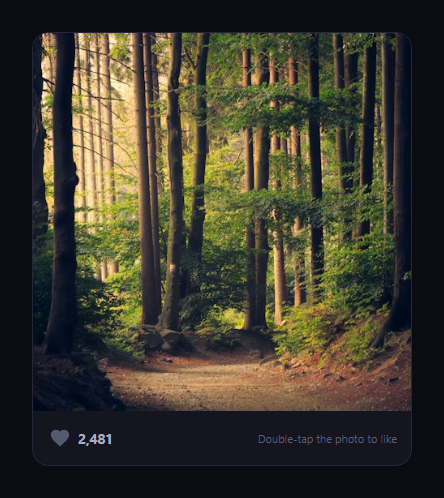
This is the Instagram-style interaction where tapping a photo twice in quick succession pops a heart from the exact tap location and likes the post, distinct from tapping a dedicated like button (see like burst button for that click-triggered version). The whole point of this snippet is that it detects a genuine double-tap gesture by hand — it does not rely on the browser's native dblclick event, which behaves inconsistently on touch devices and does not report where the second tap landed relative to the first.
Why dblclick is not enough
dblclick fires from two click events close together at the OS/browser level, but on touch devices tap-to-click synthesis is inconsistent across browsers, and dblclick gives you no way to check *where* each tap landed — a double-tap on one corner of a photo and a double-tap on the opposite corner both just fire the same event. This snippet instead listens for touchend (and click, for desktop testing) directly and does the comparison itself.
Timestamp and distance comparison
Every tap calls handleTap(x, y), which computes dt = now - lastTapTime and the on-screen distance from the previous tap with Math.hypot. If the new tap arrives within DOUBLE_TAP_MS (320ms) *and* within DOUBLE_TAP_DIST (36px) of the previous one, it counts as a double-tap and triggers the like; otherwise the tap is simply recorded as the new "last tap" to compare the next one against. Requiring both a time window and a position window is what stops two unrelated taps in different corners of the photo, or two taps a second apart, from being misread as one gesture.
The heart pops from the actual tap point
popHeartAt(x, y) converts the tap's viewport coordinates into a position relative to the photo with getBoundingClientRect(), then creates a heart element positioned exactly there and animates it through a scale-up-with-rotation-then-fade sequence via the Web Animations API, removing itself on onfinish — the same fire-and-forget cleanup pattern as like burst button, but positioned at wherever you actually tapped rather than a fixed spot.
Persistent state, separate from the animation
The heart animation and the liked state are deliberately decoupled: setLiked(true) always runs on a successful double-tap (toggling the button, count, and card styling), but the like button itself can also toggle the same state independently via a normal click, and repeated double-taps on an already-liked photo simply keep the state at "liked" without double-counting, matching real apps where a double-tap only ever *adds* a like visually.
Customizing it
Tune DOUBLE_TAP_MS and DOUBLE_TAP_DIST for stricter or looser detection, change the heart's easing and duration, or spawn multiple hearts per tap for a bigger celebration. Pair it with swipe cards for a full feed-card interaction set.
Build with AI
Build, Understand, Optimize, and Extend It With AI
You do not have to work out the tap-timing comparison from scratch. Paste this snippet's HTML, CSS, and JS into an AI coding assistant like Claude and ask it to explain exactly why dblclick is unreliable for detecting a real double-tap gesture on touch devices, and how comparing both the elapsed time (via Date.now()) and the on-screen distance (via Math.hypot) between two taps is what correctly separates one intentional double-tap from two unrelated single taps. The same assistant can help you optimize it — for instance asking whether DOUBLE_TAP_MS and DOUBLE_TAP_DIST should be tuned differently for touch versus mouse input, since finger taps naturally land with more positional variance than mouse clicks. It is also useful for extending the interaction: ask it to add a small heart burst (multiple particles, not just one heart) on double-tap, support double-tap-to-zoom on the same gesture detector, or add a subtle single-tap ripple that does not trigger a like, to give feedback that the first tap registered. Treat the code less like a finished artifact and more like a starting point for a conversation.
Prompt to recreate it
Copy this into your AI assistant of choice to build the effect from scratch, or as a jumping-off point for your own variant:
Build a "double-tap to like" interaction in plain HTML, CSS, and JavaScript with real gesture detection — do not use the browser's dblclick event, since it behaves inconsistently on touch devices and cannot report tap position.

Requirements:
- An image inside a card, with a separate like button (icon + count) below it that also independently toggles the same liked state.
- Detect a double-tap by hand: on both touchend (using event.changedTouches for the tap coordinates) and click (for desktop/mouse testing), record the current timestamp via Date.now() and the tap's x/y coordinates. Compare each new tap against the previously recorded one using both the elapsed time and the on-screen distance (computed with Math.hypot on the coordinate deltas).
- Only treat two taps as a double-tap if the second arrives within a configurable time window (e.g. 300-350ms) of the first AND within a configurable distance threshold (e.g. under 40px) of the first's position — a single tap alone, two taps too far apart in time, or two taps too far apart in position must never trigger the like.
- On a successful double-tap, create a heart element positioned at the exact tap coordinates (converted relative to the image using getBoundingClientRect, not a fixed center point), and animate it with the Web Animations API through a pop-in-with-slight-rotation-then-fade sequence, removing the element from the DOM in the animation's onfinish callback so hearts never accumulate.
- A successful double-tap must always set the liked state to true (never toggle it off), so repeatedly double-tapping an already-liked photo does not un-like it or double-count the like; only a direct click on the separate like button should be able to toggle the state in both directions.
- Update a visible like count and the like button's visual/aria-pressed state whenever the liked state changes, regardless of whether it changed via double-tap or via the button.
Want to tighten it up first? Run this prompt through the AI Prompt Studio to score it across 8 quality dimensions, catch anti-patterns, and tune the wording for Claude, ChatGPT, or Gemini before you paste it in.
Step by step
How to Use
- 1Paste HTML, CSS, and JSA photo card renders with a like button beneath it.
- 2Tap or click the photo onceNothing happens yet — it is recorded as the first tap.
- 3Tap again quickly, nearbyA heart pops from that exact spot and the post is liked.
- 4Tap slowly or far apartTwo taps outside the time or distance window do not trigger a like.
- 5Use the like button directlyIt toggles the same state independent of double-tapping.
- 6Tune the thresholdsChange DOUBLE_TAP_MS and DOUBLE_TAP_DIST for sensitivity.
Real-world uses
Common Use Cases
Got questions?
Frequently Asked Questions
dblclick fires from two click events close together, but touch-to-click synthesis is inconsistent across mobile browsers, and dblclick never tells you where each tap actually landed. This snippet listens to touchend and click directly, records each tap's timestamp and coordinates, and compares the new tap against the previous one itself — giving full control over both the timing and position thresholds that count as a double-tap.
handleTap(x, y) computes the time since the previous tap and the on-screen distance between the two tap points using Math.hypot. Only when the new tap arrives within DOUBLE_TAP_MS (320ms) of the previous one, and within DOUBLE_TAP_DIST (36px) of it, does it count as a double-tap and trigger the like. Requiring both conditions stops two unrelated taps in different spots, or two taps a second apart, from being misread as one gesture.
popHeartAt(x, y) takes the tap's viewport coordinates and converts them into a position relative to the photo using getBoundingClientRect(), then positions a new heart element at that exact offset before animating it. Because the coordinates come from the real tap event rather than a fixed center point, double-tapping any corner of the photo pops the heart from that corner.
No. setLiked(true) is what a successful double-tap always calls, regardless of the current state, so repeated double-taps on an already-liked photo simply keep it liked without incrementing the count again. Only the separate like button click toggles the state in both directions, matching how double-tap-to-like behaves in real apps.
Keep lastTapTime/lastTapX/lastTapY in refs (not state, since they change on every tap without needing a re-render), and keep liked/count in component state. Attach the touchend and click listeners to the media ref in a mount effect, call your like API from inside setLiked, and spawn the heart animation with element.animate directly on a DOM node rather than through render.