
Learn Coding Visually
Learn to code with interactive, live-preview playgrounds — HTML, CSS, JavaScript, React & more.
 HTML Playground42 lessons · Click-based · Live preview
 CSS PlaygroundLearn CSS with a live editor
 JavaScript Playground60 lessons · DOM · Async · Canvas
 React PlaygroundLearn React with a live code editor
 GSAP PlaygroundLearn GSAP animation interactively
 SVG Playground44 lessons · shapes · paths · animation
 SCSS Playground45 lessons · Sass modules · tokens
 Tailwind PlaygroundLearn Tailwind CSS with a live editor
 Bootstrap 5 Playground50 lessons · live preview
Lottie Notification Bell Nav — Free HTML CSS JS Snippet
Lottie Notification Bell Nav · Navigation · Plain HTML, CSS & JS · Live preview
What's included
Features
About this UI Snippet
Lottie Notification Bell Nav — Animated Bell With Live Badge Counter
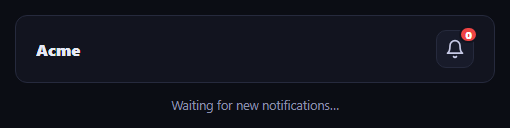
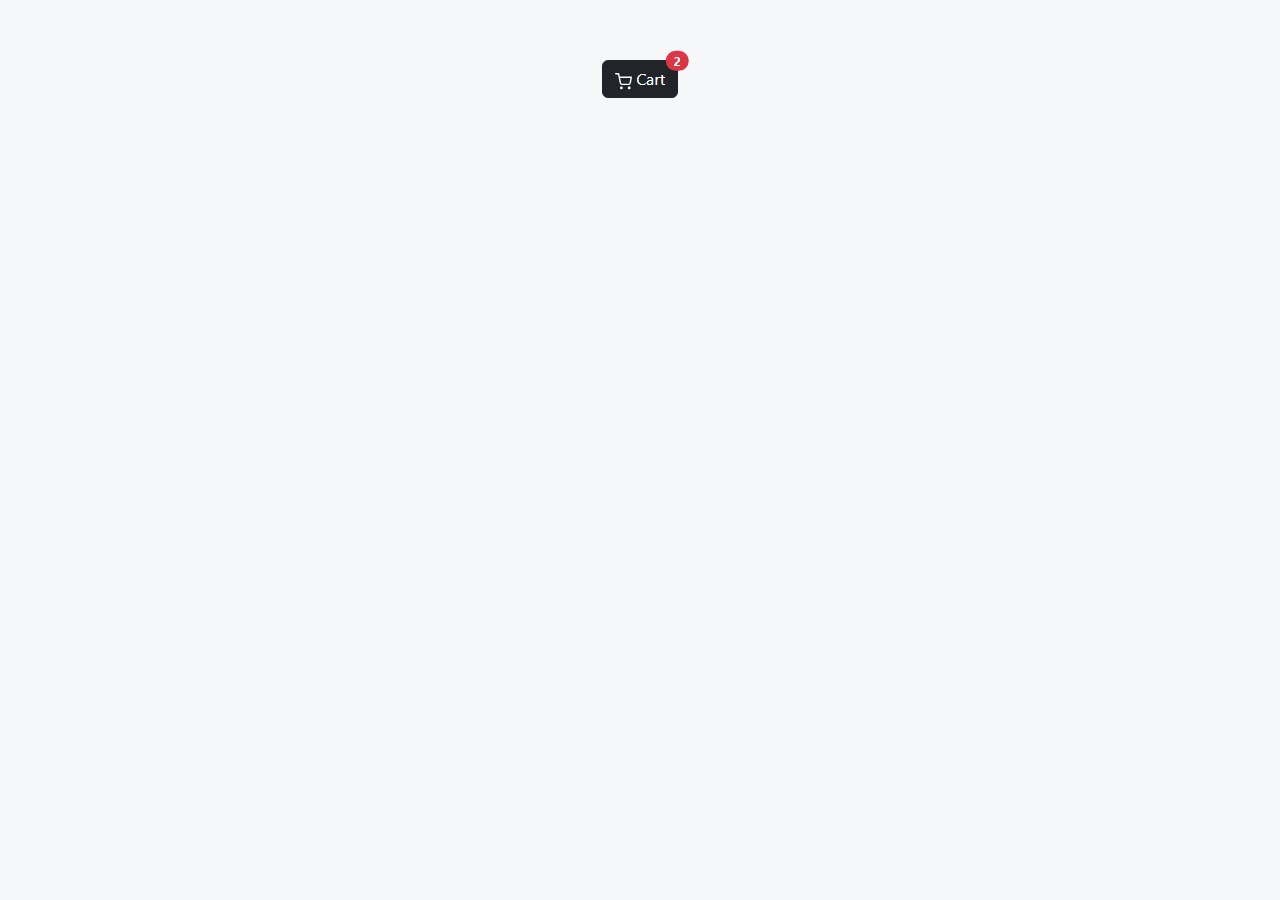
This snippet builds a notification bell for a navigation bar that reacts to new notifications with both a CSS shake and a real Lottie ring animation from the lottie-web library, instead of a silent badge number change.
Simulating a new notification
A setTimeout fires receiveNotification() about two seconds after the page loads, standing in for a real push event from a WebSocket or polling call. Each call increments notificationCount, updates the badge text, and reveals it if it was hidden.
The ring animation
playRingAnimation() calls lottie.loadAnimation({ container, renderer: 'svg', loop: false, autoplay: true, animationData }) against an inline animation JSON object, layering a brief non-looping burst behind the bell icon, while a CSS keyframe shake is retriggered on the icon itself by removing and re-adding its animation class (forcing a reflow with offsetWidth so the animation restarts).
Cleanup between triggers
Each call destroys any previous Lottie instance before creating a new one and removes the ring container from view after the animation finishes, so repeated notifications never stack multiple running Lottie players.
Build with AI
Build, Understand, Optimize, and Extend It With AI
Hand this snippet's HTML, CSS, and JavaScript to an AI coding assistant like Claude and ask it to adapt "Lottie Notification Bell Nav" to your project — restyle it to match your design system, wire it up to real data instead of the static example, or port it to the framework you're building in.
Prompt to recreate it
Copy this into your AI assistant of choice to build the effect from scratch, or as a jumping-off point for your own variant:
Build a navigation component called "Lottie Notification Bell Nav" using plain HTML, CSS, and vanilla JavaScript — no framework, no build step.

Requirements:
- Match the structure and behavior of the "Lottie Notification Bell Nav" snippet from the UI Snippets Library.
- Keep the markup semantic and the styling self-contained (no external dependencies beyond what the original snippet uses).
- Keep the JavaScript vanilla, with no framework runtime required.
- Make it easy to restyle via CSS custom properties or class overrides so it can be dropped into a real project.
Want to tighten it up first? Run this prompt through the AI Prompt Studio to score it across 8 quality dimensions, catch anti-patterns, and tune the wording for Claude, ChatGPT, or Gemini before you paste it in.
Source Code
<nav class="lnb-nav">
  <span class="lnb-brand">Acme</span>
  <div class="lnb-actions">
    <button class="lnb-bell-btn" id="lnbBellBtn" type="button" aria-label="Notifications">
      <svg id="lnbBellIcon" width="20" height="20" viewBox="0 0 24 24" fill="none" stroke="currentColor" stroke-width="2" stroke-linecap="round" stroke-linejoin="round">
        <path d="M18 8a6 6 0 0 0-12 0c0 7-3 9-3 9h18s-3-2-3-9" />
        <path d="M13.73 21a2 2 0 0 1-3.46 0" />
      </svg>
      <span class="lnb-lottie-ring" id="lnbLottieRing"></span>
      <span class="lnb-badge" id="lnbBadge" hidden>0</span>
    </button>
  </div>
</nav>
<div class="lnb-log" id="lnbLog">Waiting for new notifications…</div>*{box-sizing:border-box}
body{font-family:system-ui,-apple-system,sans-serif;background:#0b0d14;min-height:100vh;margin:0;padding:24px}
.lnb-nav{font-family:system-ui,-apple-system,sans-serif;display:flex;align-items:center;justify-content:space-between;background:#12141f;border:1px solid #262a3d;border-radius:12px;padding:14px 20px;max-width:480px;margin:0 auto}
.lnb-brand{font-size:16px;font-weight:800;color:#e7e9f5}
.lnb-actions{display:flex;align-items:center;gap:14px}
.lnb-bell-btn{position:relative;background:#181b2a;border:1px solid #262a3d;color:#c7cae6;width:38px;height:38px;border-radius:10px;display:flex;align-items:center;justify-content:center;cursor:pointer}
.lnb-bell-btn:hover{background:#20233a}
.lnb-lottie-ring{position:absolute;inset:0;pointer-events:none;display:none}
.lnb-lottie-ring.lnb-active{display:block}
.lnb-badge{position:absolute;top:-5px;right:-5px;background:#ef4444;color:#fff;font-size:10px;font-weight:800;min-width:17px;height:17px;border-radius:999px;display:flex;align-items:center;justify-content:center;padding:0 4px;border:2px solid #12141f}
.lnb-log{max-width:480px;margin:14px auto 0;font-size:12.5px;color:#8b90ab;text-align:center}
@keyframes lnbShake{0%,100%{transform:rotate(0)}20%{transform:rotate(-14deg)}40%{transform:rotate(12deg)}60%{transform:rotate(-8deg)}80%{transform:rotate(6deg)}}
.lnb-shake{animation:lnbShake .5s ease}// Small looping Lottie "ring" animation played briefly behind the bell
// icon whenever a new notification arrives.
var animData = {
v: "5.7.4", fr: 30, ip: 0, op: 60, w: 200, h: 200, nm: "pulse", ddd: 0, assets: [],
layers: [{
ddd: 0, ind: 1, ty: 4, nm: "circle", sr: 1,
ks: {
o: { a: 1, k: [
{ i: { x: [0.667], y: [1] }, o: { x: [0.333], y: [0] }, t: 0, s: [100], e: [40] },
{ i: { x: [0.667], y: [1] }, o: { x: [0.333], y: [0] }, t: 30, s: [40], e: [100] },
{ t: 60, s: [100] }
] },
r: { a: 0, k: 0 },
p: { a: 0, k: [100, 100, 0] },
a: { a: 0, k: [0, 0, 0] },
s: { a: 1, k: [
{ i: { x: [0.667, 0.667, 0.667], y: [1, 1, 1] }, o: { x: [0.333, 0.333, 0.333], y: [0, 0, 0] }, t: 0, s: [70, 70, 100], e: [100, 100, 100] },
{ i: { x: [0.667, 0.667, 0.667], y: [1, 1, 1] }, o: { x: [0.333, 0.333, 0.333], y: [0, 0, 0] }, t: 30, s: [100, 100, 100], e: [70, 70, 100] },
{ t: 60, s: [70, 70, 100] }
] }
},
ao: 0,
shapes: [{
ty: "gr",
it: [
{ ty: "el", p: { a: 0, k: [0, 0] }, s: { a: 0, k: [120, 120] } },
{ ty: "fl", c: { a: 0, k: [0.937, 0.267, 0.267, 1] }, o: { a: 0, k: 100 } },
{ ty: "tr", p: { a: 0, k: [0, 0] }, a: { a: 0, k: [0, 0] }, s: { a: 0, k: [100, 100] }, r: { a: 0, k: 0 }, o: { a: 0, k: 100 } }
]
}],
ip: 0, op: 60, st: 0, bm: 0
}]
};
var bellBtn = document.getElementById('lnbBellBtn');
var bellIcon = document.getElementById('lnbBellIcon');
var ringContainer = document.getElementById('lnbLottieRing');
var badge = document.getElementById('lnbBadge');
var log = document.getElementById('lnbLog');
var lottieInstance = null;
var notificationCount = 0;
function playRingAnimation() {
ringContainer.classList.add('lnb-active');
if (lottieInstance) lottieInstance.destroy();
lottieInstance = lottie.loadAnimation({
container: ringContainer,
renderer: 'svg',
loop: false,
autoplay: true,
animationData: animData,
});
bellIcon.classList.remove('lnb-shake');
void bellIcon.offsetWidth;
bellIcon.classList.add('lnb-shake');
setTimeout(function () {
ringContainer.classList.remove('lnb-active');
if (lottieInstance) {
lottieInstance.destroy();
lottieInstance = null;
}
}, 900);
}
function receiveNotification() {
notificationCount += 1;
badge.textContent = String(notificationCount);
badge.hidden = false;
playRingAnimation();
log.textContent = 'New notification received (' + notificationCount + ' total).';
}
bellBtn.addEventListener('click', function () {
log.textContent = notificationCount > 0
? 'Showing ' + notificationCount + ' notification' + (notificationCount === 1 ? '' : 's') + '.'
: 'No notifications yet.';
});
// Simulate a new notification arriving shortly after the nav loads.
setTimeout(receiveNotification, 2000);Step by step
How to Use
- 1Load the snippetClick "Lottie Notification Bell Nav" in the sidebar to load its HTML, CSS, and JS into the editor panels. The preview updates instantly.
- 2Edit the codeModify any panel — HTML, CSS, or JS. The preview refreshes as you type. Use Reset in each panel header to restore the original.
- 3Preview on devicesClick the Mobile (375px), Tablet (768px), or Desktop buttons in the preview header to check responsiveness.
- 4Export in your formatClick "HTML" to download a standalone file, "JSX" for a React component, "Tailwind" for a React + Tailwind CSS component, "Tailwind HTML" for a standalone HTML file with Tailwind CDN, "Vue" for a Vue 3 SFC with <template>/<script setup>/<style scoped>, or "Angular" for a standalone Angular .component.ts file. "Copy all" copies the full code to clipboard.
- 5Save your versionClick "Save as", type a name, and press Enter. Your snippet saves to IndexedDB and appears in the Saved tab.
Real-world uses
Common Use Cases
Got questions?
Frequently Asked Questions
Simulated — a setTimeout fires it once, two seconds after load, standing in for a real event from a WebSocket, server-sent event, or polling call in a production app.
The ring is meant to play once as a brief burst reacting to a specific event, not loop continuously like a background decorative animation, so it is destroyed shortly after it finishes.
The class is removed, the element's offsetWidth is read to force a synchronous reflow, and the class is re-added — without that reflow, browsers would not restart an already-applied CSS animation.