You Might Also Like
Learn Coding Visually
Learn to code with interactive, live-preview playgrounds — HTML, CSS, JavaScript, React & more.
 HTML Playground42 lessons · Click-based · Live preview
 CSS PlaygroundLearn CSS with a live editor
 JavaScript Playground60 lessons · DOM · Async · Canvas
 React PlaygroundLearn React with a live code editor
 GSAP PlaygroundLearn GSAP animation interactively
 SVG Playground44 lessons · shapes · paths · animation
 SCSS Playground45 lessons · Sass modules · tokens
 Tailwind PlaygroundLearn Tailwind CSS with a live editor
 Bootstrap 5 Playground50 lessons · live preview
Canvas Wave Background — Free Layered Sine Ribbon Hero Effect
Canvas Wave Background · Animations · Plain HTML, CSS & JS · Live preview
What's included
Features
About this UI Snippet
Canvas Wave Background — Layered Sine Ribbons for a Sense of Depth
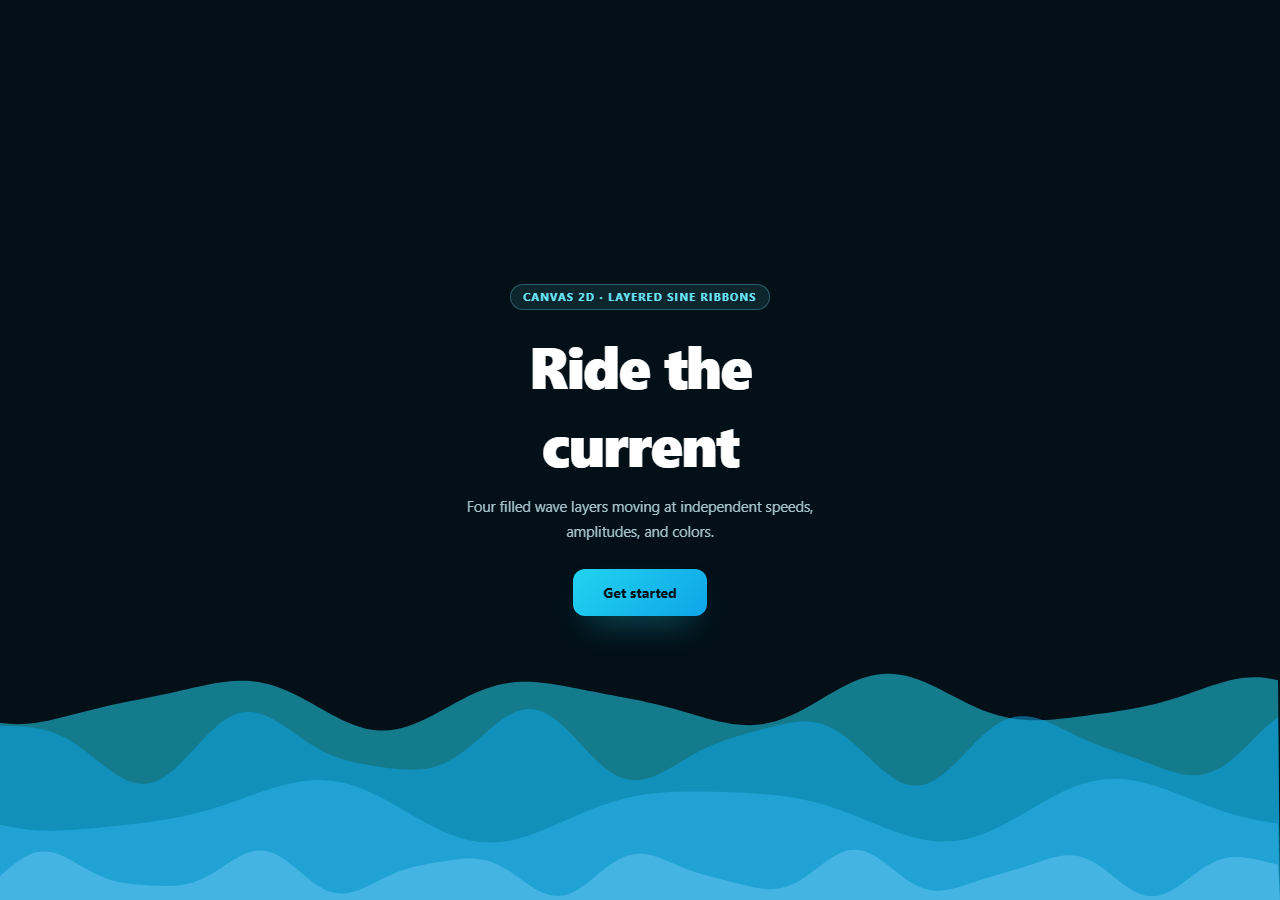
A single animated sine wave reads as a wiggling line. This snippet stacks four of them — each with its own baseline height, amplitude, wavelength, speed, and translucent fill — to produce the smooth, layered look of ocean swells rolling behind a hero section, built entirely with filled canvas paths rather than strokes.
Why filled shapes instead of strokes
Every layer is drawn as a closed path: start at the bottom-left corner, trace the sine curve left to right, drop down to the bottom-right corner, and close back to the start. Filling that shape with a translucent color is what gives each wave visual weight and lets it convincingly occlude the layers behind it — a stroked line would only ever look like a wire outline, with nothing suggesting mass or water beneath the surface.
Depth from staggered baselines and speed, not blur
Each of the four LAYERS has a different baseline (how far down the canvas its resting line sits) and a different speed — including negative values, so some layers drift right while others drift left. Combined with decreasing opacity for layers further down, that's the entire depth illusion: nearer waves move faster and sit higher with more contrast, farther waves move slower, sit lower, and fade toward the background color. No blur filter or z-axis is involved.
Two sine terms per layer, not one
drawLayer() doesn't plot a pure sine curve — it sums a primary wave with a smaller secondary one at a different frequency and phase speed: Math.sin(x * k + t * speed) * amplitude plus a lighter Math.sin(x * k * 1.7 - t * speed * 1.3) term. That second term breaks up the otherwise perfectly regular crest spacing, so each ribbon has a subtle irregularity to it rather than looking like a textbook sine plot — the same "combine two waves" idea used in aurora background and wavy background, applied here to filled ribbons instead of strokes or gradients.
High-DPI sizing done once
resize() scales the canvas backing store by devicePixelRatio (capped at 2) and applies a matching ctx.setTransform, so every coordinate in drawLayer stays in plain CSS pixels while still rendering crisply on Retina displays — the same pattern worth reusing in any full-bleed canvas background.
Tuning the current
Add or remove entries in LAYERS to change how many ribbons stack; push baseline values further down and amplitude up for a stormier feel, or flatten amplitudes and slow every speed for a calm, barely-moving backdrop. Pair it with gradient mesh hero for a softer companion background, or ripple background for an interactive water effect alongside it.
Build with AI
Build, Understand, Optimize, and Extend It With AI
Paste this snippet's HTML, CSS, and JS into an AI coding assistant like Claude and ask it to explain how staggering baseline, speed, and opacity across the four LAYERS entries produces a sense of depth without any blur filter, or why each layer sums two sine terms at different frequencies instead of plotting a single clean sine curve. It's also useful for tuning the mood — ask it to predict how the wave would look if you doubled every amplitude value, or flattened every speed toward zero, before you actually try it. For extensions, ask it to add a fifth foreground layer with a lighter fill and higher amplitude for a "closest wave" effect, tie one layer's amplitude to scroll position for a parallax feel, or add a subtle color shift over time using HSL interpolation instead of fixed rgba() fills. Treat the code less like a finished artifact and more like a starting point for a conversation.
Prompt to recreate it
Copy this into your AI assistant of choice to build the effect from scratch, or as a jumping-off point for your own variant:
Build a "canvas wave background" effect in plain HTML, CSS, and JavaScript using only the Canvas 2D API — layered, filled sine-wave ribbons behind hero content, no libraries.

Requirements:
- A full-bleed canvas positioned absolutely behind a centered hero content block (heading, paragraph, button), sized using devicePixelRatio (capped at 2) with a matching ctx.setTransform call so drawing coordinates stay in plain CSS pixels.
- Define an array of at least four wave "layers", each with its own baseline height (as a fraction of canvas height), amplitude, wavelength, horizontal animation speed (including at least one negative value so some layers drift the opposite direction from others), and a translucent rgba() fill color, with opacity generally decreasing for layers whose baseline sits lower/further back.
- For each layer, draw a CLOSED, FILLED path (not a stroked line): start at the bottom-left canvas corner, trace across the width plotting y = baseline + sine-based offset at small x increments, continue to the bottom-right corner, and close the path back to the start, then fill it with that layer's color — explain in comments why filling rather than stroking is what gives the wave visual weight.
- For each layer's y offset, sum TWO sine terms at different frequencies and phase speeds (a primary wave plus a smaller secondary wave, e.g. at 1.7x the frequency and a different speed multiplier) rather than a single clean sine term, so the ribbon's crest spacing isn't perfectly mechanical/regular.
- Animate all layers from one shared requestAnimationFrame loop and a single incrementing time variable, drawing back-to-front (or explain the intended draw order) so nearer/faster layers visually sit in front of farther/slower ones.
- Handle window resize by recalculating the canvas size and DPR transform, and style the page as a dark ocean-at-night gradient background with cyan/blue wave colors and a light call-to-action button above the canvas.
Want to tighten it up first? Run this prompt through the AI Prompt Studio to score it across 8 quality dimensions, catch anti-patterns, and tune the wording for Claude, ChatGPT, or Gemini before you paste it in.
Step by step
How to Use
- 1Paste HTML, CSS, and JSFour wave ribbons animate immediately behind the hero content.
- 2Watch the layeringNearer waves move faster and sit brighter; farther ones lag and fade.
- 3Resize the windowThe canvas rescales for devicePixelRatio and viewport size.
- 4Add a layerPush a new object into LAYERS with its own baseline/speed/color.
- 5Change the moodRaise amplitude and speed for choppier water, lower for calm.
- 6Swap the paletteChange each layer's rgba() fill for a different time of day.
Real-world uses
Common Use Cases
Got questions?
Frequently Asked Questions
Each layer traces a sine curve and then closes the path down to the bottom of the canvas before filling it, which gives the wave visual weight and lets it convincingly occlude the layers behind it. A stroked line would only ever render as a thin wire outline with nothing suggesting mass or water beneath the surface, so filling is what makes the effect read as waves rather than a wiggling graph line.
Depth comes entirely from four values that differ per layer: baseline height (farther layers sit lower), speed (nearer layers move faster, including some drifting in the opposite direction from others), amplitude, and fill opacity (farther layers are more transparent, blending toward the background color). Stacking those differences is enough to read as foreground-to-background depth without any blur filter or actual z-axis.
A single Math.sin term produces perfectly regular, evenly spaced crests that can look mechanical. Adding a second, smaller sine term at a different frequency and phase speed — Math.sin(x * k * 1.7 - t * speed * 1.3) at roughly 30% amplitude — breaks up that regularity, so each ribbon has a subtle, non-repeating irregularity that reads as more natural water motion.
Very high-density phone displays can report a devicePixelRatio of 3 or more, and sizing the canvas backing store that large multiplies memory use and fill-rate cost for very little visible sharpness improvement over 2x. Capping it at 2 keeps the canvas crisp on virtually all displays while avoiding an oversized backing store on the highest-density devices.
Move the canvas ref, resize() call, and requestAnimationFrame loop into a mount effect, store the animation frame id, and cancelAnimationFrame it in the cleanup function so the loop stops when the component unmounts. Re-run resize() from a ResizeObserver on the wrapper element if the background needs to track a container that can change size independent of the window.