Source Code
<div class="scene">
  <p class="sub">Scroll to change weight — or watch it breathe</p>
  <h1 class="breathe-heading">Weight that moves with you</h1>
  <div class="controls">
    <label>Manual weight: <span id="wval">400</span></label>
    <input id="wslider" type="range" min="100" max="900" value="400" step="10" />
  </div>
  <div class="spacer"></div>
</div>
* { box-sizing: border-box; margin: 0; padding: 0; }
body { font-family: system-ui, sans-serif; background: #fafaf9; min-height: 100vh; }
.scene { display: flex; flex-direction: column; align-items: center; padding: 60px 24px; text-align: center; gap: 20px; }
.sub { font-size: 12px; font-weight: 700; letter-spacing: 1.2px; text-transform: uppercase; color: #78716c; }
.spacer { height: 70vh; }
.breathe-heading {
font-family: 'Arial', system-ui, sans-serif;
font-variation-settings: 'wght' 400;
font-size: clamp(30px, 7vw, 60px);
color: #1c1917;
max-width: 820px;
line-height: 1.15;
transition: font-variation-settings 0.05s linear;
}
.controls { display: flex; align-items: center; gap: 12px; font-size: 13px; color: #57534e; }
#wslider { width: 220px; accent-color: #ea580c; }const heading = document.querySelector('.breathe-heading');
const slider = document.getElementById('wslider');
const wval = document.getElementById('wval');
let breathing = true;
let phase = 0;
function setWeight(w) {
const clamped = Math.max(100, Math.min(900, Math.round(w)));
heading.style.fontVariationSettings = "'wght' " + clamped;
wval.textContent = clamped;
slider.value = clamped;
}
function breatheLoop() {
if (breathing) {
phase += 0.015;
const weight = 400 + Math.sin(phase) * 260;
setWeight(weight);
}
requestAnimationFrame(breatheLoop);
}
requestAnimationFrame(breatheLoop);
slider.addEventListener('input', () => {
breathing = false;
setWeight(Number(slider.value));
});
window.addEventListener('scroll', () => {
breathing = false;
const maxScroll = document.documentElement.scrollHeight - window.innerHeight;
const progress = maxScroll > 0 ? window.scrollY / maxScroll : 0;
const weight = 150 + progress * 700;
setWeight(weight);
});Learn Coding Visually
Learn to code with interactive, live-preview playgrounds — HTML, CSS, JavaScript, React & more.
 HTML Playground42 lessons · Click-based · Live preview
 CSS PlaygroundLearn CSS with a live editor
 JavaScript Playground60 lessons · DOM · Async · Canvas
 React PlaygroundLearn React with a live code editor
 GSAP PlaygroundLearn GSAP animation interactively
 SVG Playground44 lessons · shapes · paths · animation
 SCSS Playground45 lessons · Sass modules · tokens
 Tailwind PlaygroundLearn Tailwind CSS with a live editor
 Bootstrap 5 Playground50 lessons · live preview
Variable Font Weight Breathe Animation — CSS JS
Variable Font Weight Breathe · Animations · Plain HTML, CSS & JS · Live preview
What's included
Features
About this UI Snippet
Variable Font Weight Breathe — font-variation-settings wght Axis Animation
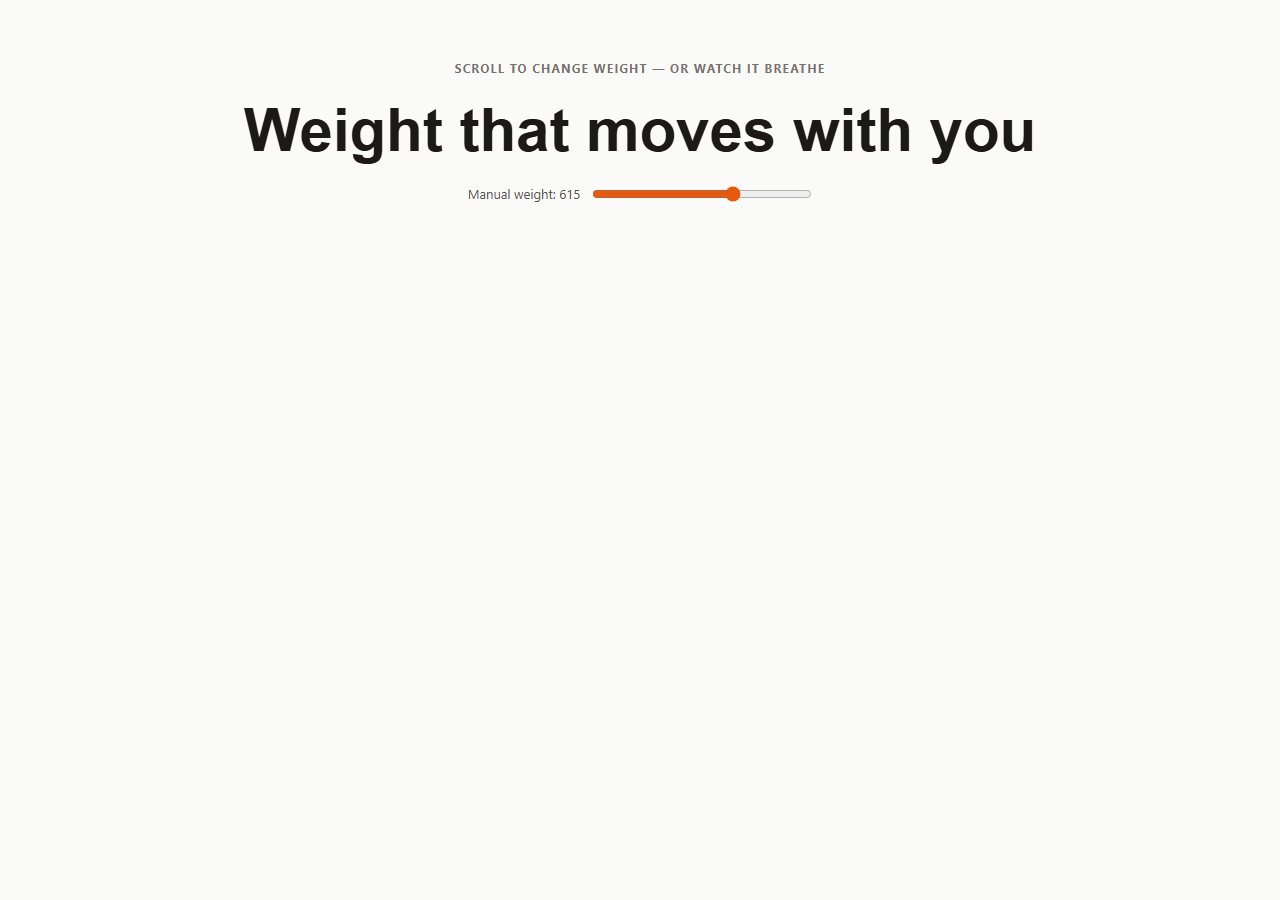
A variable font weight breathe animates the "wght" axis of a variable font continuously between light and bold, so a headline appears to inhale and exhale rather than sitting at a single static weight — an effect only possible because modern variable fonts expose weight as a continuously interpolatable axis instead of a fixed set of separate font files. This snippet also demonstrates binding that same axis to scroll position, which is a common pattern on editorial and type-forward portfolio sites. For an animation of font size instead of weight, see CSS clamp responsive type demo; for a shimmering color treatment rather than a weight change, see animated gradient text.
The font-variation-settings property
Variable fonts expose one or more axes — most commonly wght (weight), but also wdth (width), slnt (slant), and custom axes depending on the font. font-variation-settings: "wght" 400 sets the weight axis to exactly 400, and unlike swapping between separate font-weight: 400 and font-weight: 700 font files, this value can be any number between the font's declared minimum and maximum — 437, 612, 890, anything — with the glyph outlines smoothly interpolated by the font renderer itself.
Driving the axis from a requestAnimationFrame loop
breatheLoop() increments a phase value by a small amount every frame and computes 400 + Math.sin(phase) * 260, producing a smooth oscillation between roughly 140 and 660 that repeats indefinitely. setWeight(w) clamps that value to the safe 100-900 range and writes it into heading.style.fontVariationSettings = "'wght' " + clamped. Because Math.sin naturally eases in and out of its peaks and troughs, the breathing has organic acceleration and deceleration without needing a separate CSS easing curve.
Interrupting the breathe with manual and scroll control
A breathing boolean gate lets the user take over: dragging the range <input> sets breathing = false and calls setWeight() directly from the slider's value, pinning the headline's weight to a chosen number. A scroll listener does the same thing but computes the target weight from scroll progress — window.scrollY divided by the maximum scrollable distance — mapped into the 150 to 850 range, so scrolling down the page visibly bulks up the headline's weight. Both interactions permanently disable the idle breathing loop by flipping the same breathing flag, since breatheLoop checks it before writing a new weight every frame.
Font compatibility note
This demo uses the system Arial fallback stack, which on most modern operating systems resolves to a font with variable weight support in current browsers; for production use, load an explicit variable font file (@font-face with font-weight: 100 900 and src: url(...) format("woff2-variations")) such as Inter Variable or Roboto Flex so the effect is guaranteed to work identically across browsers and platforms.
Build with AI
Build, Understand, Optimize, and Extend It With AI
Paste this snippet's HTML, CSS, and JS into an AI coding assistant like Claude and ask it to explain exactly how font-variation-settings differs from font-weight, and why Math.sin(phase) naturally produces an easing curve without a separate CSS transition-timing-function. It's also worth a compatibility conversation: ask which real, freely licensed variable fonts (Inter Variable, Roboto Flex, Recursive) would work as a drop-in @font-face replacement for the system Arial fallback used here, and how to write the woff2-variations @font-face rule correctly. For extending it, ask for a version that also animates a width (wdth) or slant (slnt) axis simultaneously with weight, one where the breathing speed itself responds to scroll velocity, or one that ties the weight axis to audio input level for a "text that reacts to sound" effect. Treat the code less like a finished artifact and more like a starting point for a conversation.
Prompt to recreate it
Copy this into your AI assistant of choice to build the effect from scratch, or as a jumping-off point for your own variant:
Build a headline whose variable font weight continuously breathes between light and bold, using plain HTML, CSS, and vanilla JavaScript — no animation library.

Requirements:
- Apply font-variation-settings with a "wght" axis value to a heading element instead of using the font-weight property, so the weight can be set to any number, not just fixed steps.
- Drive the weight value from a requestAnimationFrame loop using a slowly increasing phase variable passed through Math.sin, oscillating smoothly around a center weight (for example 400) with a wide amplitude (for example plus or minus 260), so the headline continuously and smoothly pulses between a light and a bold weight with natural ease-in/ease-out motion, without any explicit CSS easing curve.
- Clamp the computed weight to a safe range (such as 100 to 900) before applying it, since values outside a variable font's supported axis range are meaningless.
- Add a range slider input that, when dragged, permanently stops the automatic breathing loop and instead pins the heading's weight directly to the slider's value, displaying the current numeric weight next to the slider.
- Also add a scroll event listener that, on any scroll, likewise stops the automatic breathing and instead maps the page's scroll progress (current scroll position divided by maximum scrollable distance) onto the weight axis, so scrolling down visibly increases the heading's boldness.
- Use one shared boolean flag to control which of the three modes (idle breathing, slider-controlled, scroll-controlled) is currently active, checked once per animation frame.
Want to tighten it up first? Run this prompt through the AI Prompt Studio to score it across 8 quality dimensions, catch anti-patterns, and tune the wording for Claude, ChatGPT, or Gemini before you paste it in.
Step by step
How to Use
- 1Watch it breathe, then interactThe headline pulses between light and bold automatically. Drag the slider or scroll the page to take manual control — the idle breathing stops permanently once you interact.
- 2Change the headline textEdit the text inside .breathe-heading in the HTML panel.
- 3Adjust the breathing rangeIn the JS panel, change 400 + Math.sin(phase) * 260 inside breatheLoop() — widen or narrow the ± 260 amplitude around the 400 center weight.
- 4Change the breathing speedUpdate the 0.015 increment added to phase each frame — smaller is slower, larger is faster.
- 5Load a real variable fontAdd an @font-face rule with a woff2-variations source (e.g. Inter Variable) and update font-family on .breathe-heading to use it instead of the system Arial fallback.
- 6Export in your formatClick "HTML" for a standalone file, "JSX" for a React component, or "Tailwind" for a React + Tailwind version.
Real-world uses
Common Use Cases
Got questions?
Frequently Asked Questions
A variable font packs a continuous range of weights (and sometimes widths, slants, or other properties) into a single font file, exposed as named axes like "wght". font-variation-settings lets CSS pick any point along that axis, such as 437 or 612, rather than being limited to the handful of discrete weights a traditional font family ships as.
font-variation-settings can technically be keyframed in CSS, but driving it from a small requestAnimationFrame loop makes it trivial to interrupt cleanly (via the breathing boolean) and to blend seamlessly into scroll-driven or pointer-driven control without fighting a running CSS animation.
Most variable fonts define their wght axis with a minimum around 100 and a maximum around 900 (sometimes higher for display fonts). Setting a value outside a font's supported range is either ignored or clamped by the browser anyway, so clamping in JS keeps the displayed number and slider position accurate.
Only fonts explicitly built as variable fonts with a wght axis support this. A static font family accepts font-variation-settings without erroring, but the weight will not visually change. For production, load a real variable font such as Inter Variable, Roboto Flex, or Recursive via @font-face.
The scroll listener is already wired up — scrolling the page sets breathing = false and computes weight from window.scrollY divided by the maximum scroll distance. Remove the requestAnimationFrame(breatheLoop) call at the bottom of the JS if you want scroll-only control with no idle animation.
Yes. Click "JSX" for a React component. Manage a weight value in useState, update it from a requestAnimationFrame loop inside useEffect (cleaning up the frame on unmount), and set style={{ fontVariationSettings: "wght" ${weight} }} on the heading element.