Source Code
<div class="container py-5 d-flex justify-content-center">
  <div class="card bscontact-card">
    <div class="card-body p-4">
      <h5 class="fw-bold mb-3">Send us a message</h5>
      <form id="bscontactForm" novalidate>
        <div class="mb-3">
          <label class="form-label small fw-semibold">Email</label>
          <input type="email" class="form-control" id="bscontactEmail" required>
        </div>
        <div class="mb-1">
          <label class="form-label small fw-semibold d-flex justify-content-between">
            <span>Message</span>
            <span class="text-muted" id="bscontactCount">0 / 280</span>
          </label>
          <textarea class="form-control" id="bscontactMessage" rows="4" maxlength="280" required></textarea>
        </div>
        <p class="small text-danger mb-3 d-none" id="bscontactWarn">Keep it under 280 characters.</p>
        <button type="submit" class="btn btn-dark w-100 fw-bold">Send message</button>
        <p class="small text-success mt-2 mb-0 d-none" id="bscontactSuccess">Message sent — we'll reply within a day.</p>
      </form>
    </div>
  </div>
</div>
.bscontact-card { width: 400px; border: 1px solid #eceef1; border-radius: 14px; }const form = document.getElementById('bscontactForm');
const email = document.getElementById('bscontactEmail');
const message = document.getElementById('bscontactMessage');
const countEl = document.getElementById('bscontactCount');
const warn = document.getElementById('bscontactWarn');
const success = document.getElementById('bscontactSuccess');
const LIMIT = 280;
message.addEventListener('input', () => {
const len = message.value.length;
countEl.textContent = len + ' / ' + LIMIT;
const near = len >= LIMIT - 20;
countEl.classList.toggle('text-danger', near);
countEl.classList.toggle('text-muted', !near);
warn.classList.toggle('d-none', len < LIMIT);
});
form.addEventListener('submit', e => {
e.preventDefault();
success.classList.add('d-none');
email.classList.toggle('is-invalid', !email.checkValidity());
message.classList.toggle('is-invalid', !message.value.trim());
if (!email.checkValidity() || !message.value.trim()) return;
success.classList.remove('d-none');
form.reset();
countEl.textContent = '0 / ' + LIMIT;
countEl.classList.remove('text-danger');
countEl.classList.add('text-muted');
[email, message].forEach(f => f.classList.remove('is-invalid'));
});Learn Coding Visually
Learn to code with interactive, live-preview playgrounds — HTML, CSS, JavaScript, React & more.
 HTML Playground42 lessons · Click-based · Live preview
 CSS PlaygroundLearn CSS with a live editor
 JavaScript Playground60 lessons · DOM · Async · Canvas
 React PlaygroundLearn React with a live code editor
 GSAP PlaygroundLearn GSAP animation interactively
 SVG Playground44 lessons · shapes · paths · animation
 SCSS Playground45 lessons · Sass modules · tokens
 Tailwind PlaygroundLearn Tailwind CSS with a live editor
 Bootstrap 5 Playground50 lessons · live preview
Bootstrap Contact Form with Character Counter — Free Snippet
Bootstrap Contact Form with Character Counter · Forms · Plain HTML, CSS & JS · Live preview
What's included
Features
About this UI Snippet
Bootstrap Contact Form with Character Counter — HTML, CSS & JavaScript
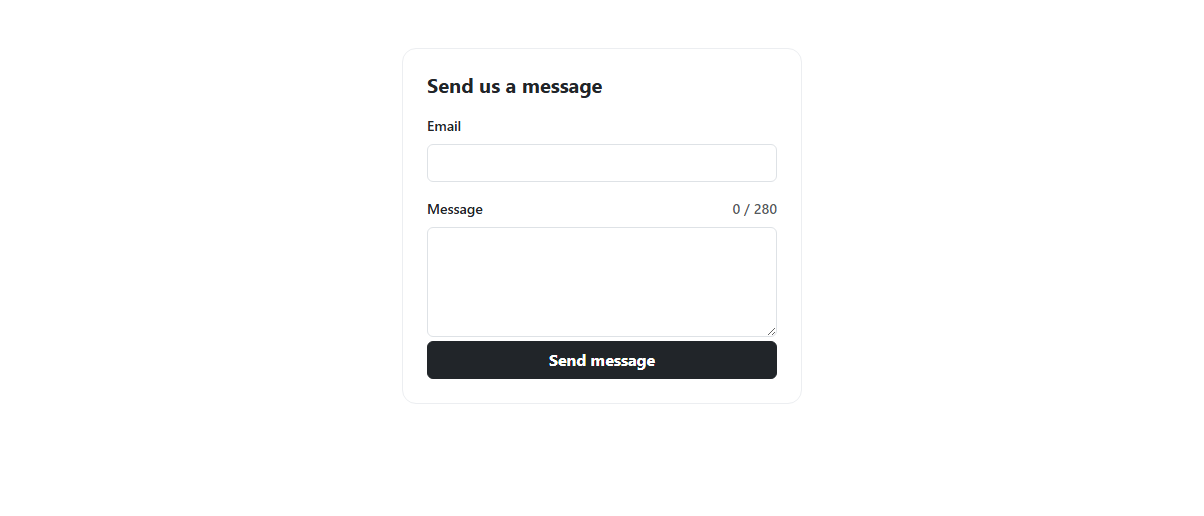
A maxlength attribute on a <textarea> silently stops a visitor from typing further with no visible warning of why — this snippet pairs Bootstrap's real maxlength="280" textarea with a live counter that updates on every keystroke, turning from muted gray to red once fewer than 20 characters remain, so the limit is visible well before it's actually hit rather than discovered by a key that stops responding.
Submission is genuinely validated: both the email (checkValidity()) and the message (a non-empty check) must pass before the success message appears, with Bootstrap's real is-invalid state applied to whichever field fails — built on real Bootstrap 5.3 form controls throughout.
Build with AI
Build, Understand, Optimize, and Extend It With AI
Hand this snippet's HTML, CSS, and JS to an AI coding assistant like Claude and ask it to wire the submit handler to a real contact-form API with fetch() and a loading state on the button, or to add a subject dropdown field that's included in validation. It's also a good exercise to ask the assistant to add a honeypot field for basic spam protection.
Prompt to recreate it
Copy this into your AI assistant of choice to build the effect from scratch, or as a jumping-off point for your own variant:
Build a Bootstrap 5.3 contact form with a live character-limit counter, using the real Bootstrap CDN framework (bootstrap.min.css and bootstrap.bundle.min.js), not custom CSS made to resemble Bootstrap.

Requirements:
- A real Bootstrap form with an email input and a message textarea (maxlength="280"), plus a submit button.
- A live "N / 280" counter above or near the textarea that updates on every keystroke (the input event), turning a warning color (e.g. red) once fewer than 20 characters remain before the limit.
- On submit, validate both fields — the email via native checkValidity(), the message via a non-empty check — applying Bootstrap's is-invalid class to whichever fails and blocking a success message from appearing until both pass.
- On successful submission, show a success message, reset the form, and reset the character counter back to its initial state.
Want to tighten it up first? Run this prompt through the AI Prompt Studio to score it across 8 quality dimensions, catch anti-patterns, and tune the wording for Claude, ChatGPT, or Gemini before you paste it in.
Step by step
How to Use
- 1Load the snippetClick the snippet in the sidebar Library tab. The preview loads an empty contact form with "0 / 280".
- 2Type a messageThe counter updates on every keystroke, e.g. "142 / 280".
- 3Type past 260 charactersThe counter turns red, giving an early warning before the 280 limit is actually reached.
- 4Submit with an empty or invalid emailThe relevant field gets Bootstrap's invalid styling and the form doesn't submit.
- 5Fill both fields correctly and submitA green success message appears and the form resets.
Real-world uses
Common Use Cases
Got questions?
Frequently Asked Questions
Live — the input event fires on every keystroke, so the counter updates immediately as you type, not after a debounce delay or on blur.
The textarea's native maxlength="280" attribute physically prevents typing further, and the counter has already turned red and shown a warning message before that point, so the limit isn't a surprise.
Yes — the email field is checked with native checkValidity() and the message with a non-empty check; either failing applies Bootstrap's is-invalid class and blocks the success message from showing.
Nowhere outside the page — this is a front-end demo. Replace the success-message logic in the submit handler with a real fetch() call to your contact-form API endpoint.
Yes — update both the LIMIT constant in the JS and the maxlength="280" attribute on the textarea to the same new value, so the visible counter and the actual enforced limit stay in sync.