Source Code
<div class="container py-5">
  <div class="d-flex justify-content-between align-items-center mb-3">
    <h1 class="bsfilter-title mb-0">Products <span class="text-muted small" id="bsfilterCount">(6)</span></h1>
    <button class="btn btn-sm btn-dark" data-bs-toggle="offcanvas" data-bs-target="#bsfilterPanel">Filters</button>
  </div>
  <div class="row g-3" id="bsfilterGrid">
    <div class="col-6 col-md-4" data-cat="lighting" data-price="76"><div class="card p-3 text-center"><div class="bsfilter-thumb mb-2" style="--h:20"></div>Brass Lamp<br><span class="small text-muted">$76</span></div></div>
    <div class="col-6 col-md-4" data-cat="desk" data-price="18"><div class="card p-3 text-center"><div class="bsfilter-thumb mb-2" style="--h:150"></div>Cable Organizer<br><span class="small text-muted">$18</span></div></div>
    <div class="col-6 col-md-4" data-cat="lighting" data-price="42"><div class="card p-3 text-center"><div class="bsfilter-thumb mb-2" style="--h:230"></div>Desk Lamp Mini<br><span class="small text-muted">$42</span></div></div>
    <div class="col-6 col-md-4" data-cat="desk" data-price="29"><div class="card p-3 text-center"><div class="bsfilter-thumb mb-2" style="--h:300"></div>Desk Mat<br><span class="small text-muted">$29</span></div></div>
    <div class="col-6 col-md-4" data-cat="storage" data-price="52"><div class="card p-3 text-center"><div class="bsfilter-thumb mb-2" style="--h:60"></div>Monitor Stand<br><span class="small text-muted">$52</span></div></div>
    <div class="col-6 col-md-4" data-cat="storage" data-price="38"><div class="card p-3 text-center"><div class="bsfilter-thumb mb-2" style="--h:180"></div>Desk Organizer<br><span class="small text-muted">$38</span></div></div>
  </div>
</div>

<div class="offcanvas offcanvas-start" tabindex="-1" id="bsfilterPanel">
  <div class="offcanvas-header"><h5 class="offcanvas-title">Filters</h5><button type="button" class="btn-close" data-bs-dismiss="offcanvas"></button></div>
  <div class="offcanvas-body">
    <h6 class="small fw-bold">Category</h6>
    <div class="form-check"><input class="form-check-input bsfilter-cat" type="checkbox" value="lighting" id="bsfCat1"><label class="form-check-label small" for="bsfCat1">Lighting</label></div>
    <div class="form-check"><input class="form-check-input bsfilter-cat" type="checkbox" value="desk" id="bsfCat2"><label class="form-check-label small" for="bsfCat2">Desk</label></div>
    <div class="form-check mb-3"><input class="form-check-input bsfilter-cat" type="checkbox" value="storage" id="bsfCat3"><label class="form-check-label small" for="bsfCat3">Storage</label></div>

    <h6 class="small fw-bold">Max price: $<span id="bsfilterMaxLabel">100</span></h6>
    <input type="range" class="form-range mb-3" id="bsfilterMax" min="15" max="100" value="100">

    <button class="btn btn-outline-secondary btn-sm w-100" id="bsfilterClear">Clear all</button>
  </div>
</div>
.bsfilter-title { font-weight: 800; letter-spacing: -0.01em; }
.bsfilter-thumb { aspect-ratio: 1; border-radius: 8px; background: linear-gradient(135deg, hsl(calc(var(--h)) 60% 80%), hsl(calc(var(--h) + 40) 60% 60%)); }
.bsfilter-hidden { display: none !important; }const grid = document.getElementById('bsfilterGrid');
const cats = document.querySelectorAll('.bsfilter-cat');
const maxRange = document.getElementById('bsfilterMax');
const maxLabel = document.getElementById('bsfilterMaxLabel');
const countEl = document.getElementById('bsfilterCount');
const clearBtn = document.getElementById('bsfilterClear');
const cards = document.querySelectorAll('#bsfilterGrid > div');
function apply() {
const checked = Array.from(cats).filter(c => c.checked).map(c => c.value);
const maxPrice = Number(maxRange.value);
maxLabel.textContent = maxPrice;
let visible = 0;
cards.forEach(card => {
const matchCat = checked.length === 0 || checked.includes(card.dataset.cat);
const matchPrice = Number(card.dataset.price) <= maxPrice;
const show = matchCat && matchPrice;
card.classList.toggle('bsfilter-hidden', !show);
if (show) visible++;
});
countEl.textContent = '(' + visible + ')';
}
cats.forEach(c => c.addEventListener('change', apply));
maxRange.addEventListener('input', apply);
clearBtn.addEventListener('click', () => {
cats.forEach(c => c.checked = false);
maxRange.value = 100;
apply();
});
apply();Learn Coding Visually
Learn to code with interactive, live-preview playgrounds — HTML, CSS, JavaScript, React & more.
 HTML Playground42 lessons · Click-based · Live preview
 CSS PlaygroundLearn CSS with a live editor
 JavaScript Playground60 lessons · DOM · Async · Canvas
 React PlaygroundLearn React with a live code editor
 GSAP PlaygroundLearn GSAP animation interactively
 SVG Playground44 lessons · shapes · paths · animation
 SCSS Playground45 lessons · Sass modules · tokens
 Tailwind PlaygroundLearn Tailwind CSS with a live editor
 Bootstrap 5 Playground50 lessons · live preview
Bootstrap Filter Sidebar Offcanvas — Free Snippet
Bootstrap Filter Sidebar Offcanvas · Modals · Plain HTML, CSS & JS · Live preview
What's included
Features
About this UI Snippet
Bootstrap Filter Sidebar Offcanvas — HTML, CSS & JavaScript
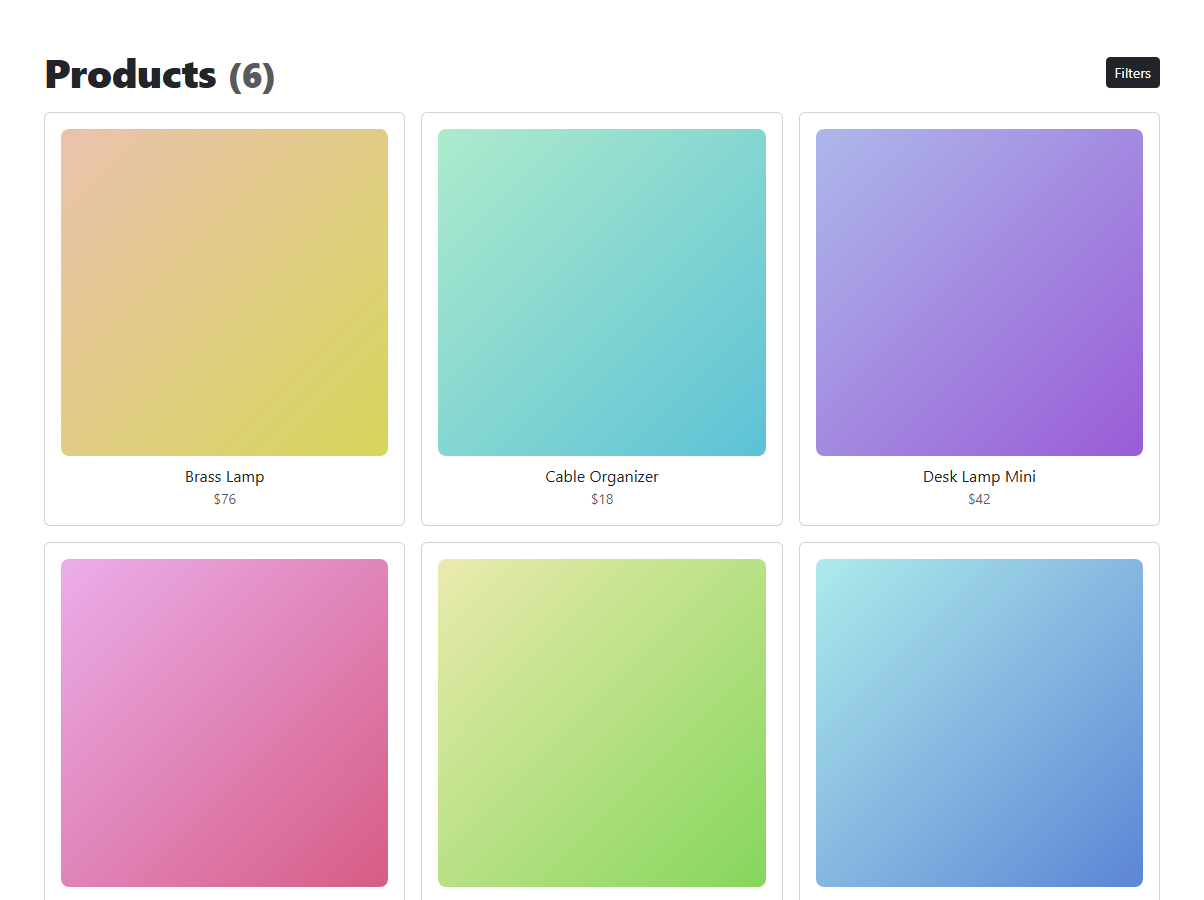
Rather than a permanently docked filter sidebar eating into the product grid's width, this snippet keeps filters in a real Bootstrap 5.3 Offcanvas panel — off-screen until the "Filters" button opens it, so the grid gets full width by default and filters appear on demand, especially useful on narrower screens.
One apply() function reads every filter's current state together — which category checkboxes are checked, and the price slider's current value — and re-evaluates every product card against both conditions at once, joined with logical AND: a card only stays visible if it matches a checked category (or no category is checked, meaning "show all") and its price is at or under the slider's current maximum. Re-running the whole filter from scratch on every change is what guarantees the category checkboxes and the price slider always combine correctly, instead of each silently overriding the other's effect.
Build with AI
Build, Understand, Optimize, and Extend It With AI
Hand this snippet's HTML, CSS, and JS to an AI coding assistant like Claude and ask it to add a "sort by price" dropdown that combines with the existing filters, or to sync the selected filters to the URL query string so a filtered view can be shared via link. It's also a good exercise to ask the assistant to add filter chips above the grid showing which filters are currently active, each removable individually.
Prompt to recreate it
Copy this into your AI assistant of choice to build the effect from scratch, or as a jumping-off point for your own variant:
Build a Bootstrap 5.3 filter sidebar using the Offcanvas component, using the real Bootstrap CDN framework (bootstrap.min.css and bootstrap.bundle.min.js), not custom CSS made to resemble Bootstrap.

Requirements:
- A product grid of at least six items, each tagged with a category and a price via data attributes, and a "Filters" button that opens a real Bootstrap offcanvas panel (data-bs-toggle="offcanvas") from the side.
- Inside the panel, at least three category checkboxes and a price range slider (form-range) showing its current max value live.
- Implement one shared filtering function that re-evaluates every product card whenever any filter input changes, combining the checked categories (treating "none checked" as "show all") and the price slider's current value with AND logic — a card is visible only if it satisfies both conditions.
- Display a live count of currently visible products, and include a "Clear all" button that resets every filter input and restores all products to visible.
Want to tighten it up first? Run this prompt through the AI Prompt Studio to score it across 8 quality dimensions, catch anti-patterns, and tune the wording for Claude, ChatGPT, or Gemini before you paste it in.
Step by step
How to Use
- 1Load the snippetClick the snippet in the sidebar Library tab. The preview loads a 6-item product grid and "(6)" shown next to the title.
- 2Open the Filters panelClick "Filters" — a real Bootstrap offcanvas slides in from the left with category checkboxes and a price slider.
- 3Check "Lighting"Only lighting products stay visible in the grid, and the count updates.
- 4Drag the price slider downProducts above the new max price also filter out, combining with the category filter.
- 5Click "Clear all"Every filter resets and all 6 products reappear.
Real-world uses
Common Use Cases
Got questions?
Frequently Asked Questions
Yes — it's Bootstrap 5.3's actual Offcanvas component, opened via data-bs-toggle="offcanvas", loaded from the genuine CDN.
One apply() function reads both the checked categories and the current slider value together, and a card stays visible only if it satisfies both conditions (or no category is checked, which counts as "any category") — they're combined with AND logic, not evaluated separately.
It's treated as "show all categories" — the category condition only restricts results once at least one checkbox is checked; the price slider still applies regardless.
Yes — it unchecks every category checkbox and resets the price slider to its maximum, then re-runs the filter, which restores every product to visible.
Yes — add the new inputs to the offcanvas body, give matching data attributes to the product cards, and extend apply() to also check that new condition alongside category and price.