Source Code
<section class="bsvhero-section">
  <div class="container py-5 text-center">
    <span class="badge rounded-pill bsvhero-badge mb-3">Product tour</span>
    <h1 class="bsvhero-title">See it in action</h1>
    <p class="bsvhero-sub mb-4">A 90-second walkthrough of the whole workflow, start to finish.</p>

    <div class="bsvhero-frame mx-auto" id="bsvheroFrame">
      <div class="bsvhero-cover" id="bsvheroCover">
        <button class="bsvhero-play" id="bsvheroPlay" aria-label="Play video">
          <svg width="22" height="22" viewBox="0 0 24 24" fill="currentColor"><path d="M8 5v14l11-7z"/></svg>
        </button>
        <span class="bsvhero-duration">1:32</span>
      </div>
      <div class="bsvhero-playing d-none" id="bsvheroPlaying">
        <div class="bsvhero-progress"><div class="bsvhero-progress-bar" id="bsvheroBar"></div></div>
        <span class="small">Playing demo…</span>
        <button class="btn btn-sm btn-light mt-2" id="bsvheroReset">Reset</button>
      </div>
    </div>
  </div>
</section>
body { margin: 0; }
.bsvhero-section { background: linear-gradient(180deg, #0f172a, #1e293b); color: #fff; }
.bsvhero-badge { background: rgba(255,255,255,.12); color: #fff; font-size: 12px; }
.bsvhero-title { font-weight: 800; letter-spacing: -0.02em; font-size: clamp(1.6rem, 1.3rem + 1.2vw, 2.4rem); }
.bsvhero-sub { color: rgba(255,255,255,.7); max-width: 460px; margin-inline: auto; }
.bsvhero-frame {
max-width: 640px;
aspect-ratio: 16/9;
border-radius: 14px;
overflow: hidden;
position: relative;
background: linear-gradient(135deg, #334155, #1e293b);
box-shadow: 0 30px 60px rgba(0,0,0,.4);
}
.bsvhero-cover { position: absolute; inset: 0; display: flex; align-items: center; justify-content: center; }
.bsvhero-play {
width: 62px; height: 62px; border-radius: 50%;
border: none; background: #fff; color: #0f172a;
display: flex; align-items: center; justify-content: center;
cursor: pointer; transition: transform .15s;
}
.bsvhero-play:hover { transform: scale(1.08); }
.bsvhero-duration { position: absolute; bottom: 12px; right: 14px; font-size: 12px; background: rgba(0,0,0,.5); padding: 2px 8px; border-radius: 6px; }
.bsvhero-playing {
position: absolute; inset: 0;
display: flex; flex-direction: column; align-items: center; justify-content: center; gap: 8px;
}
.bsvhero-progress { width: 70%; height: 4px; background: rgba(255,255,255,.2); border-radius: 4px; overflow: hidden; }
.bsvhero-progress-bar { height: 100%; width: 0%; background: #6366f1; transition: width .1s linear; }const cover = document.getElementById('bsvheroCover');
const playing = document.getElementById('bsvheroPlaying');
const playBtn = document.getElementById('bsvheroPlay');
const resetBtn = document.getElementById('bsvheroReset');
const bar = document.getElementById('bsvheroBar');
let timer = null;
playBtn.addEventListener('click', () => {
cover.classList.add('d-none');
playing.classList.remove('d-none');
let pct = 0;
bar.style.width = '0%';
timer = setInterval(() => {
pct += 2;
bar.style.width = Math.min(100, pct) + '%';
if (pct >= 100) clearInterval(timer);
}, 100);
});
resetBtn.addEventListener('click', () => {
clearInterval(timer);
playing.classList.add('d-none');
cover.classList.remove('d-none');
bar.style.width = '0%';
});Learn Coding Visually
Learn to code with interactive, live-preview playgrounds — HTML, CSS, JavaScript, React & more.
 HTML Playground42 lessons · Click-based · Live preview
 CSS PlaygroundLearn CSS with a live editor
 JavaScript Playground60 lessons · DOM · Async · Canvas
 React PlaygroundLearn React with a live code editor
 GSAP PlaygroundLearn GSAP animation interactively
 SVG Playground44 lessons · shapes · paths · animation
 SCSS Playground45 lessons · Sass modules · tokens
 Tailwind PlaygroundLearn Tailwind CSS with a live editor
 Bootstrap 5 Playground50 lessons · live preview
Bootstrap Video Hero with Play Overlay — Free Snippet
Bootstrap Video Hero with Play Overlay · Heroes · Plain HTML, CSS & JS · Live preview
What's included
Features
About this UI Snippet
Bootstrap Video Hero with Play Overlay — HTML, CSS & JavaScript
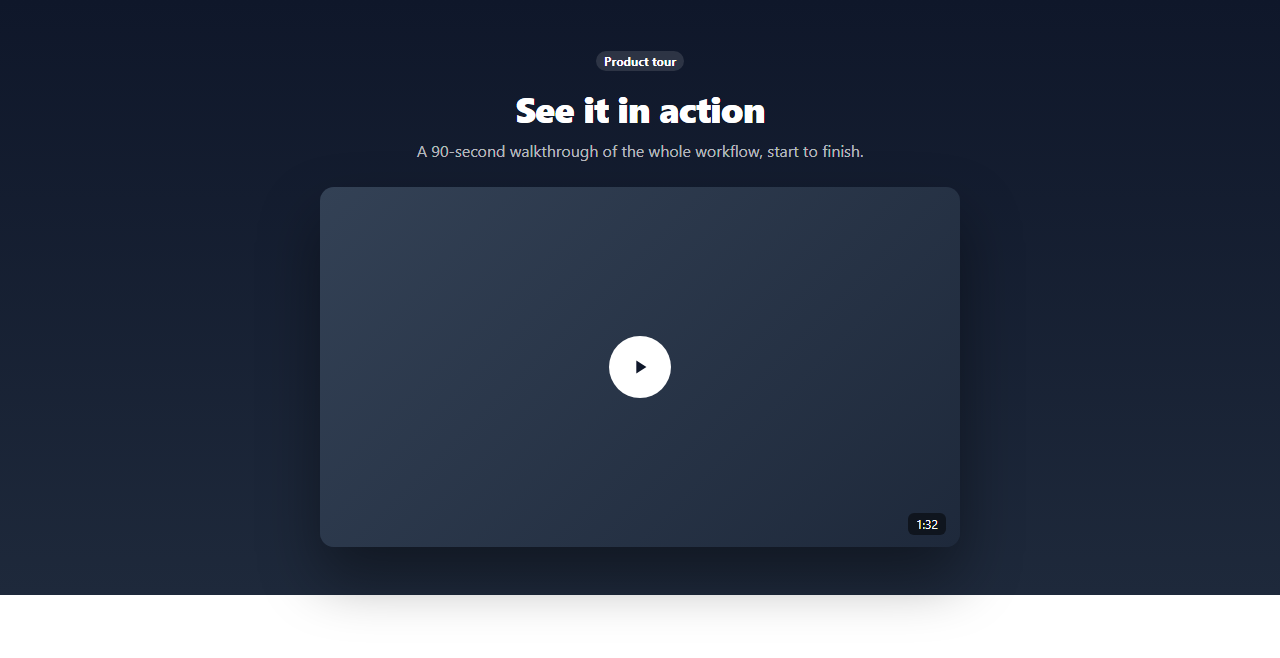
A product-tour hero usually centers on an embedded video, but a working demo shouldn't require shipping a real video file to be useful as a starting point. This snippet builds the interaction shape on real Bootstrap layout and utility classes: a dark hero, a framed thumbnail with a centered circular play button, and a click handler that swaps the static cover for a "playing" state with an animating progress bar — the exact structure you'd wire a real <video> or embedded player into.
The cover and the playing state are two separate absolutely-positioned layers inside one frame, toggled with Bootstrap's .d-none utility class — swap the progress-bar simulation for a real <video> element's timeupdate event and the rest of the show/hide logic needs no changes.
Build with AI
Build, Understand, Optimize, and Extend It With AI
Hand this snippet's HTML, CSS, and JS to an AI coding assistant like Claude and ask it to wire in a real HTML5 <video> element with its native play/pause/timeupdate events driving the progress bar instead of the simulated interval, or to add a YouTube embed variant. It's also a good exercise to ask the assistant to add a mute/unmute control and a fullscreen button once a real video is in place.
Prompt to recreate it
Copy this into your AI assistant of choice to build the effect from scratch, or as a jumping-off point for your own variant:
Build a Bootstrap 5.3 hero section with a video-style play overlay, using the real Bootstrap CDN framework (bootstrap.min.css and bootstrap.bundle.min.js), not custom CSS made to resemble Bootstrap.

Requirements:
- A dark hero section with a headline, subtext, and a centered video-thumbnail frame with a circular play button overlay and a duration badge.
- Clicking the play button must swap the cover state for a "playing" state (toggled with Bootstrap's d-none utility class) showing a progress indicator that visibly fills over time.
- Include a Reset control that returns the frame to its initial play-button cover state.
- Structure the cover and playing states as clearly separable layers so a real <video> element or embed could be substituted for the simulated progress bar with minimal changes.
Want to tighten it up first? Run this prompt through the AI Prompt Studio to score it across 8 quality dimensions, catch anti-patterns, and tune the wording for Claude, ChatGPT, or Gemini before you paste it in.
Step by step
How to Use
- 1Load the snippetClick the snippet in the sidebar Library tab. The preview loads a dark hero with a video thumbnail and a play button.
- 2Click the play buttonThe cover swaps out for a "Playing demo…" state with an animating progress bar.
- 3Let it finish or resetThe bar fills to 100% and stops, or click Reset to return to the play button.
- 4Swap in a real videoReplace the .bsvhero-cover thumbnail background and playing-state logic with an actual <video> element and its play()/timeupdate events.
Real-world uses
Common Use Cases
Got questions?
Frequently Asked Questions
No — it simulates the play interaction with an animating progress bar so the pattern is usable without shipping a real video file. Replace the playing-state markup with a real <video> element or embed to make it functional.
Replace .bsvhero-cover's background with your thumbnail, add a <video> element inside .bsvhero-playing, and call video.play() in the play button's click handler instead of starting the simulated progress interval.
Yes — on click, replace .bsvhero-playing's content with an <iframe> pointing at the embed URL (with autoplay=1) instead of toggling the simulated progress bar.
You would extend it to call video.pause() and reset video.currentTime = 0, or remove the iframe embed, alongside the existing cover/playing class toggle.
It's a real <button> with an aria-label, so it's reachable and understandable via keyboard and screen reader navigation.