You Might Also Like
Learn Coding Visually
Learn to code with interactive, live-preview playgrounds — HTML, CSS, JavaScript, React & more.
 HTML Playground42 lessons · Click-based · Live preview
 CSS PlaygroundLearn CSS with a live editor
 JavaScript Playground60 lessons · DOM · Async · Canvas
 React PlaygroundLearn React with a live code editor
 GSAP PlaygroundLearn GSAP animation interactively
 SVG Playground44 lessons · shapes · paths · animation
 SCSS Playground45 lessons · Sass modules · tokens
 Tailwind PlaygroundLearn Tailwind CSS with a live editor
 Bootstrap 5 Playground50 lessons · live preview
Three.js Scroll Seasons Tree — Keyframe Color Grading
Three.js Scroll Four Seasons Tree · Scroll · Plain HTML, CSS & JS · Live preview
What's included
Features
About this UI Snippet
How to Build a Scroll-Driven Four Seasons Tree With Three.js and GSAP
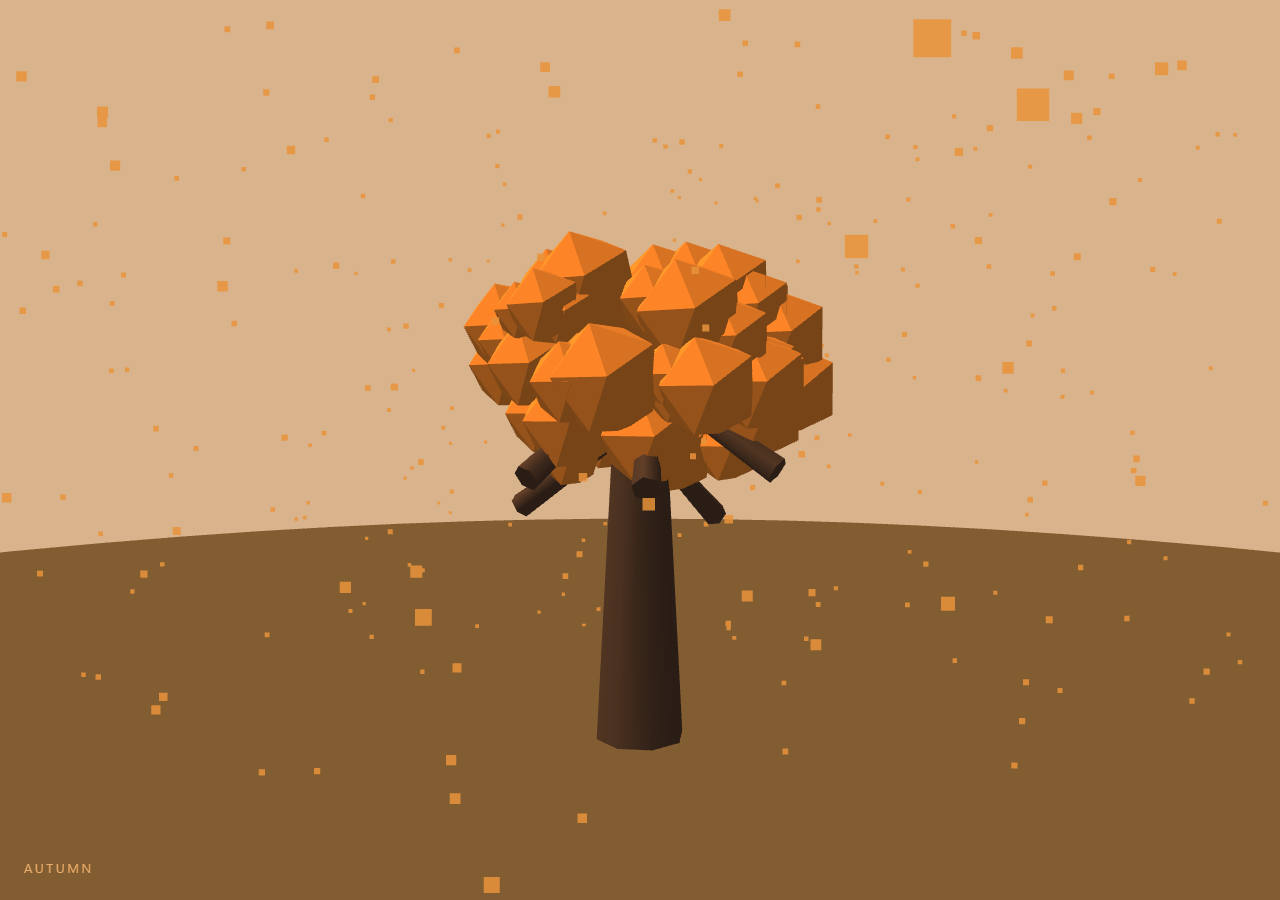
The Three.js Scroll Four Seasons Tree snippet plants a low-poly tree on a hillside disc and lets one scroll carry it through an entire year — spring blossoms drifting past green buds, deep summer foliage, orange autumn leaf-fall, bare branches under snow, and back to spring — while the camera circles the tree a half-turn. The engine underneath is a compact keyframe system: five season states, one scrubbed year value, and everything on screen lerped between adjacent keyframes.
Seasons as data: the keyframe table
Every visual property that changes across the year lives in one array of keyframe objects: sky color, ground color, foliage color, light color and intensity, foliage scale, particle color, and particle opacity, plus a HUD name and accent. The frame loop computes which pair of keyframes the year progress falls between (seg = p × 4), and lerps every property by the fractional part. Adding a fifth visual property to the year means adding one field to five objects — no animation code changes. The fifth keyframe duplicates spring, so the year closes its loop and the scroll's end matches its beginning, a cyclical structure unlike the linear arcs of the ocean dive or planet approach.
Smoothstep holds each season at its center
Raw linear blending would keep the scene perpetually in transition — always between seasons, never *in* one. Passing the blend fraction through smoothstep (f²(3 − 2f)) flattens the curve near 0 and 1, so each season visibly holds near its keyframe before easing into the next. One line converts a continuous color wash into four distinct acts with transitions.
Winter is a scale, not a texture swap
The foliage is 90 icosahedron puffs distributed through the crown by a cube-root radial distribution (which fills a sphere evenly instead of clustering at the center). Their season behavior is driven by two lerped values: color (bud green → deep green → orange → snowy white) and scale — and winter's scale keyframe is 0.12, which shrinks the puffs to almost nothing and reveals the branch skeleton underneath. Shrinking beats hiding: the tree visibly *loses* its leaves through late autumn and buds them back through early spring, both directions handled by the same lerp. Each puff also breathes ±3% on clock time with a per-puff phase, so the crown rustles while scroll is idle.
One particle system plays three roles
Pink blossom petals in spring, orange falling leaves in autumn, white snow in winter — all the same 400-point recycled system. The keyframes drive its color and opacity (summer sets opacity 0, turning it off entirely), while per-particle seeds vary fall speed and sway. Points wrap from ground back to the sky, the recycle pattern this series uses everywhere from starfield warp onward. One system, three seasonal meanings, zero allocation.
A half-orbit that pairs with the year
The camera circles the tree just over half a turn across the scroll, so each season also gets its own viewing angle — and because sun color and intensity are keyframed too, the same geometry reads warm and lush in summer light and cold and skeletal under the dim winter sun. The HUD swaps the season name and its accent color at each blend midpoint. Scrolling backwards runs the year in reverse, snow lifting off and leaves reattaching, since every property derives from the single scrubbed value — the same guarantee behind the tornado vortex's dispersal.
Build with AI
Build, Understand, Optimize, and Extend It With AI
You do not need to design a keyframe interpolation system from scratch — this snippet is one, in about thirty lines. Paste its HTML, CSS, and JS into an AI assistant like Claude and ask it to explain the segment/fraction indexing, why smoothstep creates distinct seasons, or how winter works as a scale keyframe. The same assistant can grow the scene — a second smaller tree with offset timing, keyframed fog for autumn mist, day-night as a second orthogonal keyframe track blended with the seasons, birds that appear only in the spring and summer segments, or your brand's palette swapped into the K table in one pass. It can also refactor the keyframe walker into a reusable function you feed any property table. Treat the code as a starting point to interrogate and reshape, not a finished artifact.
Prompt to recreate it
Copy this into your AI assistant of choice to build the effect from scratch, or as a jumping-off point for your own variant:
Build a "scroll-driven four seasons tree" in plain HTML, CSS, and JavaScript using Three.js and GSAP's ScrollTrigger plugin, all loaded from a CDN (no bundler, no build step).

Requirements:
- A pinned full-viewport section with a canvas, WebGLRenderer, PerspectiveCamera (resized with aspect on window resize), ambient light, and one DirectionalLight sun whose color AND intensity will be keyframed.
- A low-poly tree: cylinder trunk, ~6 tilted cylinder branches placed around it with seeded randomness (sin-hash, no Math.random), and ~90 icosahedron foliage puffs distributed through the crown using a cube-root radial distribution for even sphere filling.
- A CircleGeometry ground disc whose color is keyframed with the seasons.
- A keyframe array of FIVE season states (spring, summer, autumn, winter, spring again for wraparound), each holding: sky color, ground color, leaf color, light color, light intensity, foliage scale (winter ≈ 0.12 so branches bare out), particle color, particle opacity (summer = 0), a season name, and a HUD accent color.
- One GSAP tween (ease "none") scrubbing year progress 0→1 on a ScrollTrigger with pin: true, scrub ~0.5, end ~+=500%.
- Each frame: seg = p × 4, take keyframes K[floor(seg)] and K[floor(seg)+1], blend fraction = smoothstep(frac(seg)), and lerp EVERY property — scene.background, ground color, sun color/intensity, puff color and scale, particle color/opacity. No season logic outside the table.
- One recycled 400-point particle system falling from sky to ground and wrapping, with per-particle seeded speed and sway — it must read as blossoms (pink), leaf-fall (orange), and snow (white) purely through the keyframed color/opacity.
- Puffs breathe ±3% on clock time with per-puff phase; camera orbits just over half a turn across the scroll at radius ~30, lookAt the crown.
- A HUD showing the nearer keyframe's season name and accent color, and an intro overlay fading at p > 0.02.
- Confirm reverse scrolling runs the year backwards — snow lifting, leaves reattaching — with no one-shot events.
Want to tighten it up first? Run this prompt through the AI Prompt Studio to score it across 8 quality dimensions, catch anti-patterns, and tune the wording for Claude, ChatGPT, or Gemini before you paste it in.
Step by step
How to Use
- 1Load the three CDN scriptsAdd three.min.js, gsap.min.js, and ScrollTrigger.min.js in that order before the snippet JS.
- 2Paste HTML, CSS, and JSA low-poly tree in fresh spring green stands on a hill disc, pink blossom petals drifting, the HUD reading SPRING.
- 3Scroll through summerFoliage deepens and swells, petals stop, light warms and brightens as the camera begins its half-orbit.
- 4Enter autumn and winterThe crown turns orange as leaves fall, then puffs shrink to bare branches while snow drifts down under cold dim light.
- 5Close the loopThe final quarter blends winter back into spring — the year ends where it began.
- 6Retheme the yearEdit the K keyframe array — every color, light level, foliage scale, and particle behavior for each season lives in one object per season.
Real-world uses
Common Use Cases
Got questions?
Frequently Asked Questions
Through a keyframe table: five state objects (spring, summer, autumn, winter, spring-again) each hold sky, ground, foliage, and light colors, light intensity, foliage scale, and particle color/opacity. The frame loop maps progress to a segment (p × 4), takes the adjacent keyframe pair, and lerps every property by the smoothstepped fraction. The seasons are data; the animation code never mentions any season by name.
Scale is continuous, visibility is binary. With winter's foliage scale keyframed at 0.12, the autumn→winter blend shows the crown gradually thinning to bare branches, and winter→spring shows buds swelling back — both directions for free through the same lerp. Toggling visible would snap 90 puffs off in one frame, which reads as a glitch rather than a season.
The falling behavior is identical — only color, opacity, and size differ, and those are keyframed like everything else: pink at 0.9 opacity in spring, off (0.0) in summer, orange in autumn, white in winter. Per-particle seeds vary drop speed and sway so the field never looks uniform. One geometry, one material, one draw call, three seasonal meanings.
Linear blending means the scene is at a 50/50 color mix through the middle of every segment — the year reads as one long crossfade. Smoothstep (f²(3−2f)) has near-zero slope at both ends, so the scene sits close to each pure keyframe for a good portion of its segment and moves through the mix quickly. Four distinct seasons with transitions, rather than four transitions with no seasons.
Yes. Export via the JSX, Vue, Angular, or Tailwind buttons. Build the tree, keyframe table, and ScrollTrigger in a mount effect against a canvas ref; update the HUD season name through a ref since it changes during scrub. On cleanup kill the ScrollTrigger, dispose trunk, branch, puff, ground, and flake geometries/materials, and call renderer.dispose().