You Might Also Like
Learn Coding Visually
Learn to code with interactive, live-preview playgrounds — HTML, CSS, JavaScript, React & more.
 HTML Playground42 lessons · Click-based · Live preview
 CSS PlaygroundLearn CSS with a live editor
 JavaScript Playground60 lessons · DOM · Async · Canvas
 React PlaygroundLearn React with a live code editor
 GSAP PlaygroundLearn GSAP animation interactively
 SVG Playground44 lessons · shapes · paths · animation
 SCSS Playground45 lessons · Sass modules · tokens
 Tailwind PlaygroundLearn Tailwind CSS with a live editor
 Bootstrap 5 Playground50 lessons · live preview
Typewriter Status Log Loader — Character-by-Character Build Log in HTML CSS JS
Typewriter Status Log Loader · Loaders · Plain HTML, CSS & JS · Live preview
What's included
Features
About this UI Snippet
Typewriter Status Log Loader — A Build-Console Log That Types Itself Out
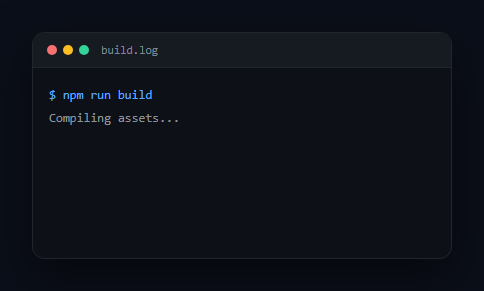
Some loading states are best communicated as a literal log — the terminal-style scroll of "Compiling assets…", "Optimizing images…", "Done." that CI tools and build systems show while they work. This snippet renders exactly that: a mock console window where each status line reveals itself character-by-character before the next line begins, using a real per-character interval rather than a CSS fade or a steps()-based faux-typewriter trick.
Real character-by-character typing
typeLine() uses a genuine setInterval ticking every CHAR_MS (18ms) that increments an index i and sets textSpan.textContent = full.slice(0, i) — each tick reveals exactly one more character of the actual string. This is meaningfully different from the common CSS steps() typewriter trick, which only works for a fixed-width, fixed-content <span> known at build time; because this is driven by a real loop reading real string data, log lines can be any length, generated dynamically, or even streamed in from a server one line at a time.
One line finishes before the next starts
runLog(index) types the current entry, and only once its interval clears (the full string has been revealed) does it wait LINE_GAP_MS and then recursively call runLog(index + 1) for the next line — a genuine sequential reveal, not several lines fading in on staggered but independent timers. This mirrors how a real build log actually streams: each line completes before the next begins.
Distinct from a "thinking" indicator
This is deliberately literal and technical — monospace font, a mock console titlebar with the classic red/yellow/green window dots, a blinking block cursor, and syntax-style coloring (a blue command prompt, green success line) — the register of a CI/deploy log, not an AI "thinking…" indicator like the shimmering, vague status text of an ai thinking loader. The messages here are concrete completed actions ("Bundling modules (214 files)…"), not open-ended reasoning narration.
Data-driven and extensible
The whole log comes from one LOG array of { text, tag?, ok? } entries, so changing the script is editing a list — swap in your real build/deploy/import steps, or drive entries in dynamically as a long-running task actually completes each stage. Pair it with a top loading bar for an overall progress cue alongside the detailed log, or a loading overlay as the surrounding shell.
Build with AI
Build, Understand, Optimize, and Extend It With AI
Instead of assuming the typing effect is a CSS trick, paste this snippet's HTML, CSS, and JS into an AI coding assistant like Claude and ask it to explain exactly how typeLine() uses a real setInterval and string slicing to reveal one character per tick, why that approach supports dynamic and arbitrary-length text where a CSS steps()-based typewriter cannot, and how runLog()'s recursive callback structure guarantees each line fully finishes typing before the next one starts. The same assistant can help optimize it — for instance asking whether requestAnimationFrame with a timestamp-based accumulator would produce steadier character timing than setInterval under heavy main-thread load. It's also useful for extending the pattern: ask it to support a variable typing speed per character (slightly randomized, for a more human feel), add a way to skip/fast-forward the whole log on click, or make the log auto-scroll to keep the actively-typing line in view once it grows past the visible area. Treat the code less like a finished artifact and more like a starting point for a conversation.
Prompt to recreate it
Copy this into your AI assistant of choice to build the effect from scratch, or as a jumping-off point for your own variant:
Build a "typewriter status log" loading indicator in plain HTML, CSS, and JavaScript styled like a build/deploy console — no library, and no CSS steps()-based typewriter trick.

Requirements:
- A mock console/terminal window shell with a titlebar (window control dots and a filename label) and a monospace log area below it.
- Define the log content as an array of line objects (each with at least a text string, and optionally flags for special styling like a command-prompt line or a final success line).
- Implement the typing effect with a REAL character-by-character reveal: for each line, use a JavaScript interval that increments an index and sets the line's displayed text to a substring of the real string sliced to that index length on every tick — not a CSS animation of width/clip-path on a fixed-content element, since the line lengths must be able to vary and the content must come from real string data, not be baked into CSS at build time.
- Lines must type out strictly one at a time in sequence: the next line's typing must only begin after the current line's interval has fully revealed all of its characters (plus an optional short pause), not run on independent overlapping timers.
- Show a blinking block cursor next to the line that is currently typing, and remove or hide it once that line finishes and before the next line's cursor appears.
- Give the log distinct visual styling from a generic AI "thinking" indicator: literal, technical status messages (e.g. "Compiling assets...", "Bundling modules...", "Done in 3.42s.") rather than vague reasoning narration, with monospace styling and syntax-style coloring for command and success lines.
- Expose the per-character typing delay and the pause between lines as easily tunable constants.
Want to tighten it up first? Run this prompt through the AI Prompt Studio to score it across 8 quality dimensions, catch anti-patterns, and tune the wording for Claude, ChatGPT, or Gemini before you paste it in.
Step by step
How to Use
- 1Paste HTML, CSS, and JSA mock console window renders and the first log line begins typing.
- 2Watch each line type outCharacters appear one at a time with a blinking cursor, then the next line begins.
- 3Reach the final lineThe last line types out in green, signaling completion.
- 4Edit the LOG arrayChange, add, or remove { text, tag, ok } entries for your real process's steps.
- 5Tune the typing speedAdjust CHAR_MS (per-character delay) and LINE_GAP_MS (between-line pause).
- 6Drive it from real eventsCall typeLine() for each step as your actual task completes it, instead of a fixed array.
Real-world uses
Common Use Cases
Got questions?
Frequently Asked Questions
A CSS steps() typewriter animates a fixed-width element's clip or width in discrete steps, which only works cleanly for a single line of known, fixed-length text set at build time. This snippet instead uses a real setInterval that reveals one character of an actual string per tick, so lines can be any length, generated dynamically, added to an array at runtime, or even streamed in from a live source — CSS steps() can't do any of that.
runLog(index) only calls itself for the next index inside typeLine's onDone callback, which fires after the interval has revealed every character and a short LINE_GAP_MS pause has elapsed. This produces a genuinely sequential reveal — one line completing triggers the next — matching how a real build log actually streams output, rather than several independent fade-in timers that might overlap.
CHAR_MS controls the delay between each revealed character (lower is faster typing); LINE_GAP_MS controls the pause after a line finishes before the next one starts. Both are plain constants at the top of the script.
Call typeLine({ text: 'Your real status message' }, callback) directly from your task's own progress events as each stage actually completes, instead of iterating a pre-built LOG array — the typing mechanism doesn't care where the text comes from, only that you provide a string and a callback for when it should type.
Keep the setInterval-based character reveal logic in a small hook/composable that takes a string and a speed, returning the currently-revealed substring as state, updated on each tick with cleanup on unmount. Drive a list of these hook instances sequentially (starting the next only once the current one's revealed length equals its full text length) to reproduce the same one-line-at-a-time behavior declaratively.