You Might Also Like
Learn Coding Visually
Learn to code with interactive, live-preview playgrounds — HTML, CSS, JavaScript, React & more.
 HTML Playground42 lessons · Click-based · Live preview
 CSS PlaygroundLearn CSS with a live editor
 JavaScript Playground60 lessons · DOM · Async · Canvas
 React PlaygroundLearn React with a live code editor
 GSAP PlaygroundLearn GSAP animation interactively
 SVG Playground44 lessons · shapes · paths · animation
 SCSS Playground45 lessons · Sass modules · tokens
 Tailwind PlaygroundLearn Tailwind CSS with a live editor
 Bootstrap 5 Playground50 lessons · live preview
Infinite Scroll Loading Spinner — IntersectionObserver Load-More
Infinite Scroll Loading Spinner · Loaders · Plain HTML, CSS & JS · Live preview
What's included
Features
About this UI Snippet
Infinite Scroll Loading Spinner — A Real IntersectionObserver Sentinel Pattern
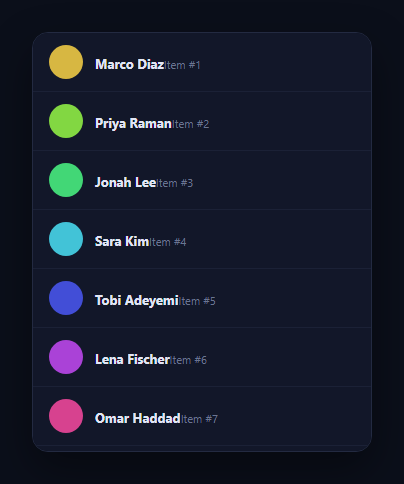
Infinite scroll is often built with a scroll-position calculation — checking scrollTop + clientHeight against scrollHeight on every scroll event — which is both imprecise and expensive to run at scroll frequency. The correct, modern mechanic is a sentinel element and an IntersectionObserver: an invisible marker sits just past the last row, the browser itself tells you the instant it scrolls into view, and that single event triggers the next page load. This snippet builds the pattern properly, with a spinner that appears exactly at the list's growing edge while a page loads.
A sentinel element, not a scroll listener
The .is-sentinel div sits as the last child of the scrollable frame, after the list. Instead of attaching a scroll event handler and computing distance-from-bottom math on every single scroll tick, an IntersectionObserver is created once and told to watch that one element. The browser's own compositor tracks the intersection natively — no per-scroll-event JavaScript runs at all, which is both simpler and considerably cheaper than polling scroll position.
rootMargin gives it a head start
The observer is configured with root: <the scrollable frame> (so it measures intersection against the list's own scroll container, not the whole page) and rootMargin: '80px', which extends the "viewport" the observer checks against by 80px beyond the frame's actual visible bottom edge. That means the next page starts loading slightly before the sentinel is literally visible — while the user still has a little unread content to scroll through — so by the time they actually reach the bottom, the new rows are often already rendered rather than making them wait after arriving.
One flag prevents duplicate loads
loading is checked and set inside loadNextPage() before anything else happens, and reset only once the simulated fetch resolves. Since IntersectionObserver can fire its callback more than once while an element stays intersecting (for instance if the observed element's size or position shifts slightly), this guard is what stops a single scroll-to-bottom from accidentally triggering two overlapping page loads.
A real "end of list" state, not an infinite loop
Once page reaches MAX_PAGES, the observer calls unobserve(sentinel) to stop watching entirely (there's nothing left to load, so there's no reason to keep paying for intersection checks) and swaps the spinner for a static "You've reached the end" label — an honest terminal state rather than a spinner that would otherwise spin forever with nothing left to fetch.
Wiring it to a real API
Replace the setTimeout inside loadNextPage() with a real fetch('/api/items?page=' + page), calling renderPage() with the response's actual items inside the resolved promise, and set loading = false in a finally. The observer setup, the rootMargin head start, the duplicate-load guard, and the end-of-list handling all stay exactly the same — only the data source changes. Pair it with a skeleton card grid for a richer per-row placeholder while a page loads, or an empty state for the very first, zero-item case.
Build with AI
Build, Understand, Optimize, and Extend It With AI
Paste this snippet's HTML, CSS, and JS into an AI coding assistant like Claude and ask it to explain exactly why watching a single sentinel element with IntersectionObserver is more efficient than a scroll event listener computing scrollTop/scrollHeight math on every tick, and what specific role the rootMargin: '80px' option plays in giving the next page's fetch a head start before the user actually reaches the bottom. It's worth a robustness check too: ask why loadNextPage() needs its own loading guard given that IntersectionObserver can fire its callback multiple times while an element stays intersecting, and what would go wrong without that guard. For extending it, ask for a version that shows a skeleton row placeholder instead of a spinner while each page loads, one that handles a failed fetch by showing a retry affordance at the sentinel instead of silently stopping, or a way to prefetch the next page slightly earlier by increasing rootMargin further. Treat the code less like a finished artifact and more like a starting point for a conversation.
Prompt to recreate it
Copy this into your AI assistant of choice to build the effect from scratch, or as a jumping-off point for your own variant:
Build an "infinite scroll" list in plain HTML, CSS, and JavaScript that loads more items using a real IntersectionObserver on a sentinel element — no scroll event listener and no manual scrollTop/scrollHeight distance calculations anywhere.

Requirements:
- A scrollable container (fixed height, overflow-y: auto) holding a list of rows, with a distinct sentinel element placed as the last child after the list, initially hidden behind a loading spinner that is only shown while a page is actively loading.
- Create exactly one IntersectionObserver, scoped to the scrollable container as its root (not the document viewport), configured with a rootMargin that extends its trigger area some distance past the container's real visible bottom edge, and have it observe only the sentinel element.
- The observer's callback must trigger a page-loading function only when the sentinel is reported as intersecting, and that function must guard against being invoked again while a previous page load is still in flight, using a boolean flag checked and set before any asynchronous work begins.
- Simulate fetching each page's items with a short delay before appending new rows to the list (structured so swapping in a real fetch call requires touching only that one function), and batch-insert each page's new rows using a single DocumentFragment rather than individual appendChild calls in a loop.
- After a fixed number of pages have loaded, stop observing the sentinel entirely (calling unobserve or disconnect) and replace the spinner with a static "reached the end" message, so no further loads are possible and the UI clearly communicates there is nothing left to fetch.
- Confirm scrolling quickly to the bottom multiple times in succession never triggers more than one overlapping request for the same page.
Want to tighten it up first? Run this prompt through the AI Prompt Studio to score it across 8 quality dimensions, catch anti-patterns, and tune the wording for Claude, ChatGPT, or Gemini before you paste it in.
Step by step
How to Use
- 1Paste HTML, CSS, and JSA scrollable list renders with its first page of rows already loaded.
- 2Scroll to the bottomA spinner appears at the list's edge and the next page loads and appends.
- 3Keep scrollingEach time the sentinel comes into view, another page loads automatically.
- 4Reach the last pageThe spinner is replaced by a static "You've reached the end" label.
- 5Inspect the observer setupNote root, rootMargin, and threshold are scoped to the scrollable frame.
- 6Wire a real APIReplace the setTimeout in loadNextPage() with a real fetch call.
Real-world uses
Common Use Cases
Got questions?
Frequently Asked Questions
A scroll listener fires continuously as the user scrolls and forces you to manually compute scrollTop, clientHeight, and scrollHeight on every single event to guess proximity to the bottom — expensive and imprecise. IntersectionObserver instead watches one sentinel element and lets the browser's own compositor report, natively and efficiently, the exact moment that element enters the visible area, with zero per-scroll-frame JavaScript.
It expands the area the observer treats as "the viewport" by 80px past the scroll frame's real visible edge, so the sentinel is considered intersecting — and the next page starts loading — while it's still 80px below what the user can currently see. This gives the fetch a head start, so new rows are often already rendered by the time the user actually scrolls that far.
loadNextPage() checks and immediately sets a loading flag before doing anything else, and only clears it once the simulated fetch resolves. Because IntersectionObserver can re-fire its callback while an element remains intersecting (for example after a layout shift), this guard is what stops a single scroll position from triggering two overlapping requests for the same page.
Once page reaches MAX_PAGES, the code calls observer.unobserve(sentinel) so the browser stops tracking that element entirely, and swaps the spinner for a static "You've reached the end" label. This is a genuine terminal state — there's no risk of the spinner reappearing or another fetch firing, since the observer is no longer watching anything.
Replace the setTimeout with a real fetch('/api/items?page=' + page) call, rendering the response's actual items and clearing the loading flag in a .finally(). In a framework, create the IntersectionObserver inside a mount effect targeting a ref on the sentinel element, call your data-fetching function from its callback, and clean up by disconnecting the observer on unmount.