You Might Also Like
Learn Coding Visually
Learn to code with interactive, live-preview playgrounds — HTML, CSS, JavaScript, React & more.
 HTML Playground42 lessons · Click-based · Live preview
 CSS PlaygroundLearn CSS with a live editor
 JavaScript Playground60 lessons · DOM · Async · Canvas
 React PlaygroundLearn React with a live code editor
 GSAP PlaygroundLearn GSAP animation interactively
 SVG Playground44 lessons · shapes · paths · animation
 SCSS Playground45 lessons · Sass modules · tokens
 Tailwind PlaygroundLearn Tailwind CSS with a live editor
 Bootstrap 5 Playground50 lessons · live preview
Loading State with Retry on Error — Real Loading/Success/Error Machine
Loading State with Retry on Error · Loaders · Plain HTML, CSS & JS · Live preview
What's included
Features
About this UI Snippet
Loading State with Retry on Error — A Real Loading/Success/Error State Machine
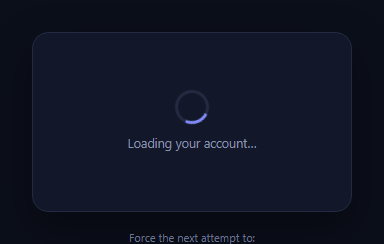
Most loader snippets only ever demonstrate the happy path: a spinner that always resolves to content. Real requests fail — a dropped connection, a 500, a timeout — and a production loading state needs a genuine error branch with a way to recover, not just a spinner that happens to always succeed in the demo. This snippet builds the whole state machine: loading (spinner), success (content), or error (a clear message plus a Retry button that re-enters the loading state) — and ships with demo controls that force either outcome, so both paths are actually visible and testable, not just implied by a comment.
Three states, one function controls all of them
setState() is the single place that toggles visibility — it hides all three .re-state panels, then shows exactly one. Nothing else in the code directly manipulates a panel's is-visible class, which is what guarantees the UI can never show two states at once (a spinner alongside an error, for instance) even as the demo controls fire in quick succession.
A real branch, not a scripted one-way flow
attempt() is the function a real fetch call would call: it sets the loading state, then after the network delay resolves to either success or error. In this demo the outcome is decided by forcedOutcome (armed by the demo buttons) or, in "Random" mode, a genuine coin flip — but the branching structure — set loading, wait, then call setState('success') or setState('error') — is exactly what you'd write around a real fetch().then().catch(), just with the network call itself replaced by a timer.
Retry re-enters the exact same code path
The Retry button in the error state calls attempt() directly — the identical function the initial load and the demo buttons call — so retrying isn't a special case with its own logic; it's simply running the same state transition again. This matters because a retry path that diverges from the original load path is a common source of bugs (a retry that doesn't properly clear a previous error, for instance); reusing one function eliminates that class of bug structurally.
Demo controls that make the error path honestly testable
Because loaders overwhelmingly ship without anyone having actually seen the error branch, this snippet exposes "Succeed", "Fail", and "Random" controls that arm forcedOutcome before the next attempt() runs — clicking "Fail" and then Retry lets you deterministically walk through the failure UI as many times as needed, and "Random" demonstrates that the exact same component correctly renders whichever branch actually occurs.
Wiring it to a real request
Replace the setTimeout and its forced-outcome logic inside attempt() with a real fetch(...).then(success handler).catch(error handler), calling setState('success') in the then and setState('error') in the catch — everything else (the Retry button, the state-toggling structure, the visual states) stays identical. Pair this with a loading overlay for the surrounding page or an empty state for a "no results" branch distinct from a true error.
Build with AI
Build, Understand, Optimize, and Extend It With AI
Paste this snippet's HTML, CSS, and JS into an AI coding assistant like Claude and ask it to explain exactly why setState() being the only function that toggles panel visibility guarantees the loading, success, and error states can never appear simultaneously, even under rapid repeated clicks, and why having the Retry button call the identical attempt() function used for the initial load (rather than a separate retry handler) eliminates a whole class of bugs where retry behavior quietly diverges from first-load behavior. It's worth a resilience check too: ask what would happen if a user clicked Retry multiple times in quick succession before the first attempt's timer resolved, and whether the current code handles overlapping in-flight attempts correctly. For extending it, ask for a version that tracks and displays a retry count, adds exponential backoff between automatic retries, or distinguishes a "no results" empty state from a true network error rather than collapsing both into one error branch. Treat the code less like a finished artifact and more like a starting point for a conversation.
Prompt to recreate it
Copy this into your AI assistant of choice to build the effect from scratch, or as a jumping-off point for your own variant:
Build a loading component with a real loading/success/error state machine in plain HTML, CSS, and JavaScript, including a working Retry action and demo controls to force either outcome.

Requirements:
- Three distinct visual states (a loading spinner state, a success state showing placeholder content, and an error state showing a clear error message with a Retry button), where a single JavaScript function is the only place in the code that toggles which state's markup is visible — no other code may directly manipulate a state panel's visibility.
- A core "attempt" function that sets the loading state immediately, then after a simulated delay resolves to either the success or error state — structured the way a real fetch call's request-then-resolve-or-reject flow would work, so the branching logic itself is the same shape a production version would use.
- The Retry button inside the error state must call the exact same attempt function used for the initial load, not a separate retry-specific code path, so retrying is provably identical logic to the first load rather than a parallel implementation that could drift out of sync.
- Add demo controls (e.g. "Succeed", "Fail", "Random") that let a user force which outcome the next attempt will resolve to, so both the success and error branches can be deliberately and repeatedly triggered and inspected, not just the happy path.
- Ensure that clicking Retry (or any of the demo controls) while already loading, or immediately after a previous attempt just resolved, always leaves the UI in exactly one clean, consistent visible state — never two states shown at once and never a state left stuck from a previous attempt.
- The error state's message must be specific and actionable (not a generic "Something went wrong" with no path forward), and the Retry button must be clearly the primary action to take from that state.
Want to tighten it up first? Run this prompt through the AI Prompt Studio to score it across 8 quality dimensions, catch anti-patterns, and tune the wording for Claude, ChatGPT, or Gemini before you paste it in.
Step by step
How to Use
- 1Paste HTML, CSS, and JSThe card starts loading, then resolves to a random success or error state.
- 2Use the demo controlsClick "Fail" then watch it load and land on the error state with a Retry button.
- 3Click RetryIt re-enters the loading state and resolves again based on the armed outcome.
- 4Try "Succeed" and "Random"Confirm all three demo modes correctly drive the same state machine.
- 5Inspect setStateNotice it is the only function that ever toggles which panel is visible.
- 6Wire a real requestReplace the setTimeout in attempt() with a real fetch's then/catch.
Real-world uses
Common Use Cases
Got questions?
Frequently Asked Questions
setState() is the single function that ever toggles the is-visible class — it always hides all three panels first, then shows exactly the one requested. No other code in the snippet directly manipulates a panel's visibility, so there's no path by which two states could end up visible simultaneously, even if attempt() were called again before a previous attempt finished.
Retry calls attempt() directly — the exact same function used for the initial load and by the demo buttons. There is no separate "retry" code path, which avoids a common bug class where retry logic subtly diverges from the original load logic (for example, forgetting to clear a stale error before showing the spinner again).
Clicking Succeed, Fail, or Random arms a forcedOutcome variable before calling attempt(). Inside attempt(), once the simulated delay completes, the outcome is decided by that variable — true for Succeed, false for Fail, or a coin flip for Random — and then setState is called with the corresponding result, exactly as a real fetch's resolved or rejected promise would decide it.
Inside attempt(), replace the setTimeout and forced-outcome branching with a real request: call setState('loading'), then fetch(url).then(res => setState('success')).catch(err => setState('error')). Keep the Retry button's handler pointed at attempt() unchanged — it will automatically re-run whatever real request logic you put there.
Hold a single state value (e.g. 'loading' | 'success' | 'error') instead of toggling classes, and render exactly one branch based on it — a switch or conditional render is the direct equivalent of setState(). Call your state-setting function from a real request's resolve and reject handlers, and point the Retry button's onClick at the same function used for the initial fetch.